
1. บทนำ
Thank you for choosing the Tiksounds S12 Portable Bluetooth Speaker. This manual provides essential information for setting up, operating, and maintaining your speaker to ensure optimal performance and longevity. Please read these instructions carefully before using the product.
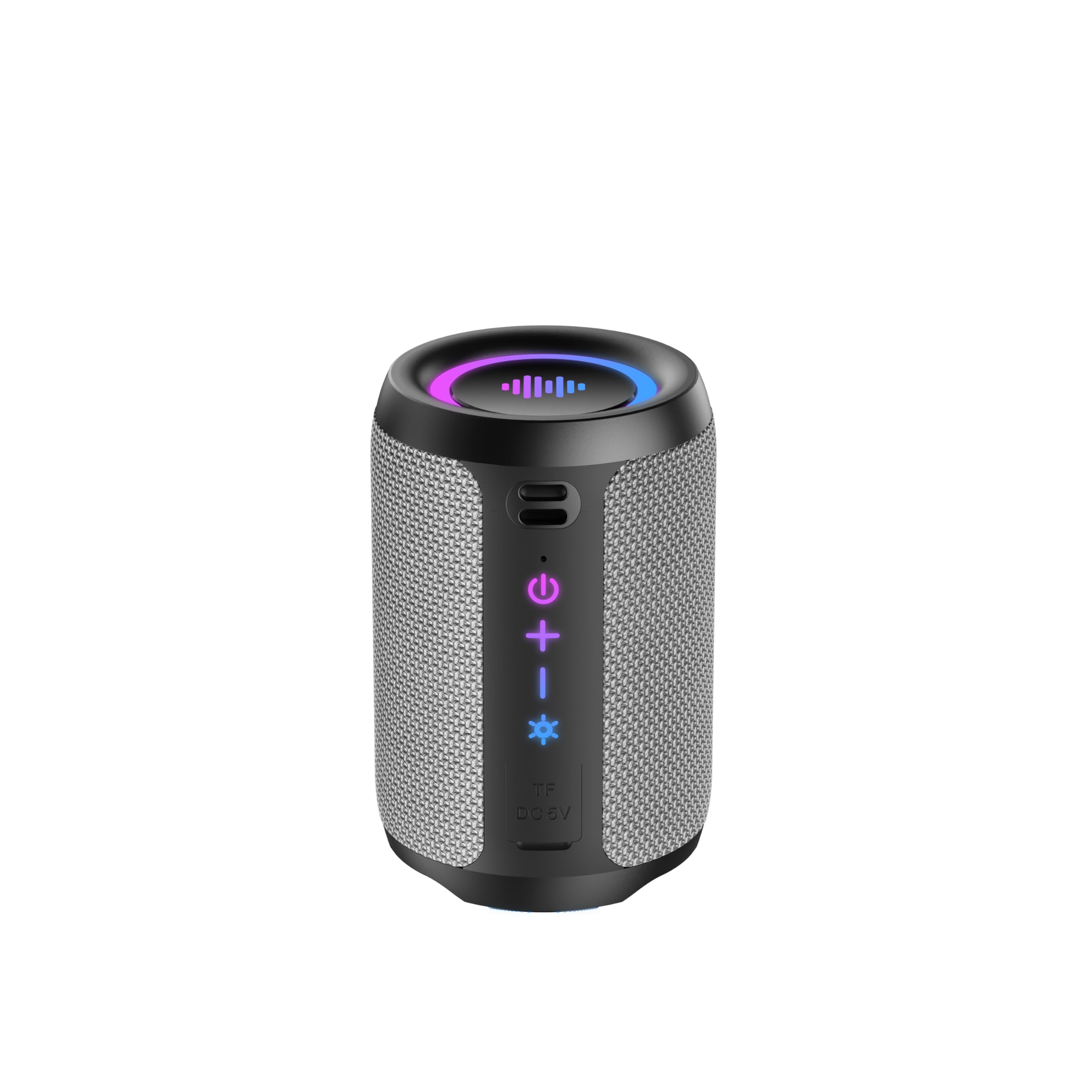
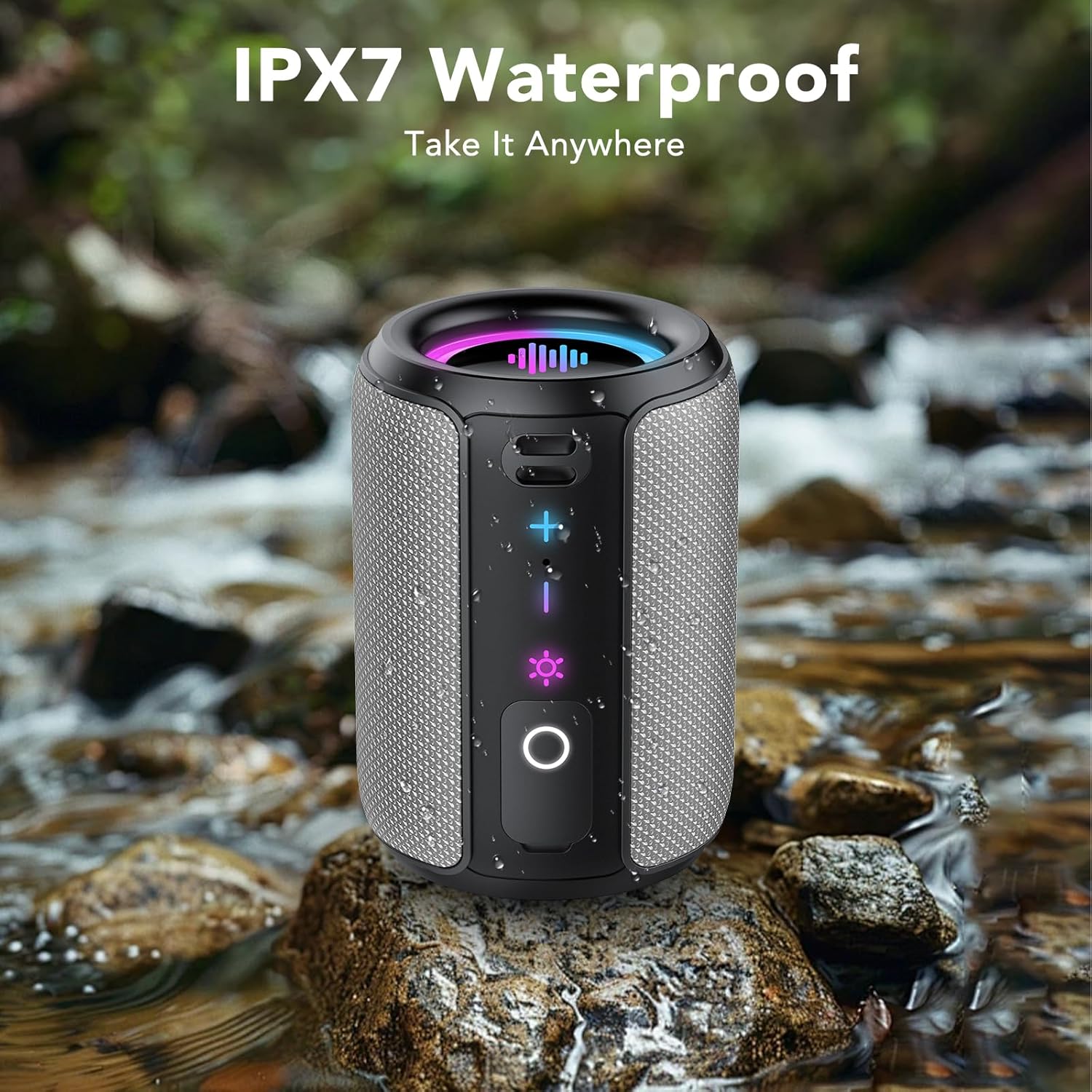
Image 1.1: The Tiksounds S12 Portable Bluetooth Speaker, showcasing its IPX7 waterproof design with water splashes.
2. สินค้าหมดview
2.1 อะไรอยู่ในกล่อง
- Tiksounds S12 Portable Bluetooth Speaker
- สายชาร์จแบบ USB Type-C
- คู่มือการใช้งาน
2.2 ส่วนประกอบและปุ่มควบคุมลำโพง
Familiarize yourself with the speaker's buttons and ports for easy operation.
ภาพที่ 2.1: ด้านหน้า view of the S12 speaker highlighting the Volume Up (+), Volume Down (-), Light Control, and Play/Pause/Call buttons.
- เพิ่มระดับเสียง (+): กดเพื่อเพิ่มระดับเสียง
- ลดเสียงลง (-): กดเพื่อลดระดับเสียง
- Light Control (☀): Press to cycle through light modes. Press and hold for 3 seconds to turn lights off.
- Play/Pause/Call (O): Press to play/pause music or answer/end calls. Press and hold for 2 seconds to power on/off. Press for 1.5 seconds to reject a call.
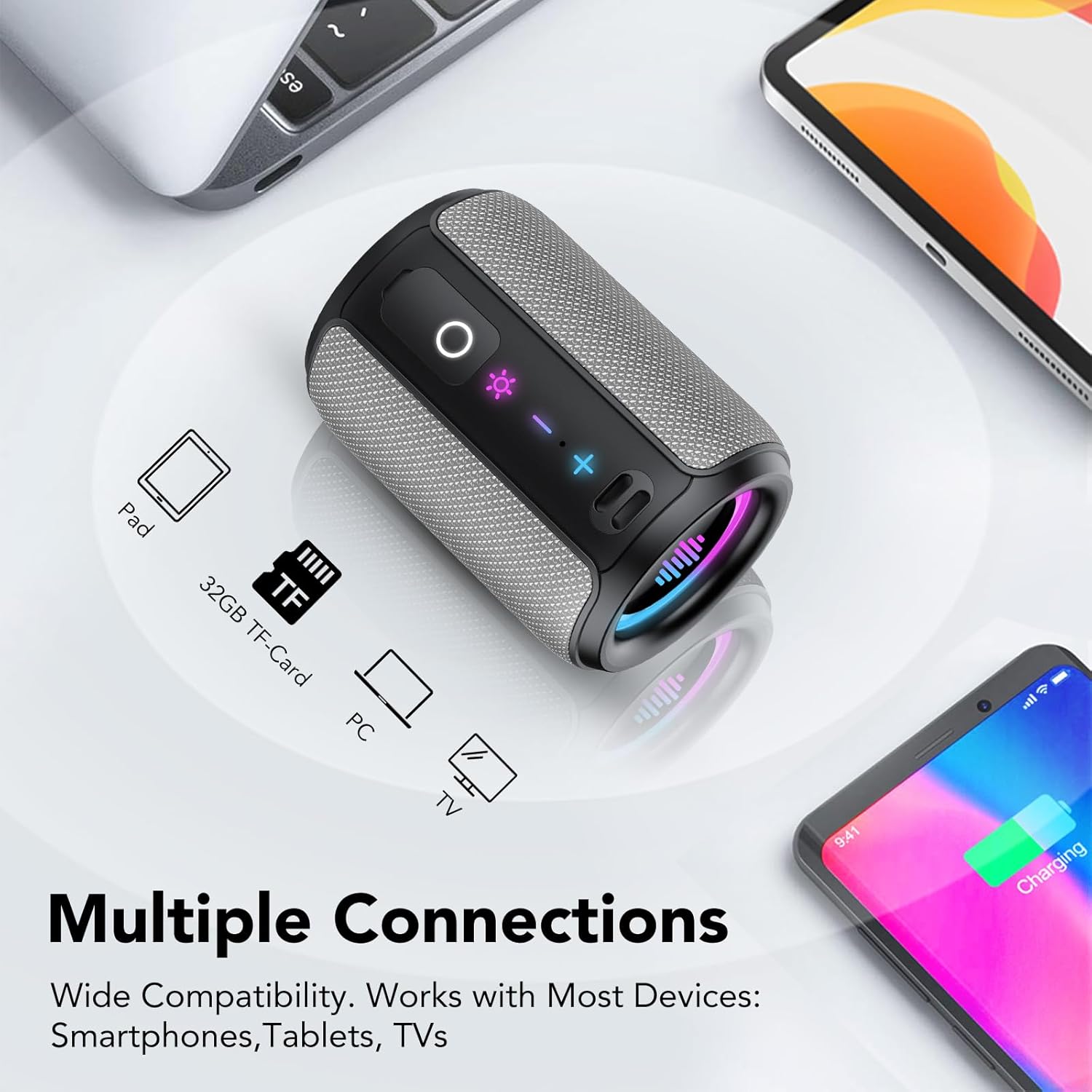
ภาพที่ 2.2: ด้านข้าง view of the S12 speaker revealing the TF Card Slot and Type-C Charging/Data Port, protected by a waterproof cover.
- สล็อตบัตร TF: Supports WAV / MP3 formats for direct music playback.
- พอร์ต Type-C: For charging the speaker and data transfer.
3. คำแนะนำในการตั้งค่า
3.1 การชาร์จลำโพง
Before first use, fully charge the speaker. Connect the provided USB Type-C cable to the speaker's Type-C port and a compatible USB power adapter (not included). A full charge typically takes 3-4 hours and provides up to 12-24 hours of playtime depending on volume and light usage.
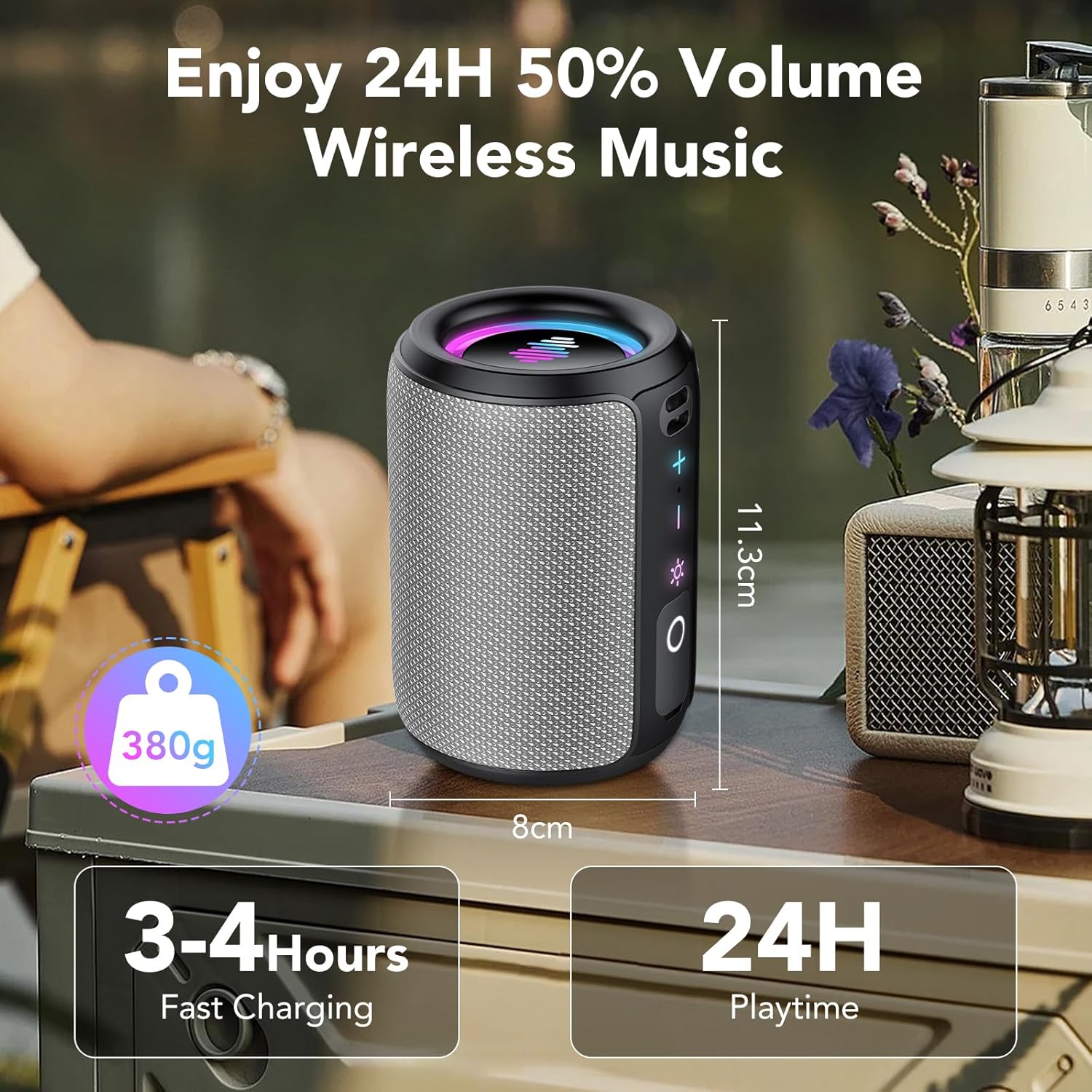
Image 3.1: The S12 speaker highlighting its compact size, 380g weight, 3-4 hours fast charging, and 24 hours playtime.
3.2 การเปิด/ปิดเครื่อง
- เพื่อเปิดเครื่อง: กดปุ่มค้างไว้ Play/Pause/Call (O) กดปุ่มนี้เป็นเวลา 2 วินาที
- ในการปิดเครื่อง: กดปุ่มค้างไว้ Play/Pause/Call (O) กดปุ่มนี้เป็นเวลา 2 วินาที
3.3 การจับคู่บลูทูธ
The S12 speaker features Bluetooth 5.4 for fast and stable connections.
- Ensure the speaker is powered on and in pairing mode (indicated by a flashing light).
- บนอุปกรณ์ของคุณ (สมาร์ทโฟน แท็บเล็ต คอมพิวเตอร์) เปิดใช้งาน Bluetooth
- ค้นหา "S12" in the list of available Bluetooth devices and select it to connect.
- Once connected, the speaker will emit a confirmation sound, and the light will stop flashing.
การจับคู่ระบบเสียงสเตอริโอไร้สาย 3.4 True Wireless Stereo (TWS)
For an immersive 360° stereo sound experience, you can pair two S12 speakers together.
- ตรวจสอบให้แน่ใจว่าลำโพง S12 ทั้งสองตัวเปิดอยู่และไม่ได้เชื่อมต่อกับอุปกรณ์ Bluetooth อื่นใด
- สำหรับลำโพงตัวใดตัวหนึ่ง ให้กดปุ่มสองครั้ง ปุ่ม TWS (often integrated with the Play/Pause button or a dedicated button, refer to Image 2.1 for specific button layout if available, otherwise assume Play/Pause). The speaker will enter TWS pairing mode.
- ลำโพงทั้งสองตัวจะเชื่อมต่อกันโดยอัตโนมัติ และจะมีเสียงยืนยันเพื่อแจ้งว่าการจับคู่ TWS สำเร็จแล้ว
- Once paired, connect your device to one of the S12 speakers via Bluetooth as described in Section 3.3. Both speakers will now play audio in stereo.
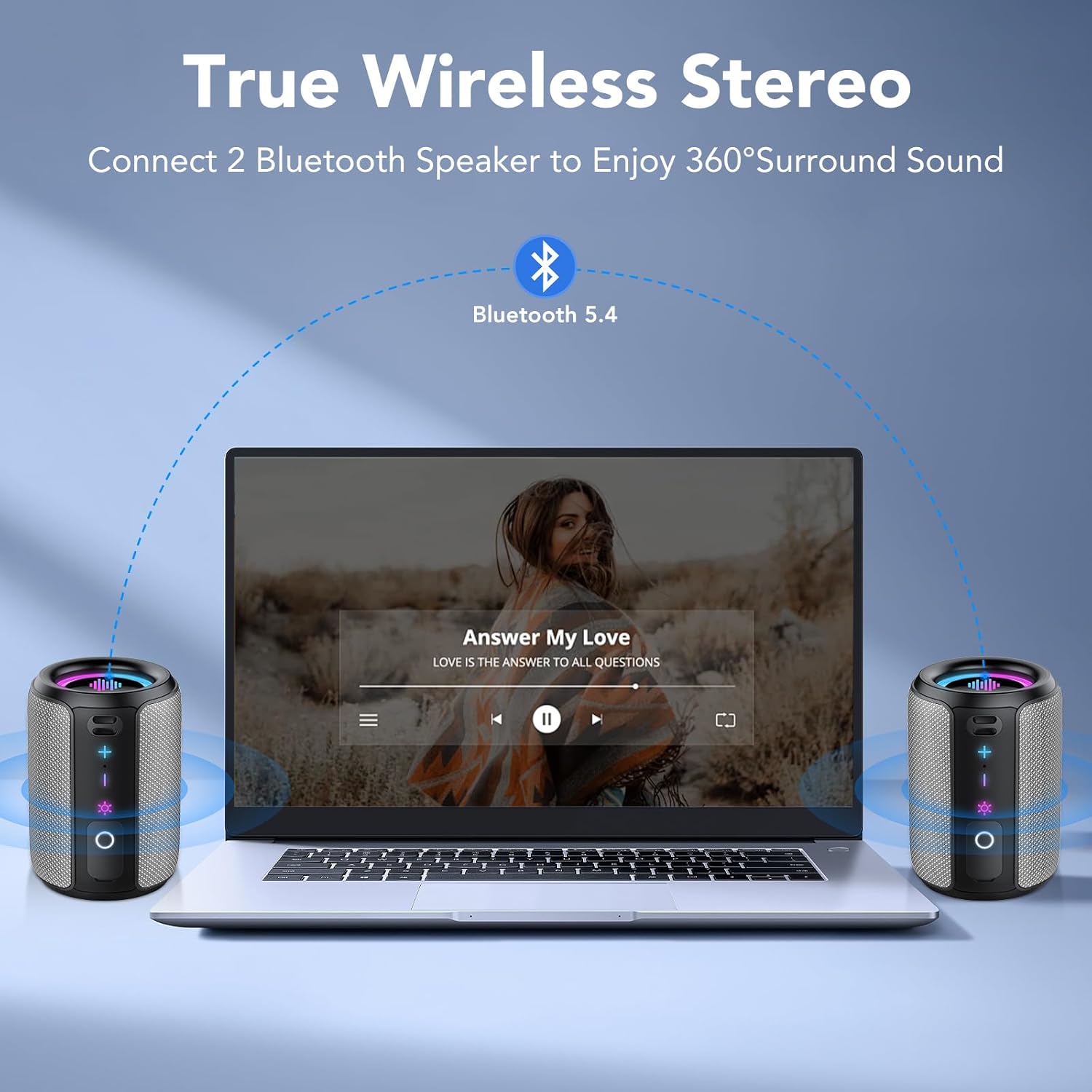
Image 3.2: Two S12 speakers set up for True Wireless Stereo (TWS) pairing with a laptop, providing 360° surround sound.
4. คู่มือการใช้งาน
4.1 การเล่นเพลง
- เล่น/หยุดชั่วคราว: กดปุ่ม Play/Pause/Call (O) ปุ่มหนึ่งครั้ง
- เพิ่มระดับเสียง: กดปุ่ม + ปุ่ม.
- ลดระดับเสียง: กดปุ่ม - ปุ่ม.
- เพลงถัดไป: กดปุ่มค้างไว้ + กดปุ่มนี้เป็นเวลา 2 วินาที
- เพลงก่อนหน้า: กดปุ่มค้างไว้ - กดปุ่มนี้เป็นเวลา 2 วินาที
4.2 การจัดการการโทร
- รับสาย/วางสาย: กดปุ่ม Play/Pause/Call (O) ปุ่มหนึ่งครั้ง
- ปฏิเสธการรับสาย: กดปุ่มค้างไว้ Play/Pause/Call (O) กดปุ่มนี้เป็นเวลา 1.5 วินาที
4.3 Dynamic Rhythm Light Show
The S12 speaker features dynamic RGB LED lights that sync with your music. There are six distinct light modes:
- Rainbow Cycle
- Alternating Red, Green, and Blue
- Red, Green, and Blue Alternating
- หายใจสายรุ้ง
- Rainbow Stacking
- ปิด
กดปุ่ม Light Control (☀) button to cycle through these modes. Press and hold the Light Control (☀) button for 3 seconds to turn the lights off.

Image 4.1: Multiple S12 speakers demonstrating the vibrant RGB colorful lighting feature.
4.4 การเล่นไฟล์จากการ์ด TF
Insert a TF card (up to 32GB) containing WAV or MP3 audio files into the TF card slot. The speaker will automatically switch to TF card playback mode. Use the playback controls (Section 4.1) to manage your music.
5. การบำรุงรักษา
5.1 การดูแลกันน้ำ (IPX7)
The S12 speaker is IPX7 waterproof, meaning it can be immersed in water up to 1 meter (3 feet) for 30 minutes. Ensure the Type-C port and TF card slot cover is securely closed before exposing the speaker to water. After exposure to water, wipe the speaker dry with a soft cloth before charging or opening the port cover.
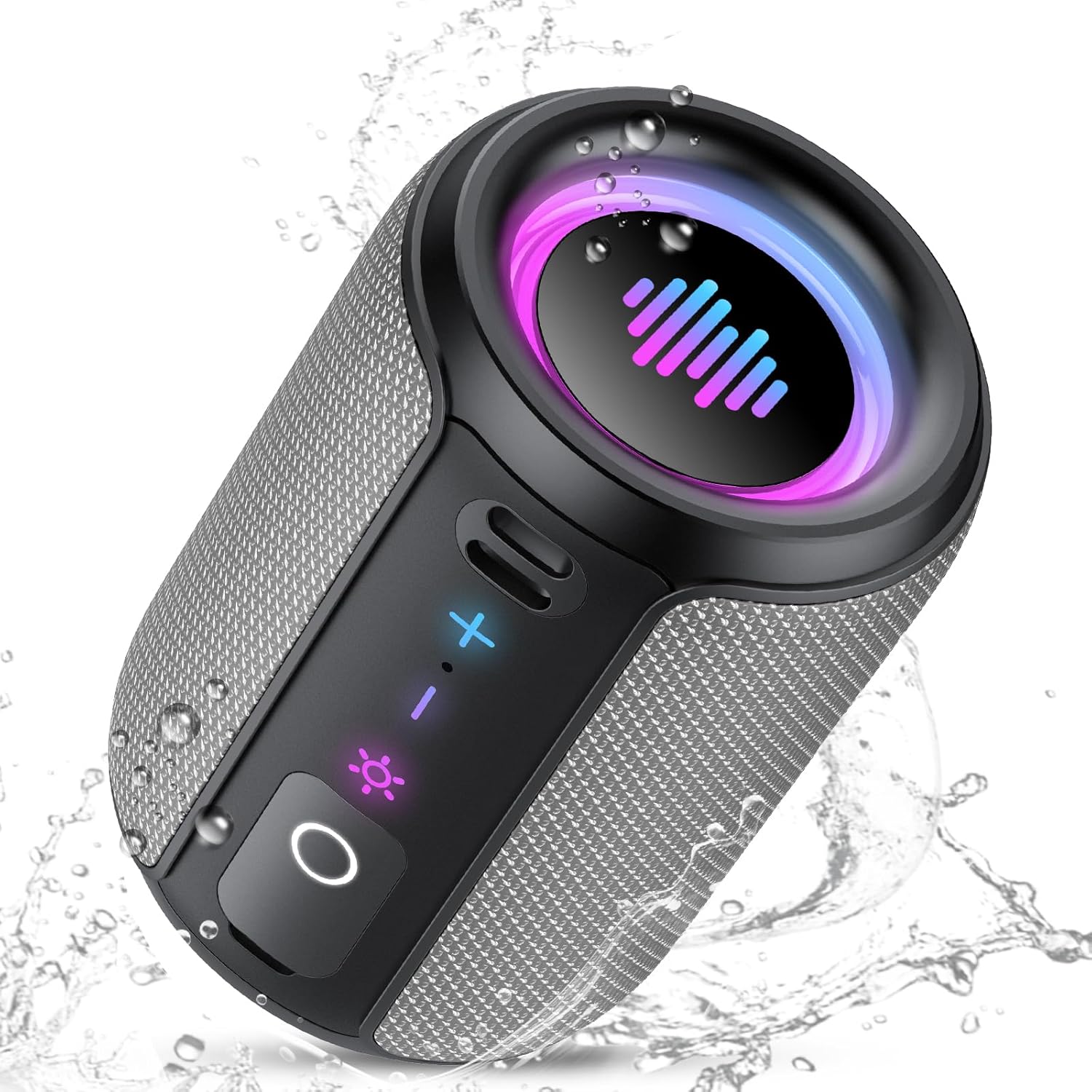
Image 5.1: The S12 speaker in a wet environment, highlighting its IPX7 waterproof capability.
5.2 การทำความสะอาดและการเก็บรักษา
- ทำความสะอาดลำโพงด้วยผ้านุ่มๆamp ผ้า. อย่าใช้สารเคมีที่รุนแรงหรือน้ำยาทำความสะอาดที่มีฤทธิ์กัดกร่อน
- เก็บลำโพงไว้ในที่แห้งและเย็น ห่างจากอุณหภูมิที่สูงและแสงแดดโดยตรง
- หากเก็บรักษาเป็นเวลานาน ควรชาร์จแบตเตอรี่ให้ได้ประมาณ 50% ทุกๆ สองสามเดือน เพื่อรักษาสภาพแบตเตอรี่ให้ดีอยู่เสมอ
6 การแก้ไขปัญหา
If you encounter issues with your S12 speaker, refer to the following common problems and solutions:
| ปัญหา | สาเหตุที่เป็นไปได้ | สารละลาย |
|---|---|---|
| ลำโพงไม่เปิด | แบตเตอรี่ต่ำ | ชาร์จลำโพงเป็นเวลา 3-4 ชั่วโมง |
| ไม่สามารถจับคู่ผ่านบลูทูธได้ | Speaker not in pairing mode; device Bluetooth off; too far from device | Ensure speaker is on and flashing; enable Bluetooth on device; move speaker closer (within 10m/33ft). |
| ไม่มีเสียง | Volume too low; device not connected; incorrect audio source | Increase speaker/device volume; re-pair Bluetooth; check if TF card is inserted. |
| การจับคู่ TWS ล้มเหลว | Speakers too far apart; one speaker already connected to a device | Ensure speakers are close; disconnect any Bluetooth devices from both speakers before TWS pairing. |
7. ข้อมูลจำเพาะ
| คุณสมบัติ | รายละเอียด |
|---|---|
| ชื่อรุ่น | S12 |
| ยี่ห้อ | ติ๊กซาวด์ |
| ประเภทลำโพง | ลำโพงแบบพกพา |
| เทคโนโลยีการเชื่อมต่อ | บลูทูธ 5.4 |
| กำลังขับสูงสุดของลำโพง | 15 Watts (30W in TWS mode) |
| คุณสมบัติพิเศษ | LED Light, IPX7 Waterproof, TWS Pairing, TF Card Slot |
| สี | สีเทา |
| ขนาดสินค้า | ลึก 3.34 นิ้ว x กว้าง 4.84 นิ้ว x สูง 3.34 นิ้ว (ลึก 8.5 ซม. x กว้าง 12.3 ซม. x สูง 8.5 ซม.) |
| น้ำหนักสินค้า | 15.5 ออนซ์ (ประมาณ 440 กรัม) |
| เวลาเล่น | ใช้งานได้นานสูงสุด 12-24 ชั่วโมง (ขึ้นอยู่กับการใช้งาน) |
| เวลาในการชาร์จ | 3-4 ชั่วโมง |
| รองรับการ์ด TF | WAV / MP3 formats |
8. ข้อมูลด้านความปลอดภัย
- ห้ามถอดประกอบ ซ่อมแซม หรือดัดแปลงผลิตภัณฑ์
- Keep the speaker away from extreme heat sources, direct sunlight, and open flames.
- อย่าให้ลำโพงสัมผัสกับของเหลวที่มีฤทธิ์กัดกร่อน
- Ensure the charging port cover is sealed tightly when near water.
- ใช้เฉพาะสายชาร์จที่ให้มาหรือได้รับการรับรองเท่านั้น
9. วิดีโอผลิตภัณฑ์view
Watch this official video for a visual guide to the Tiksounds S12 Portable Bluetooth Speaker's features and functions.
วิดีโอ 9.1: จบแล้วview of the Tiksounds S12 Portable Bluetooth Speaker, demonstrating its portable design, 15W stereo sound, 24-hour battery life, RGB dynamic light shows, Bluetooth 5.4 connectivity, IPX7 waterproof rating, TWS pairing, and control interface.
10. การรับประกันและการสนับสนุน
For warranty information and customer support, please refer to the documentation included with your purchase or visit the official Tiksounds webไซต์ คุณสามารถติดต่อผู้ขายโดยตรงเพื่อขอความช่วยเหลือได้