
การแนะนำ
The Tamagotchi Nano x Sanrio - My Melody is a compact virtual pet device that allows you to care for a digital character with the assistance of My Melody and Kuromi. This manual provides essential information for setting up, operating, maintaining, and troubleshooting your device to ensure a fulfilling virtual pet experience.
การตั้งค่า
1. การติดตั้งแบตเตอรี่
Your Tamagotchi Nano comes with two LR44 batteries pre-installed. A plastic tab may be present to prevent battery drain during shipping. To activate the device:
- ค้นหาช่องใส่แบตเตอรี่ที่ด้านหลังของอุปกรณ์
- If a plastic tab is present, gently pull it out to activate the batteries.
- If batteries need replacement, use a small screwdriver to open the compartment. Insert two new LR44 batteries, ensuring correct polarity (+/-).
- ปิดช่องใส่แบตเตอรี่ให้แน่น
2. การเปิดใช้งานอุปกรณ์ครั้งแรก
After battery activation, your Tamagotchi Nano will power on. You will be prompted to set the time and date. Use the control buttons to navigate and confirm your selections.
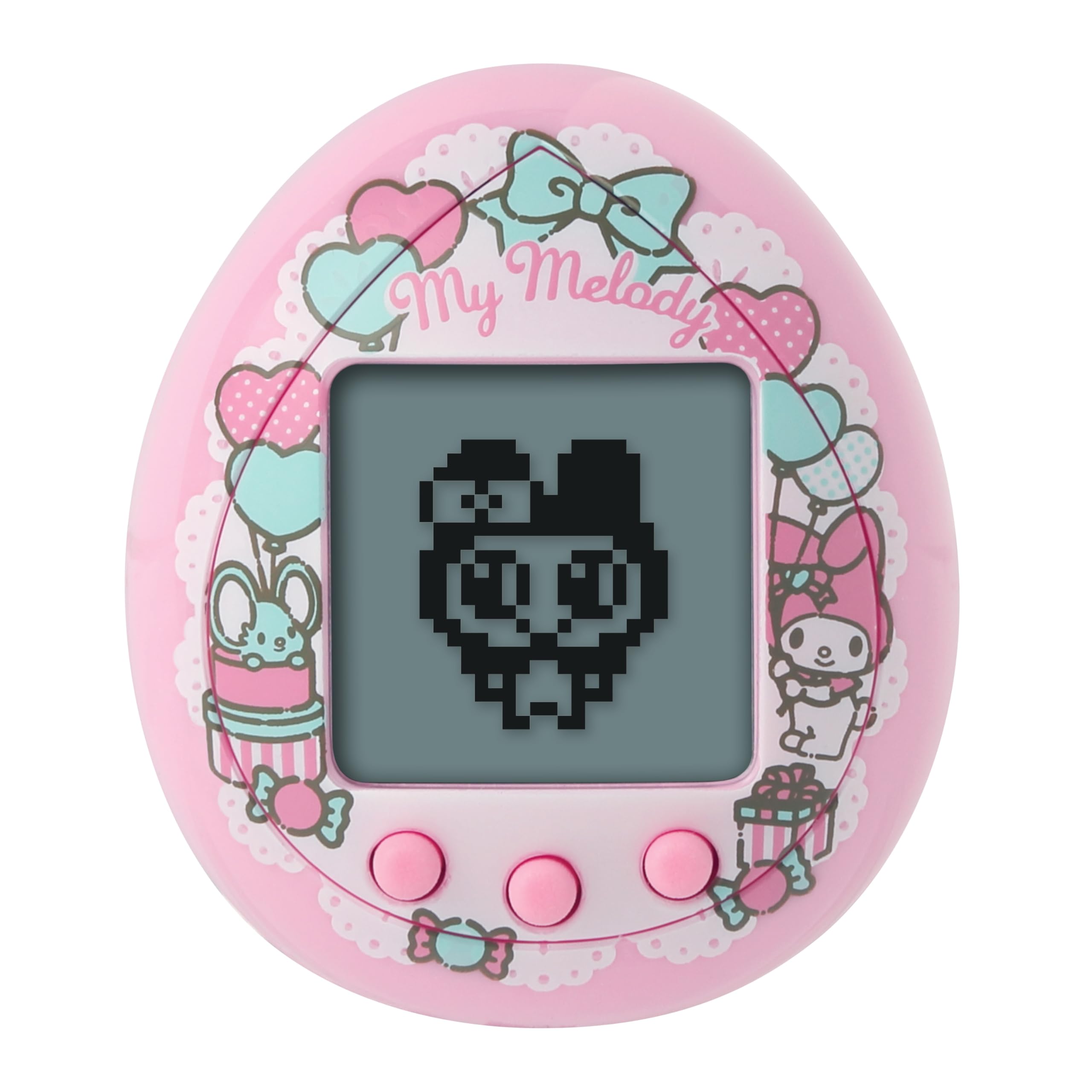
ภาพ: ด้านหน้า view of the Tamagotchi Nano x Sanrio - My Melody device. This image shows the device's screen, control buttons, and the attached chain.
คำแนะนำการใช้งาน
Caring for your Tamagotchi character involves daily interactions and monitoring its needs. The way you care for your character will influence its growth and evolution.
1. การดูแลขั้นพื้นฐาน
- การให้อาหาร: Your Tamagotchi character will indicate when it is hungry. My Melody and Kuromi may assist by bringing almond pound cake or pickled onions. Select the appropriate food item to satisfy its hunger.
- การทำความสะอาด: If the character's room becomes dirty, an icon will appear. Select the cleaning option to tidy up its environment.
- ความสนใจ: Respond promptly to your character's calls for attention to ensure its happiness and healthy development.
2. มินิเกม
Engage your Tamagotchi character with three interactive mini-games:
- Piano Lesson: Play musical notes.
- Shooting Star: Aim and shoot at falling stars.
- Balloon Making: Inflate balloons.
Achieving a perfect score in these games may unlock a special performance. Regular play contributes to your character's well-being.
3. My Melody and Kuromi Interactions
My Melody and Kuromi will appear to assist you in caring for your Tamagotchi character. If you provide excellent care, they may reward you with a special gift.

ภาพ: มุม view of the Tamagotchi Nano x Sanrio - My Melody device. This image highlights the device's screen and the three control buttons used for interaction.
การซ่อมบำรุง
1. การทำความสะอาด
To clean your Tamagotchi Nano, gently wipe the device with a soft, dry cloth. Avoid using harsh chemicals, abrasive cleaners, or excessive moisture, as these can damage the device or screen.
2. การเปลี่ยนแบตเตอรี่
When the display becomes dim or the device behaves erratically, it may be time to replace the batteries. Refer to the "Battery Installation" section under Setup for instructions. Always use new LR44 batteries and dispose of old batteries responsibly according to local regulations.
3. การจัดเก็บ
When not in use for extended periods, it is recommended to remove the batteries to prevent leakage and potential damage to the device. Store the Tamagotchi Nano in a cool, dry place away from direct sunlight and extreme temperatures.
การแก้ไขปัญหา
If you encounter issues with your Tamagotchi Nano, try the following steps:
- อุปกรณ์ไม่เปิด: Ensure batteries are correctly installed and not depleted. Replace with new LR44 batteries if necessary.
- ปุ่มไม่ตอบสนอง: Check for any debris obstructing the buttons. If the issue persists, try resetting the device by removing and reinserting the batteries. Note that resetting may erase progress.
- Screen Issues (Dim/Blank): มักบ่งชี้ว่าแบตเตอรี่ใกล้หมด ควรเปลี่ยนแบตเตอรี่
- Character Not Evolving: Character evolution is dependent on the care provided. Ensure you are consistently feeding, cleaning, and playing with your character. Refer to the operating instructions for proper care.
- เสียงไม่ทำงาน: Check if the sound is muted. Some Tamagotchi models have a mute function. If not, try replacing batteries.
หากปัญหายังคงมีอยู่หลังจากพยายามแก้ไขปัญหาเหล่านี้แล้ว โปรดติดต่อฝ่ายสนับสนุนลูกค้า
ข้อมูลจำเพาะ
| คุณสมบัติ | รายละเอียด |
|---|---|
| ชื่อยี่ห้อ | ทามาก็อตจิ |
| ชื่อรุ่น | Tamagotchi Nano x Sanrio - My Melody Electronic Pet |
| หมายเลขรุ่น | 91001 |
| สี | My Melody (Pink) |
| ขนาดรายการ (ยาว x กว้าง x สูง) | 1.5" x 1.1" x 1.75" (3.81 ซม. x 2.79 ซม. x 4.45 ซม.) |
| น้ำหนักสินค้า | 0.05 กิโลกรัม |
| ประเภทวัสดุ | อะคริโลไนไตรล์ บิวทาไดอีน สไตรีน โลหะ โพลีคาร์บอเนต ซิลิโคน |
| แหล่งพลังงาน | แบตเตอรี่ |
| ประเภทแบตเตอรี่ที่รองรับ | 2x LR44 (รวมอยู่ด้วย) |
| อายุขั้นต่ำของผู้ผลิต | 8 ปีขึ้นไป |
| ส่วนประกอบที่รวมอยู่ | Tamagotchi Nano x Sanrio - My Melody device, 2 x LR44 batteries |
ข้อมูลการรับประกัน
Specific warranty details for the Tamagotchi Nano x Sanrio - My Melody are typically provided with the product packaging or on the manufacturer's official website. Please retain your proof of purchase for any warranty claims. For detailed information, refer to the warranty card included in the product box or visit the Bandai Namco Toys & Collectibles America webเว็บไซต์.
สนับสนุน
For further assistance, technical support, or inquiries regarding your Tamagotchi Nano x Sanrio - My Melody device, please contact the manufacturer:
- ผู้ผลิต: บันได นัมโค ทอยส์ แอนด์ คอลเลคทีฟ อเมริกา
- Webเว็บไซต์: www.bandai.com (กรุณาตรวจสอบจากเจ้าหน้าที่ website for specific support contact information or FAQs.)
เมื่อติดต่อฝ่ายสนับสนุน โปรดเตรียมหมายเลขรุ่นผลิตภัณฑ์ (91001) และหลักฐานการซื้อให้พร้อม