
การแนะนำ
This manual provides detailed instructions for the DAREU A950GM Wireless Gaming Mouse. It covers product features, setup procedures, operational guidelines, maintenance tips, troubleshooting solutions, and technical specifications. Please read this manual thoroughly before using the product to ensure optimal performance and longevity.
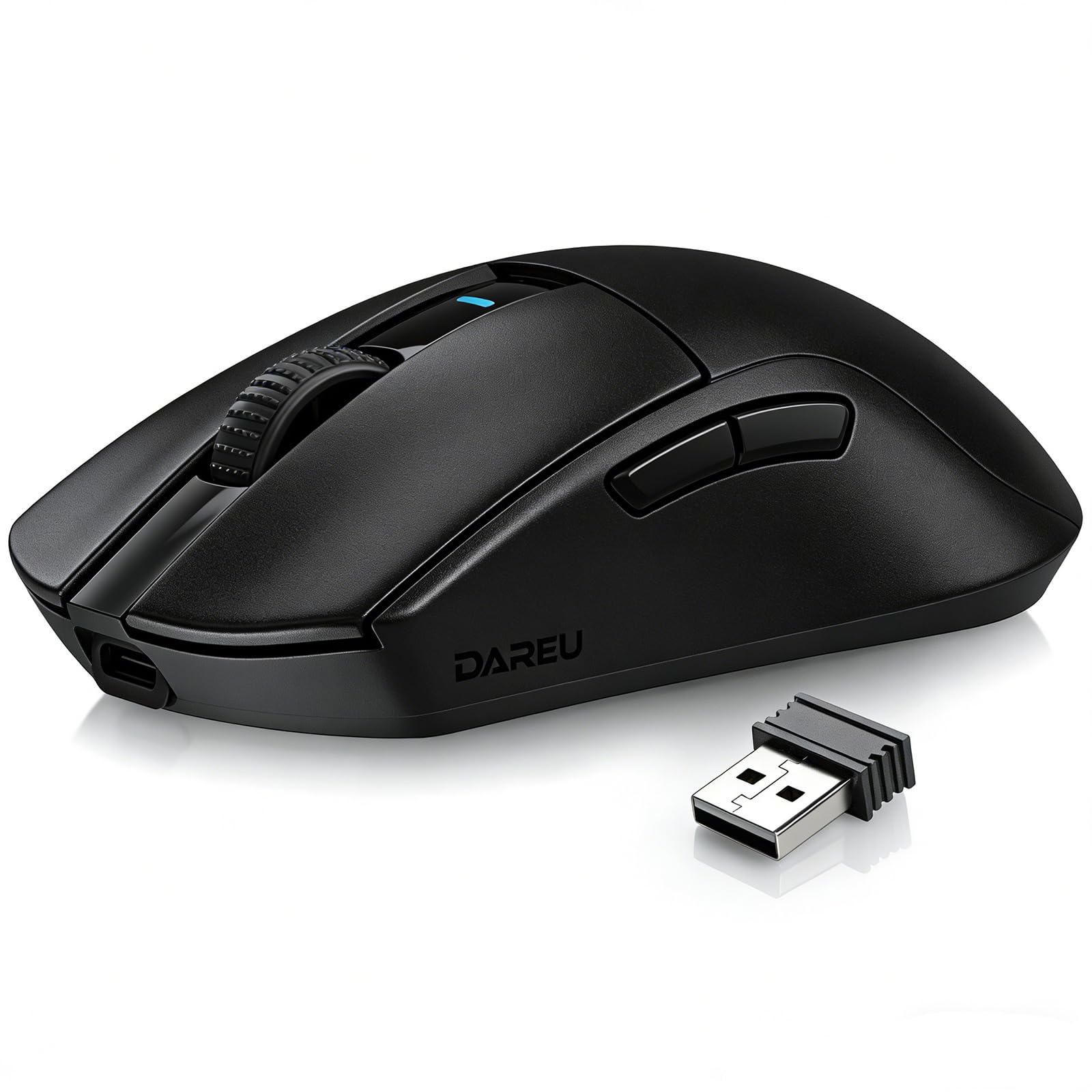
Image: The DAREU A950GM Wireless Gaming Mouse, showcasing its sleek black design and key features like lightweight design, tri-mode connectivity, high DPI, fast charge, Huano switches, and PAW3395 sensor.
การตั้งค่า
เนื้อหาแพ็คเกจ
ตรวจสอบให้แน่ใจว่ามีรายการทั้งหมดอยู่ในบรรจุภัณฑ์:
- 1 x DAREU A950GM Mouse
- สายเคเบิล Type-C 1 เส้น
- 1 x USB Receiver
- 1 x คู่มือผู้ใช้ภาษาอังกฤษ

Image: Contents of the DAREU A950GM package, including the mouse, Type-C cable, USB receiver, user manual, and packaging box.
การชาร์จเบื้องต้น
Before first use, it is recommended to fully charge the mouse. Connect the provided Type-C cable to the mouse and a USB power source. A full charge typically takes 30-40 minutes for the 500mAh battery, providing up to 128 hours of use (16 days in 2.4G mode, 32 days in BT5.1 mode, based on 4 hours of connection per day).

Image: The DAREU A950GM mouse indicating its fast charge capability and battery life in different modes.
โหมดการเชื่อมต่อ
The DAREU A950GM supports three connection modes: 2.4GHz Wireless, Bluetooth (BT5.1), and Wired (USB-C).
- โหมดไร้สาย 2.4GHz:
- Locate the USB receiver stored in the bottom of the mouse.
- เสียบตัวรับสัญญาณ USB เข้ากับพอร์ต USB ที่พร้อมใช้งานบนคอมพิวเตอร์ของคุณ
- Slide the switch on the bottom of the mouse to the '2.4G' position. The mouse will automatically connect.
- โหมดบลูทู ธ :
- เลื่อนสวิตช์ที่ด้านล่างของเมาส์ไปที่ตำแหน่ง 'BT'
- On your device (PC, laptop, smartphone, tablet), open Bluetooth settings and search for new devices.
- Select 'DAREU A950GM' from the list to pair.
- โหมดสาย:
- Connect the provided Type-C cable to the mouse and the other end to a USB port on your computer.
- เมาส์นี้จะทำหน้าที่เป็นเมาส์แบบมีสายและชาร์จไปพร้อมๆ กัน
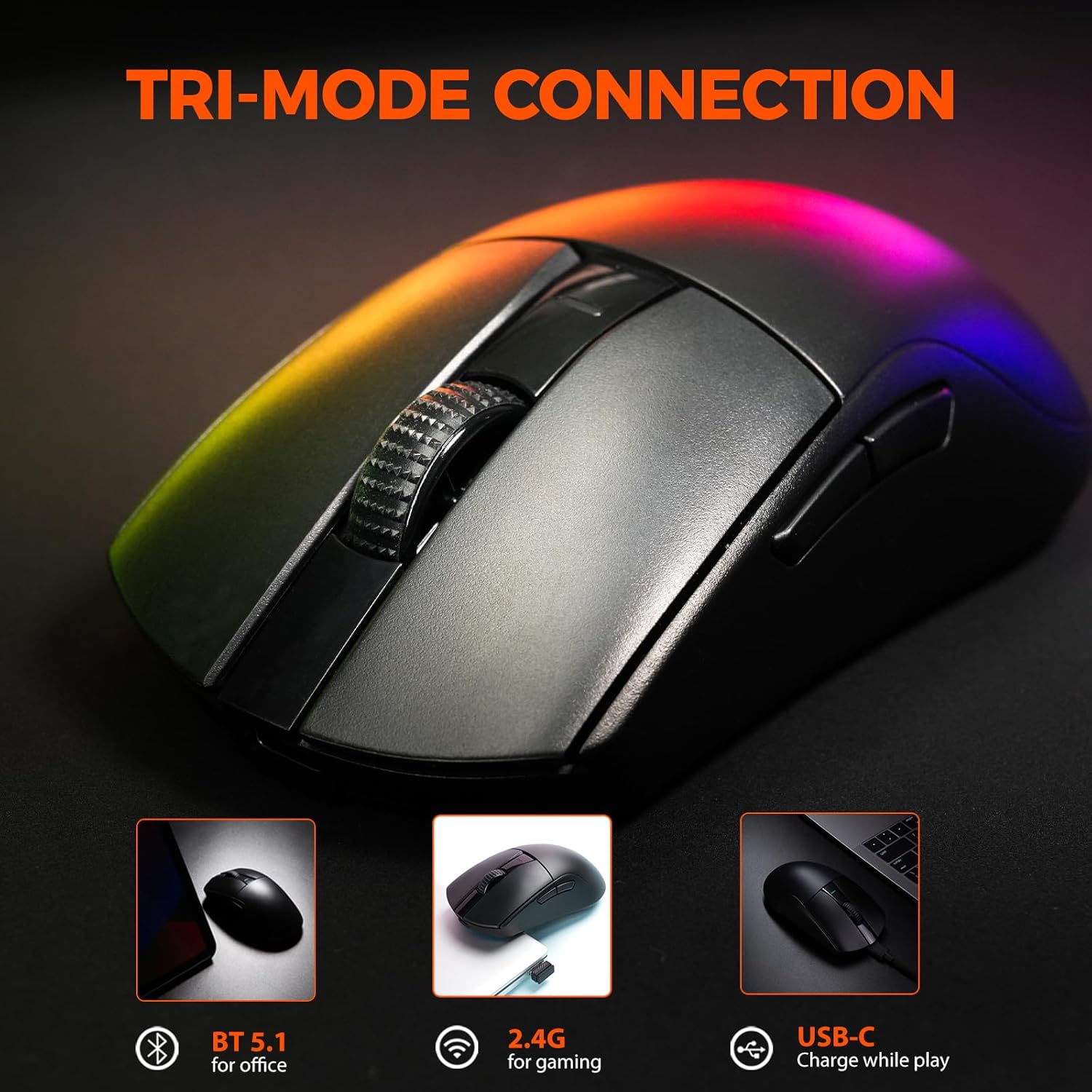
Image: The DAREU A950GM mouse demonstrating its tri-mode connectivity options: Bluetooth for office, 2.4G for gaming, and USB-C for charging while playing.
การติดตั้งซอฟต์แวร์
For advanced customization of buttons, macros, polling rate, and DPI settings, DAREU provides dual software support:
- Webไดรเวอร์แบบ -based: Access the DAREU official webเว็บไซต์สำหรับ web-based configuration tool. No installation is required.
- ซอฟต์แวร์สำหรับเดสก์ท็อป: Download and install the dedicated DAREU e-sports driver software for your operating system (Windows 7 or later, macOS).
Customized settings are saved via the mouse's onboard memory.

Image: Screenshot of the DAREU all-in-one driver software interface, showing options for button customization, macro management, DPI settings, and battery level.
คำแนะนำการใช้งาน
ปุ่มฟังก์ชั่น
The DAREU A950GM features 5 programmable buttons:
- ปุ่มคลิกซ้าย
- ปุ่มคลิกขวา
- ล้อเลื่อน (คลิกได้)
- ปุ่มด้านข้าง 1 (เดินหน้า)
- ปุ่มด้านข้าง 2 (ย้อนกลับ)
These buttons can be customized using the DAREU software to assign various functions, shortcuts, or macros.
การปรับ DPI
The mouse features an advanced PAW3395 optical sensor with adjustable sensitivity up to 26,000 DPI. The DPI button is located on the bottom of the mouse. Press this button to cycle through preset DPI levels. The current DPI setting is often indicated by an LED color change above the scroll wheel.

Image: The underside of the DAREU A950GM mouse, highlighting the PAW3395 optical sensor and its specifications (26000 DPI, 650 IPS, 50g Acceleration).
การสลับโหมด
To switch between 2.4GHz, Bluetooth, and Off modes, use the physical switch located on the bottom of the mouse. For wired mode, simply connect the USB-C cable.

Image: The bottom of the DAREU A950GM mouse, showing the 2.4G/OFF/BT switch, DPI button, USB receiver storage, PTFE feet, and Type-C interface. Serial number: A950GMW250901750.
การซ่อมบำรุง
การทำความสะอาด
เพื่อรักษาประสิทธิภาพการทำงานให้ดีที่สุด ควรทำความสะอาดเมาส์เป็นประจำ ใช้ผ้านุ่มและแห้งเช็ดพื้นผิว สำหรับคราบสกปรกฝังแน่น ให้เช็ดเบาๆamp สามารถใช้ผ้าได้ เพื่อไม่ให้ความชื้นเข้าไปในชิ้นส่วนภายใน หลีกเลี่ยงสารเคมีรุนแรงหรือวัสดุที่มีฤทธิ์กัดกร่อน
PBT Buttons and Huano Micro Switches
The DAREU A950GM features durable PBT buttons designed to resist fading and oil buildup. The Huano micro switches are rated for up to 100 million clicks, ensuring long-lasting and consistent performance. No specific user maintenance is required for these components beyond general cleaning.
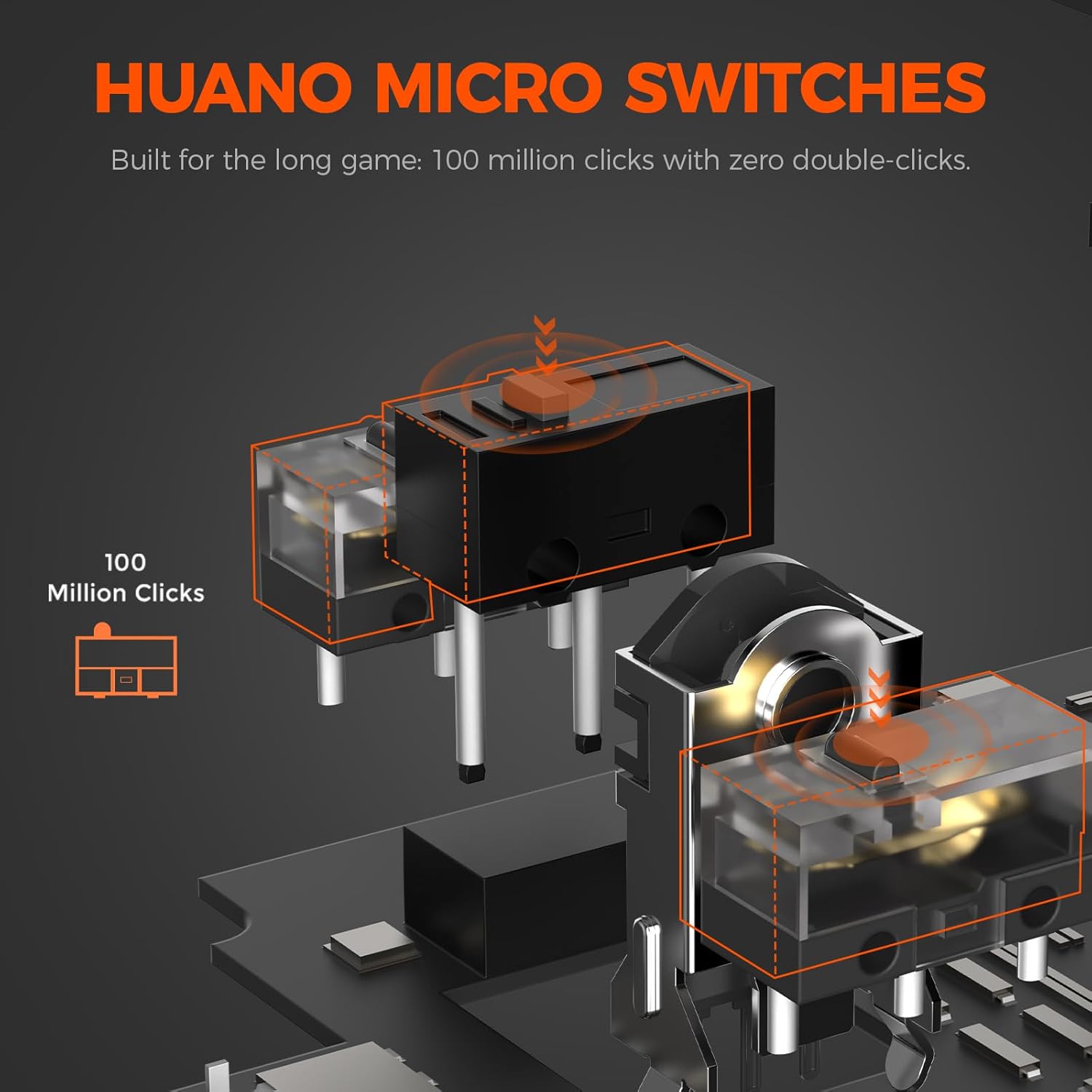
ภาพ: ระเบิด view illustrating the Huano micro switches within the DAREU A950GM mouse, highlighting their 100 million click lifespan.
การแก้ไขปัญหา
ปัญหาการเชื่อมต่อ
- เมาส์ไม่เชื่อมต่อผ่านบลูทูธ: Ensure the mouse is in 'BT' mode and your device's Bluetooth is enabled and discoverable. Try re-pairing the mouse from your device's Bluetooth settings.
- Lag or intermittent connection in wireless modes: Ensure the USB receiver is plugged into a direct USB port, not a hub. Minimize interference from other wireless devices. If issues persist, try wired mode.
- ไม่พบตัวรับสัญญาณ 2.4GHz: Ensure the receiver is fully inserted into the USB port. Try a different USB port.
ปัญหาเกี่ยวกับไดรเวอร์/ซอฟต์แวร์
- ซอฟต์แวร์ไม่ตรวจจับเมาส์: Ensure the mouse is connected to your computer (preferably in wired or 2.4GHz mode for initial setup). Restart the software and/or your computer.
- การตั้งค่าไม่บันทึก: Ensure you are using only one instance of the DAREU software (either web-based or desktop app) at a time to avoid conflicts.
DPI Button Placement
The DPI adjustment button is located on the bottom of the mouse. This design choice means on-the-fly DPI changes during gameplay may require lifting the mouse. For frequent DPI adjustments, consider pre-setting preferred DPI stages via the software.
ข้อมูลจำเพาะ
| คุณสมบัติ | รายละเอียด |
|---|---|
| ยี่ห้อ | ดาเรอู |
| ชื่อรุ่น | A950GM |
| สี | สีดำ |
| เทคโนโลยีการเชื่อมต่อ | USB/BT/2.4G Hz |
| เทคโนโลยีตรวจจับการเคลื่อนไหว | ออปติคัล (เซ็นเซอร์ PAW3395) |
| Mouse Maximum Sensitivity | 26000 จุดต่อนิ้ว |
| ความเร็ว IPS | 650 IPS |
| การเร่งความเร็ว | 50กรัม |
| อัตราการสำรวจความคิดเห็น | 1000 เฮิรตซ์ |
| จำนวนปุ่ม | 5 ปุ่มตั้งโปรแกรมได้ |
| ไมโครสวิทช์ | ฮวนโน่ (100 ล้านคลิก) |
| ความจุของแบตเตอรี่ | 500mAh ลิเธียมโพลิเมอร์ |
| อายุการใช้งานแบตเตอรี่โดยเฉลี่ย | Up to 128 hours (BT5.1 mode), 65 hours (2.4G mode) |
| เวลาในการชาร์จ | 30-40 minutes (fast charge) |
| น้ำหนักสินค้า | 60 กรัม |
| ขนาดรายการ (ยาว x กว้าง x สูง) | 122.8 x 64 x 39 มม. |
| อุปกรณ์ที่รองรับ | PC, Laptop, Mac, Gaming Console, Smartphone, Tablet |
| การรองรับระบบปฏิบัติการ | Windows 7 or later, macOS, Android |
| ส่วนประกอบที่รวมอยู่ | Mouse, Type-C cable, USB receiver, English user manual |
วิดีโอสินค้า
Video: An official DAREU GAMING video showcasing the DAREU A950GM Wireless Gaming Mouse, highlighting its PAW3395 sensor and black color variant.
Video: An official DAREU GAMING video demonstrating the DAREU A950GM Wireless Gaming Mouse in use.
การรับประกัน
The DAREU A950GM Wireless Gaming Mouse comes with a รับประกัน 1 ปี นับจากวันที่ซื้อ โปรดเก็บหลักฐานการซื้อไว้เพื่อขอรับสิทธิ์การรับประกัน การรับประกันครอบคลุมข้อบกพร่องจากการผลิตและการทำงานผิดปกติภายใต้การใช้งานปกติ แต่ไม่ครอบคลุมความเสียหายที่เกิดจากการใช้งานผิดวิธี อุบัติเหตุ การดัดแปลงโดยไม่ได้รับอนุญาต หรือการสึกหรอตามปกติ
สนับสนุน
For further assistance, technical support, or warranty inquiries, please visit the official DAREU website or contact DAREU customer service. Refer to the packaging or the DAREU webเว็บไซต์สำหรับข้อมูลการติดต่อล่าสุด
คุณยังสามารถเยี่ยมชม DAREU Store on Amazon สำหรับข้อมูลผลิตภัณฑ์และทรัพยากรสนับสนุนเพิ่มเติม