
1. บทนำ
Thank you for choosing the DUDGSIS Portable Bluetooth Speaker X2. This manual provides essential information for setting up, operating, and maintaining your speaker. Please read it carefully before use.
คุณสมบัติหลัก:
- IPX7 Waterproof & Rugged Design: Fully submersible in 1 meter of water for 30 minutes, dustproof, and durable for outdoor use.
- 20W Crystal Clear Sound: Equipped with a 53mm high-performance driver for 20W peak power, punchy bass, and crisp highs.
- Dynamic Beat-Driven RGB Light Show: Multi-color light display that syncs with music, offering 7 RGB colors.
- Stable Bluetooth 5.4 & Multi-Mode Connectivity: Fast pairing and stable connection. Supports Bluetooth, AUX input (WAV/FLAC/APE/MP3).
- Ultra-Portable with 15H Playtime: Weighs 300g (0.66 lbs), 4.25 inches tall, with a 2600mAh battery for up to 15 hours of continuous music. Includes a convenient lanyard.
2. เนื้อหาบรรจุภัณฑ์
ตรวจสอบให้แน่ใจว่ามีสิ่งของทั้งหมดอยู่ในกล่อง:
- DUDGSIS Portable Bluetooth Speaker X2
- สายชาร์จ USB-C
- คู่มือเริ่มต้นอย่างรวดเร็ว
- บัตรรับประกัน

Figure 2.1: Speaker packaging showing the X2 model and waterproof feature.

Figure 2.2: Unboxed items: DUDGSIS X2 speaker, USB-C charging cable, and user manual.
3. การตั้งค่า
3.1 การชาร์จลำโพง
Before first use, fully charge the speaker. The battery indicator lights will show the charging status.
- Locate the rubber flap on the side of the speaker, covering the charging port.
- Open the flap and connect the USB-C charging cable to the speaker's charging port.
- เชื่อมต่อปลายอีกด้านหนึ่งของสาย USB-C เข้ากับอะแดปเตอร์ไฟ USB ที่ใช้งานร่วมกันได้ (ไม่รวมอยู่ด้วย)
- The LED indicators on the speaker will light up to show the charging progress. All four LEDs will be solid when fully charged.

Figure 3.1: Speaker displaying the battery indicator lights during charging.
3.2 เปิด/ปิดเครื่อง
การเปิดหรือปิดลำโพง:
- เปิดเครื่อง: กดปุ่มค้างไว้ ปุ่มเปิดปิด (
 กดค้างไว้ 2-3 วินาที จนกว่าจะได้ยินเสียงแจ้งเตือนและไฟ LED สว่างขึ้น
 - หมดแรง: กดปุ่มค้างไว้ ปุ่มเปิดปิด for 2-3 seconds until the LED lights turn off.
3.3 การจับคู่บลูทูธ
วิธีเชื่อมต่อลำโพงของคุณกับอุปกรณ์ที่รองรับบลูทูธ:
- Ensure the speaker is powered on and in Bluetooth pairing mode (the LED light ring will flash).
- บนอุปกรณ์ของคุณ (สมาร์ทโฟน แท็บเล็ต ฯลฯ) ไปที่การตั้งค่าบลูทูธ
- ค้นหา อุปกรณ์ที่ใช้งานได้ และเลือก "X2" จากรายการ
- Once connected, you will hear an audible confirmation, and the LED light ring will become solid.
Video 3.1: Demonstrates unboxing, power on, Bluetooth pairing, and basic controls of the DUDGSIS X2 speaker.
4. การใช้งานลำโพง
4.1 การควบคุม
ลำโพงรุ่นนี้มีปุ่มควบคุมที่ใช้งานง่าย:
- ปุ่มเปิด/ปิด: กดค้างไว้เพื่อเปิด/ปิดเครื่อง กดสั้นๆ เพื่อเปลี่ยนโหมดไฟ RGB
- เพิ่มระดับเสียง (+): กดสั้นเพื่อเพิ่มระดับเสียง กดยาวเพื่อเล่นเพลงถัดไป
- ปุ่มเล่น/หยุดชั่วคราว (): กดสั้น ๆ เพื่อเล่นหรือหยุดเพลงชั่วคราว
- ลดเสียงลง (-): กดสั้นเพื่อลดระดับเสียง กดยาวเพื่อเล่นเพลงก่อนหน้า
รูปที่ 4.1: รายละเอียด view ของแผงควบคุมลำโพง
4.2 Dynamic RGB Light Show
The speaker features a dynamic RGB light ring that can be customized:
- กดสั้น ๆ ปุ่มเปิดปิด to cycle through 7 different RGB color modes.
- The lights can sync with your music's rhythm, creating an enhanced audio-visual experience.

รูปที่ 4.2: การแสดงลำโพงasing คุณสมบัติแสงไฟ RGB แบบไดนามิก
Video 4.1: Demonstrates the various LED light modes and their responsiveness to music.
การจับคู่ระบบเสียงสเตอริโอไร้สาย 4.3 True Wireless Stereo (TWS)
For an immersive stereo experience, you can pair two DUDGSIS X2 speakers together:
- ตรวจสอบให้แน่ใจว่าลำโพงทั้งสองเปิดอยู่และไม่ได้เชื่อมต่อกับอุปกรณ์ Bluetooth อื่นใด
- ในลำโพงตัวหนึ่ง (ซึ่งจะเป็นลำโพงหลัก) ให้กดปุ่มค้างไว้ ปุ่มเล่น/หยุดชั่วคราว for 3-5 seconds until you hear a pairing tone.
- ลำโพงทั้งสองตัวจะเชื่อมต่อกันโดยอัตโนมัติ เมื่อเชื่อมต่อเสร็จแล้ว คุณจะได้ยินเสียงยืนยัน
- ตอนนี้ ให้เชื่อมต่ออุปกรณ์ของคุณกับลำโพงหลักผ่านบลูทูธ ตามที่อธิบายไว้ในหัวข้อ 3.3

Figure 4.3: Two speakers connected via TWS for a wider soundstage.
5. การบำรุงรักษา
ระดับการกันน้ำ IPX7 5.1
The DUDGSIS X2 speaker is IPX7 rated, meaning it can be submerged in water up to 1 meter (3 feet) for 30 minutes. This makes it suitable for use in showers, by the pool, or at the beach.
- ตรวจสอบให้แน่ใจว่าแผ่นยางที่ปิดช่องเสียบชาร์จปิดสนิทก่อนนำลำโพงไปโดนน้ำ
- หลังจากโดนน้ำ ให้เช็ดลำโพงให้แห้งด้วยผ้านุ่ม
- Do not charge the speaker if the charging port is wet.
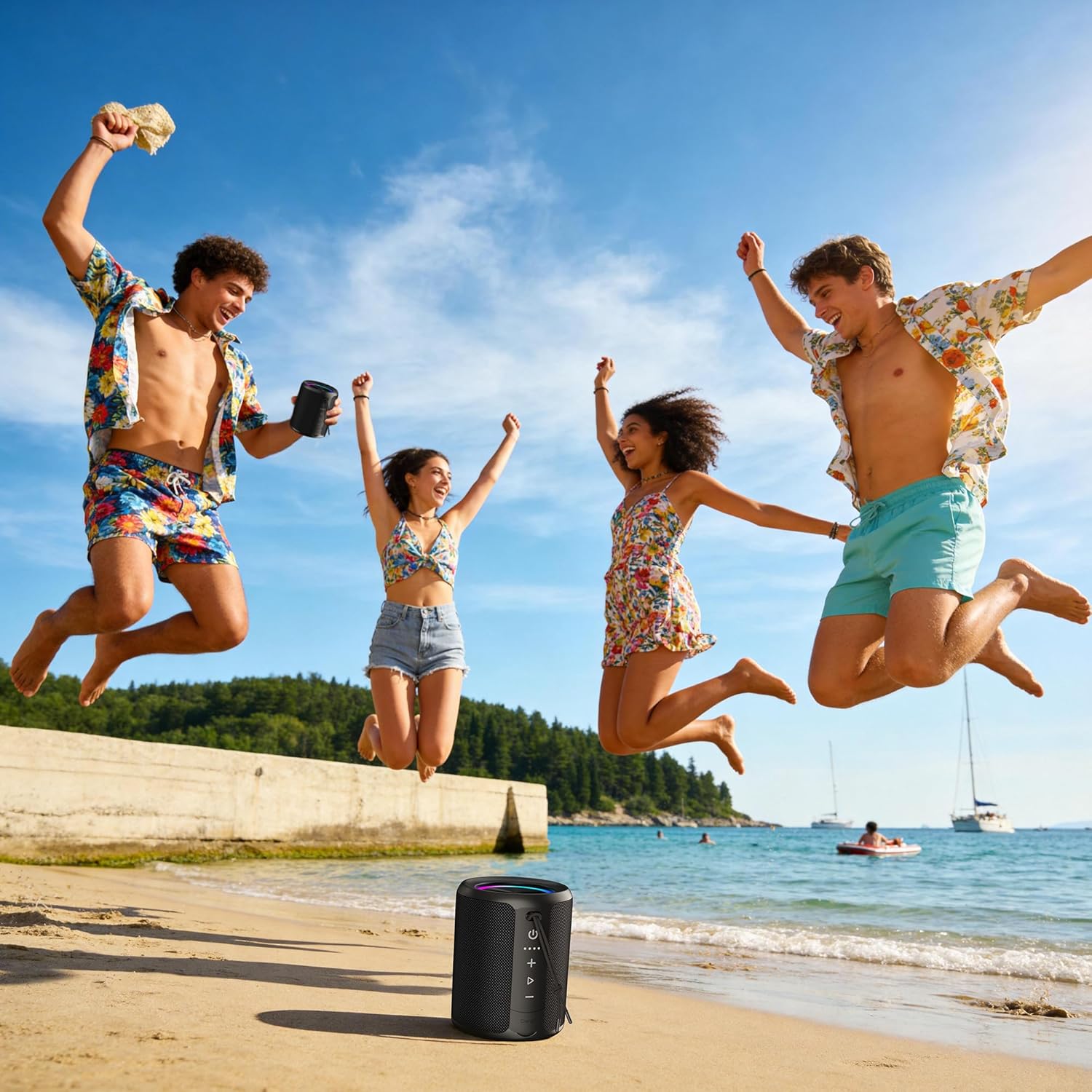
Figure 5.1: Speaker demonstrating its IPX7 waterproof capability in various environments.
Video 5.1: A demonstration of the speaker's waterproof capabilities by submerging it in water.
6. ข้อมูลจำเพาะ
| คุณสมบัติ | ข้อมูลจำเพาะ |
|---|---|
| หมายเลขรุ่น | X2 |
| ยี่ห้อ | DUDGSIS |
| กำลังขับสูงสุดของลำโพง | 20 วัตต์ |
| เวอร์ชันบลูทูธ | 5.4 |
| ระดับความต้านทานต่อน้ำ | IPX7 |
| ความจุของแบตเตอรี่ | 2600 มิลลิแอมป์ |
| อายุการใช้งานแบตเตอรี่โดยเฉลี่ย | 15 ชั่วโมง |
| เทคโนโลยีการเชื่อมต่อ | อุปกรณ์เสริม, บลูทูธ, USB |
| โหมดเอาต์พุตเสียง | สเตอริโอ |
| น้ำหนักสินค้า | 300 กรัม |
| ขนาดสินค้า (ลึก x กว้าง x สูง) | ลึก 2.99 นิ้ว x กว้าง 2.99 นิ้ว x สูง 4.25 นิ้ว |
| วิธีการควบคุม | ปุ่มกด |
7 การแก้ไขปัญหา
If you encounter any issues with your DUDGSIS X2 speaker, please refer to the following common solutions:
- ลำโพงเปิดไม่ติด: ตรวจสอบให้แน่ใจว่าแบตเตอรี่ชาร์จเต็มแล้ว เชื่อมต่อลำโพงเข้ากับแหล่งจ่ายไฟโดยใช้สาย USB-C
- ไม่สามารถจับคู่ผ่านบลูทูธ:
- Make sure the speaker is in pairing mode (LED light ring flashing).
- ตรวจสอบให้แน่ใจว่าได้เปิดใช้งานบลูทูธบนอุปกรณ์ของคุณแล้ว
- ย้ายลำโพงให้เข้าใกล้อุปกรณ์ของคุณมากขึ้น
- ลืมลำโพงจากรายการบลูทูธของอุปกรณ์ของคุณและลองจับคู่ใหม่อีกครั้ง
- ไม่มีเสียงหรือระดับเสียงต่ำ:
- เพิ่มระดับเสียงทั้งบนลำโพงและอุปกรณ์ที่เชื่อมต่อของคุณ
- ตรวจสอบให้แน่ใจว่าลำโพงเชื่อมต่ออย่างถูกต้องผ่านบลูทูธหรือช่องต่อ AUX แล้ว
- ตรวจสอบว่าลำโพงถูกปิดเสียงอยู่หรือไม่
- ปัญหาการจับคู่ TWS: Ensure both speakers are fully charged and not connected to any other device before attempting TWS pairing.
8. การรับประกันและการสนับสนุน
The DUDGSIS Portable Bluetooth Speaker X2 comes with a การรับประกันจากผู้ผลิต 1 ปีโปรดเก็บใบเสร็จรับเงินไว้เพื่อใช้ในการเคลมประกัน
For further assistance or support, please refer to the contact information provided on the warranty card included in your package.