
1. สินค้าหมดview
The Anern 10.2KW Hybrid Solar Inverter is an all-in-one solution designed for off-grid solar power systems. It integrates a 10.2KW pure sine wave inverter, a 160A MPPT solar charge controller, and a 160A AC battery charger. This unit supports dual PV input and dual AC output, making it suitable for various household and office loads. It is compatible with 48V Lead-Acid (Seal, AGM, Gel, Flooded) and Lithium batteries, providing a reliable power source for home backup and off-grid applications.
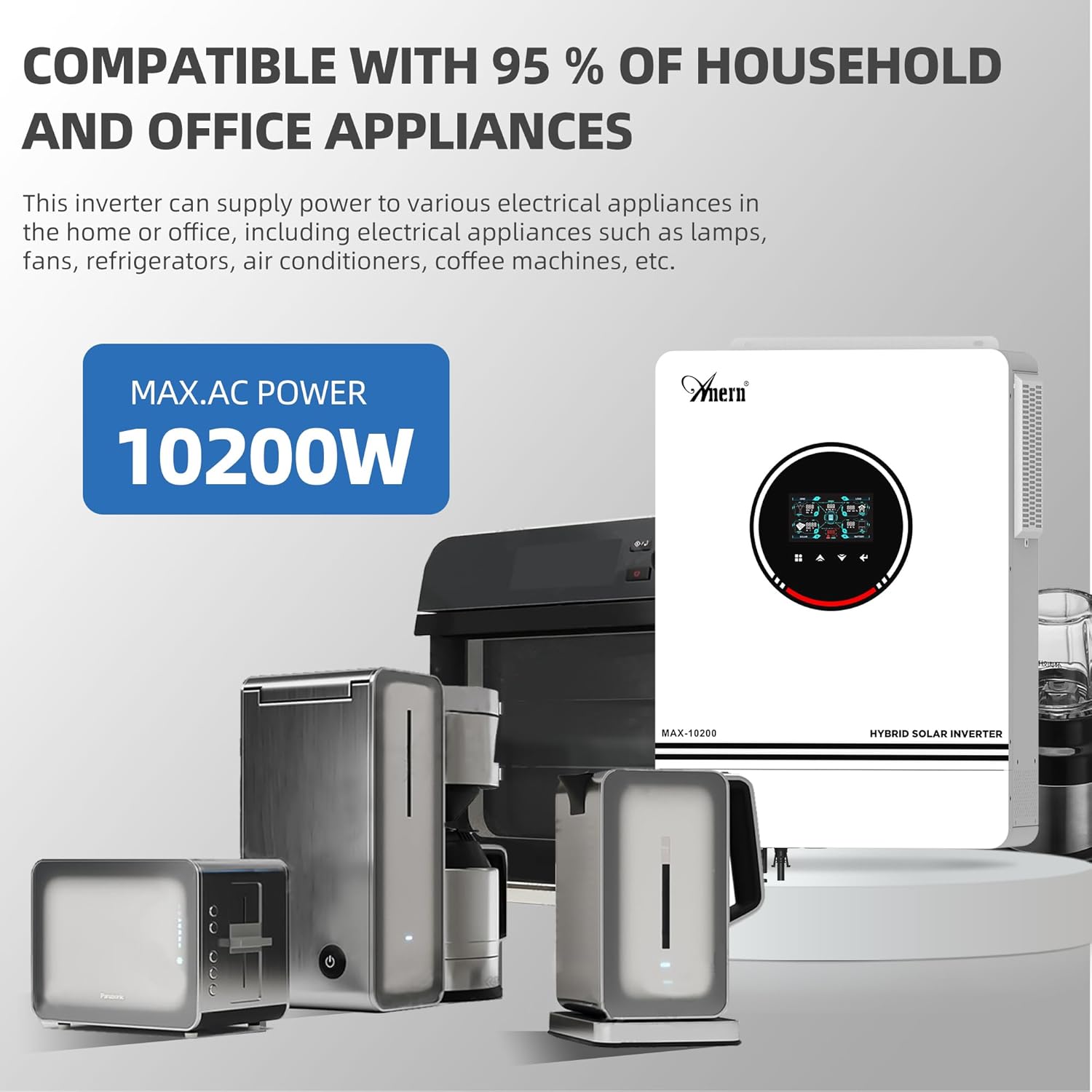
Figure 1: The Anern 10.2KW Hybrid Solar Inverter powering common household appliances.
2. คุณสมบัติหลัก
- การออกแบบแบบออลอินวัน: Combines inverter, MPPT solar charge controller, and AC battery charger.
- กำลังขับสูง: 10.2KW pure sine wave output, suitable for sensitive electronics.
- อินพุต PV แบบคู่: Supports up to 10200W (90-450VDC range, max 500VOC) from two independent PV inputs.
- เอาต์พุต AC คู่: Provides uninterrupted power supply for various loads.
- ความเข้ากันได้ของแบตเตอรี่ที่กว้าง: Works with 48V Lead-Acid (Seal, AGM, Gel, Flooded) and Lithium batteries.
- โหมดแสง RGB: Visual indication of different working modes (Purple-PV, Red-Battery, Blue-Utility).
- Backlight LCD Screen: Easy parameter browsing and setting.
- One-Click Restore: Quickly restore default settings to prevent configuration errors.
- โหมดการชาร์จหลายโหมด: Solar First (CSO), Solar and Utility (SNU), Only Solar (OSO).
- โหมดเอาต์พุตหลายโหมด: Solar First, Mains First, SBU Priority.
- การป้องกันที่ครอบคลุม: Includes Overload, Over temperature, and Short circuit protection.
- Built-in Anti-dust Kit: Enhances product reliability in harsh environments.
- การระบายความร้อนที่มีประสิทธิภาพ: Equipped with three cooling fans for effective heat dissipation.
- ฟังก์ชั่นเริ่มเย็น: Supports cold start at 46VDC.

รูปที่ 2: เกินview of the inverter's main power and charging capabilities.
3. การตั้งค่าและการติดตั้ง
Proper installation is crucial for the safe and efficient operation of your hybrid solar inverter. Please follow all local electrical codes and safety guidelines. It is recommended that installation be performed by a qualified professional.
3.1 แผนผังการเดินสายไฟ
The inverter supports dual photovoltaic (PV) inputs and dual AC outputs. Ensure all connections are secure and correctly polarized.

Figure 3: Comprehensive wiring diagram showing connections for PV, battery, AC input, and AC output.
3.2 แนวทางการเชื่อมต่อ
- อินพุต PV: ปริมาตรวงจรเปิด PV สูงสุดtage 500VDC. MPPT voltage range 90-450VDC. Suggested cable: 10 AWG/6mm². Connect solar modules in series for optimal performance.
- การเชื่อมต่อแบตเตอรี่: Compatible with 48V lead-acid/lithium batteries. Recommended cable and terminal size: Wire size 2 AWG/Cable 25mm². Recommended Fuse: 150A.
- อินพุต AC (ไฟฟ้ากระแสสลับ/เครื่องกำเนิดไฟฟ้า): 230 VDC. Maximum AC input voltage: 300VAC. Max AC charging current: 160A. Suggested cable: 10AWG/6mm². Recommended switch: 63A.
- เอาต์พุต AC: Output power 10200W. Output voltage: 220V/230V. Suggested cable: 10AWG/6mm². Recommended breaker: 63A.
บันทึก: The inverter's output is 230V. For 110V/120V US home appliances, a separate converter (not included) is required to step down the voltage.

Figure 4: Rear panel connections for PV, AC, and battery inputs/outputs.
4. โหมดการทำงาน
อินเวอร์เตอร์นี้มีโหมดการชาร์จและการจ่ายพลังงานที่ยืดหยุ่น เพื่อให้เหมาะกับความต้องการด้านการจัดการพลังงานที่หลากหลาย
4.1 โหมดการชาร์จ
- CSO (โซลาร์เฟิร์ส): Solar energy charges the battery as a priority. The utility company only charges the battery when solar input is unavailable.
- SNU (Solar and Utility): Solar energy and utility power charge the battery simultaneously. (Default mode)
- OSO (เฉพาะพลังงานแสงอาทิตย์): Solar energy is the sole source of charging, regardless of utility availability.
4.2 โหมดเอาต์พุต
- โซลาร์เฟิร์ส: Prioritizes solar power for loads. If solar is insufficient, the grid or battery supplements.
- อาหารจานหลักมาก่อน: Prioritizes utility power for loads. Solar power is used when utility is unavailable or for charging.
- ลำดับความสำคัญของ SBU: Solar energy powers loads first. If solar is insufficient, battery power is used. If both are insufficient or battery voltage drops, utility power takes over.
4.3 RGB Light Indicators
The inverter features RGB lighting to indicate its current operating mode:
- สีม่วง: PV Mode (Solar power is active).
- สีแดง: Battery Mode (Operating from battery power).
- สีฟ้า: Utility Mode (Operating from grid/utility power).
- สีขาว: Stationary Mode (Idle or standby).

Figure 5: RGB lighting indicates the inverter's current operational status.
5. ความเข้ากันได้ของแบตเตอรี่
The inverter is designed to work with various 48V battery types, including Lead-Acid (Sealed, AGM, Gel, Flooded) and Lithium batteries.
- The inverter can be used without batteries.
- For Lithium batteries, it can only be connected to PACE BMS. It is not compatible with BMS from other manufacturers.
- The inverter cannot communicate with other battery brands.
- If using a Lithium battery, select "User defined" in program 05 to configure battery parameters.
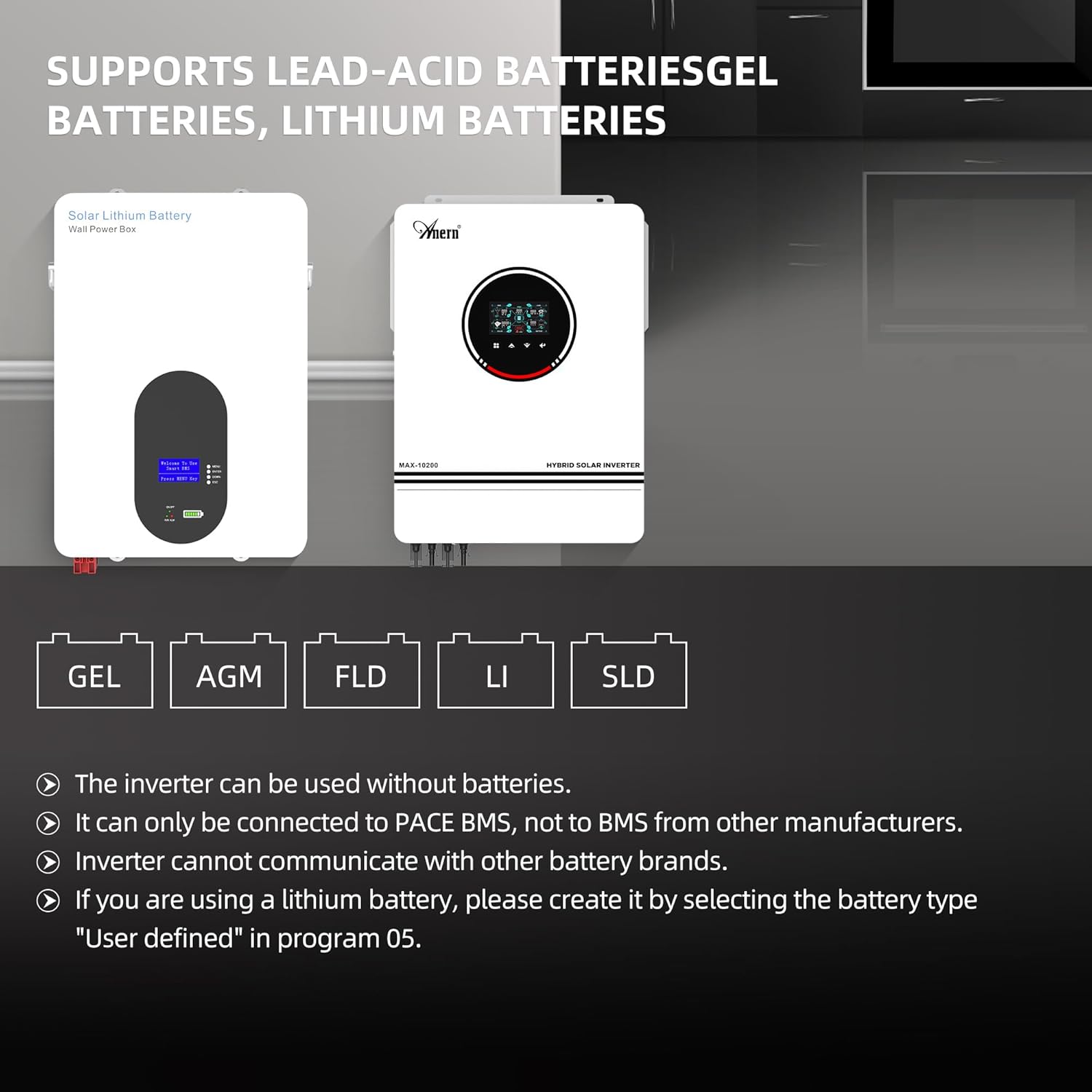
Figure 6: Supported battery types for the hybrid solar inverter.
6. Monitoring and Connectivity
The inverter includes a WiFi module for remote monitoring and control via a mobile application.
- The inverter can be used with a WiFi transmitter (included).
- Monitor your hybrid inverter anytime, anywhere, by registering via the dedicated app.
- The app provides real-time performance monitoring, data visualizations, and control over system settings.
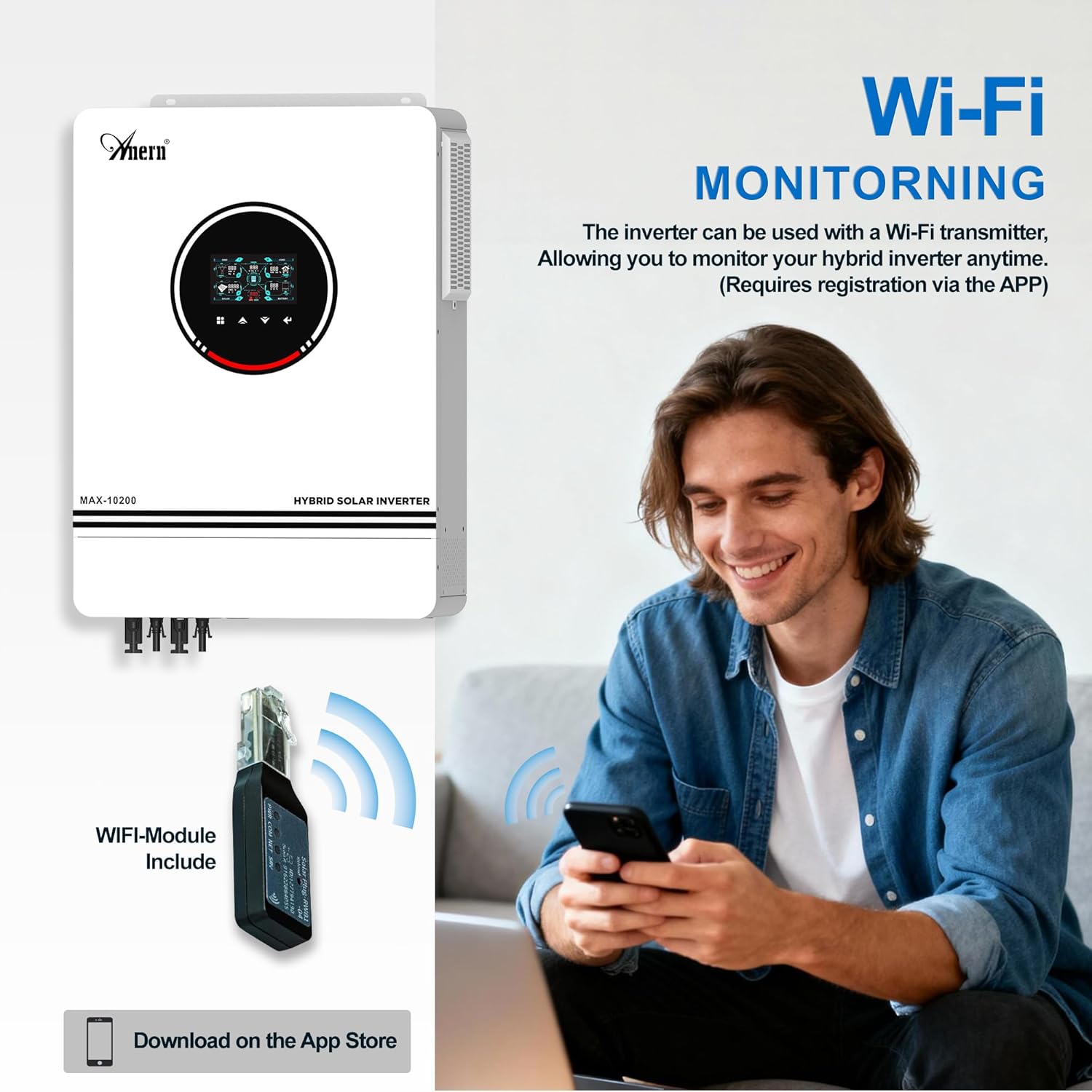
Figure 7: WiFi module for remote monitoring via a smartphone app.

Figure 8: The system's operation can be controlled and monitored via mobile phone.
7. ความปลอดภัยและการป้องกัน
The Anern Hybrid Solar Inverter is equipped with multiple protection features to ensure safe and reliable operation.
- ระบบป้องกันการโอเวอร์โหลด: ป้องกันความเสียหายจากการรับน้ำหนักมากเกินไป
- การป้องกันอุณหภูมิเกิน: เครื่องจะปิดการทำงานหากอุณหภูมิภายในสูงเกินขีดจำกัดที่ปลอดภัย
- การป้องกันไฟฟ้าลัดวงจร: ป้องกันการลัดวงจรที่เอาต์พุต
- การป้องกันกระแสเกิน: ป้องกันกระแสไฟไหลเกิน
- โอเวอร์โวลtagการป้องกันอี: ป้องกันแรงดันอินพุตtagอีกระชาก
- ปริมาณต่ำtagการป้องกันอี: Prevents deep discharge of batteries.
- Backfilling Protection: ป้องกันการไหลของกระแสไฟฟ้าย้อนกลับ
- การป้องกันการชาร์จไฟเกิน: Ensures batteries are not overcharged.

Figure 9: Visual representation of the inverter's comprehensive safety protections.
8. การบำรุงรักษา
การบำรุงรักษาอย่างสม่ำเสมอจะช่วยให้เครื่องแปลงกระแสไฟฟ้าของคุณมีอายุการใช้งานยาวนานและทำงานได้อย่างมีประสิทธิภาพสูงสุด
- การป้องกันฝุ่น: The inverter features a built-in removable dust protection grille. Regularly clean this grille to prevent dust accumulation, which can cause short circuits and reduce efficiency.
- ระบบระบายความร้อน : The unit is equipped with three cooling fans for efficient heat dissipation. Ensure the fan vents are clear of obstructions to maintain proper airflow and prevent overheating.
- การเชื่อมต่อ: ตรวจสอบการเชื่อมต่อทางไฟฟ้าทั้งหมด (แผงโซลาร์เซลล์ แบตเตอรี่ อินพุต/เอาต์พุต AC) เป็นระยะ เพื่อให้แน่ใจว่าแน่นสนิทและปราศจากสนิม
- สิ่งแวดล้อม: ตรวจสอบให้แน่ใจว่าได้ติดตั้งอินเวอร์เตอร์ในบริเวณที่มีการระบายอากาศดี และอยู่ห่างจากแสงแดดโดยตรง ความชื้น และวัสดุที่ติดไฟได้ง่าย

Figure 10: Features for easy maintenance and efficient cooling.
9 การแก้ไขปัญหา
If you encounter any issues with your Anern 10.2KW Hybrid Solar Inverter, please refer to the following general guidelines. For specific error codes or persistent problems, consult the detailed troubleshooting section in the full product manual or contact customer support.
- ไม่มีพลังงาน/ปิดจอแสดงผล: Check all power connections, including battery and AC input. Ensure the on/off switch is in the 'on' position. Verify battery voltage อยู่ในช่วงการทำงาน
- ไม่มีเอาต์พุต AC: Check for overload conditions. Reduce the load if necessary. Verify AC output breaker is not tripped. Check for fault indicators on the LCD screen.
- ไม่มีการชาร์จพลังงานแสงอาทิตย์: ตรวจสอบให้แน่ใจว่าแผงโซลาร์เซลล์เชื่อมต่ออย่างถูกต้องและได้รับแสงแดดเพียงพอ ตรวจสอบแรงดันไฟฟ้าขาเข้าของแผงโซลาร์เซลล์tage and current on the display. Verify MPPT controller is functioning.
- แบตเตอรี่ไม่ชาร์จ: Check battery connections and ensure battery type settings are correct in the inverter's menu (Program 05). Verify AC input is present if using utility charging.
- รหัสข้อผิดพลาด: If an error code appears on the LCD, note the code and refer to the comprehensive manual for its meaning and recommended actions.
If issues persist after following these steps, please contact Anern customer support for assistance.
10. ข้อมูลจำเพาะทางเทคนิค
| ข้อมูลจำเพาะ | ค่า |
|---|---|
| ยี่ห้อ | แอน |
| ชื่อรุ่น | อินเวอร์เตอร์พลังงานแสงอาทิตย์แบบไฮบริด Anern 10.2KW |
| หมายเลขรุ่น | B0G18VC2JV |
| วัดtage | 10200 วัตต์ |
| เล่มที่tage | 48 โวลต์ |
| อินพุต Voltage | 48 โวลต์ (กระแสตรง) |
| กำลังขับ | 10200 วัตต์ |
| ปริมาณการส่งออกtage | 230 โวลต์ (AC) |
| Peak Output Power Watts | 10200 |
| รูปคลื่นเอาต์พุตไฟฟ้า | เพียวไซน์เวฟ |
| ตัวควบคุมการชาร์จพลังงานแสงอาทิตย์แบบ MPPT | 160เอ |
| เครื่องชาร์จแบตเตอรี่ AC | 160เอ |
| Max PV Input (VOC) | 500VDC |
| MPPT PV Voltagอี เรนจ์ | 90-450VDC |
| ประเภทจอภาพ | จอแอลซีดี |
| การใช้งานที่แนะนำสำหรับผลิตภัณฑ์ | บ้าน |
| แหล่งพลังงาน | พลังงานแสงอาทิตย์ |
11. การรับประกันและการสนับสนุน
The Anern 10.2KW Hybrid Solar Inverter comes with a รับประกัน 1 ปี. For warranty claims, technical support, or any inquiries, please contact Anern customer service. Ensure you have your product model number (B0G18VC2JV) and purchase details available when contacting support.
Anern is committed to providing high-quality solar solutions and professional after-sales support. If you experience a malfunction, providing pictures or videos of the issue can help our technicians diagnose the problem efficiently.
12. วิดีโอผลิตภัณฑ์
วิดีโอ 1: จบแล้วview of the Anern 10200W Solar Hybrid Inverter and its integration into a smart solar power system, highlighting key components and benefits.