
1. บทนำ
This manual provides essential information for the proper setup, operation, and maintenance of your UPERFECT 18.5" NxtLED Portable Monitor. Please read this manual thoroughly before using the device to ensure optimal performance and longevity.
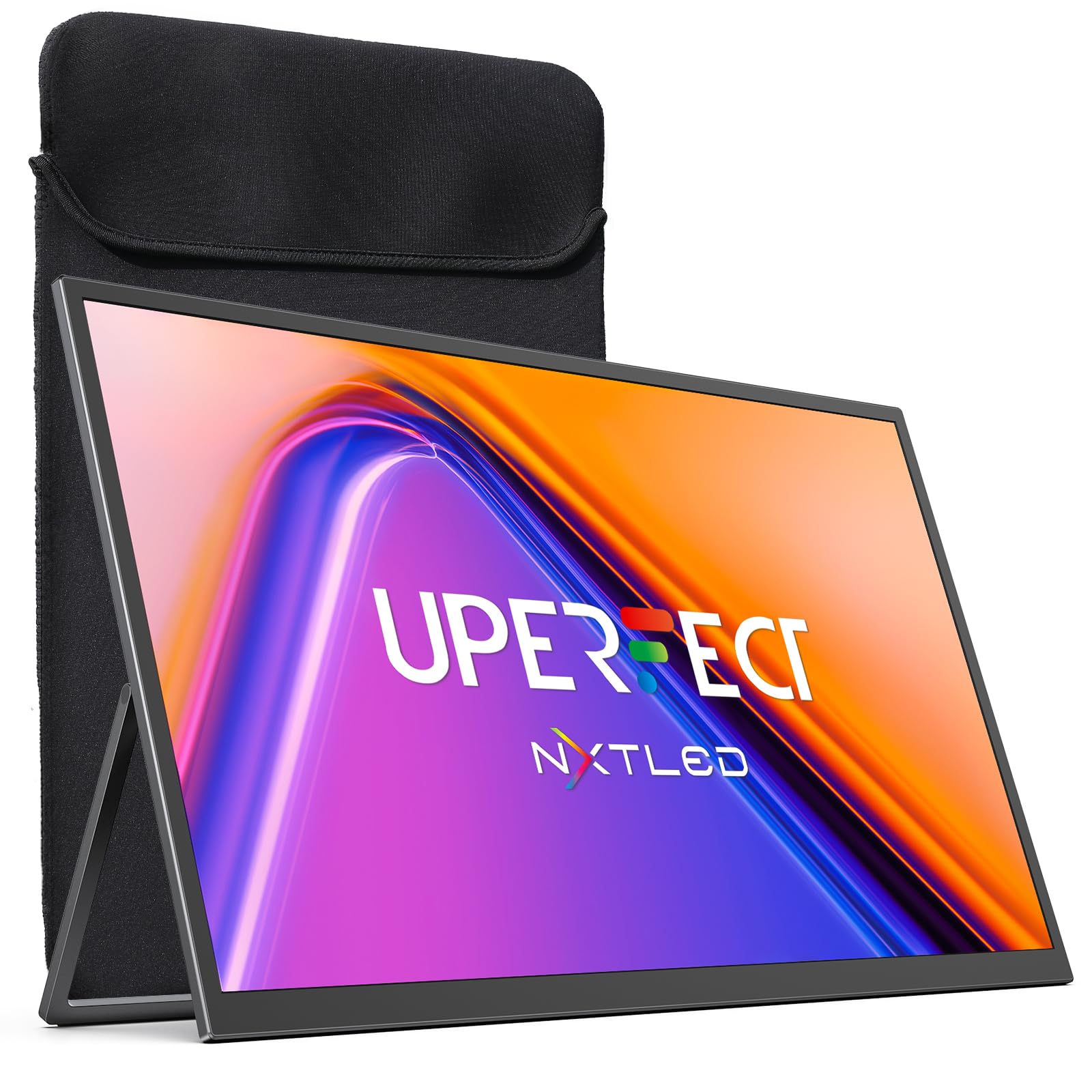
Figure 1: UPERFECT 18.5" NxtLED Portable Monitor
2. What is NxtLED™?
NxtLED™ is UPERFECT’s proprietary display system designed to optimize light at its source. It integrates several advanced technologies to deliver a superior visual experience:
- Omni Visible Visibility: Ensures clear and consistent visuals across different lighting conditions and viewมุมการเอียง
- Color-True Accuracy: Provides precise and vibrant color reproduction.
- Neutral White Calibration: Maintains a balanced white point for natural colors.
- Low Blue Light Control: Reduces harmful blue light emissions for enhanced visual comfort.
- Flicker-Free DC Dimming: Eliminates screen flicker for stable and comfortable viewแม้ว่าจะใช้งานเป็นเวลานานก็ตาม
This technology aims to achieve near OLED-level color performance with enhanced visual comfort, making it ideal for creative work, entertainment, and extended use.

Figure 2: Diagram illustrating NxtLED™ display technology layers.
3. การตั้งค่า
3.1. เนื้อหาบรรจุภัณฑ์
ตรวจสอบว่ามีรายการทั้งหมดอยู่ในแพ็คเกจ:
- UPERFECT 18.5" NxtLED Portable Monitor
- USB-C to USB-C Cable (for power and display)
- Mini HDMI to HDMI Cable (for display)
- อะแดปเตอร์แปลงไฟ
- ปลอกป้องกัน
- สกรูยึด VESA
- คู่มือการใช้งาน (เอกสารนี้)
3.2. การตั้งค่าทางกายภาพ
The monitor features a built-in kickstand for flexible positioning. Simply extend the stand from the back of the monitor to achieve your desired viewing angle. For alternative mounting options, the monitor is VESA mountable (75x75mm design).
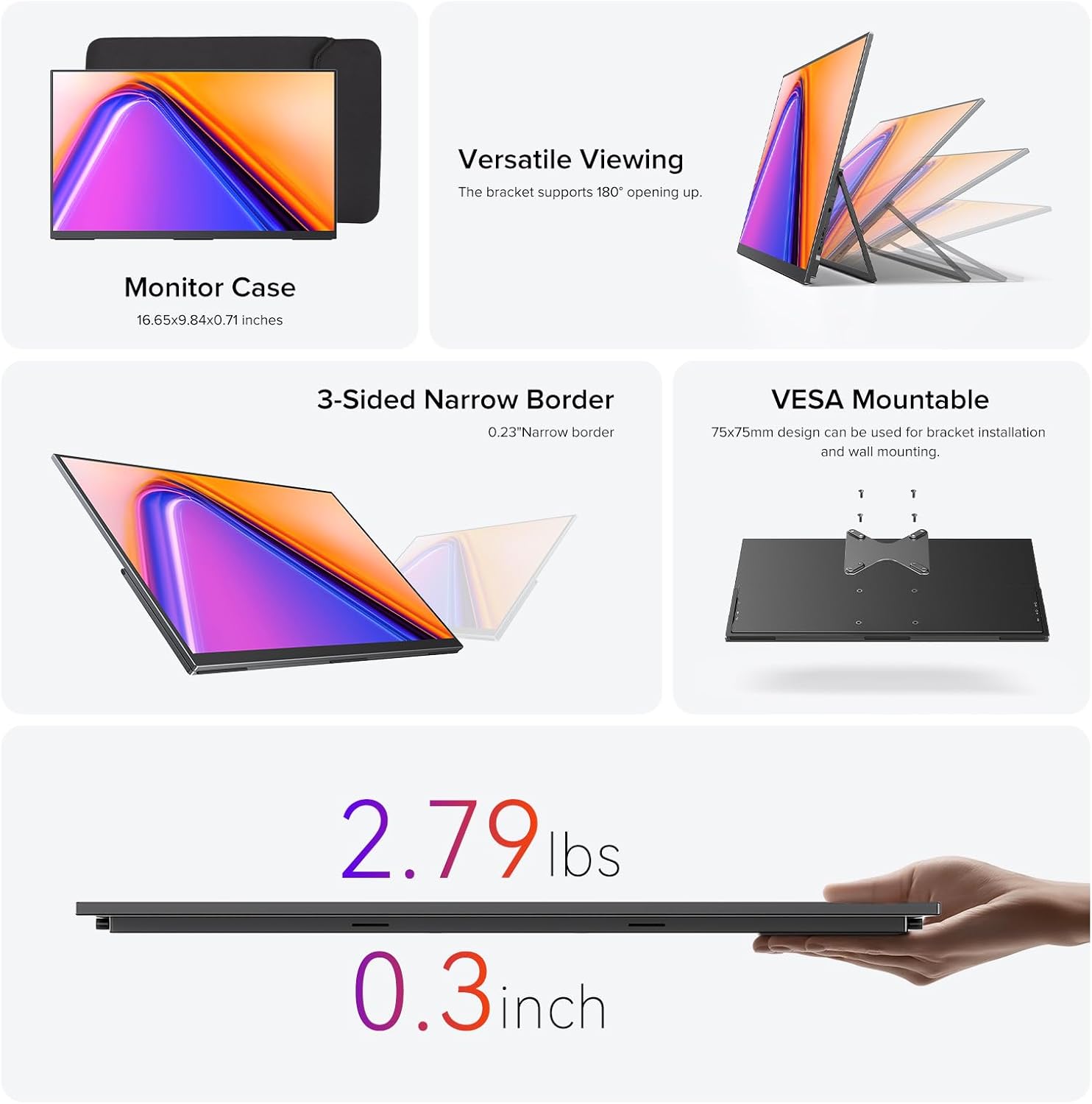
Figure 3: Monitor utilizing its built-in stand.
3.3. การเชื่อมต่อกับอุปกรณ์
The monitor offers versatile connectivity options:
- USB Type-C: Use the provided USB-C to USB-C cable for a single-cable solution for both power and video transmission with compatible devices (e.g., laptops, smartphones with DisplayPort Alternate Mode).
- มินิ HDMI: Connect to devices like PCs, game consoles, or other HDMI-enabled devices using the Mini HDMI to HDMI cable. An additional USB-C cable may be required for power.
- พลัง: If using Mini HDMI or if your USB-C device does not provide sufficient power, connect the monitor to the power adapter using a USB-C cable.
Ensure cables are securely connected to the correct ports on both the monitor and your source device.
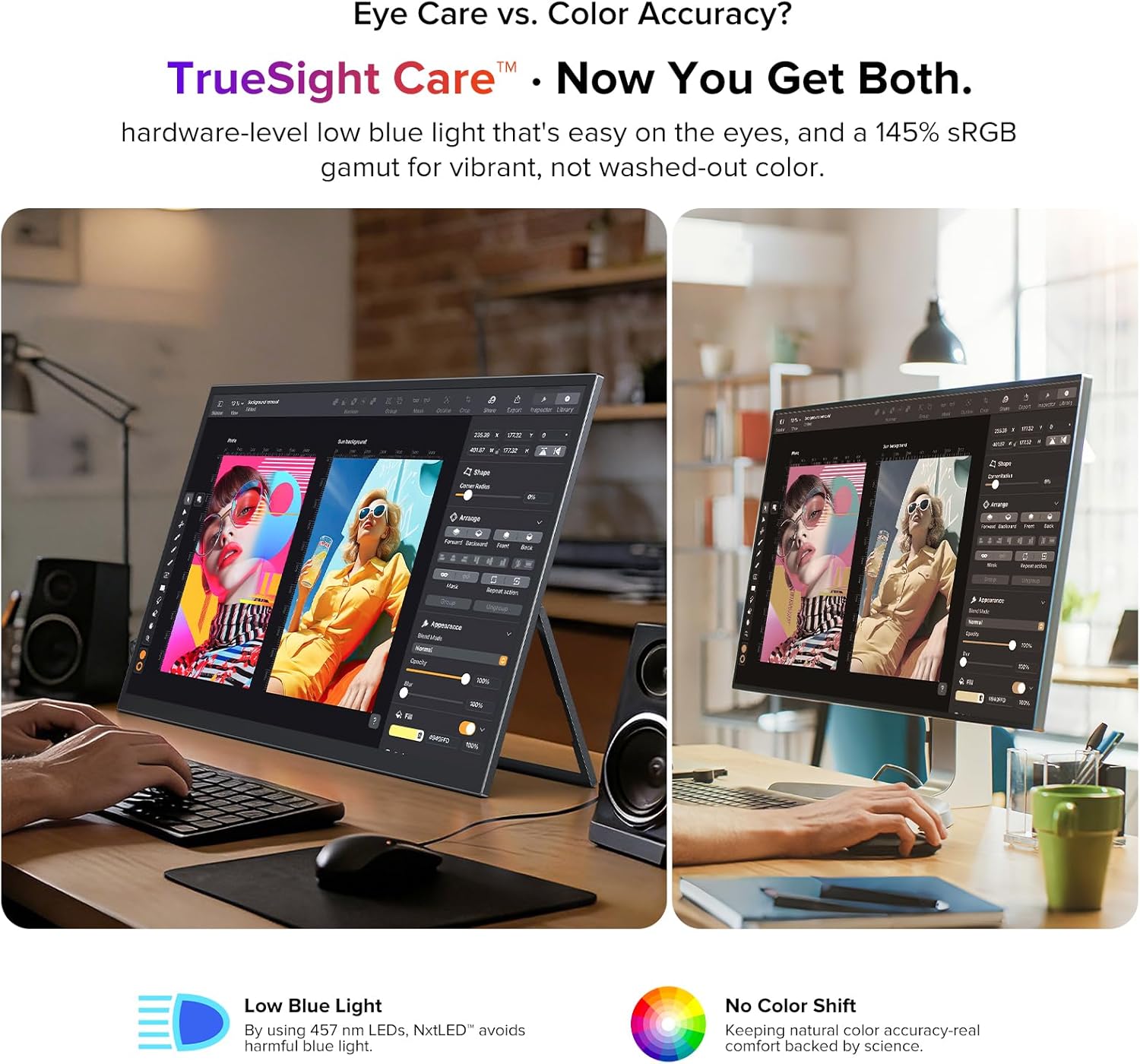
Figure 4: Monitor connected to a laptop for extended display.
4. คู่มือการใช้งาน
4.1. เปิด/ปิดเครื่อง
Locate the power button on the side of the monitor. Press and hold for a few seconds to power on or off. A short press may activate or deactivate the display.
4.2. เมนูการแสดงผลบนหน้าจอ (OSD)
The monitor features a scroll button and a return button for navigating the OSD menu. Use the scroll button to move through options and adjust values, and the return button to go back or confirm selections.
4.3. การตั้งค่าการแสดงผล
ภายในเมนู OSD คุณสามารถปรับการตั้งค่าการแสดงผลต่างๆ ได้:
- ความสว่าง/คอนทราสต์: ปรับระดับความสว่างและความคมชัดของจอภาพ
- อุณหภูมิสี: Select from preset color temperatures or customize.
- โหมดภาพ: Choose from various modes optimized for different content (e.g., Standard, Game, Movie, Text).
- อัตราส่วนภาพ: Select between 16:9 or other available aspect ratios.
- แหล่งสัญญาณเข้า: Manually select the input source (USB-C, Mini HDMI).
- คุณสมบัติการดูแลดวงตา: Activate or adjust Low Blue Light and Flicker-Free settings for reduced eye strain.
4.4. เอาต์พุตเสียง
The monitor includes a 3.5mm audio jack for connecting headphones or external speakers. Audio output can also be controlled via the OSD menu.
5. คุณสมบัติหลัก
5.1. Eye Care Display
The NxtLED™ display incorporates Omni Visible technology, DC dimming, and low blue light control to minimize eye fatigue. It provides soft, evenly balanced light and a neutral white color temperature, ensuring comfortable viewส่งผลระหว่างการใช้งานต่อเนื่องเป็นเวลานาน

Figure 5: Display with features for reduced eye strain.
5.2. Color Accuracy
With 145% sRGB color gamut and TrueSight Care, the monitor delivers vivid and accurate colors. It maintains precise color reproduction across various environments, preventing color washout or tonal shifts.

Figure 6: Monitor demonstrating color accuracy and low blue light.
5.3. Anti-Glare Matte Screen
The advanced anti-glare matte display, powered by NxtLED Omni Visible technology, significantly reduces reflections. This diffuse reflection layer transforms direct light into soft, balanced visibility, improving clarity in bright environments, including outdoor settings.

Figure 7: Monitor used in a bright environment, showcasing glare reduction.
5.4. 178° Wide Viewอิงแองเกิล
Optical Matrix light distribution ensures a true 178° ultra-wide viewing angle. This means images remain bright, color-accurate, and distortion-free from almost any position, facilitating shared viewการสร้างประสบการณ์

รูปที่ 8: หลายรายการ viewers enjoying a clear picture from various angles.
5.5. High Performance
The monitor features a 120Hz refresh rate, 1ms response time, and FreeSync support, providing smooth visuals for gaming and fast-paced content. It also supports HDR for enhanced dynamic range.

Figure 9: Visual representation of the monitor's high-performance features.
5.6. ความสะดวกในการพกพาและการออกแบบ
Weighing 2.2 pounds and with a thickness of 0.3 inches, this monitor is designed for portability. It features a 3-sided narrow border for an immersive viewing experience and is VESA mountable for flexible setup options.

Figure 10: Design elements highlighting portability and mounting options.
6. การบำรุงรักษา
6.1. การทำความสะอาดหน้าจอ
ในการทำความสะอาดหน้าจอ ให้เช็ดเบาๆ ด้วยผ้านุ่มที่ไม่เป็นขุย สำหรับรอยฝังแน่น ให้เช็ดเบาๆampชุบผ้าด้วยน้ำหรือน้ำยาทำความสะอาดหน้าจอ หลีกเลี่ยงการใช้สารเคมีรุนแรง วัสดุที่มีฤทธิ์กัดกร่อน หรือฉีดของเหลวลงบนหน้าจอโดยตรง
6.2. การดูแลทั่วไป
- หลีกเลี่ยงการวางของหนักบนจอภาพ
- เก็บจอภาพให้ห่างจากแสงแดดโดยตรง แหล่งความร้อน และความชื้นที่มากเกินไป
- When transporting, use the provided protective sleeve to prevent scratches and damage.
7 การแก้ไขปัญหา
7.1. No Display/Signal
- Ensure the monitor is powered on and the power indicator light is active.
- Check all cable connections (USB-C, Mini HDMI) between the monitor and the source device. Ensure they are secure.
- Verify that the correct input source is selected in the OSD menu.
- If using Mini HDMI, ensure the monitor is receiving adequate power from the power adapter.
- Test with a different cable or source device if possible to rule out faulty components.
7.2. Flickering Screen
- ตรวจสอบให้แน่ใจว่าแหล่งจ่ายไฟมีเสถียรภาพ
- ตรวจสอบการเชื่อมต่อสายเคเบิลว่าหลวมหรือเสียหายหรือไม่
- Adjust the refresh rate settings on your source device.
- Verify that Flicker-Free DC Dimming is enabled in the OSD menu.
7.3. ไม่มีเสียง
- Check the volume settings on both the monitor (via OSD) and your source device.
- Ensure headphones or external speakers are properly connected to the 3.5mm audio jack.
- Verify that the audio output is correctly configured on your source device.
8. ข้อมูลจำเพาะ
| คุณสมบัติ | ข้อมูลจำเพาะ |
|---|---|
| ยี่ห้อ | สุดยอด U |
| หมายเลขรุ่น | NxtLED One Plus |
| ขนาดหน้าจอ | 18.5 นิ้ว |
| ปณิธาน | FHD 1080p (1920x1080 Pixels) |
| อัตราการรีเฟรช | 120 เฮิรตซ์ |
| เวลาตอบสนอง | 1 มิลลิวินาที |
| ประเภทจอภาพ | NxtLED |
| อัตราส่วนภาพ | 16:9 น. |
| Screen Finish | Matte (Anti-Glare) |
| อัตราส่วนคอนทราสต์ | 2000:1 น. |
| ความสว่าง | 600 ลักซ์ |
| ช่วงสี | 145% sRGB |
| Viewอิงแองเกิล | 178 องศา |
| การเชื่อมต่อ | 2x USB Type-C, 1x Mini HDMI, 1x 3.5mm Audio Jack |
| คุณสมบัติเพิ่มเติม | Anti Glare Screen, Blue Light Filter, Eye Care, Flicker-Free, FreeSync |
| น้ำหนักสินค้า | 2.2 ปอนด์ |
| การใช้พลังงาน | 15 วัตต์ |
9. การรับประกันและการสนับสนุน
9.1. ข้อมูลการรับประกัน
The UPERFECT 18.5" NxtLED Portable Monitor comes with a รับประกัน 2 ปี นับจากวันที่ซื้อ การรับประกันนี้ครอบคลุมข้อบกพร่องจากการผลิตและการทำงานผิดปกติภายใต้การใช้งานปกติ โปรดเก็บหลักฐานการซื้อไว้เพื่อขอรับสิทธิ์การรับประกัน
9.2. การสนับสนุนลูกค้า
For technical assistance, troubleshooting, or warranty inquiries, please visit the official UPERFECT website or contact their customer support team. Refer to the contact information provided on the product packaging or the official brand store for the most up-to-date support details.
คุณสามารถเยี่ยมชม ร้าน UPERFECT บน Amazon สำหรับข้อมูลและทรัพยากรเพิ่มเติม