
การแนะนำ
This manual provides instructions for the setup, operation, maintenance, and troubleshooting of your MOFII Wireless Keyboard and Mouse Combo. Please read this manual thoroughly before using the product to ensure proper function and longevity.
ข้อมูลด้านความปลอดภัย
- เก็บอุปกรณ์ให้ห่างจากน้ำและของเหลวอื่นๆ
- หลีกเลี่ยงการให้อุปกรณ์สัมผัสกับอุณหภูมิที่สูงเกินไป
- อย่าพยายามถอดประกอบหรือซ่อมแซมอุปกรณ์ด้วยตนเอง โปรดติดต่อเจ้าหน้าที่บริการที่มีคุณสมบัติเหมาะสม
- ทิ้งแบตเตอรี่ตามระเบียบข้อบังคับในท้องถิ่น
เนื้อหาแพ็คเกจ
- คีย์บอร์ดไร้สาย MOFII
- เมาส์ไร้สาย MOFII
- USB Nano Receiver (stored in the mouse battery compartment)
- Cleaning Brush (for keycaps)
การตั้งค่า
- ติดตั้งแบตเตอรี่:
Open the battery compartment on the underside of both the keyboard and the mouse. Insert one AA battery into each device, ensuring correct polarity. Batteries are not included.
- ค้นหาตัวรับ USB:
The USB nano receiver is stored in the battery compartment of the mouse for convenience during transport.
- เชื่อมต่อเครื่องรับ:
Plug the USB nano receiver into an available USB port on your computer (PC, Laptop, Desktop, Smart TV). The system will automatically detect and install the necessary drivers.
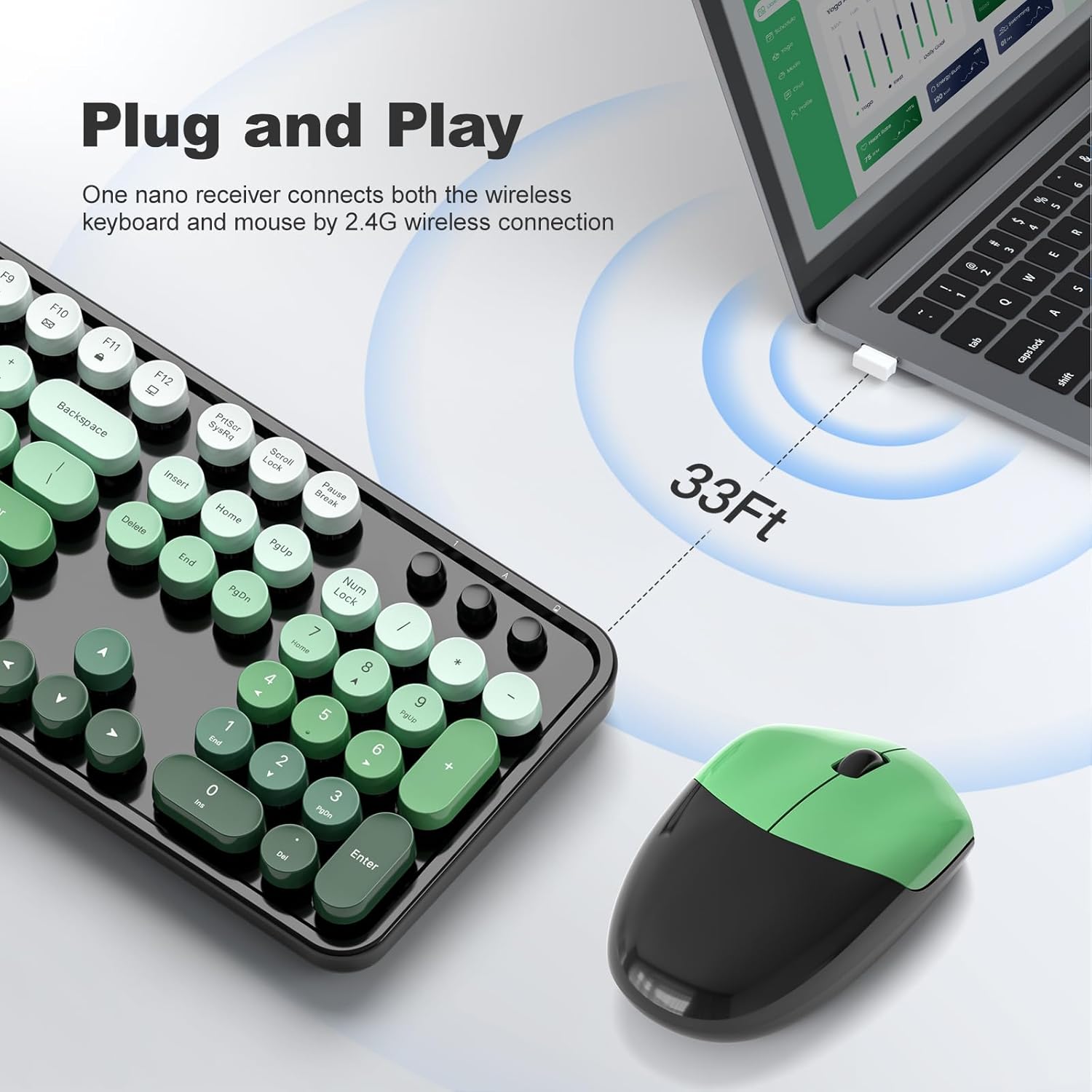
Figure 1: Plug and Play connection with USB receiver.
- เปิดเครื่อง:
Turn on the keyboard and mouse using their respective power switches, usually located on the underside of each device. The devices are now ready for use.
คำแนะนำการใช้งาน
คุณสมบัติของแป้นพิมพ์
- เค้าโครงขนาดเต็ม: แป้นพิมพ์มีปุ่มขนาดมาตรฐาน 104 ปุ่ม รวมถึงแป้นตัวเลขเพื่อการป้อนข้อมูลที่มีประสิทธิภาพ
- ทางลัดมัลติมีเดีย: Access 13 multimedia shortcuts (Fn + F1-F12, etc.) to control audio/video playback, volume, web browsing, and email. Refer to the key legends for specific functions.
- การออกแบบตามหลักสรีรศาสตร์: The keyboard includes foldable stands and anti-slip pads to adjust the typing angle and reduce wrist pressure.
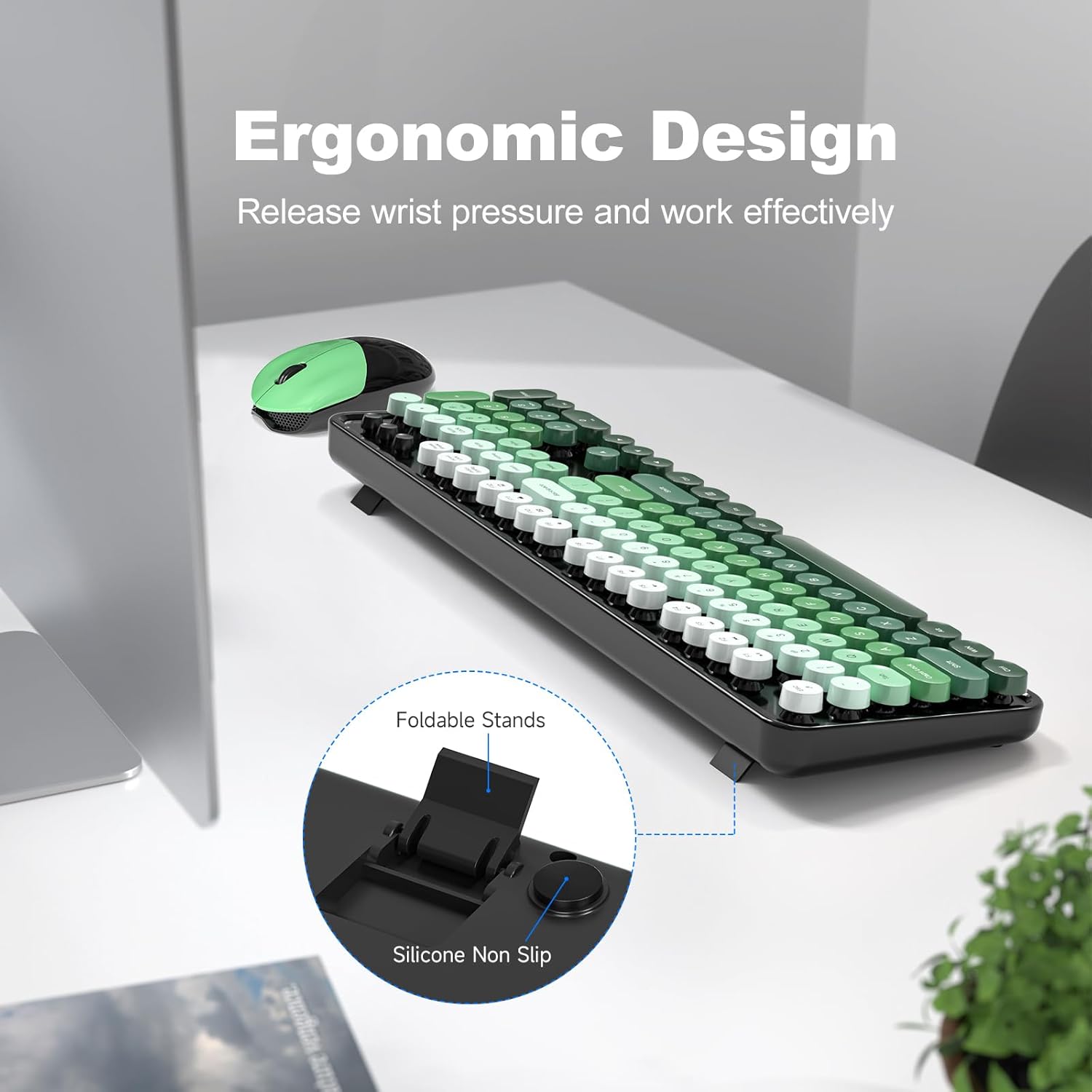
Figure 2: Ergonomic design with foldable stands.
คุณสมบัติของเมาส์
- ฟังก์ชันมาตรฐาน: The mouse provides standard left-click, right-click, and scroll wheel functions.
- การติดตามที่ราบรื่น: Designed for precise and smooth cursor movement.
โหมดสลีปอัตโนมัติ
To conserve battery life, both the keyboard and mouse will automatically enter sleep mode after 5 minutes of inactivity. To wake them up, simply click any key on the keyboard or move/click the mouse. This feature helps extend battery life to approximately 18 months, though actual battery life may vary based on usage.

Figure 3: Intelligent Auto-Sleep feature.
การซ่อมบำรุง
- การทำความสะอาดคีย์แคป: The round keycaps are detachable for easy cleaning. Use the provided cleaning brush to remove dust and debris from between the keys.
- การทำความสะอาดทั่วไป: Wipe the keyboard and mouse with a soft, damp ผ้า. หลีกเลี่ยงการใช้สารเคมีรุนแรงหรือวัสดุกัดกร่อน
- การเปลี่ยนแบตเตอรี่: When performance degrades, replace the AA batteries in both the keyboard and mouse.

Figure 4: Detachable keycaps and cleaning brush.
การแก้ไขปัญหา
- ไม่มีการเชื่อมต่อ:
- ตรวจสอบให้แน่ใจว่าตัวรับสัญญาณ USB เสียบเข้ากับพอร์ต USB ที่ใช้งานได้แน่นหนา
- ตรวจสอบว่าคีย์บอร์ดและเมาส์เปิดอยู่หรือไม่
- ตรวจสอบว่าติดตั้งแบตเตอรี่อย่างถูกต้องและมีประจุเพียงพอ
- ลองเสียบตัวรับสัญญาณเข้ากับพอร์ต USB อื่น
- รีสตาร์ทเครื่องคอมพิวเตอร์ของคุณ
- การเชื่อมต่อล่าช้าหรือขาดๆ หายๆ:
- Ensure the devices are within the 33ft operating range of the receiver.
- Minimize obstructions between the devices and the receiver.
- Avoid using the devices near strong electromagnetic interference sources.
- เปลี่ยนแบตเตอรี่หากแบตเตอรี่ใกล้หมด
- คีย์ไม่ตอบสนอง:
- ตรวจสอบระดับแบตเตอรี่
- ตรวจสอบให้แน่ใจว่าแป้นพิมพ์เปิดอยู่และเชื่อมต่ออยู่
- หากสงสัยว่ามีเศษฝุ่นหรือสิ่งสกปรกอยู่ใต้ปุ่มกด ให้ทำความสะอาดใต้ปุ่มกดด้วย
- Mouse Not Moving:
- ตรวจสอบระดับแบตเตอรี่
- ตรวจสอบให้แน่ใจว่าเมาส์เปิดอยู่และเชื่อมต่ออยู่
- ทำความสะอาดเซ็นเซอร์ออปติคัลที่อยู่ใต้เมาส์
- ตรวจสอบให้แน่ใจว่าคุณใช้เมาส์บนพื้นผิวที่เหมาะสม
ข้อมูลจำเพาะ
| ยี่ห้อ | โมฟี่ |
| แบบอย่าง | B0FZ84SQFD |
| สี | Black Green Gradient Color |
| เทคโนโลยีการเชื่อมต่อ | ไร้สาย 2.4GHz (ตัวรับสัญญาณ USB) |
| คุณสมบัติพิเศษ | Round Keycaps, Detachable Keycaps, Ergonomic Design, Auto Sleep Mode, Multimedia Keys |
| อุปกรณ์ที่รองรับ | Laptop, Personal Computer, Desktop, Smart TV |
| ความเข้ากันได้ของระบบปฏิบัติการ | Windows 7/8/10/11/XP/Vista, Linux, Chrome |
| ประเภทแบตเตอรี่ | AA (1 for keyboard, 1 for mouse - not included) |
| ช่วงสาย | สูงถึง 33 ฟุต (10 เมตร) |
| ขนาดแป้นพิมพ์ | ความยาวประมาณ 17.4 นิ้ว |
| ขนาดของเมาส์ | Approximately 4 inches (length) x 2.9 inches (width) x 1.7 inches (height) |
| น้ำหนักสินค้า | 0.2 Pounds (approximate, likely for mouse only) |

รูปที่ 5: ขนาดของแป้นพิมพ์และเมาส์
การรับประกันและการสนับสนุน
The product comes with a 1-year warranty as specified by the manufacturer. For technical support, warranty claims, or further assistance, please contact MOFII customer service through their official webเว็บไซต์หรือร้านค้าที่คุณซื้อสินค้า โปรดเก็บหลักฐานการซื้อไว้เพื่อใช้ในเรื่องการรับประกัน
สำหรับข้อมูลเพิ่มเติมสามารถเยี่ยมชมได้ที่ ร้าน MOFII บน Amazon.