
1. บทนำ
Thank you for choosing the MOJAY Ergonomic Office Chair. This manual provides detailed instructions for the assembly, operation, and maintenance of your new chair. Designed with your comfort and well-being in mind, this chair features extensive adjustability to support various body types and work postures.
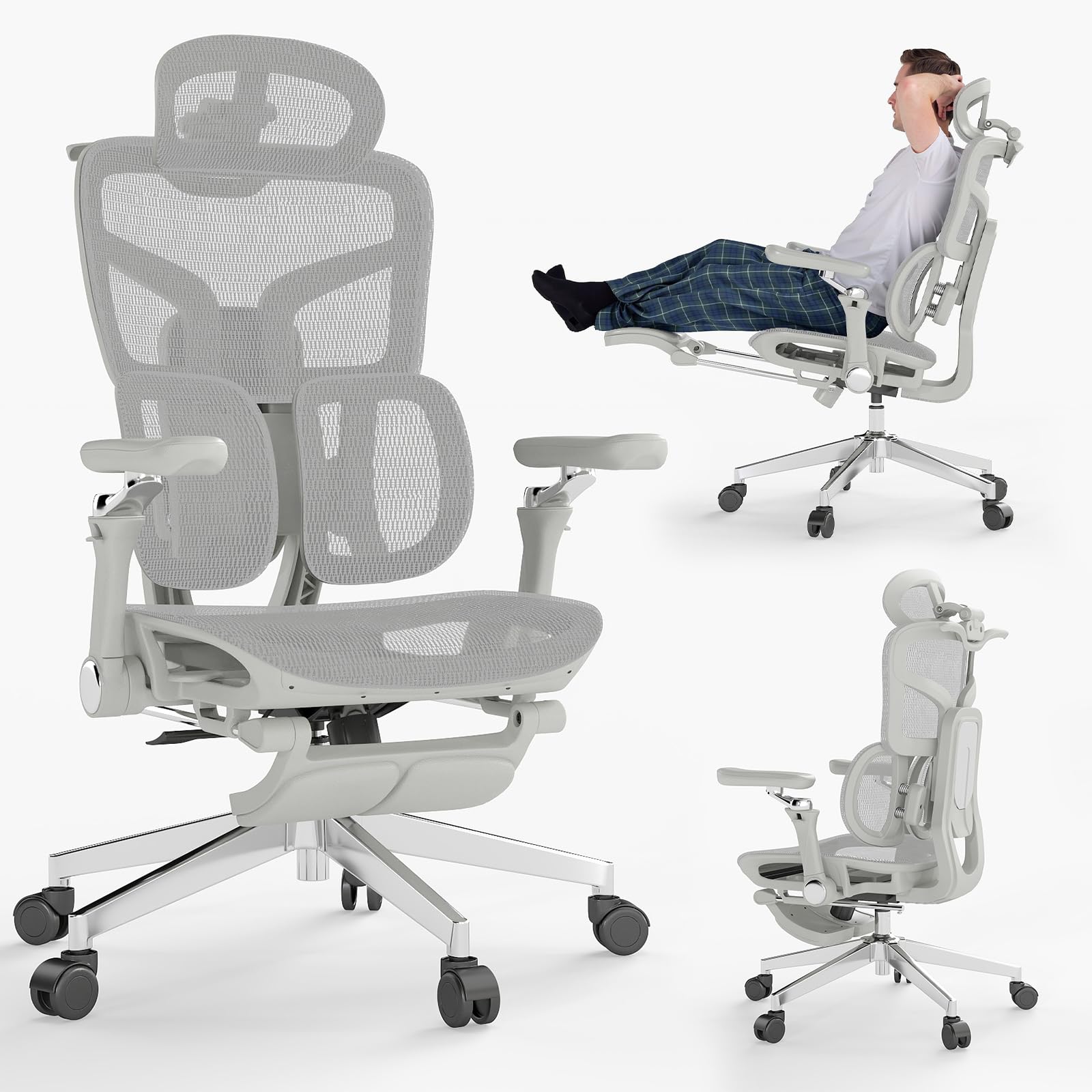
Figure 1: MOJAY Ergonomic Office Chair (Grey)
2. คำแนะนำด้านความปลอดภัย
Please read and follow these safety guidelines to ensure safe operation and longevity of your chair:
- ปฏิบัติตามคำแนะนำในการประกอบอย่างระมัดระวังเสมอ
- อย่าเกินน้ำหนักสูงสุดที่แนะนำคือ 500 ปอนด์
- Keep the chair on a stable surface to prevent tipping.
- ห้ามใช้เก้าอี้หากชิ้นส่วนใดชำรุดหรือหายไป
- Always use the chair as intended and do not attempt to modify or repair it yourself.
- In case of any doubt, please contact customer service.
3. เนื้อหาบรรจุภัณฑ์
Before assembly, ensure all components are present and undamaged. Refer to the diagram below for a visual representation of the parts.

รูปที่ 2: ระเบิด View of Chair Components
- Chair Base with Wheels
- กระบอกยกแก๊ส
- เบาะรองนั่ง
- ชุดพนักพิง
- ที่รองศีรษะ
- ที่วางแขน (ซ้ายและขวา)
- ที่วางเท้า
- Hardware Kit (screws, wrench)
4. การติดตั้งและการประกอบ
Assembly is designed to be straightforward and can typically be completed by one person in about 15 minutes. Follow the included instructions carefully.
- Attach the wheels to the chair base.
- ใส่กระบอกไฮดรอลิกสำหรับยกเก้าอี้เข้าไปตรงกลางฐานเก้าอี้
- Secure the armrests to the seat cushion using the provided screws.
- ประกอบพนักพิงเข้ากับเบาะนั่ง
- Mount the headrest to the top of the backrest.
- Slide the footrest assembly into its designated slot under the seat.
- วางเบาะและพนักพิงที่ประกอบเสร็จแล้วลงบนกระบอกไฮดรอลิกยก

รูปที่ 3: การประกอบเสร็จสิ้นview
5. คำแนะนำการใช้งานและการปรับแต่ง
Your MOJAY Ergonomic Office Chair offers multiple adjustment points for personalized comfort and support.
5.1. การปรับความลึกของเบาะนั่ง
The seat depth can be adjusted within a 50mm range to accommodate different heights and leg lengths, ensuring even hip support and reducing sitting pressure. Locate the lever under the seat and adjust as needed.

Figure 4: Seat Depth Adjustment
5.2. Lumbar Support and Backrest Height
The chair is equipped with dual-zone elastic lumbar support that responds in real-time to posture changes, dynamically supporting the lower back and relieving pressure. The backrest height offers 5 adjustment levels (up to 5cm) for optimal support.

Figure 5: 2-Zone Lumbar Support

Figure 6: 5-Level Adjustable Backrest
5.3. 3-Position Recline and Retractable Footrest
The backrest locks at 90° (work), 125° (relax), and 135° (rest). A soft retractable footrest allows you to stretch out for a nearly flat relaxation experience.
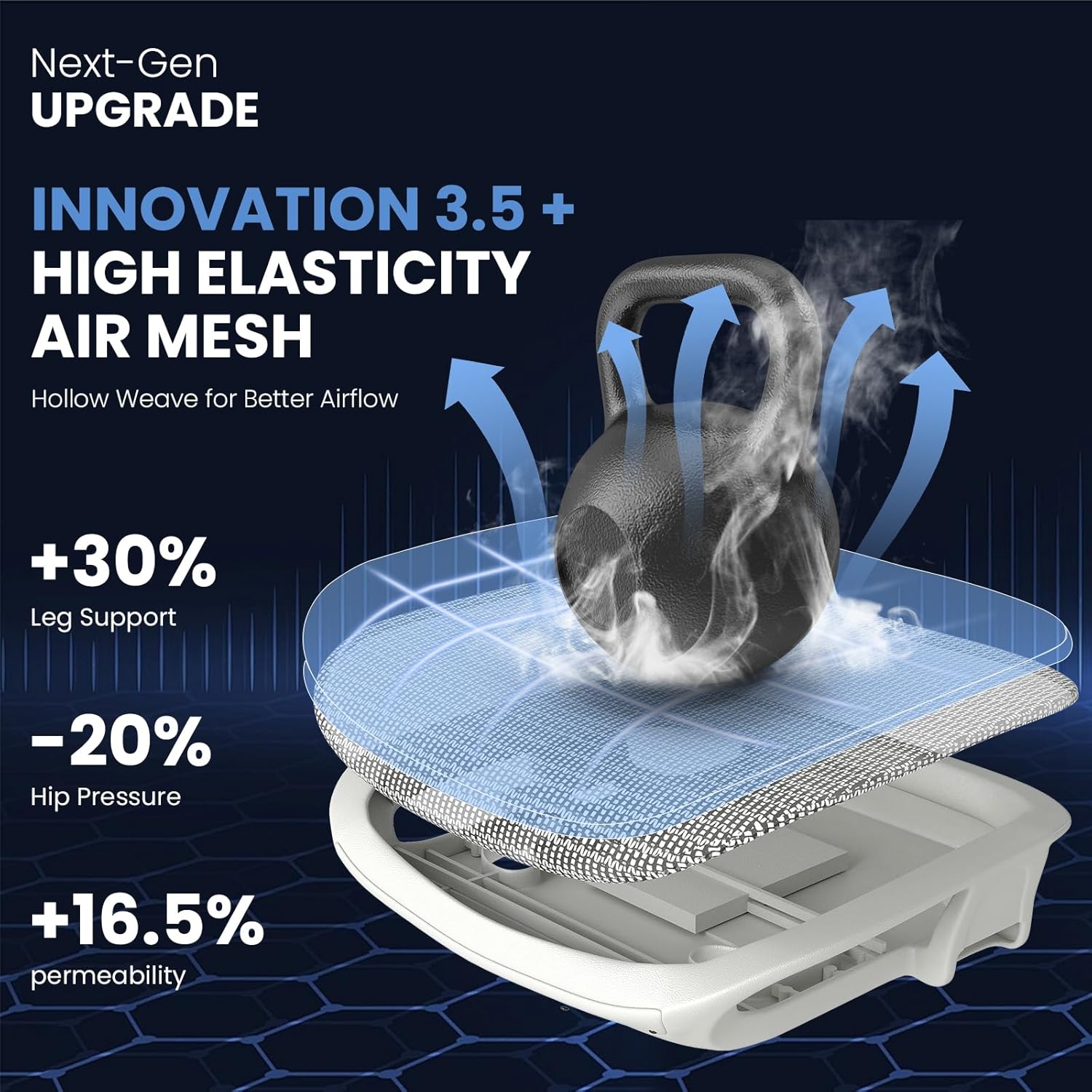
Figure 7: Recline Positions and Footrest
5.4. 6D Flip-Up Armrests
The armrests adjust up and down, forward and backward, and side to side. They also feature a 45° flip-up design and dual-axis 360° rotation, adapting to various postures and allowing the chair to be pushed closer to a desk.
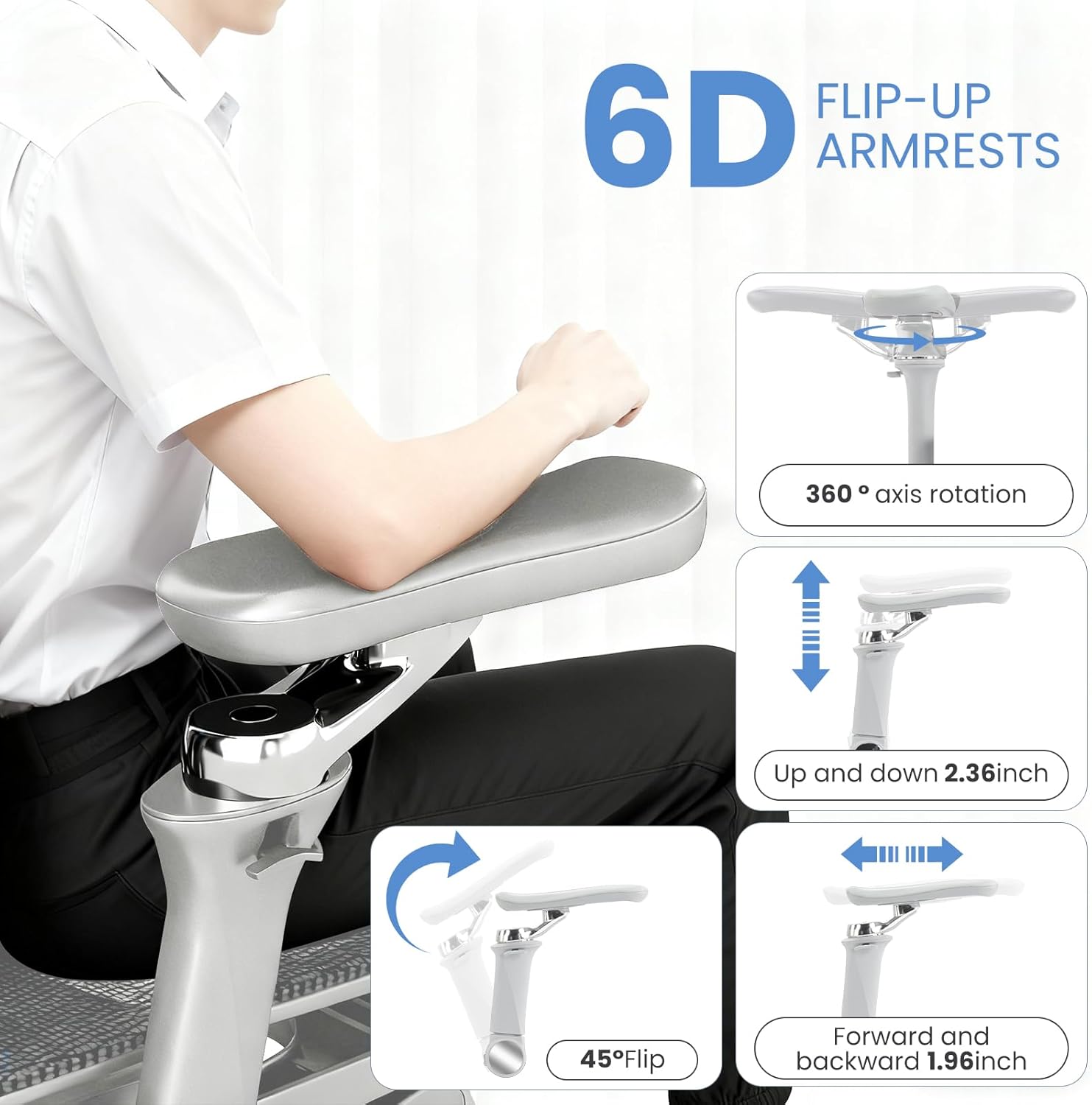
Figure 8: 6D Armrest Adjustments
5.5. 3D Multi-Directional Headrest
The 3D headrest offers height adjustment and dual-axis rotation, fitting the neck curve precisely to reduce fatigue.

Figure 9: 3D Headrest Adjustments
6. การบำรุงรักษา
To keep your MOJAY Ergonomic Office Chair in optimal condition, follow these simple maintenance tips:
- การทำความสะอาด: Wipe mesh and plastic parts with a damp ผ้าและสบู่อ่อนๆ หลีกเลี่ยงสารเคมีที่รุนแรง
- การหล่อลื่น: Periodically check and lubricate moving parts (e.g., wheels, gas lift) if they become stiff or noisy.
- ตัวล็อค: Regularly inspect all screws and bolts to ensure they are tight. Retighten as necessary to maintain stability.
- หลีกเลี่ยงการโอเวอร์โหลด: ห้ามเกินขีดจำกัดน้ำหนักสูงสุดที่สามารถรองรับได้ 500 ปอนด์
7 การแก้ไขปัญหา
If you encounter any issues with your chair, refer to the following common troubleshooting steps:
- เสียงเก้าอี้ดังเอี๊ยดอ๊าด: Check all bolted connections and tighten if loose. Apply a small amount of lubricant to moving metal parts.
- ความยากในการปรับความสูง: Ensure the gas lift lever is fully engaged or disengaged. Check for any obstructions around the gas lift cylinder.
- เก้าอี้รู้สึกไม่มั่นคง: Verify that all legs are securely attached to the base and all screws are tightened. Ensure the chair is on a flat, even surface.
- Armrests are Loose: Check the screws attaching the armrests to the seat and tighten them.
หากปัญหายังคงมีอยู่ โปรดติดต่อฝ่ายสนับสนุนลูกค้า
8. ข้อมูลจำเพาะ
| คุณสมบัติ | รายละเอียด |
|---|---|
| ยี่ห้อ | โมเจย์ |
| ชื่อรุ่น | SG-H2-Gray |
| สี | สีเทา |
| ขนาดสินค้า | ลึก 24 นิ้ว x กว้าง 24 นิ้ว x สูง 45 นิ้ว |
| คำแนะนำน้ำหนักสูงสุด | 500 ปอนด์ |
| สไตล์ด้านหลัง | ด้านหลังเป็นตาข่าย |
| สไตล์แขน | Adjustable (6D) |
| จำนวนตำแหน่งการเอน | 3 |
| ส่วนประกอบที่รวมอยู่ | Ergonomic chair with footrest |
| วัสดุ | Alloy Steel, Mesh, Nylon, Foam |
| น้ำหนักสินค้า | 45.2 ปอนด์ |
9. วิดีโอผลิตภัณฑ์อย่างเป็นทางการ
Watch these official product videos for a closer look at the MOJAY Ergonomic Office Chair's features and functionality.
MOJAY Ergonomic Office Chair with Footrest - Overview
วิดีโอนี้จะให้ข้อมูลสรุปสั้นๆview of the MOJAY Ergonomic Office Chair, highlighting its key features and design.
Model Zen Introduction - Features Showcase
วิดีโอแนะนำเบื้องต้นasing various features and adjustments of the chair, including its ergonomic design elements.
10. การรับประกันและการสนับสนุน
The MOJAY Ergonomic Office Chair comes with a รับประกัน 1 ปี. For any product inquiries, technical assistance, or warranty claims, please contact our customer support team. We offer responsive 24-hour support to assist you.
หากต้องการความช่วยเหลือเพิ่มเติม โปรดไปที่ MOJAY Store on Amazon.