
ProForm 225 CSX Bike
คู่มือการใช้งานจักรยานออกกำลังกาย ProForm 225 CSX
Model: 225 CSX Bike
การแนะนำ
Welcome to your new ProForm 225 CSX Exercise Bike. This manual provides essential information for the safe and efficient operation, assembly, and maintenance of your fitness equipment. Designed for indoor use, this bike features 20 digital resistance levels, Silent Magnetic Resistance for quiet workouts, and iFIT compatibility for an enhanced training experience.
ข้อมูลด้านความปลอดภัย
Before using this product, please read all instructions carefully. Keep this manual for future reference. Always consult with a physician before starting any exercise program. Stop exercising immediately if you feel faint, dizzy, or experience pain.
- ตรวจสอบให้แน่ใจว่าทุกส่วนประกอบยึดแน่นดีแล้วก่อนใช้งานทุกครั้ง
- เก็บเด็กและสัตว์เลี้ยงให้ห่างจากอุปกรณ์ระหว่างการใช้งาน
- วางจักรยานออกกำลังกายบนพื้นผิวเรียบ
- Do not exceed the maximum user weight recommendation of 275 pounds.
- ใช้ตามวัตถุประสงค์และคำอธิบายในคู่มือนี้เท่านั้น
การตั้งค่า
Your ProForm 225 CSX Exercise Bike comes with included assembly instructions. Follow these carefully to ensure proper setup. The compact design (35.1"D x 21.2"W x 57.7"H) and front-mounted wheels make it easy to move and store.
การเคลื่อนย้ายจักรยานออกกำลังกาย
To move the exercise bike, tilt it forward onto its front-mounted wheels and carefully roll it to your desired location. Ensure the path is clear of obstacles.

ภาพ: A man demonstrates how to tilt and move the ProForm 225 CSX Exercise Bike using its front-mounted wheels, highlighting its portability.
ภาพ: A woman easily moves the ProForm 225 CSX Exercise Bike, showcasing its convenient transport wheels for repositioning within a home gym or living space.
คำแนะนำการใช้งาน
คอนโซลโอเวอร์view
The ProForm 225 CSX features a 5-inch LCD display to track your workout metrics. It also includes a device shelf, Bluetooth® enabled speakers, and a CoolAire™ Fan for comfort during your exercise sessions.

ภาพ: รายละเอียด view of the console, highlighting the 5-inch LCD display, tablet holder, CoolAire™ Fan, and 2-inch speakers, along with Bluetooth® connectivity for audio.
ปรับความต้านทาน
Customize your workout with 20 digital resistance levels. Use the resistance buttons on the console to instantly switch between levels, from light recovery to high-intensity training. The Silent Magnetic Resistance ensures a smooth and quiet operation.
iFIT Integration
The ProForm 225 CSX is powered by iFIT (Train Membership Required). Connect your phone or tablet to the device shelf to access over 10,000 immersive, personalized workouts. iFIT's SmartAdjust™ feature automatically fine-tunes resistance to match your fitness level, and the iFIT AI Coach provides personalized guidance via SMS.

ภาพ: A tablet is shown on the bike's device shelf, displaying the iFIT workout interface, demonstrating how users can integrate their personal devices for interactive training.
วีดีโอ: วิดีโอนี้มีเนื้อหาเกี่ยวกับview of the ProForm 225 CSX Bike, showcasing its features and how it integrates with iFIT for interactive workouts. It highlights the bike's design and user experience.
Seat and Pedal Adjustments
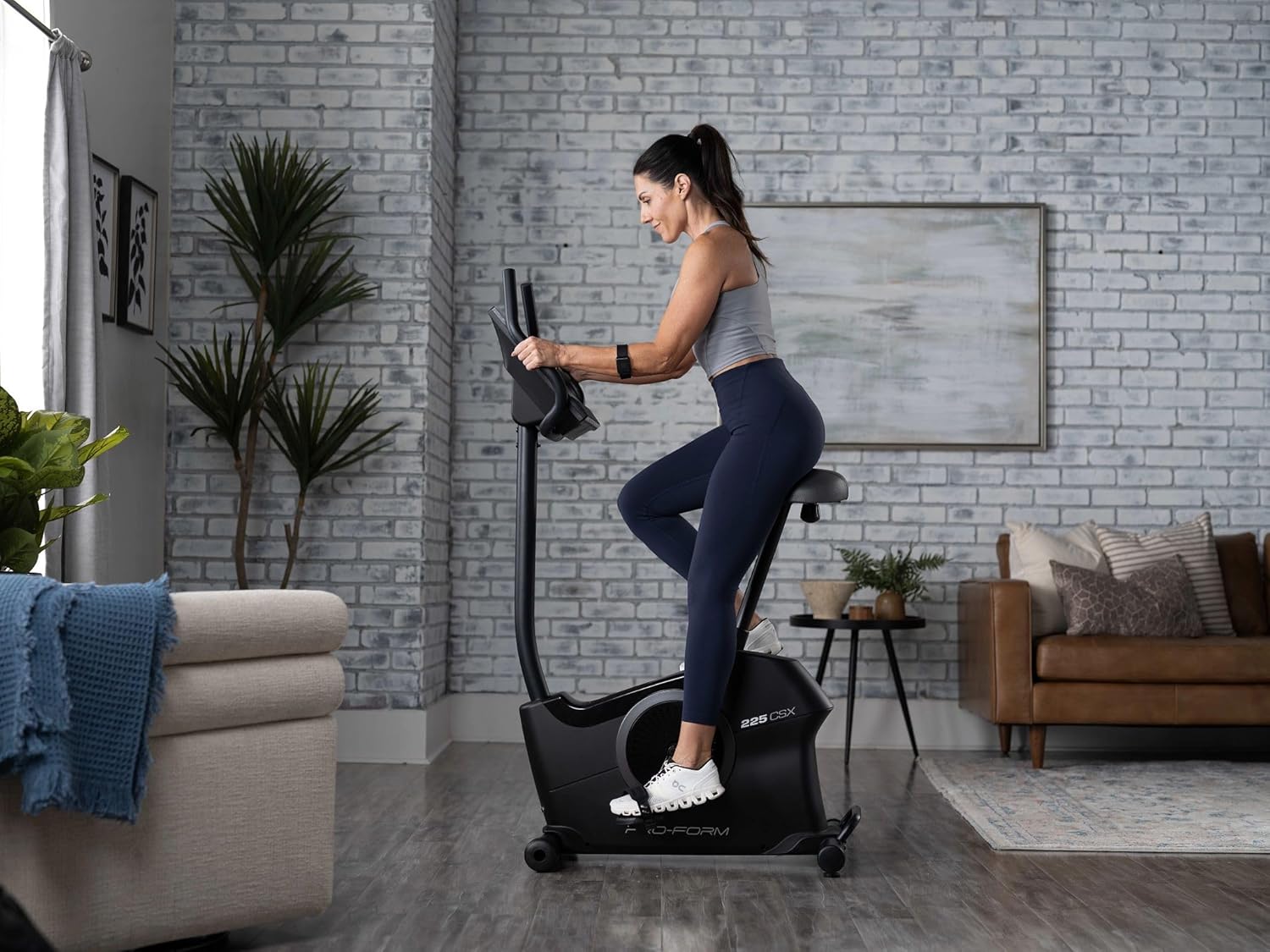
Adjust the seat height to ensure proper leg extension and comfort during your workout. The extra-wide ergonomic foot pedals with adjustable straps provide support and alignment for your feet.

ภาพ: โปรข้างfile of the ProForm 225 CSX Exercise Bike, illustrating its overall dimensions and the adjustable seat mechanism for user comfort and proper form.
การซ่อมบำรุง
การบำรุงรักษาอย่างสม่ำเสมอจะช่วยให้จักรยานออกกำลังกายของคุณมีอายุการใช้งานยาวนานและทำงานได้อย่างมีประสิทธิภาพสูงสุด
- การทำความสะอาด: เช็ดทำความสะอาดจักรยานหลังการใช้งานทุกครั้งด้วยน้ำยาทำความสะอาดamp ใช้ผ้าเช็ดทำความสะอาดเหงื่อและฝุ่นละออง หลีกเลี่ยงการใช้น้ำยาทำความสะอาดที่มีฤทธิ์กัดกร่อน
- การตรวจสอบ: ตรวจสอบสลักเกลียว น็อต และชิ้นส่วนเคลื่อนไหวทั้งหมดเป็นระยะๆ เพื่อความแน่นหนาและการสึกหรอ ขันสกรูยึดที่หลวมให้แน่น
- การหล่อลื่น: No regular lubrication is typically required for the Silent Magnetic Resistance system. Refer to the detailed assembly instructions for specific lubrication needs if any.
- สายไฟ: ตรวจสอบสายไฟว่ามีรอยชำรุดหรือไม่ หากพบรอยชำรุด ให้หยุดใช้งานและติดต่อฝ่ายบริการลูกค้า
การแก้ไขปัญหา
If you encounter any issues with your ProForm 225 CSX Exercise Bike, refer to the following common troubleshooting tips:
- จอแสดงผลไม่ทำงาน: Ensure the power cord is securely plugged into a working outlet. Check if batteries (if applicable) need replacement.
- ปัญหาการต้านทาน: Verify that the resistance buttons are functioning correctly. If using iFIT, ensure your device is properly connected and the iFIT app is running.
- เสียงที่ผิดปกติ: Check for any loose parts or obstructions around the pedals or flywheel. Tighten any loose components.
- คันเหยียบไม่เคลื่อนไหวอย่างราบรื่น: Ensure the pedals are correctly installed and not obstructed.
For persistent issues, please contact ProForm customer support.
ข้อมูลจำเพาะ
| คุณสมบัติ | รายละเอียด |
|---|---|
| ยี่ห้อ | โปรฟอร์ม |
| ชื่อรุ่น | 225 CSX Bike |
| หมายเลขรุ่น | PFEX32925 |
| น้ำหนักสินค้า | 68.2 ปอนด์ |
| วัสดุ | เหล็กอัลลอยด์ |
| กลไกต้านทาน Resistance | Magnetic (Silent Magnetic Resistance) |
| ขนาดสินค้า (กxยxส) | ลึก 35.1 นิ้ว x กว้าง 21.2 นิ้ว x สูง 57.7 นิ้ว |
| คำแนะนำน้ำหนักสูงสุด | 275 ปอนด์ |
| จำนวนระดับแนวต้าน | 20 |
| แหล่งพลังงาน | สายไฟ |
| คุณสมบัติพิเศษ | App Connectivity, 5" LCD Display, Device Shelf, CoolAire™ Fan |
| การใช้ที่แนะนำ | ในร่ม |
| ระบบขับเคลื่อน | เข็มขัด |
| ยูพีซี | 043619342536 |
การรับประกันและการสนับสนุน
For warranty information and customer support, please refer to the documentation included with your product or visit the official ProForm website. You can also find additional support and FAQs on the ProForm store page on Amazon.
Amazon ProForm Store: Visit the ProForm Store
Ask a question about this manual
Ask about setup, troubleshooting, compatibility, parts, safety, or missing instructions. Manuals+ will review the question and use this page’s manual context to help answer it.