การแนะนำ
This manual provides detailed instructions for the setup, operation, and maintenance of your Oilsky M305 MP3 Player. Please read this manual thoroughly before using the device to ensure optimal performance and longevity.

ภาพ: เหนือview of the Oilsky M305 MP3 Player's key features.
1. คู่มือการติดตั้ง
1.1 การแกะกล่องและเนื้อหาภายในบรรจุภัณฑ์
Carefully unpack your Oilsky M305 MP3 Player and verify all components are present.

Image: Contents of the Oilsky M305 MP3 Player box.
แพ็คเกจควรประกอบด้วย:
- 1x Oilsky M305 Music Player
- 1x 128GB TF Card (pre-installed or separate)
- 1x USB Cable (for charging and data transfer)
- หูฟังแบบมีสาย 1 ชิ้น
- 1x Protective Film
- 1x เคสป้องกัน
- 1x คู่มือผู้ใช้
1.2 การชาร์จอุปกรณ์
Before first use, fully charge the device. Connect the provided USB cable to the player's charging port and to a USB power adapter (not included) or a computer's USB port. The charging indicator will show the charging status.
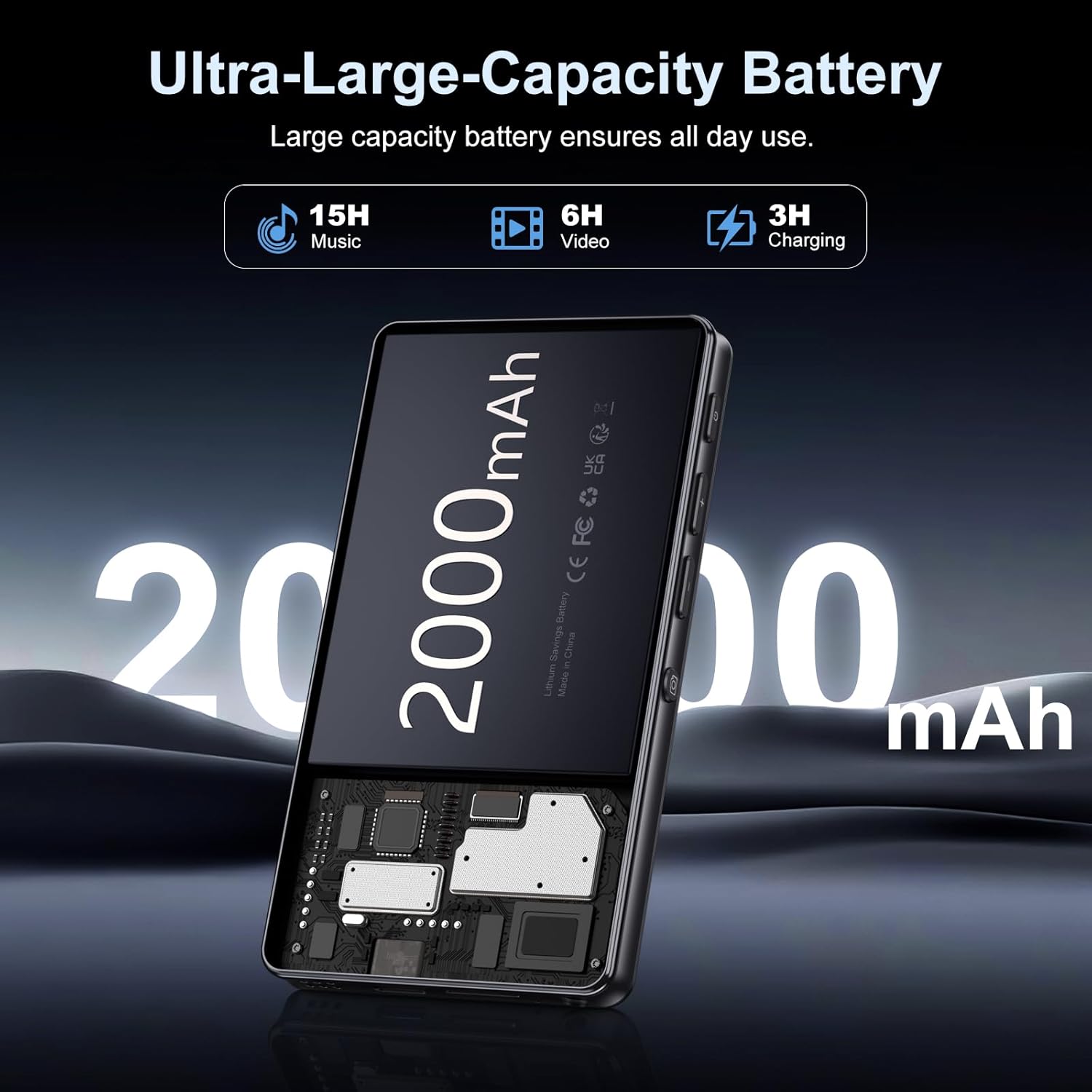
Image: Illustration of the 2000mAh battery and its charging/usage capabilities.
The 2000mAh battery provides approximately 15 hours of music playback and 6 hours of video playback on a full charge, which takes about 3 hours.
1.3 เปิด/ปิดเครื่อง
- การเปิดเครื่อง: กดปุ่มเปิดปิดที่ด้านข้างของอุปกรณ์ค้างไว้จนกว่าหน้าจอจะสว่างขึ้น
- วิธีปิดเครื่อง: กดปุ่มเปิด/ปิดค้างไว้ จากนั้นเลือก 'ปิดเครื่อง' จากตัวเลือกที่ปรากฏบนหน้าจอ
1.4 การตั้งค่าเริ่มต้น
เมื่อเปิดเครื่องครั้งแรก ให้ทำตามคำแนะนำบนหน้าจอดังนี้:
- เลือกภาษาที่คุณต้องการ
- Connect to a Wi-Fi network for internet access and app downloads.
- ตั้งค่าวันที่และเวลา
2. คู่มือการใช้งาน
2.1 Basic Navigation (Touchscreen)
The Oilsky M305 features a 4.02-inch HD touchscreen for intuitive control. Use gestures similar to a smartphone:
- แตะ: การเลือกสินค้าหรือเปิดแอป
- ปัด: เพื่อเลื่อนดูรายการหรือสลับระหว่างหน้าจอ
- บีบเพื่อซูม: In supported applications like image galleries.

Image: The 4.02-inch HD touchscreen in use, displaying video content.
2.2 การเล่นเพลง
The device supports various music formats including MP3, WAV, APE, FLAC, and AAC. You can play music through the built-in speaker or connected headphones/Bluetooth devices.

Image: Music playback interface showing supported audio formats.
- Accessing Music: Open the pre-installed music player app or any downloaded streaming service (e.g., Spotify, Audible).
- การสร้างเพลย์ลิสต์: Use the music player app to organize your songs into custom playlists.
- Equalizer: Adjust audio settings via the built-in equalizer for a personalized listening experience.

Image: Features for music management, including playlist creation and equalizer settings.
2.3 การเล่นวิดีโอ
The device supports various video formats including AVI, MKV, MP4, MPG, and MOV. Videos can be viewed on the 4.02-inch HD screen.

Image: Supported video and music formats for the device.
2.4 การใช้งานกล้อง
The M305 is equipped with a 13MP rear camera and a 5MP front camera for capturing photos and videos.
- ถ่ายรูป: เปิดแอปกล้อง จัดองค์ประกอบภาพ และแตะปุ่มชัตเตอร์
- การบันทึกวิดีโอ: Switch to video mode in the Camera app and tap the record button to start/stop.

Image: Illustration of the 5MP front and 13MP rear cameras.
2.5 การเชื่อมต่อ (บลูทูธและไวไฟ)
The device features dual-band Wi-Fi for fast internet access and Bluetooth 5.0 for stable wireless connections.
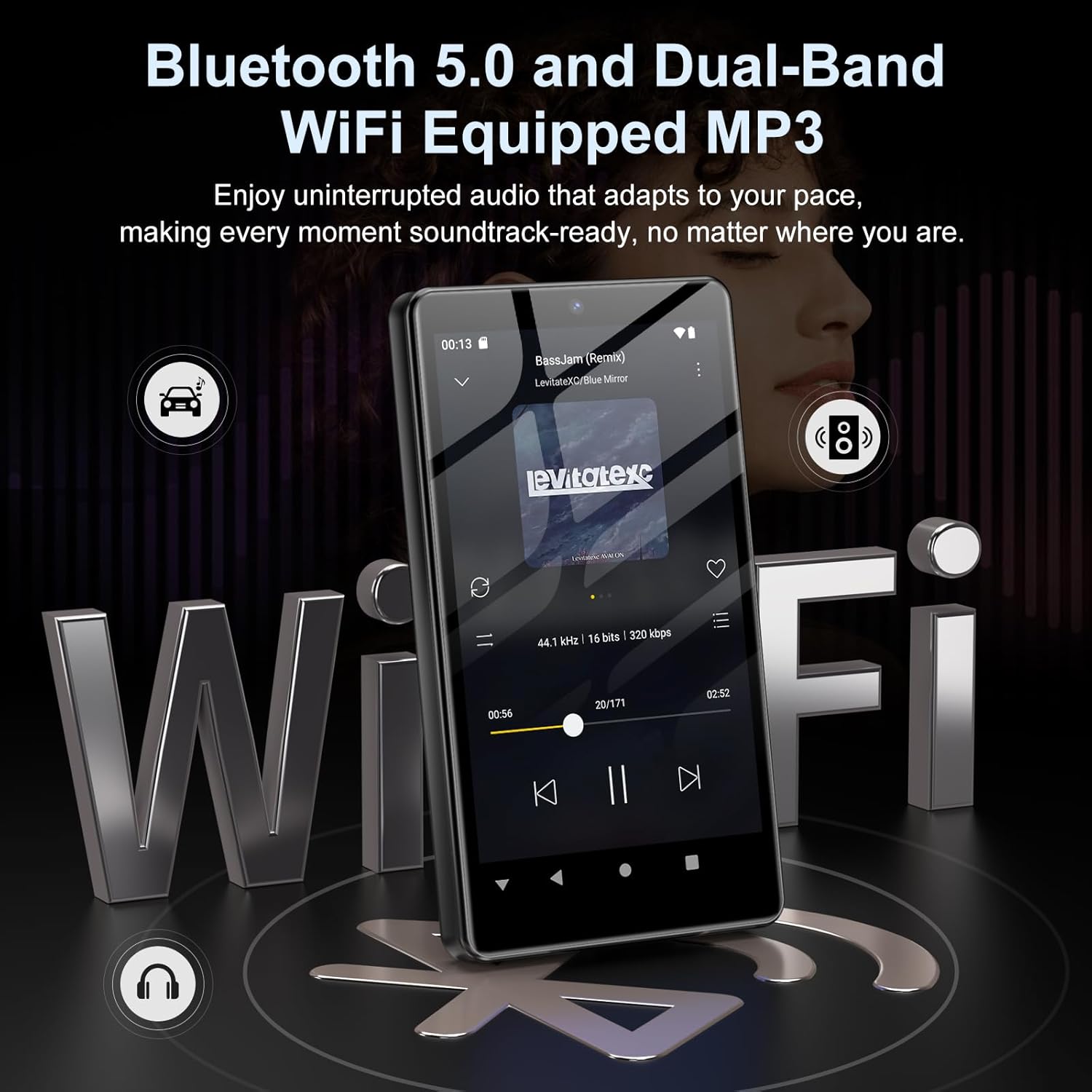
Image: Visual representation of Bluetooth and Wi-Fi connectivity.
- ไวไฟ : ไปที่การตั้งค่า > เครือข่ายและอินเทอร์เน็ต > Wi-Fi เพื่อเชื่อมต่อกับเครือข่ายที่มีอยู่
- บลูทูธ: Go to Settings > Connected devices > Bluetooth to pair with headphones, speakers, or other Bluetooth-enabled devices.
2.6 การจัดการการจัดเก็บข้อมูล
The M305 comes with 32GB of internal ROM and includes a 128GB TF card, supporting external storage expansion up to 1TB.

Image: Storage capacity details including internal ROM and TF card expansion.
- Viewing Storage: Navigate to Settings > Storage to see internal and external storage usage.
- การโอนย้าย Files: Connect the device to a computer using the USB cable to transfer music, videos, and photos.
2.7 การติดตั้งแอป (Google Play Store)
Running on Android 13.0, the device allows you to install and uninstall applications from the Google Play Store.
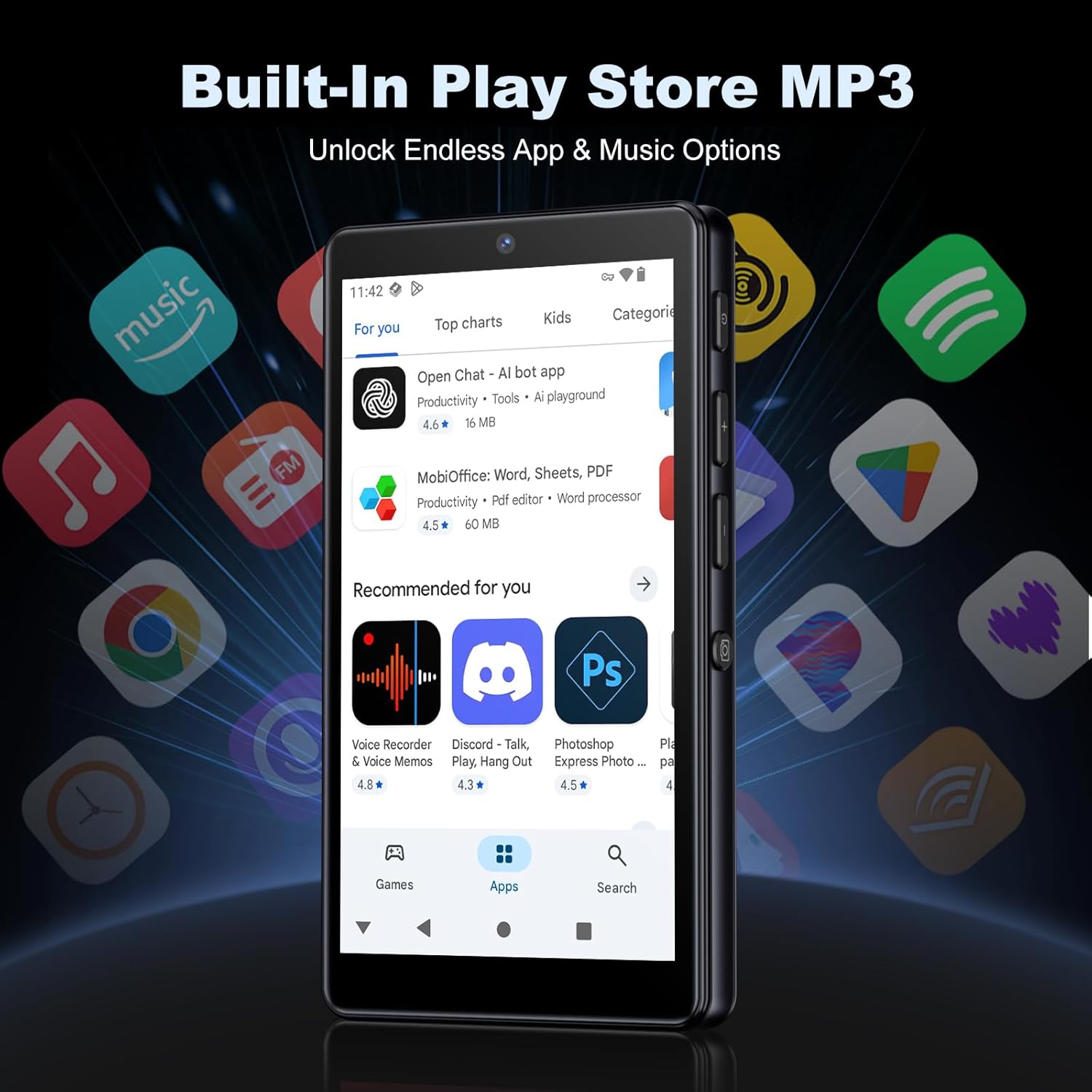
Image: The Google Play Store interface on the device.
- การติดตั้งแอพ: Open the Play Store app, search for your desired application, and tap 'Install'.
- การถอนการติดตั้งแอป: Go to Settings > Apps, select the app, and tap 'Uninstall'.
3. การบำรุงรักษา
3.1 การทำความสะอาด
To clean the device, use a soft, dry, lint-free cloth. Avoid using abrasive cleaners, solvents, or aerosol sprays, which may damage the screen or finish.
3.2 การดูแลแบตเตอรี่
- หลีกเลี่ยงการให้อุปกรณ์สัมผัสกับอุณหภูมิที่สูงเกินไป
- อย่าปล่อยให้แบตเตอรี่หมดจนหมดบ่อยๆ
- ใช้เฉพาะสาย USB ที่ให้มาในการชาร์จ
3.3 การอัปเดตซอฟต์แวร์
ตรวจสอบการอัปเดตซอฟต์แวร์เป็นระยะเพื่อให้แน่ใจว่าอุปกรณ์ของคุณมีคุณสมบัติล่าสุดและแพทช์ความปลอดภัย ไปที่ การตั้งค่า > ระบบ > การอัปเดตระบบ
4 การแก้ไขปัญหา
4.1 อุปกรณ์ไม่เปิด
- ตรวจสอบให้แน่ใจว่าแบตเตอรี่ชาร์จเต็มแล้ว เสียบอุปกรณ์เข้ากับเครื่องชาร์จอย่างน้อย 30 นาที
- Try a forced restart by holding the power button for 10-15 seconds.
4.2 ปัญหาการเชื่อมต่อ (Wi-Fi/Bluetooth)
- ไวไฟ : Check if the Wi-Fi network is active and you have entered the correct password. Try restarting your router.
- บลูทูธ: Ensure the device you are trying to connect to is in pairing mode and within range. Try turning Bluetooth off and on again on both devices.
4.3 แอปขัดข้องหรือหยุดทำงาน
- ปิดและเปิดแอปใหม่อีกครั้ง
- Clear the app's cache: Settings > Apps > [App Name] > Storage & cache > Clear cache.
- หากปัญหายังคงอยู่ ให้ลองถอนการติดตั้งแล้วติดตั้งแอปใหม่อีกครั้ง
4.4 คุณภาพเสียงไม่ดี
- Check your earphones or Bluetooth speaker connection.
- มั่นใจในเสียง file ไม่เสียหาย
- Adjust the equalizer settings in your music player.
5. ข้อมูลจำเพาะ
| คุณสมบัติ | รายละเอียด |
|---|---|
| ยี่ห้อ | ออยล์สกี้ |
| หมายเลขรุ่น | M305 |
| ระบบปฏิบัติการ | แอนดรอยด์ 13.0 |
| โปรเซสเซอร์ | MTK 8 คอร์ |
| แรม | 4GB |
| หน่วยความจำภายใน (ROM) | 32GB |
| การจัดเก็บข้อมูลภายนอก | 128GB TF Card included, expandable up to 1TB |
| ขนาดหน้าจอ | หน้าจอสัมผัส HD ขนาด 4.02 นิ้ว |
| กล้องหลัง | 13MP |
| กล้องหน้า | 5MP |
| บลูทูธ | บลูทูธ 5.0 |
| ไวไฟ | Wi-Fi ดูอัลแบนด์ |
| ความจุของแบตเตอรี่ | แบตเตอรี่ลิเธียมโพลิเมอร์ 2000 mAh |
| เวลาเล่นเพลง | นานถึง 15 ชั่วโมง |
| เวลาเล่นวิดีโอ | นานถึง 6 ชั่วโมง |
| เวลาในการชาร์จ | ประมาณ 3 ชั่วโมง |
| รูปแบบเสียงที่รองรับ | MP3, WAV, APE, FLAC, AAC เป็นต้น |
| รูปแบบวิดีโอที่รองรับ | AVI, MKV, MP4, MPG, MOV, etc. |
| รูปแบบภาพที่รองรับ | JPEG, BMP, GIF, PNG, etc. |
6. ข้อมูลการรับประกัน
The Oilsky M305 MP3 Player comes with a manufacturer's warranty. Please refer to the warranty card included in your package or contact Oilsky customer support for specific terms and conditions. Keep your proof of purchase for warranty claims.
7. การสนับสนุนลูกค้า
If you encounter any issues not covered in this manual or require further assistance, please contact Oilsky customer support. Contact details can typically be found on the official Oilsky webเว็บไซต์หรือบนบัตรรับประกัน