
1. บทนำ
The EPOMAKER TH87 is a versatile 87-key Tenkeyless (TKL) mechanical keyboard designed for various computing environments. It features tri-mode connectivity (Wired USB-C, 2.4GHz Wireless, and Bluetooth), hot-swappable switches, PBT keycaps, and customizable RGB backlighting. This manual provides detailed instructions for setting up, operating, maintaining, and troubleshooting your keyboard.
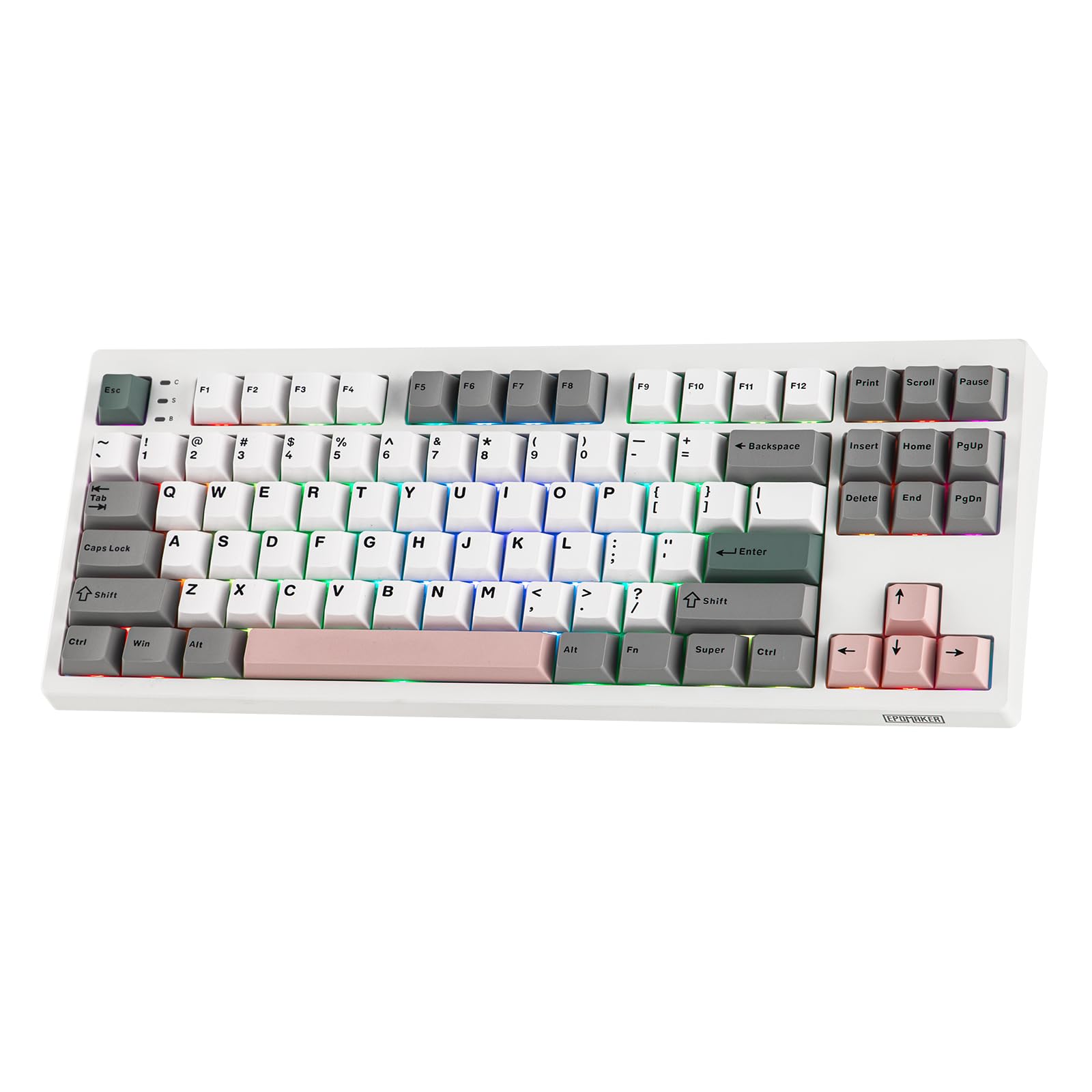
Figure 1: EPOMAKER TH87 Wireless Mechanical Keyboard
2. เนื้อหาบรรจุภัณฑ์
ตรวจสอบให้แน่ใจว่ามีสินค้าทั้งหมดอยู่ในแพ็คเกจของคุณ:
- TH87 Wireless Gaming Keyboard
- สาย USB A ถึง C
- Extra Switches (for customization)
- Wireless 2.4Ghz Receiver (stored under the side kick-stand)
- 2-in-1 Switch-and-Keycap Puller
- คู่มือการใช้งาน (เอกสารนี้)
Video 1: EPOMAKER TH87 Unboxing & Overview & Typing Video. This video demonstrates the unboxing process and provides a general overview of the keyboard's features and typing experience.
3. การตั้งค่า
Follow these steps to set up your EPOMAKER TH87 keyboard:
3.1. การเชื่อมต่อแบบมีสาย
- ค้นหาพอร์ต USB-C บนแป้นพิมพ์
- Connect the provided USB A-to-C cable to the keyboard and your computer.
- Ensure the mode switch on the keyboard is set to 'USB'.
3.2. การเชื่อมต่อไร้สาย 2.4GHz
- Locate the 2.4GHz wireless receiver, typically stored in a compartment under the side kick-stand of the keyboard.
- เสียบตัวรับสัญญาณเข้ากับพอร์ต USB ที่มีอยู่ในคอมพิวเตอร์ของคุณ
- Set the mode switch on the keyboard to '2.4G'. The keyboard should automatically connect.
3.3. การเชื่อมต่อบลูทู ธ
- ตั้งสวิตช์โหมดบนแป้นพิมพ์ไปที่ 'บลูทูธ'
- On your device (PC, Mac, Tablet, Phone), open Bluetooth settings.
- ค้นหา new devices and select 'EPOMAKER TH87' to pair.
- คีย์บอร์ดรองรับโปรบลูทูธหลายตัวfiles; refer to the full user manual for specific pairing instructions for each profile.
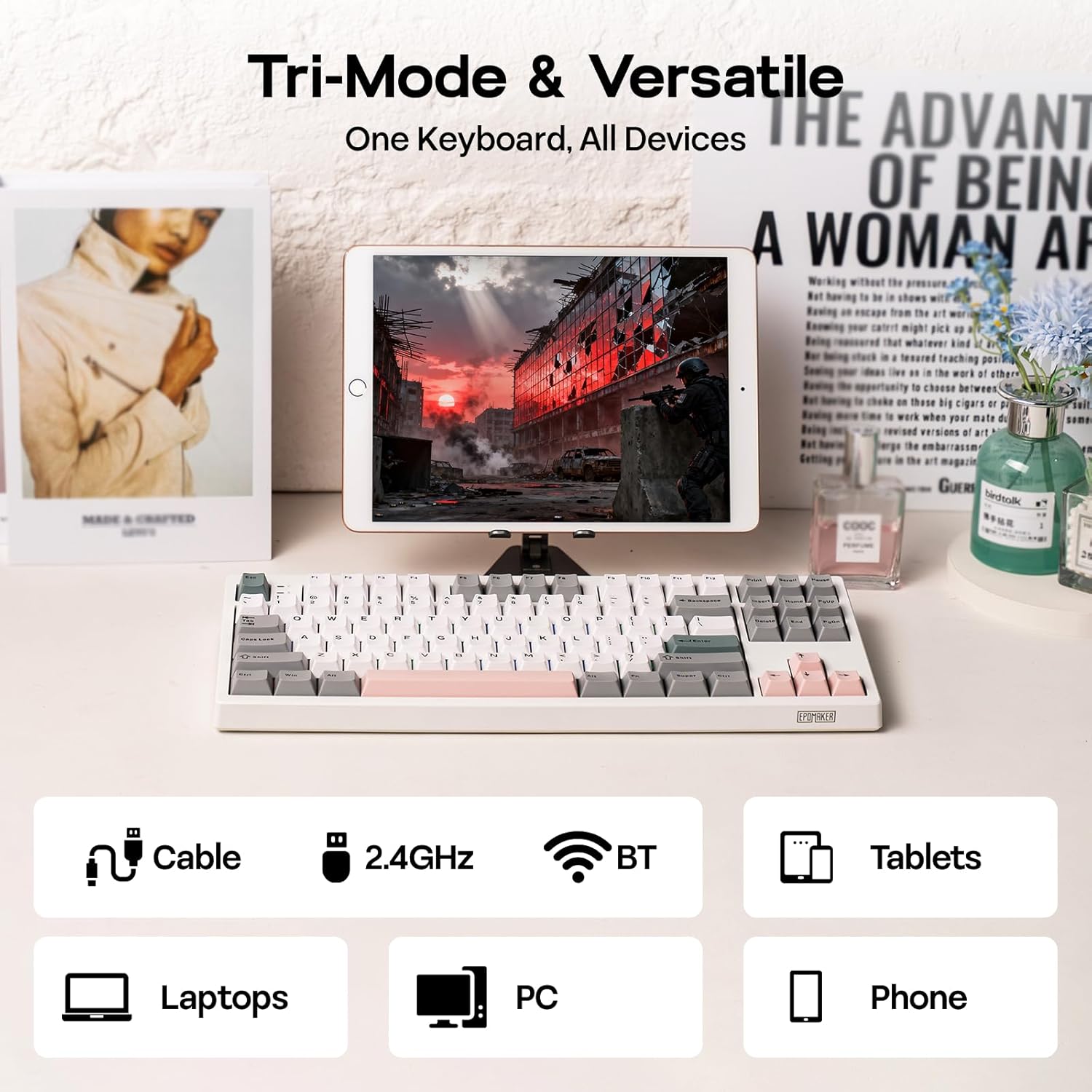
รูปที่ 2: ตัวเลือกการเชื่อมต่อแบบสามโหมด
4. คู่มือการใช้งาน
4.1. ฟังก์ชั่นพื้นฐาน
The TH87 features a standard 87-key TKL layout. All keys function as labeled in their default state.
4.2. ปุ่มฟังก์ชัน (การกดปุ่ม Fn ร่วมกับปุ่มอื่นๆ)
The keyboard includes an 'Fn' key to access secondary functions printed on certain keycaps. Common combinations include:
- Fn + F1-F12: ปุ่มควบคุมมัลติมีเดีย การปรับระดับเสียง ฯลฯ
- Fn + ปุ่มลูกศร: Adjust RGB lighting effects (brightness, speed, direction).
- Fn + Win: ปุ่มล็อค/ปลดล็อค Windows
- กดปุ่ม Fn + Enter: ตรวจสอบสถานะแบตเตอรี่
4.3. OS Mode Switching
Use the dedicated switch on the keyboard to toggle between Mac and Windows compatibility modes.
5. การปรับแต่ง
The EPOMAKER TH87 offers extensive customization through its webซอฟต์แวร์ไดรเวอร์แบบ -based
5.1. Web-ไดรเวอร์พื้นฐาน
The custom driver allows you to:
- กำหนดค่าปุ่มแต่ละปุ่มใหม่ได้
- Record and assign macros for complex key sequences.
- ปรับเอฟเฟกต์แสง RGB สี ความสว่าง และความเร็วได้ตามต้องการ
- Configure advanced key functions like SOCD (Simultaneous Opposite Cardinal Directions) and Mod Tap.
Access the driver online via the official EPOMAKER website or the QR code provided in the brand card.
Video 2: How to Use TH87 Online Web Driver. This video guides you through connecting your keyboard to the web driver and customizing key functions, macros, and lighting settings.
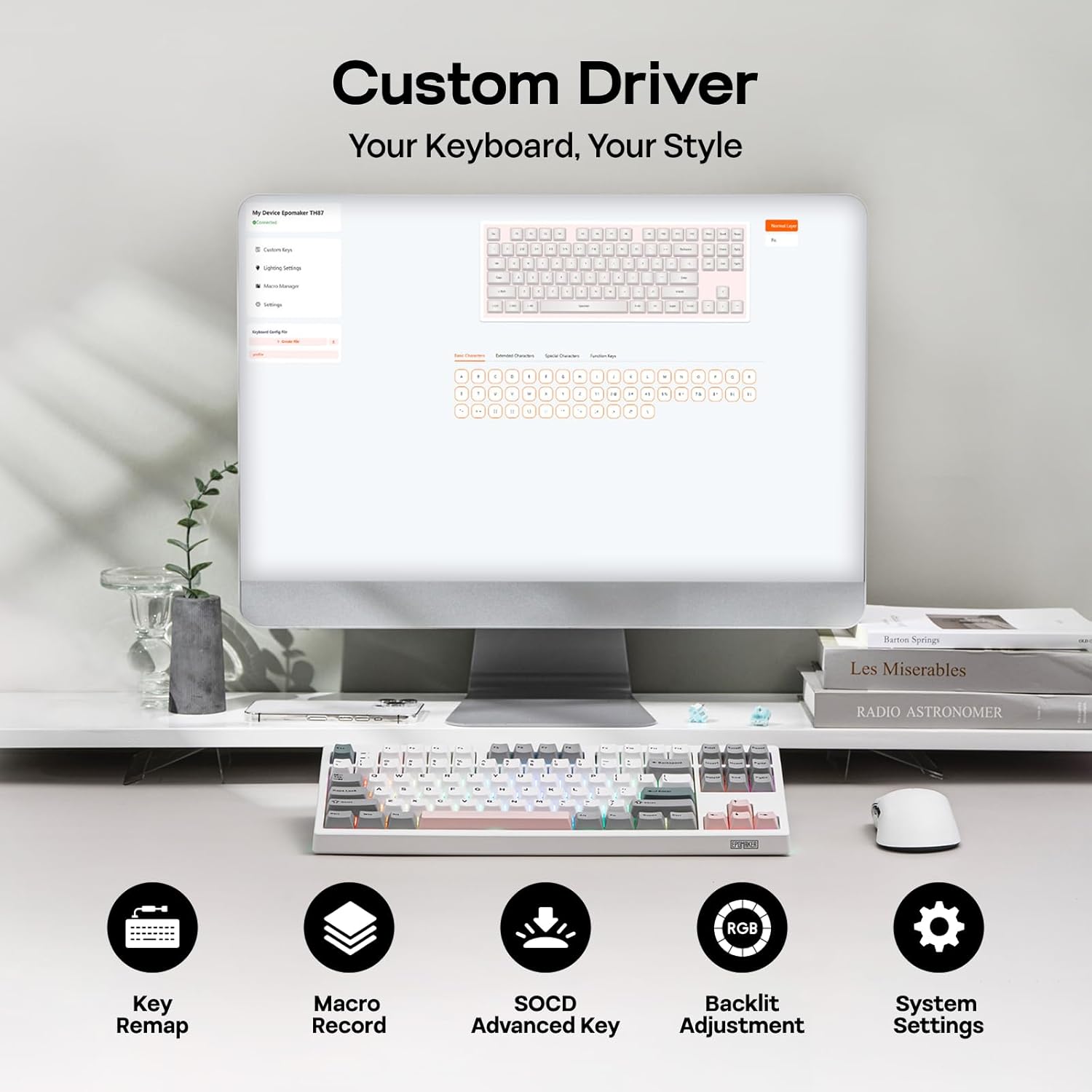
Figure 3: Custom Driver Interface
5.2. สวิตช์แบบ Hot-Swappable
The TH87 features a hot-swappable PCB, allowing you to change mechanical switches without soldering. It is compatible with 3-pin and 5-pin switches.
การเปลี่ยนสวิตช์:
- Use the provided keycap puller to remove the keycap.
- Use the provided switch puller to gently remove the switch from the PCB.
- จัดตำแหน่งพินของสวิตช์ใหม่ให้ตรงกับรูบน PCB แล้วกดให้แน่นจนกระทั่งล็อคเข้าที่
- เปลี่ยนปุ่มคีย์แคป
The keyboard comes with pre-lubed EPOMAKER Sea Salt Silent V2 switches (Linear, 45±5gf Trigger Force, 51±5gf Bottom-Out Force, 1.8±0.4mm Pre-Travel, 3.5±0.4mm Total Travel).

Figure 4: Hot-Swappable Switches and Sea Salt Silent V2 Specifications
Video 3: EPOMAKER TH87 Typing with Creamy Jade/Sea Salt Silent Switch. This video demonstrates the sound profile of the included switches.
5.3. ไฟแบ็คไลท์ RGB
The TH87 features per-key RGB backlighting with various effects. You can adjust the saturation, brightness, and speed of the lighting through the Fn key combinations or the custom driver software.
6. ข้อมูลแบตเตอรี่
The keyboard is equipped with a 10000mAh battery, providing extended usage times:
- Up to 45 hours of continuous use with RGB backlight at brightest setting.
- Up to 200 hours of continuous use with RGB backlight off.
To charge the keyboard, connect it via the USB-C cable to a computer or a compatible USB power adapter. The keyboard charges when plugged in. Always use a computer USB port for charging. Using a power adapter directly may cause battery damage.
7. การบำรุงรักษา
การบำรุงรักษาอย่างเหมาะสมจะช่วยให้คีย์บอร์ดของคุณมีอายุการใช้งานยาวนานและมีประสิทธิภาพ:
- การทำความสะอาด: Regularly clean keycaps and the keyboard surface with a soft, dry cloth. For deeper cleaning, remove keycaps using the provided puller and use compressed air to clear debris.
- พื้นที่จัดเก็บ: เก็บแป้นพิมพ์ไว้ในที่แห้งและเย็น หลีกเลี่ยงแสงแดดโดยตรงและอุณหภูมิที่สูงหรือต่ำเกินไป
- การจัดการ: ควรหลีกเลี่ยงการทำแป้นพิมพ์ตกหรือให้โดนของเหลว
8 การแก้ไขปัญหา
หากคุณพบปัญหาเกี่ยวกับคีย์บอร์ด โปรดดูวิธีแก้ไขทั่วไปต่อไปนี้:
- แป้นพิมพ์ไม่ตอบสนอง: Ensure the keyboard is charged and the correct connectivity mode (Wired, 2.4G, BT) is selected. Try reconnecting the cable or re-pairing the wireless connection.
- กุญแจไม่ลงทะเบียน: Check if the switches are properly seated. If a specific key is not working, try replacing its switch with one of the extra switches provided.
- ไฟ RGB ไม่ทำงาน/แสดงผลผิดปกติ: Verify lighting settings in the custom driver or cycle through effects using Fn key combinations. Ensure the keyboard is sufficiently charged.
- ปัญหาการเชื่อมต่อ: For 2.4GHz, ensure the dongle is securely plugged in and close to the keyboard. For Bluetooth, ensure your device's Bluetooth is enabled and the keyboard is paired correctly. Avoid interference from other wireless devices.
- ปัญหาด้านซอฟต์แวร์: If the custom driver is not detecting the keyboard, ensure it is connected via USB-C and the mode switch is set to 'USB'.
9. ข้อมูลจำเพาะ
| คุณสมบัติ | รายละเอียด |
|---|---|
| ยี่ห้อ | อีโปเมกเกอร์ |
| หมายเลขรุ่น | ทีเอช87 |
| คำอธิบายแป้นพิมพ์ | TKL Layout Mechanical Keyboard |
| จำนวนคีย์ | 87 |
| เทคโนโลยีการเชื่อมต่อ | 2.4Ghz Wireless, BT, USB A-to-C Wired |
| แหล่งพลังงาน | ใช้แบตเตอรี่ (10000mAh) |
| แป้นพิมพ์แบ็คไลท์ | อาร์จีบี |
| ประเภทสวิตซ์ | Linear (EPOMAKER Sea Salt Silent Switch) |
| คุณสมบัติพิเศษ | มีไฟแบ็คไลท์ ออกแบบตามหลักสรีรศาสตร์ สามารถถอดเปลี่ยนขณะใช้งานได้ ตั้งโปรแกรมได้ และชาร์จไฟได้ |
| ขนาดสินค้า | ยาว 14.43 นิ้ว x กว้าง 5.59 นิ้ว x สูง 1.63 นิ้ว |
| วัสดุ | พลาสติก |
| อุปกรณ์ที่รองรับ | Gaming Console, Laptop, PC, Projector, Tablet |

Figure 5: Technical Specifications and Layout
10. การรับประกันและการสนับสนุน
The EPOMAKER TH87 Wireless Mechanical Keyboard comes with a รับประกัน 1 ปี ตั้งแต่วันที่ซื้อสินค้า
For technical support, warranty claims, or any inquiries, please contact EPOMAKER customer service:
- อีเมล: support@epomaker.com
- เป็นทางการ Webเว็บไซต์: www.epomaker.com
Please have your purchase receipt and product model number (TH87) ready when contacting support.