
1. บทนำ
This manual provides detailed instructions for the safe and efficient operation of your TOOLTOP TT-Yihua-8858-I Portable Hot Air Station. This device is designed for various electronic repair tasks, including PCB SMD repair and BGA rework, offering precise temperature and airflow control. Please read this manual thoroughly before using the product and retain it for future reference.
2. คำแนะนำด้านความปลอดภัย
ปฏิบัติตามข้อควรระวังด้านความปลอดภัยต่อไปนี้เสมอเพื่อป้องกันการบาดเจ็บหรือความเสียหายต่ออุปกรณ์:
- อันตรายจากอุณหภูมิสูง: The hot air nozzle and emitted air reach very high temperatures. Avoid direct contact with skin or flammable materials.
- การระบายอากาศ : Use the hot air station in a well-ventilated area to disperse fumes generated during soldering or desoldering.
- แหล่งจ่ายไฟ: ตรวจสอบแหล่งจ่ายไฟ voltage matches the specifications of the device. Do not use if the power cord is damaged.
- เด็กและผู้ใช้ที่ไม่ได้รับอนุญาต: Keep the device out of reach of children and individuals not trained in its use.
- คลายความร้อน: ปล่อยให้เครื่องเย็นลงก่อนจัดเก็บ
- การซ่อมบำรุง: อย่าพยายามซ่อมแซมอุปกรณ์ด้วยตนเอง โปรดส่งต่ออุปกรณ์ดังกล่าวให้ช่างผู้ชำนาญการเป็นผู้ดำเนินการซ่อมแซม
- การใช้งานที่เหมาะสม: ใช้อุปกรณ์ตามวัตถุประสงค์ที่ตั้งใจไว้เท่านั้น
3. เนื้อหาบรรจุภัณฑ์
ตรวจสอบว่ามีสินค้าทั้งหมดที่ระบุไว้ด้านล่างอยู่ในแพ็คเกจของคุณ:
- TOOLTOP TT-Yihua-8858-I Portable Hot Air Station (Main Unit)
- Hot Air Nozzles (Various sizes)
- สายไฟ
- คู่มือผู้ใช้ (เอกสารนี้)

Image 3.1: The TOOLTOP TT-Yihua-8858-I Portable Hot Air Station shown with three included nozzles.
4. สินค้าหมดview
Familiarize yourself with the components and controls of your hot air station.
4.1 ส่วนประกอบหลัก
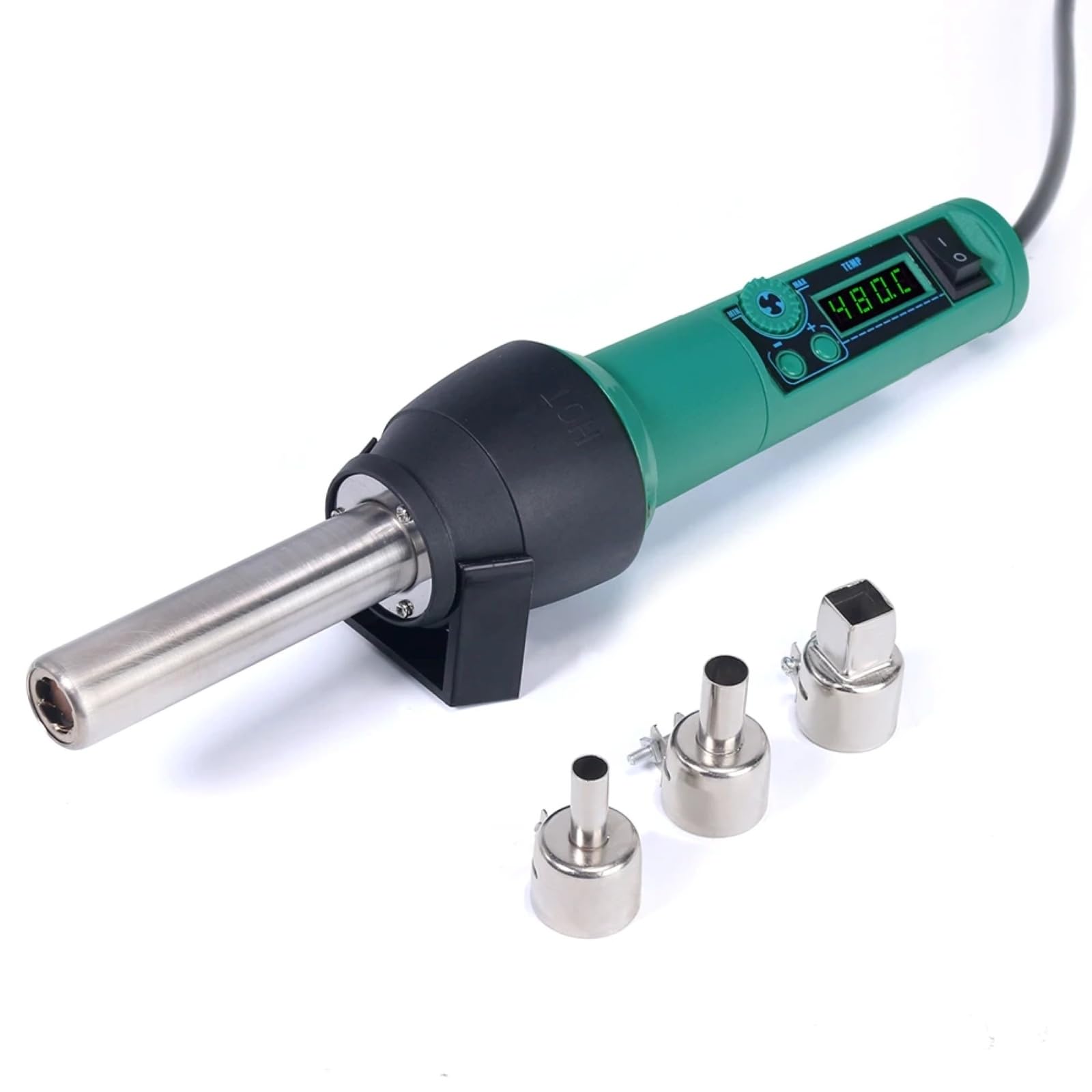
Image 4.1: The main unit of the hot air station, displaying the digital temperature display and control buttons.
4.2 Airflow System
The hot air station features a spiral wind airflow design for efficient and even heat distribution.

Image 4.2: Detail of the nozzle interior, illustrating the spiral wind air flow mechanism.
4.3 ช่องรับอากาศ
The air inlet is located at the rear of the unit, ensuring proper air circulation for heating.

Image 4.3: The air inlet grille, essential for the device's cooling and heating functions.
4.4 การควบคุม
The device features intuitive controls for adjusting air volume and temperature.

Image 4.4: The control panel showing buttons for adjusting air volume (MIN/MAX) and temperature (up/down arrows).
4.5 Hot Air Gun Holder
A dismountable holder is provided for safe placement of the hot air gun when not in use or during cool-down.
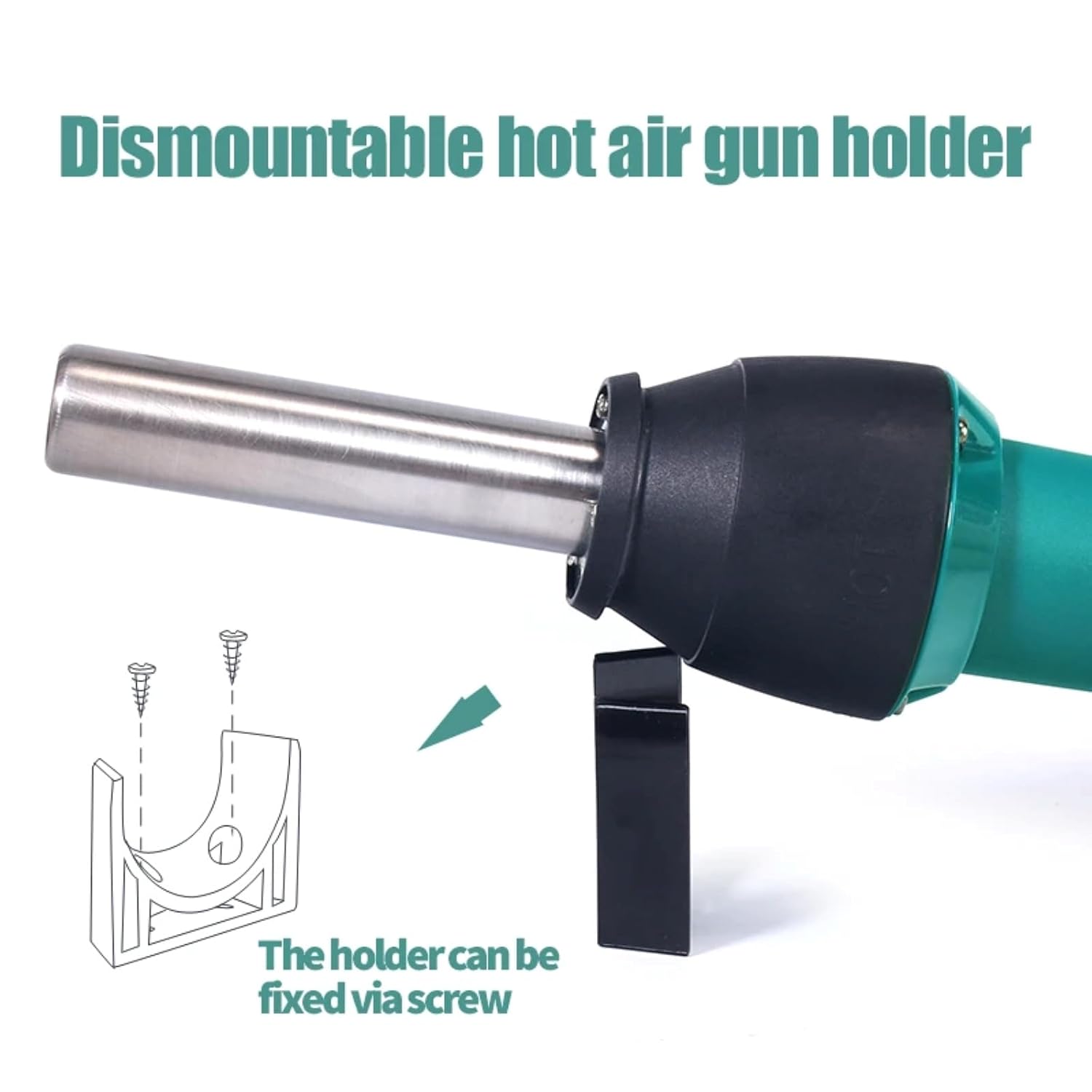
Image 4.5: The hot air gun holder, which can be fixed via screw for stability.
5. การตั้งค่า
- แกะ: นำส่วนประกอบทั้งหมดออกจากบรรจุภัณฑ์อย่างระมัดระวัง
- ตรวจสอบ: Check the device and accessories for any signs of damage. Do not use if damaged.
- การจัดวาง: Place the hot air station on a stable, heat-resistant surface in a well-ventilated area. Ensure there is sufficient space around the air inlet and outlet for proper airflow.
- ติดหัวฉีด: Select the appropriate nozzle for your task and securely attach it to the hot air gun.
- เชื่อมต่อพลังงาน: Plug the power cord into the hot air station and then into a suitable power outlet.
- Install Holder (Optional): If desired, attach the dismountable hot air gun holder to a workbench using screws for convenient and safe storage during operation.
6. คู่มือการใช้งาน
- เปิดเครื่อง: Flip the power switch to the "ON" position. The LED digital display will illuminate, showing the current temperature.
- ปรับอุณหภูมิ: Use the temperature adjustment buttons (up/down arrows) to set the desired temperature. The adjustable range is typically 100°C to 480°C. The display will show the set temperature and then the actual temperature as it heats up.
- ปรับปริมาณลม: Use the air volume adjustment buttons (MIN/MAX) to set the desired airflow. Start with a lower setting and increase as needed for your application.
- การอุ่นล่วงหน้า: Allow the unit to reach the set temperature before beginning work. This usually takes a few seconds.
- การดำเนินการ: Direct the hot air nozzle towards the component or area you wish to work on. Maintain a safe distance to avoid overheating or damaging surrounding components.
- คลายความร้อน: After use, place the hot air gun back into its holder. The unit will automatically enter a cool-down mode, blowing cool air until the temperature drops to a safe level. Do not switch off the power until the cool-down cycle is complete, as this protects the heating element.
- หมดแรง: Once the unit has cooled down and the display indicates a safe temperature, you can switch off the power.
7. การบำรุงรักษา
Regular maintenance ensures the longevity and optimal performance of your hot air station.
- การทำความสะอาด: Ensure the device is unplugged and completely cool before cleaning. Wipe the exterior with a soft, damp ผ้า ห้ามใช้สารทำความสะอาดที่มีฤทธิ์กัดกร่อนหรือตัวทำละลาย
- ช่องอากาศเข้า/ออก: Periodically check the air inlet and nozzle for any obstructions (dust, debris). Clean gently with a soft brush if necessary to maintain proper airflow.
- หัวฉีด: Clean the nozzles regularly to prevent solder or flux buildup, which can affect airflow and heat distribution.
- พื้นที่จัดเก็บ: Store the hot air station in a dry, dust-free environment when not in use.
8 การแก้ไขปัญหา
If you encounter issues with your hot air station, refer to the table below for common problems and solutions.
| ปัญหา | สาเหตุที่เป็นไปได้ | สารละลาย |
|---|---|---|
| อุปกรณ์ไม่เปิดเครื่อง | ไม่มีแหล่งจ่ายไฟ; สายไฟชำรุด; สวิตช์ไฟปิดอยู่ | Check power connection; inspect power cord; ensure power switch is ON. |
| ไม่มีลมร้อนหรือความร้อนไม่เพียงพอ | Heating element failure; air inlet/outlet blocked; incorrect temperature setting. | Contact customer support; clean air inlets/outlets; verify temperature setting. |
| การไหลเวียนของอากาศอ่อนหรือไม่สม่ำเสมอ | Air volume set too low; fan malfunction; air path obstruction. | Increase air volume setting; clean air inlets/outlets; contact customer support. |
| ข้อผิดพลาดในการแสดงอุณหภูมิ | เซ็นเซอร์ทำงานผิดปกติ | Power cycle the device; if error persists, contact customer support. |
หากปัญหายังคงมีอยู่หลังจากพยายามแก้ไขปัญหาเหล่านี้แล้ว โปรดติดต่อฝ่ายสนับสนุนลูกค้า
9. ข้อมูลจำเพาะ
| หมายเลขรุ่น | TT-Yihua-8858-I |
| ยี่ห้อ | ทูลท็อป |
| การใช้พลังงาน | 700วัตต์ |
| ช่วงอุณหภูมิ | 100°C - 480°C (212°F - 896°F) |
| ประเภทจอภาพ | จอแสดงผล LED แบบดิจิตอล |
| ประเภทการไหลเวียนของอากาศ | Spiral Wind |
| ส่วนประกอบที่รวมอยู่ | Hot Air Station, Nozzles, Power Cord |
10. การรับประกันและการสนับสนุน
The TOOLTOP TT-Yihua-8858-I Portable Hot Air Station comes with a การรับประกันจากผู้ผลิต 1 ปี ตั้งแต่วันที่ซื้อ การรับประกันนี้ครอบคลุมถึงข้อบกพร่องในวัสดุและฝีมือการผลิตภายใต้การใช้งานปกติ
For warranty claims, technical support, or any inquiries regarding your product, please contact TOOLTOP customer service through your retailer or the official TOOLTOP webโปรดเตรียมหมายเลขรุ่นและวันที่ซื้อให้พร้อมเมื่อติดต่อฝ่ายสนับสนุน