
การแนะนำ
Thank you for choosing the Acedeck L01 Super Loud Alarm Clock. This device is designed to provide a reliable and powerful wake-up experience, especially for heavy sleepers, with its 115dB dual alarms and adjustable features. This manual will guide you through the setup, operation, and maintenance of your new alarm clock.
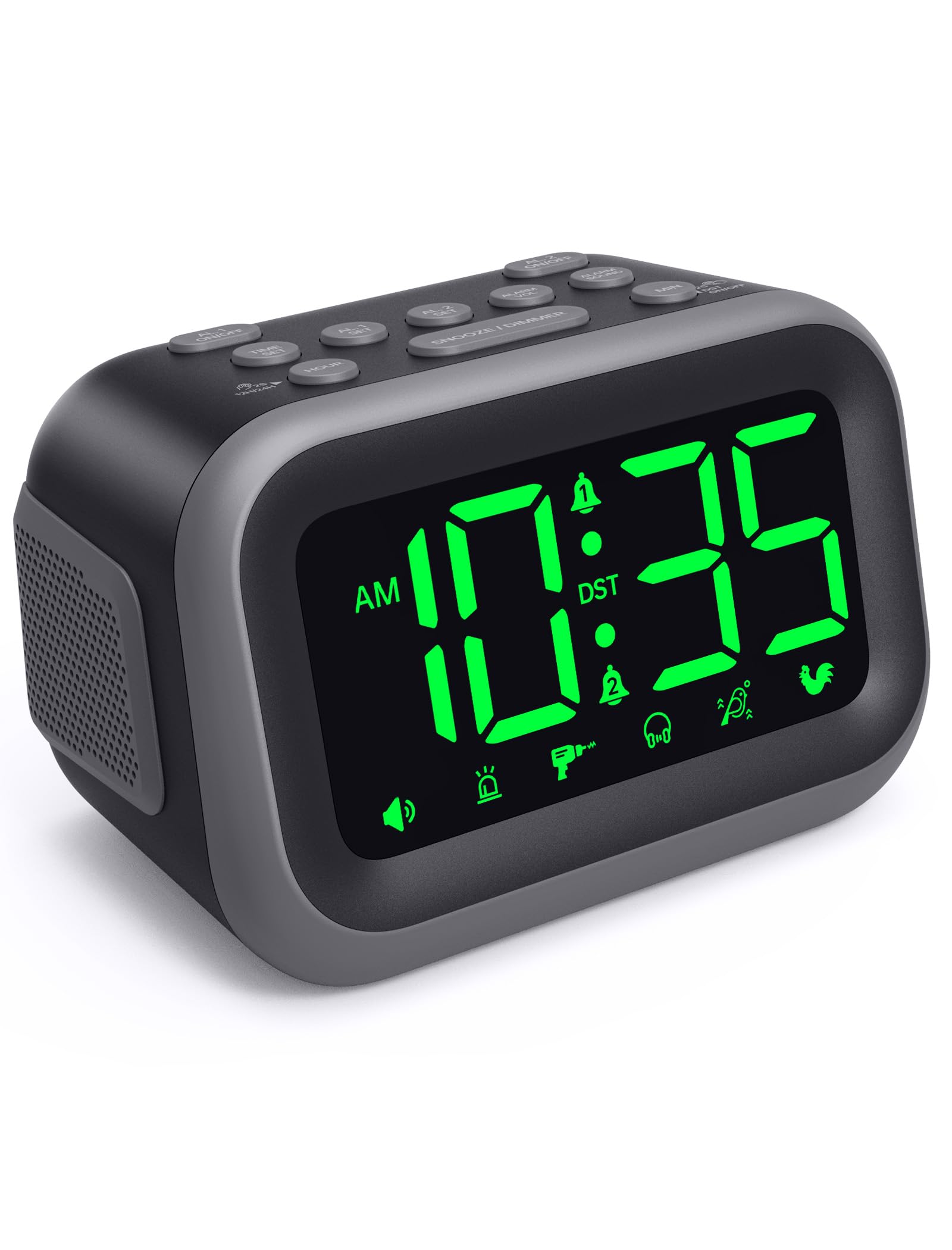
Figure 1: Acedeck L01 Super Loud Alarm Clock with green digits.
การตั้งค่า
1. การเชื่อมต่อไฟฟ้า
Connect the provided AC adapter to the DC 5V port on the back of the alarm clock and plug it into a standard wall outlet. The display will light up, indicating the clock is powered on.
2. ระบบสำรองไฟจากแบตเตอรี่ (เลือกได้)
For continuous operation during power outages, insert 3 AAA batteries (not included) into the battery compartment on the bottom of the clock. The battery backup system retains time and alarm settings and will activate the alarm function during a power loss, though the display will turn off to conserve power.

Figure 2: Power connection and battery backup functionality.
3. การตั้งเวลา
- กดปุ่ม ตั้งเวลา ปุ่ม. ตัวเลขชั่วโมงจะกะพริบ
- ใช้ ชั่วโมง ปุ่มสำหรับปรับชั่วโมง กดค้างไว้เพื่อปรับเวลาได้เร็วขึ้น
- กดปุ่ม นาที button to adjust the minutes. Press and hold for faster adjustment.
- กด ตั้งเวลา อีกครั้งเพื่อยืนยันและออกจากโหมดตั้งเวลา
To toggle between 12-hour and 24-hour format, press the 12/24 ชม. ปุ่มระหว่างการตั้งเวลา

Figure 3: Switching between 12-hour and 24-hour display.
4. เวลาออมแสง (DST)
กดปุ่ม DST เปิด / ปิด button to activate or deactivate Daylight Saving Time. The clock will adjust automatically.
5. ติดกระดุมview

Figure 4: Labeled buttons for clear function and fast setup.
Video: Setting the Time
This video demonstrates how to set the current time on your Acedeck L01 alarm clock, including toggling between 12-hour and 24-hour formats.
คำแนะนำการใช้งาน
1. การตั้งค่านาฬิกาปลุก (นาฬิกาปลุกคู่)
The Acedeck L01 features two independent alarms (AL1 and AL2). This allows you to set different wake-up times for different schedules.
- กดปุ่ม ชุด AL1 or ชุด AL2 button. The hour digits for the selected alarm will flash.
- ใช้ ชั่วโมง ปุ่มเพื่อปรับชั่วโมงปลุก
- ใช้ นาที ปุ่มสำหรับปรับนาทีของนาฬิกาปลุก
- กดปุ่มที่เกี่ยวข้อง อัล เซ็ท กดปุ่มอีกครั้งเพื่อยืนยันเวลาปลุก
- หากต้องการเปิดหรือปิดสัญญาณเตือน ให้กดปุ่ม AL1 เปิด/ปิด or AL2 เปิด/ปิด button. An alarm icon will appear on the display when an alarm is active.
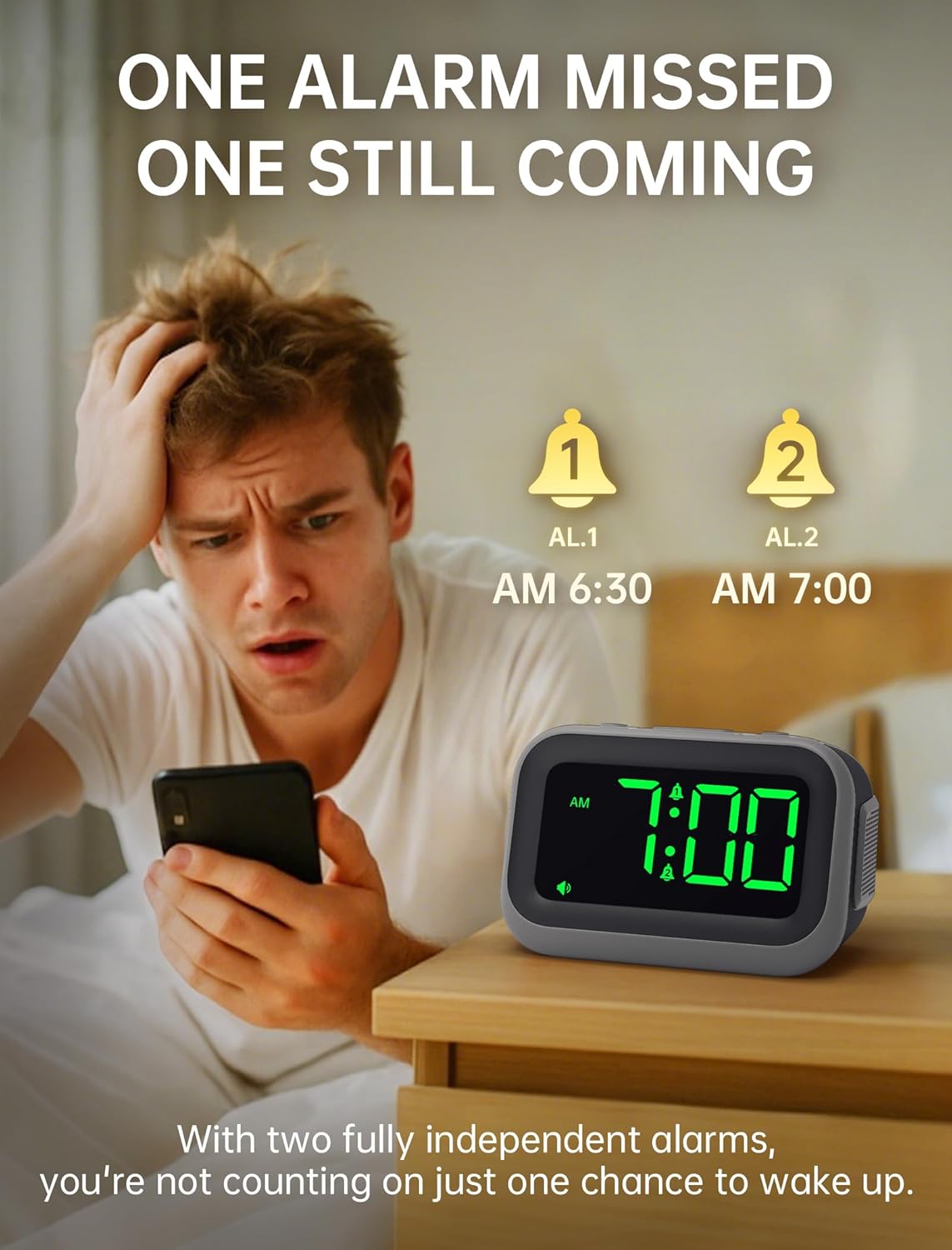
Figure 5: Dual alarm functionality for flexible scheduling.
2. เสียงสัญญาณเตือน
Choose from 6 distinct alarm sounds to suit your preference. While setting the alarm, press the เสียงปลุก button to cycle through the available sounds: Beep, Siren, Jackhammer, Music, Bird Song, and Rooster.
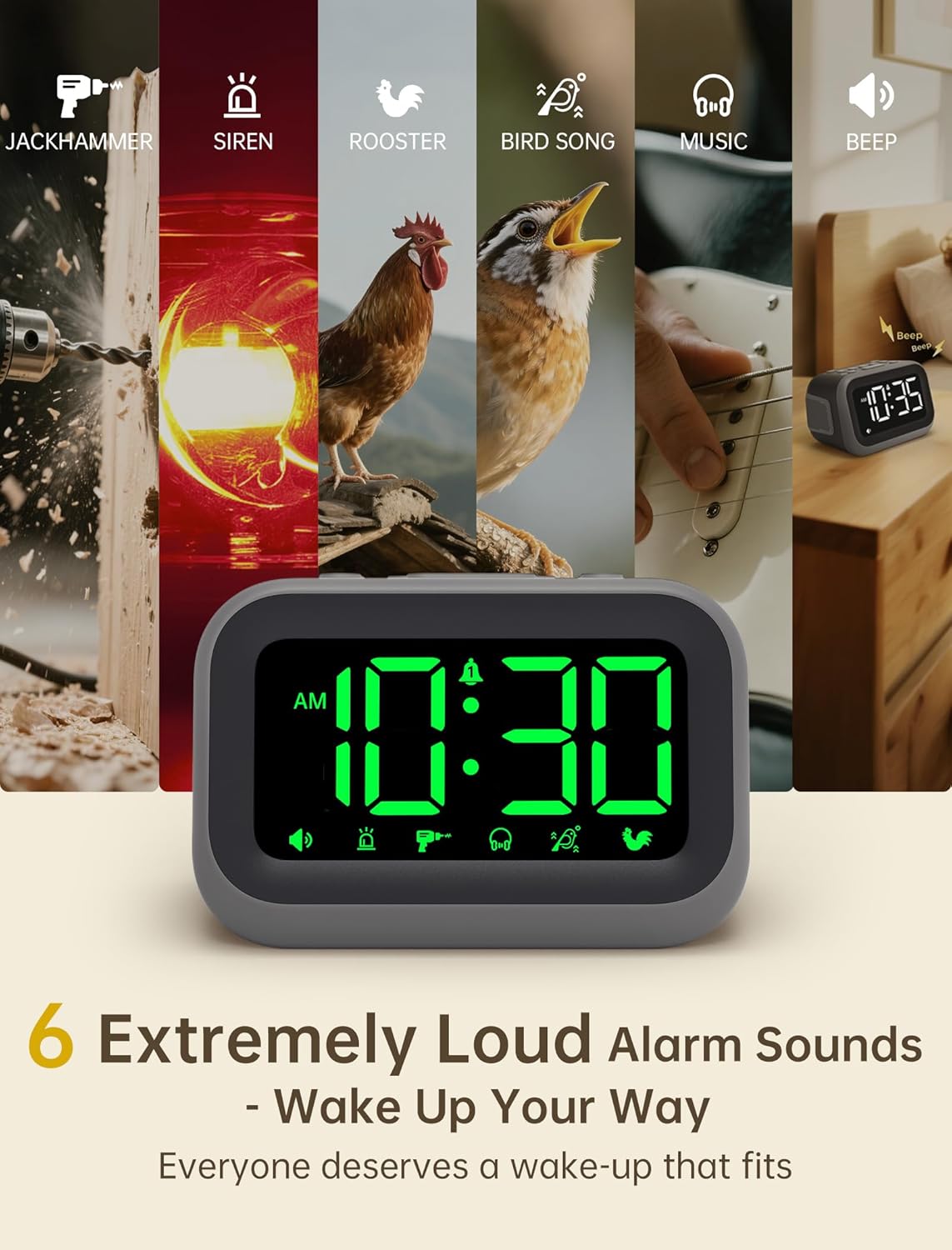
Figure 6: Selection of 6 unique alarm sounds.
3. ระดับเสียงปลุก
The Acedeck L01 features an extra-loud 115dB alarm, ideal for heavy sleepers. You can adjust the alarm volume through 6 levels. Press the ALARM VOL button to cycle through the volume settings. The default volume is set to maximum, so adjust to a comfortable level before first use.

Figure 7: Adjustable volume levels for the alarm.
4. ฟังก์ชั่นเลื่อนปลุก
เมื่อเสียงสัญญาณเตือนดังขึ้น ให้กดปุ่มขนาดใหญ่ เลื่อน/หรี่ไฟ button to temporarily silence the alarm for a few minutes. The alarm will sound again after the snooze period ends.

Figure 8: Using the snooze function.
5. ปรับความสว่างได้
The 4.2-inch LED display offers 5 levels of adjustable brightness. Press the เลื่อน/หรี่ไฟ button (when the alarm is not sounding) to cycle through the brightness levels, from brightest to completely off. This allows for comfortable viewing day or night without disturbing sleep.

Figure 9: Adjusting the display brightness.
6. พอร์ตชาร์จ USB
A built-in USB port on the back of the clock allows you to charge your smartphone or other USB-powered devices overnight. This feature is active when the clock is connected to AC power.

Figure 10: USB charging port in use.
Video: Setting the Alarm
This video demonstrates how to set and activate the dual alarms on your Acedeck L01 alarm clock.
Video: Product Features Overview
This video provides a detailed demonstration of the Acedeck L01 alarm clock's features, including alarm sounds, volume, and brightness settings.
การซ่อมบำรุง
To ensure the longevity and optimal performance of your Acedeck L01 alarm clock, follow these simple maintenance guidelines:
- การทำความสะอาด: เช็ดนาฬิกาด้วยผ้าแห้งเนื้อนุ่ม ห้ามใช้สารทำความสะอาดที่มีฤทธิ์กัดกร่อนหรือตัวทำละลาย เพราะอาจทำให้พื้นผิวเสียหายได้
- การเปลี่ยนแบตเตอรี่: If using battery backup, replace the AAA batteries annually or when the battery indicator suggests low power to ensure continuous functionality during power outagใช่
- การจัดวาง: วางนาฬิกาบนพื้นผิวที่มั่นคงและเรียบ หลีกเลี่ยงแสงแดดโดยตรง ความร้อนสูง หรือความชื้น
การแก้ไขปัญหา
| ปัญหา | สารละลาย |
|---|---|
| หน้าจอแสดงเวลาปิดอยู่ | Ensure the AC adapter is securely plugged into both the clock and a working power outlet. If using battery backup, the display turns off to save power, but the alarm function remains active. |
| สัญญาณเตือนภัยไม่ดัง | Check if the alarm (AL1 or AL2) is activated (icon visible on display). Verify the alarm time is set correctly. Ensure the alarm volume is not set to zero. If running on battery backup, ensure batteries are fresh. |
| เวลาไม่ถูกต้อง | Re-set the time following the 'Setting the Time' instructions. Check for power interruptions; if frequent, ensure battery backup is installed and functional. |
| การชาร์จผ่าน USB ไม่ทำงาน | Ensure the alarm clock is connected to AC power. The USB charging port does not function when the clock is running on battery power. Check the USB cable and the device being charged. |
ข้อมูลจำเพาะ
- ยี่ห้อ: เอเซเด็ค
- แบบอย่าง: L01
- ประเภทจอภาพ: ดิจิตอล LED
- สีจอแสดงผล: ตัวเลขสีเขียว
- ระดับเสียงปลุก: สูงถึง 115dB
- เสียงปลุก: 6 unique sounds
- ระดับความสว่าง: ปรับได้ 5 ระดับ
- แหล่งพลังงาน: Corded Electric (AC 100-240V)
- แบตเตอรี่สำรอง: แบตเตอรี่ AAA 3 ก้อน (ไม่รวม)
- พอร์ตชาร์จ USB: ใช่ (สำหรับอุปกรณ์ภายนอก)
- ขนาดสินค้า : กว้าง 4.8 นิ้ว x สูง 3.15 นิ้ว
- น้ำหนักสินค้า: 11 ออนซ์
- วัสดุ: พลาสติก

รูปที่ 11: ขนาดผลิตภัณฑ์
การรับประกันและการสนับสนุน
Your Acedeck L01 Super Loud Alarm Clock comes with an 18-month warranty from the date of purchase. This warranty covers manufacturing defects and malfunctions under normal use.
For technical support, troubleshooting assistance, or warranty claims, please contact Acedeck customer service through the retailer where you purchased the product or visit the official Acedeck webเว็บไซต์สำหรับข้อมูลการติดต่อ