การแนะนำ
This manual provides essential instructions for the setup, operation, and maintenance of your F96 Smart Watch. Please read this manual thoroughly before using the device to ensure proper function and to maximize your user experience.
The F96 Smart Watch features a 1.90-inch HD display, Bluetooth calling, and comprehensive health monitoring capabilities including ECG, heart rate, blood oxygen, and temperature tracking.
มีอะไรอยู่ในกล่อง
เมื่อเปิดบรรจุภัณฑ์ ตรวจสอบว่ามีสิ่งของทั้งหมดที่ระบุไว้ด้านล่างนี้อยู่:
- F96 สมาร์ทวอทช์
- สายชาร์จ
- คู่มือการใช้งาน (เอกสารนี้)
คู่มือการติดตั้ง
1. การชาร์จอุปกรณ์
Before initial use, fully charge your F96 Smart Watch. Connect the provided charging cable to the charging port on the watch and to a standard USB power adapter (not included). The watch display will indicate charging status. A full charge typically takes approximately 2 hours.
2. การเปิด/ปิดเครื่อง
- การเปิดเครื่อง: Press and hold the side button for a few seconds until the screen illuminates.
- วิธีปิดเครื่อง: กดปุ่มด้านข้างค้างไว้ แล้วเลือกตัวเลือก "ปิดเครื่อง" บนหน้าจอ
3. การติดตั้งและการจับคู่แอป
To access all features, download the companion application on your smartphone. ค้นหา the app name (usually mentioned in the quick start guide or on the watch itself) in your device's app store (compatible with Android and iOS). Follow the in-app instructions to pair your F96 Smart Watch via Bluetooth.
โปรดตรวจสอบให้แน่ใจว่าได้เปิดใช้งานบลูทูธบนสมาร์ทโฟนของคุณในระหว่างขั้นตอนการจับคู่
คำแนะนำการใช้งาน
การนำทางและการแสดงผล
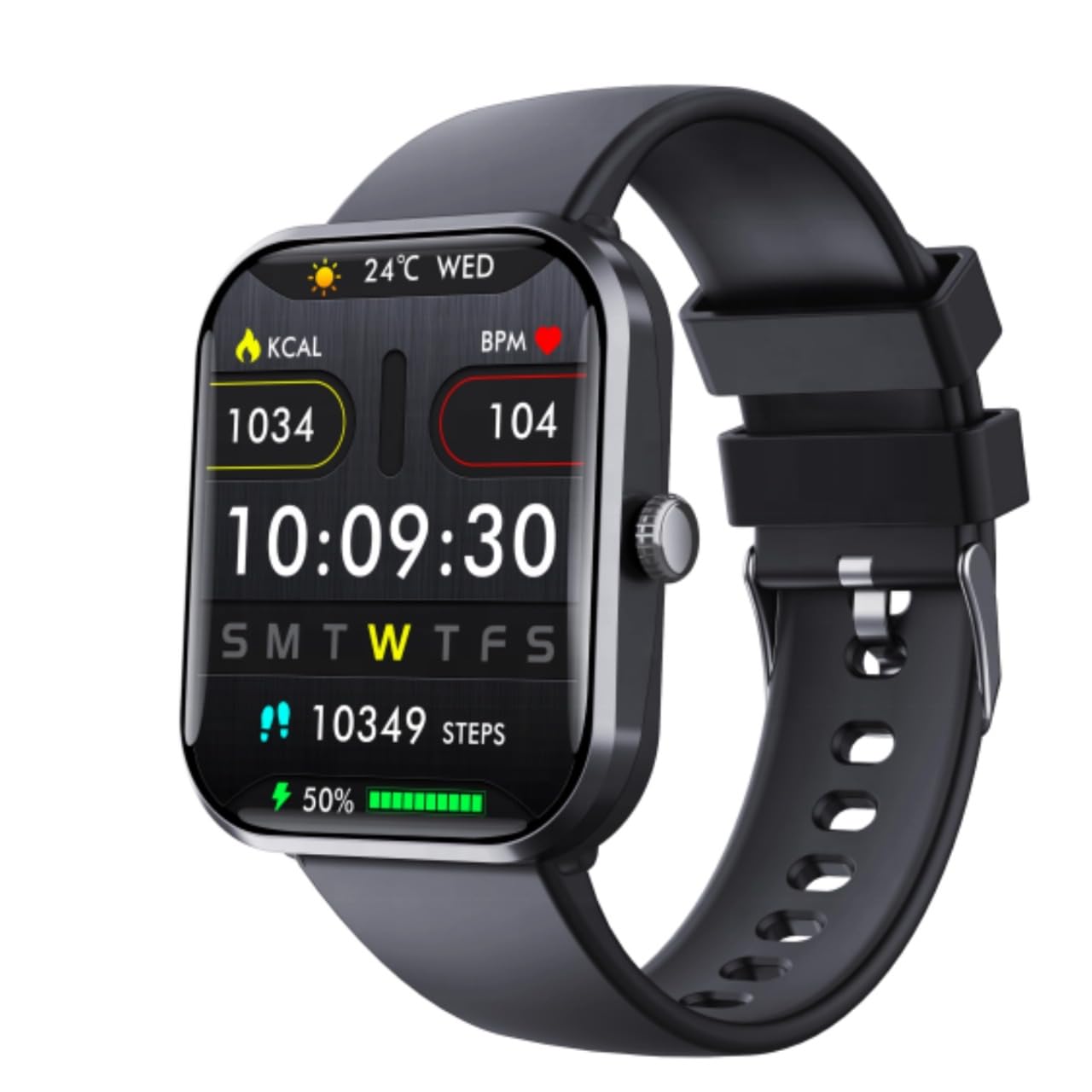
ภาพ: The F96 Smart Watch main display, illustrating the clear 1.90-inch HD screen with current time, date, daily steps, calories burned, heart rate, and battery status.
- อินเทอร์เฟซหน้าจอสัมผัส: ปัดไปทางซ้าย ขวา ขึ้น หรือลง เพื่อเลื่อนดูเมนูและฟีเจอร์ต่างๆ แตะเพื่อเลือกตัวเลือก
- ปุ่มด้านข้าง: Press to return to the home screen or to wake the device. Long press for power options.
- แสดง: The 1.90-inch HD LCD provides clear visibility of metrics, notifications, and time.
การติดตามสุขภาพ
The F96 Smart Watch offers comprehensive health tracking features:
- เครื่องวัดอัตราการเต้นของหัวใจ: Continuously tracks your heart rate. Access historical data in the companion app.
- Blood Oxygen (SpO2) Sensor: วัดระดับความอิ่มตัวของออกซิเจนในเลือด
- ECG Monitor: Provides electrocardiogram readings. Consult a medical professional for interpretation.
- เครื่องวัดอุณหภูมิร่างกาย: วัดอุณหภูมิร่างกายของคุณ
- Blood Sugar Tracking: Offers monitoring capabilities for blood sugar levels.

ภาพ: The F96 Smart Watch and its companion app demonstrating blood glucose monitoring, including automatic tracking and data synchronization.
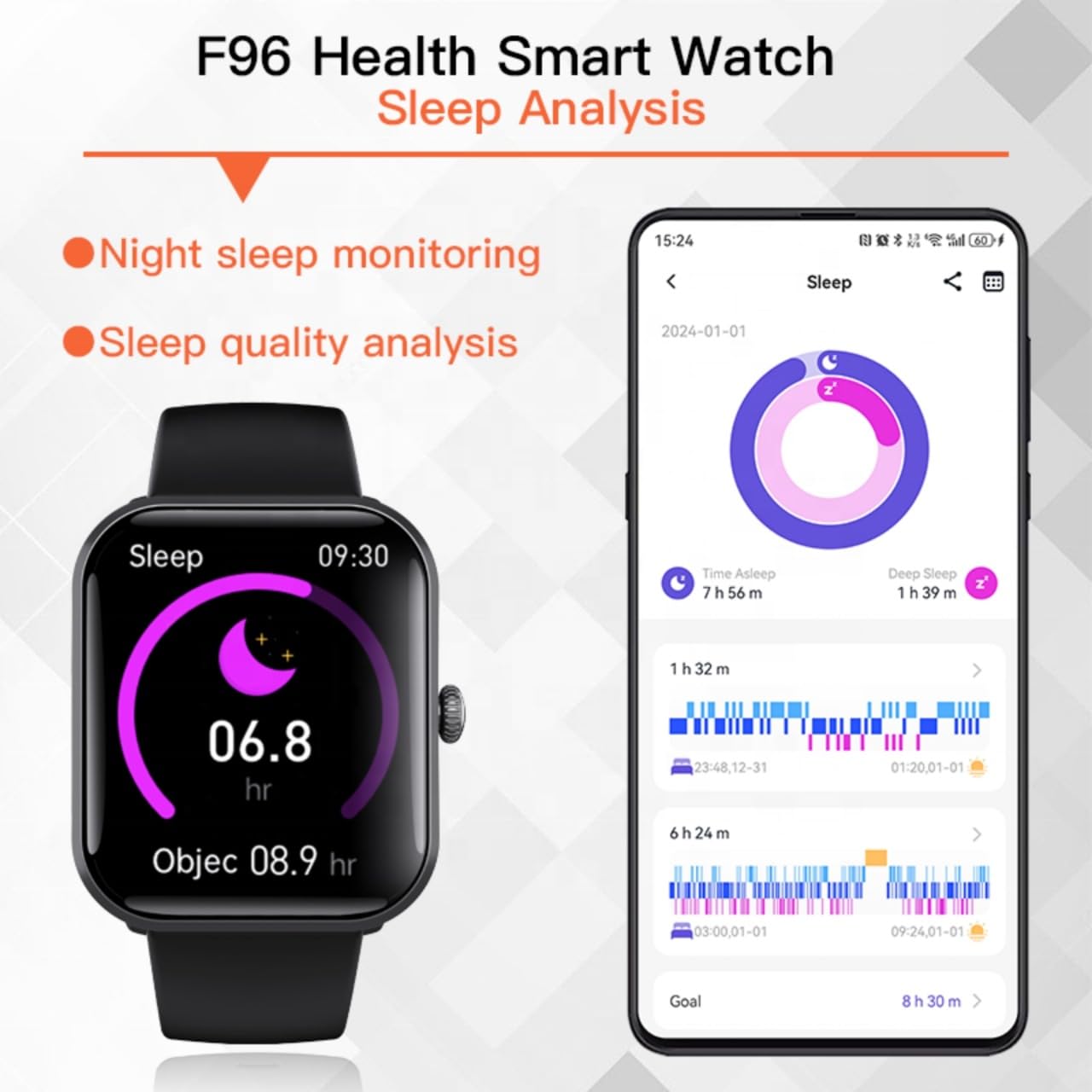
ภาพ: Sleep analysis feature of the F96 Smart Watch, showing night sleep monitoring and quality analysis on both the watch and the connected smartphone application.
Smart Connectivity and Notifications
- การโทรด้วยบลูทูธ: เมื่อจับคู่แล้ว คุณสามารถโทรออกและรับสายได้โดยตรงจากนาฬิกาของคุณ
- การแจ้งเตือนอัจฉริยะ: Receive alerts for incoming calls, messages, and app notifications (e.g., WhatsApp, Facebook, Instagram) directly on your watch screen.
- ฟังก์ชั่นช่วยเหลือ SOS: In emergencies, activate the SOS feature (configure contacts in the app) for quick assistance.

ภาพ: Smart Notification Reminder feature, showing how the F96 Smart Watch displays text messages and notifications from various applications.
การติดตามการออกกำลังกายและโหมดกีฬา
The watch tracks daily activities such as steps, calories burned, and distance. It also includes multiple sports modes for detailed workout tracking.

ภาพ: The F96 Smart Watch supports over 100 sports modes, including outdoor run, hiking, cycling, and more, providing comprehensive tracking for various physical activities.
Access sports modes from the main menu and select your desired activity to begin tracking.
การซ่อมบำรุง
- การทำความสะอาด: Wipe the watch and strap regularly with a soft, dry cloth. Avoid using harsh chemicals or abrasive materials.
- ความต้านทานน้ำ: โปรดดูข้อมูลจำเพาะของผลิตภัณฑ์สำหรับระดับการกันน้ำ หลีกเลี่ยงการสัมผัสน้ำเป็นเวลานานหรือการจุ่มน้ำ เว้นแต่จะระบุไว้อย่างชัดเจนว่ากันน้ำได้
- พอร์ตชาร์จ: รักษาความสะอาดและแห้งของจุดเชื่อมต่อการชาร์จเพื่อให้การชาร์จมีประสิทธิภาพ
- พื้นที่จัดเก็บ: ควรเก็บนาฬิกาไว้ในที่แห้งและเย็นเมื่อไม่ได้ใช้งาน
การแก้ไขปัญหา
- นาฬิกาไม่เปิด: ตรวจสอบให้แน่ใจว่านาฬิกาชาร์จเต็มแล้ว เสียบนาฬิกาเข้ากับเครื่องชาร์จอย่างน้อย 15 นาที
- ไม่สามารถจับคู่กับสมาร์ทโฟนได้:
- ตรวจสอบให้แน่ใจว่าได้เปิดใช้งาน Bluetooth บนสมาร์ทโฟนของคุณแล้ว
- ตรวจสอบให้แน่ใจว่านาฬิกาอยู่ในระยะที่สามารถเชื่อมต่อกับสมาร์ทโฟนของคุณได้
- รีสตาร์ททั้งนาฬิกาและสมาร์ทโฟนของคุณ
- Check if the companion app is installed and running.
- ข้อมูลสุขภาพที่ไม่ถูกต้อง:
- ตรวจสอบให้แน่ใจว่าสวมนาฬิกาให้พอดีกับข้อมือ ไม่แน่นหรือหลวมเกินไป
- ทำความสะอาดเซ็นเซอร์ที่ด้านหลังของนาฬิกา
- Environmental factors or movement can affect readings.
- การแจ้งเตือนไม่ปรากฏ:
- Verify that notifications are enabled in both the watch settings and the companion app.
- Check your smartphone's notification settings for the companion app.
- ตรวจสอบให้แน่ใจว่านาฬิกาเชื่อมต่อผ่านบลูทูธ
ข้อมูลจำเพาะ
| ยี่ห้อ | ทั่วไป |
| แบบอย่าง | เอฟ96 |
| ขนาดจอแสดงผล | 1.9 นิ้ว |
| ประเภทจอภาพ | เอชดี แอลซีดี |
| ระบบปฏิบัติการ | แอนดรอยด์, ไอโอเอส |
| การเชื่อมต่อ | บลูทูธ, จีพีเอส |
| คุณสมบัติพิเศษ | Blood Oxygen Monitoring, Blood Sugar Monitor, ECG Monitor, Heart Rate Monitor, Temperature Monitor |
| เวลาในการชาร์จ | 2 ชั่วโมง |
| วัสดุ | พลาสติก, ซิลิโคน |
| น้ำหนักสินค้า | 65 กรัม |
| อุปกรณ์ที่รองรับ | สมาร์ทโฟน |
การรับประกันและการสนับสนุน
สินค้านี้มาพร้อมการรับประกัน 7 วันนับจากวันที่ซื้อ โปรดเก็บหลักฐานการซื้อไว้เพื่อใช้ในกรณีที่ต้องการเคลมประกัน
For technical support or warranty inquiries, please contact your retailer or the manufacturer's customer service as indicated on the product packaging or purchase documentation.


