
การแนะนำ
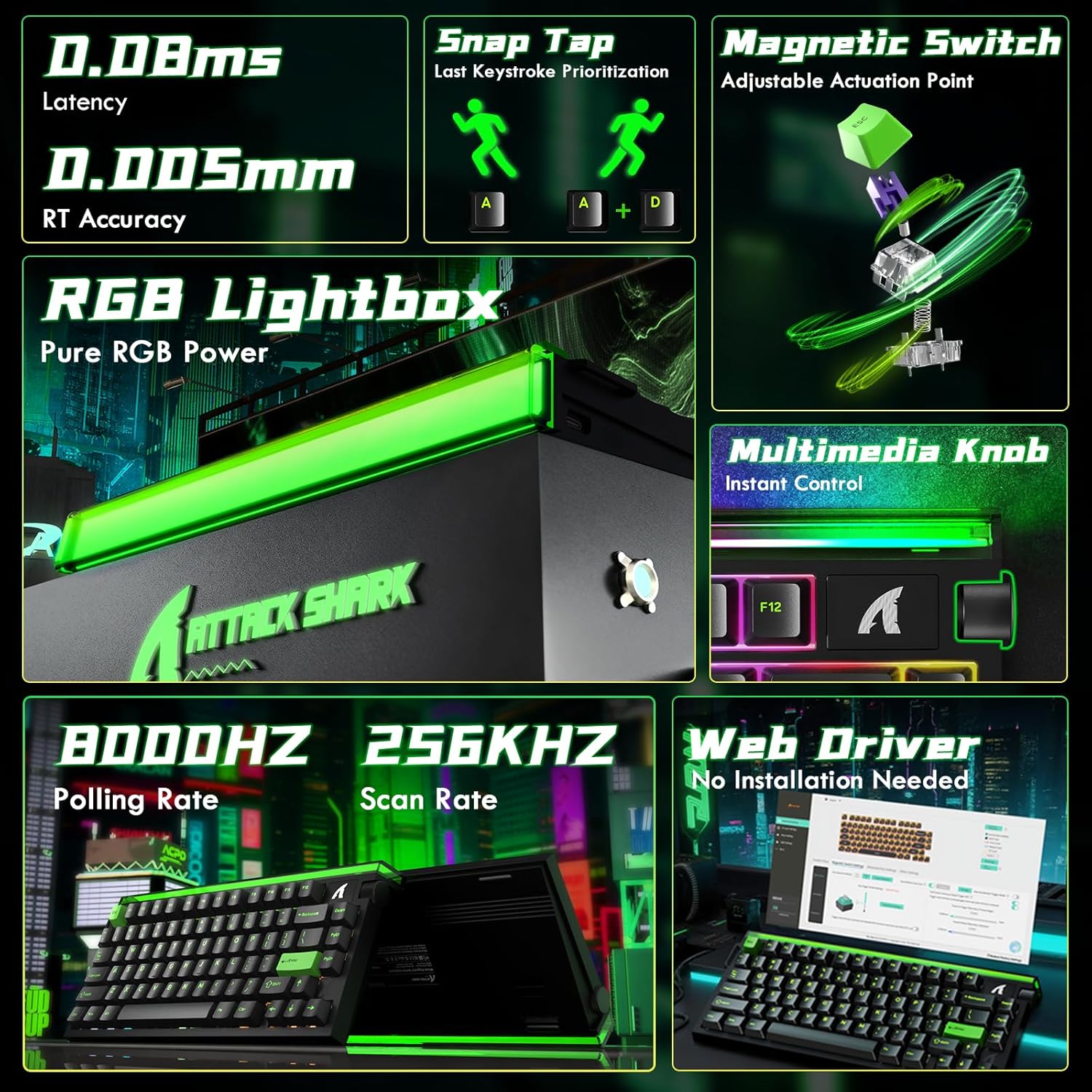
The ATTACK SHARK R85 HE is a high-performance wired 75% mechanical gaming keyboard designed for speed and precision. It features Hall Effect magnetic switches with adjustable actuation points, an 8000Hz polling rate, 0.05mm RT accuracy, and 0.08ms ultra-low latency. The keyboard includes a 5-layer sound dampening system for an optimal typing experience and customizable RGB lighting. It is compatible with both PC and Mac systems.
การตั้งค่า
To set up your ATTACK SHARK R85 HE keyboard, follow these steps:
- เชื่อมต่อคีย์บอร์ด: Connect the keyboard to your computer using the provided USB-C cable. The keyboard is plug-and-play compatible with Windows and Mac operating systems.
- การติดตั้งซอฟต์แวร์: For full customization and advanced features, download the dedicated software from the official ATTACK SHARK website or access the web-based driver. This software allows for key remapping, macro creation, RGB lighting adjustments, and magnetic switch settings.
- การสอบเทียบเบื้องต้น: After connecting and installing the software, it is recommended to perform a calibration. Refer to the 'Quick Calibration Guide' image below for detailed steps.

คำแนะนำการใช้งาน
The ATTACK SHARK R85 HE keyboard offers a range of features for an enhanced gaming and typing experience.
1. Rapid Trigger and Magnetic Switches
The Hall Effect magnetic switches provide adjustable actuation points, allowing you to customize the key sensitivity from 0.1mm to 3.3mm. This feature, combined with Rapid Trigger technology, enables keys to activate and reset based on movement rather than a fixed point, offering unparalleled speed and precision in competitive gaming.
- จุดปรับการทำงาน: Use the software to set individual key actuation points.
- สแนปคีย์ (SOCD): Enables one keystroke to trigger multiple actions.
- คีย์สโตรกแบบไดนามิก (DKS): Allows for advanced key functionalities.


2. RGB Lighting and Media Knob
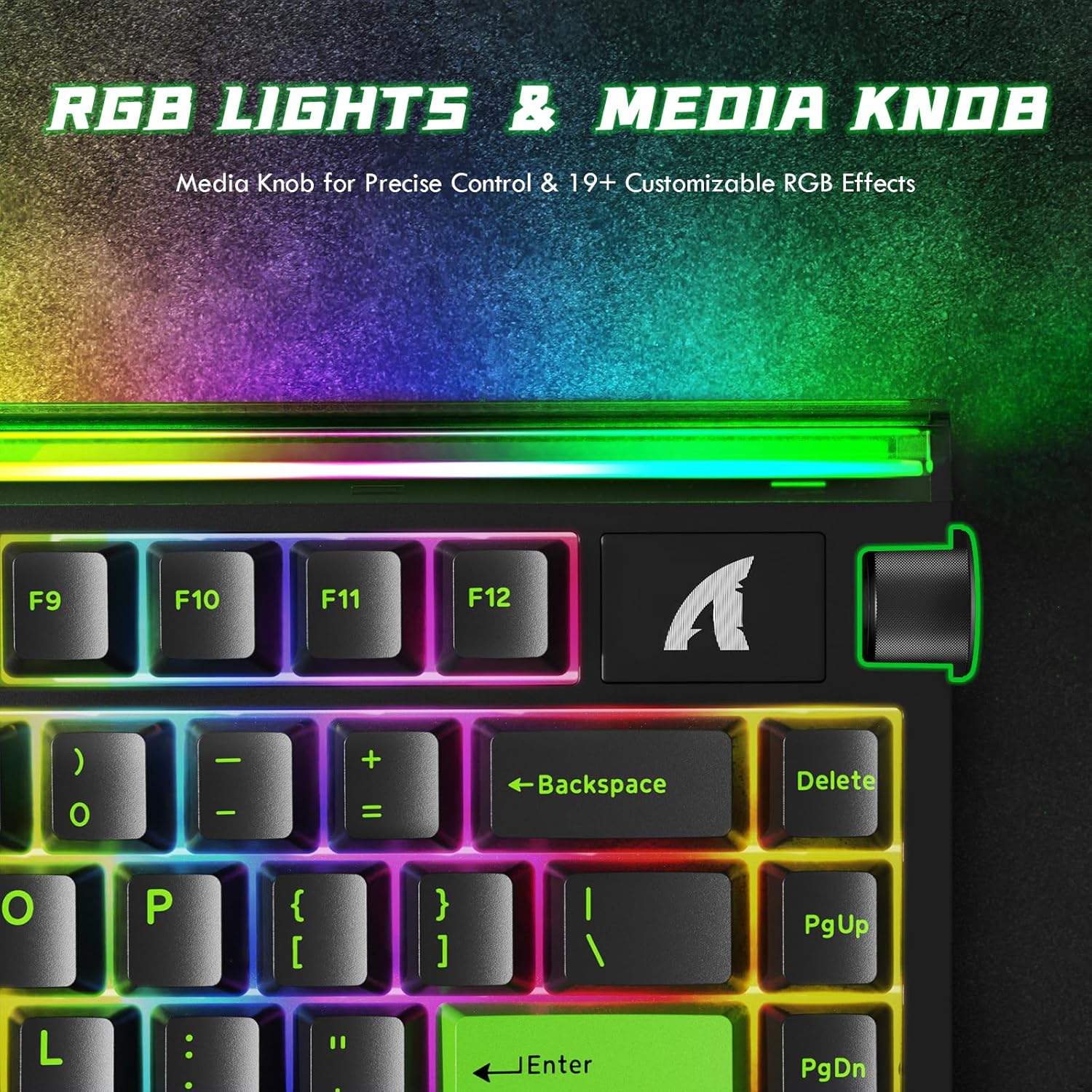
The keyboard features 19 dynamic backlight modes and a unique front-facing RGB light bar, offering 16.8 million colors for a personalized setup. A convenient volume roller is integrated for instant media control.
3. เสียง Dampระบบเอ็นจิเนชั่น
The keyboard incorporates a 5-layer sound-dampening system (PE Foam, IXPE, PET, Foam, Silicone) designed to absorb metallic ping and rattle, producing a satisfying "thock" sound with each keystroke.

4. ตัวชี้วัดประสิทธิภาพ
Experience near-zero input delay with an 8000Hz polling rate and a 256K scanning rate, ensuring rapid response and precise control.

5. สินค้าหมดview
6. วิดีโอผลิตภัณฑ์อย่างเป็นทางการ
Video: ATTACK SHARK RGB Rapid Trigger Mechanical Gaming Keyboard. This video showcases the RGB lighting effects and rapid trigger functionality of the keyboard.
Video: ATTACK SHARK R85HE RT Mechanical Keyboard. This video demonstrates the rapid trigger features and overall mechanical performance.
Video: ATTACK SHARK R85HE Magnetic Switch Mechanical Keyboard. This video focuses on the magnetic switch technology and its benefits.
Video: ATTACK SHARK R85 HE Wired RT 8K Polling Mechanical Keyboard. This video provides a detailed overview of the keyboard's wired connectivity, rapid trigger, and 8K polling rate.
การซ่อมบำรุง
การบำรุงรักษาอย่างถูกต้องจะช่วยให้แป้นพิมพ์ของคุณมีอายุการใช้งานยาวนานและมีประสิทธิภาพ
- การทำความสะอาด: Regularly clean the keycaps and chassis with a soft, dry cloth. For deeper cleaning, you may use a slightly damp ใช้ผ้าชุบสบู่เหลวเช็ด โดยระวังอย่าให้ของเหลวเข้าไปในแป้นพิมพ์
- การถอดคีย์แคป: The keyboard features hot-swappable switches. If you need to remove keycaps for cleaning or replacement, use a keycap puller to gently lift them straight up to avoid damaging the switches.
- การดูแลสายเคเบิล: หลีกเลี่ยงการโค้งงออย่างแรงหรือการดึงสาย USB-C มากเกินไปเพื่อป้องกันความเสียหาย
การแก้ไขปัญหา
If you encounter issues with your keyboard, consider the following:
- แป้นพิมพ์ไม่ตอบสนอง: Ensure the USB-C cable is securely connected to both the keyboard and the computer. Try connecting to a different USB port or a different computer to rule out port issues.
- ปัญหาแสง RGB: If the RGB lighting is not functioning correctly, check the software settings to ensure the desired effects are selected. You may also try resetting the keyboard's lighting profiles.
- ปัญหาสำคัญในการป้อนข้อมูล: If specific keys are not registering or are double-typing, ensure the magnetic switches are properly seated. If the issue persists, perform a calibration through the software as described in the Setup section.
- ซอฟต์แวร์ตรวจไม่พบแป้นพิมพ์: Reinstall the keyboard software or web ไดรเวอร์ โปรดตรวจสอบให้แน่ใจว่าระบบปฏิบัติการของคุณเป็นเวอร์ชันล่าสุด
ข้อมูลจำเพาะ
| คุณสมบัติ | รายละเอียด |
|---|---|
| ยี่ห้อ | โจมตีฉลาม |
| แบบอย่าง | R85 HE |
| เทคโนโลยีการเชื่อมต่อ | USB-C แบบมีสาย |
| คำอธิบายแป้นพิมพ์ | เครื่องจักรกล |
| ประเภทสวิตซ์ | สวิตช์แม่เหล็กแบบเอฟเฟกต์ฮอลล์ |
| อัตราการสำรวจความคิดเห็น | 8กิโลเฮิรตซ์ |
| ความแม่นยำของ RT | 0.05มม. |
| ความหน่วงเวลา | 0.08มิลลิวินาที |
| อัตราการสแกน | 256กิโลเฮิรตซ์ |
| ช่วงการทำงาน | 0.1-3.3มม. (ปรับได้) |
| เสียง Dampเอนดิ้ง | 5-Layer Filling (PE Foam, IXPE, PET, Foam, Silicone) |
| ปุ่มกด | เชอร์รี่โปรfile คีย์แคป PBT |
| การแบ็คไลท์ | RGB (19+ modes, front-facing light bar) |
| จำนวนคีย์ | 84 |
| อุปกรณ์ที่รองรับ | พีซี, แมค |
| วัสดุ | Aluminum, Plastic (PBT) |
| คุณสมบัติพิเศษ | สามารถตั้งโปรแกรมได้ Web Driver, RGB Lightbox, Hot-Swappable |
การรับประกันและการสนับสนุน
For warranty information, technical support, or to access the latest drivers and software, please visit the official ATTACK SHARK webหรือติดต่อฝ่ายบริการลูกค้าโดยตรง เก็บใบเสร็จรับเงินไว้เพื่อใช้ในการเคลมประกัน