
Welcome to Your Dyson Spot+Scrub AI
The Dyson Spot+Scrub AI robot vacuum cleaner is engineered to provide advanced cleaning for your home. It features artificial intelligence to detect and eliminate hidden stains, and a self-cleaning wet roller for hygienic operation. This manual will guide you through setting up, operating, and maintaining your device to ensure optimal performance.
คุณสมบัติหลัก:
- Recognizes nearly 200 stains and objects using AI.
- Hygienic self-cleaning wet roller.
- Automatically adapts between wet and dry cleaning.
- 4x suction power on carpets.
- Automatically empties, cleans itself, refills, and recharges.
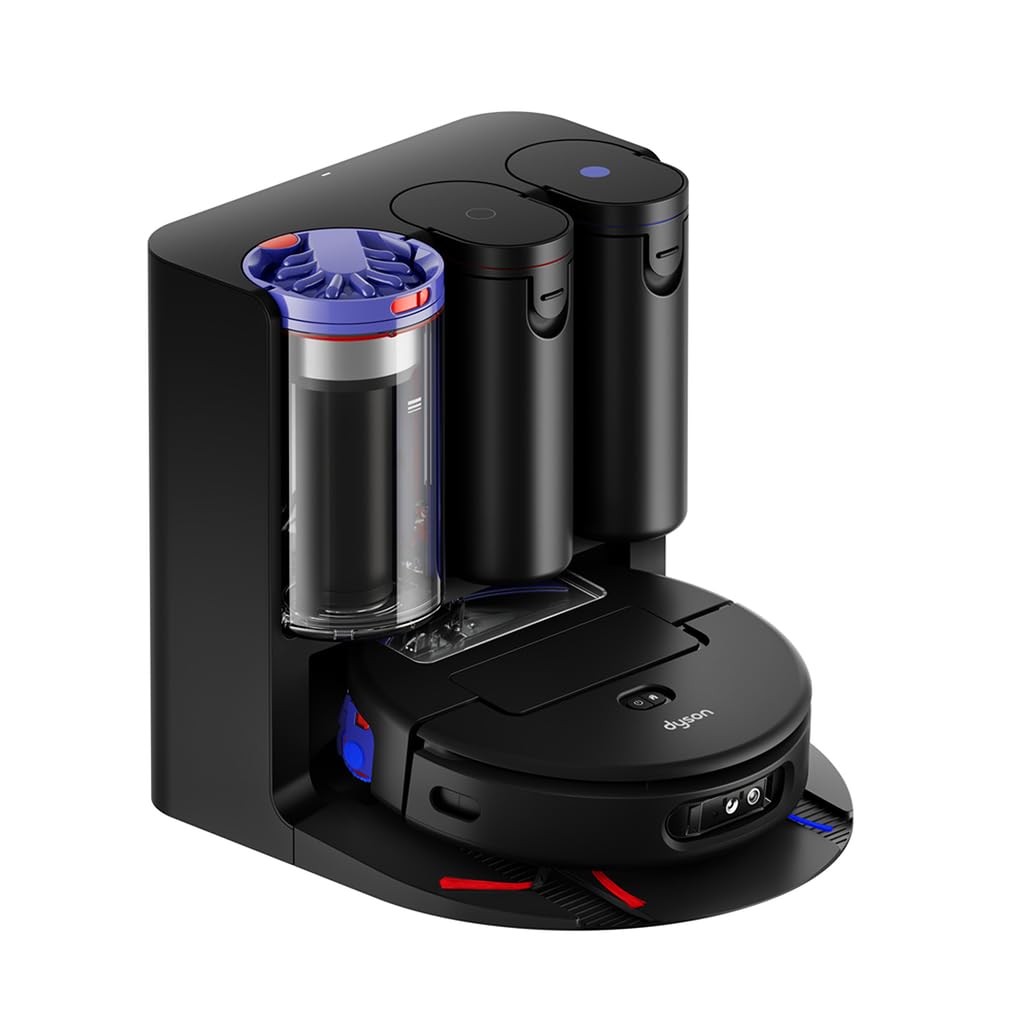
The Dyson Spot+Scrub AI robot vacuum cleaner, ready for operation.
การเริ่มต้น
1. การแกะกล่องและการวางตำแหน่งเริ่มต้น
Carefully remove all components from the packaging. Place the docking station against a wall with at least 0.5 meters of clear space on either side and 1.5 meters in front for optimal navigation and docking. Ensure the power cable is securely connected to the docking station and a power outlet.

The Dyson Spot+Scrub AI robot vacuum at its docking station, which also serves as an auto-empty and auto-fill base.
2. การชาร์จหุ่นยนต์
Place the robot onto the docking station. The indicator lights on the robot will illuminate to show it is charging. Allow the robot to fully charge before its first use. A full charge typically takes several hours.
3. Connecting to the MyDyson App
- Download the MyDyson app from your device's app store.
- เปิดแอปและทำตามคำแนะนำบนหน้าจอเพื่อสร้างบัญชีหรือเข้าสู่ระบบ
- Select "Add a new machine" and choose your Dyson Spot+Scrub AI.
- Follow the app's prompts to connect your robot to your home Wi-Fi network. This will enable smart features, scheduling, and remote control.

Control your Dyson Spot+Scrub AI and manage cleaning schedules through the MyDyson app.
Operating Your Dyson Spot+Scrub AI
โหมดการทำความสะอาด
The Dyson Spot+Scrub AI intelligently switches between wet and dry cleaning modes based on the floor type and detected debris. It can vacuum carpets with 4x increased suction power and mop hard floors effectively. You can select specific cleaning modes or allow the robot to determine the best approach via the MyDyson app.
AI Stain Detection and Removal
Equipped with advanced AI, your robot can identify and target nearly 200 types of stains and objects. When a stain is detected, the robot will focus its cleaning efforts on that area until it is completely removed. This ensures thorough cleaning and prevents the spread of dirt.

The robot uses a green laser to detect and target dirt and debris on the floor.

The robot intelligently navigates around obstacles like furniture and toys, ensuring comprehensive cleaning.
การทำความสะอาดขอบ
The wet roller extends to clean right up to the edges of your rooms, ensuring no area is missed. This feature is crucial for maintaining cleanliness along baseboards and in corners.
The robot's extending wet roller ensures thorough cleaning along room edges and baseboards.
การบำรุงรักษาและการดูแล
Automatic Emptying, Cleaning, Refilling, and Recharging
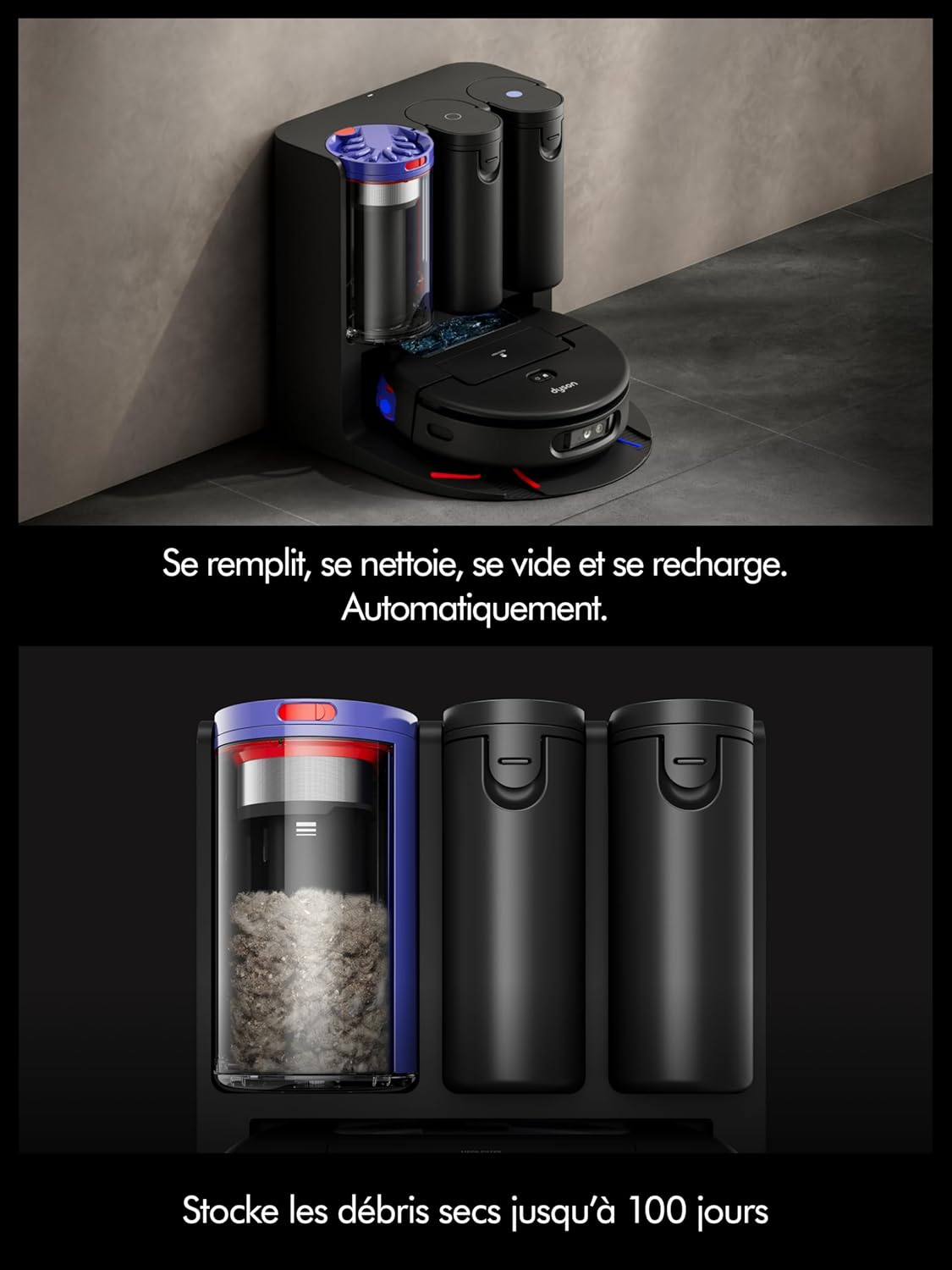
Your Dyson Spot+Scrub AI is designed for minimal intervention. When it returns to its docking station, it will automatically empty its dust bin, clean its wet roller, refill its water tanks, and recharge its battery. The docking station can store dry debris for up to 100 days, depending on usage.

The robot automatically manages its dust bin, water tanks, and battery at the docking station.
Wet Roller Self-Cleaning
The wet roller is equipped with a self-cleaning mechanism that washes it during each cleaning cycle and when docked. This ensures the roller remains hygienic and effective for continuous use.

The internal mechanism of the wet roller, designed for continuous self-cleaning.
Manual Cleaning of Components
Periodically, you may need to manually clean certain components:
- ถังขยะ: While the robot auto-empties, occasionally remove and rinse the dust bin and filter with water. Ensure it is completely dry before reinserting.
- ถังเก็บน้ำ: Clean the clean and dirty water tanks regularly to prevent residue buildup. Use only Dyson-approved cleaning solutions.
- Brushes and Rollers: Inspect the main brush and side brushes for tangled hair or debris. Use the provided cleaning tool to remove any obstructions.
- เซ็นเซอร์: Wipe the robot's sensors with a soft, dry cloth to ensure optimal navigation and obstacle detection.
การแก้ไขปัญหาทั่วไป
If you encounter any issues with your Dyson Spot+Scrub AI, refer to the following common solutions:
หุ่นยนต์ไม่ชาร์จ
- Ensure the docking station is properly plugged into a working power outlet.
- Check that the robot is correctly aligned with the charging contacts on the docking station.
- Clean the charging contacts on both the robot and the docking station with a dry cloth.
ประสิทธิภาพการทำความสะอาดไม่ดี
- Empty the dust bin and clean the filter.
- ตรวจสอบให้แน่ใจว่าถังเก็บน้ำสะอาดเต็มและถังเก็บน้ำเสียว่างเปล่า
- Check the main brush and side brushes for any tangled hair or debris and clean them.
- Verify that the wet roller is properly installed and clean.
ปัญหาการเชื่อมต่อแอป
- Restart the MyDyson app.
- Check your home Wi-Fi network to ensure it is active and the signal is strong.
- If issues persist, try resetting the robot's network settings and reconnecting via the app.
ข้อความแสดงข้อผิดพลาด
If your robot displays an error message, consult the MyDyson app for specific error codes and detailed troubleshooting steps. The app provides real-time diagnostics and solutions.
ข้อมูลจำเพาะผลิตภัณฑ์
| ยี่ห้อ | ไดสัน |
| หมายเลขรุ่น | RB05-AA |
| สี | สีดำ/สีน้ำเงิน |
| น้ำหนักสินค้า | 6.6 กิโลกรัม |
| ขนาดสินค้า (กว้าง x ยาว x สูง) | 37P x 37.3l x 11H เซนติเมตร |
| แหล่งพลังงาน | สายไฟฟ้า |
| ประเทศต้นกำเนิด | มาเลเซีย |
การรับประกันและการสนับสนุนลูกค้า
Your Dyson Spot+Scrub AI robot vacuum cleaner comes with a manufacturer's warranty. Please refer to the warranty card included in your product packaging for specific terms and conditions, including the warranty period.
For technical assistance, troubleshooting, or to order replacement parts, please contact Dyson Customer Support. You can find contact information on the official Dyson website or through the MyDyson app.
การสนับสนุนทางออนไลน์: เยี่ยม www.dyson.com/support
MyDyson App: Access support directly through the app.