
1. บทนำ
This manual provides detailed instructions for the setup, operation, and maintenance of your Lemnoi 4G LTE Cellular Trail Camera S76. This camera is designed for outdoor monitoring, featuring 4G cellular connectivity, solar power, 2K video resolution, 360° pan-tilt-zoom (PTZ) capabilities, and motion detection with instant alerts. Please read this manual thoroughly before using the product to ensure proper functionality and longevity.
2. สินค้าหมดview
The Lemnoi S76 is an advanced outdoor camera system. Familiarize yourself with its components and features.

Image: The Lemnoi S76 camera unit, featuring a solar panel, integrated 4G LTE module, and included 32GB SD card. A smartphone screen shows live footage of a wild boar, illustrating its application as a trail camera.
2.1 เนื้อหาบรรจุภัณฑ์
ตรวจสอบว่ามีรายการทั้งหมดอยู่ในแพ็คเกจของคุณ:
- Lemnoi S76 Solar Camera
- 6W Solar Panel (integrated)
- Integrated SIM Card (pre-installed)
- การ์ด SD 32GB (ติดตั้งไว้ล่วงหน้า)
- สายรัดยึด
- ตัวยึด
- คู่มือการใช้งาน
- แหนบ
- สกรูยึด
- สายชาร์จ

Image: A visual representation of the items included in the Lemnoi S76 product package, confirming the presence of the camera, solar panel, SIM card, SD card, mounting hardware, and accessories.
3. การตั้งค่า
3.1 การติดตั้งซิมการ์ดและการ์ด SD
The camera comes with a pre-installed SIM card and a 32GB SD card. The SIM card provides 7 days of unlimited data. A subscription is required after this period through the UBox app. The SD card supports up to 128GB for local storage.

ภาพ: รายละเอียด view of the camera's internal compartment, highlighting the pre-installed SIM card and 32GB SD card. Information regarding cellular data plan options is also presented.
3.2 การติดตั้งแอปและการสร้างบัญชี
- Download the 'UBox' app from your smartphone's app store (iOS or Android).
- Open the app and register for a new account using your email address.
- Follow the in-app instructions to add your Lemnoi S76 camera. This typically involves scanning a QR code on the camera or its packaging.
3.3 การติดตั้งกล้อง
The camera can be mounted using the provided straps or screws. Choose a location with good cellular signal and direct sunlight exposure for optimal solar charging.
- การติดตั้งสายรัด: Wrap the mounting strap around a tree or pole and secure the camera bracket.
- การติดตั้งสกรู: Use the mounting bracket and screws to attach the camera to a wall or other flat surface.
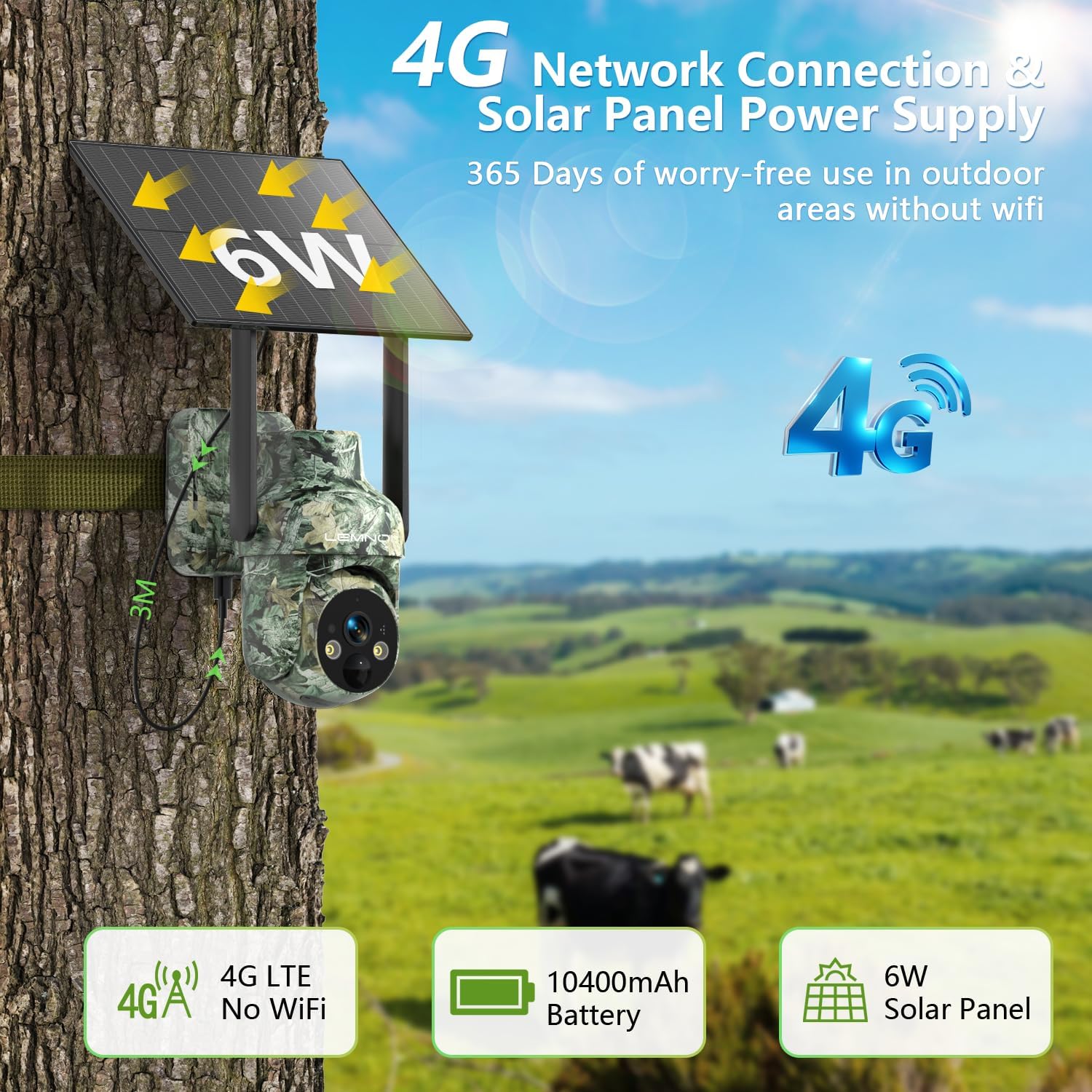
Image: The Lemnoi S76 camera securely mounted to a tree trunk, demonstrating its outdoor installation. The integrated solar panel is visible, indicating its self-sustaining power capability.
4. คู่มือการใช้งาน
4.1 การเปิด/ปิดเครื่อง
The camera is primarily solar-powered with a built-in rechargeable battery. Ensure the solar panel receives adequate sunlight. The camera will automatically manage power. To manually power off, refer to the device's physical power button location, typically near the SIM/SD card slot.

Image: The camera installed on a tree, highlighting its 4G network connectivity and solar panel for continuous power. This setup allows for extended outdoor operation without external power sources.
4.2 สด View และการบันทึก
เข้าถึงสด footage and recorded videos through the UBox app.
- สด View: Open the UBox app and select your camera to view วิดีโอแบบเรียลไทม์
- การเล่นซ้ำ: Navigate to the playback section in the app to review recordings stored on the SD card or cloud (if subscribed).

Image: A smartphone screen displaying live video feed from the camera, capturing a squirrel. Icons for SD card and cloud storage options are visible, indicating dual-path video storage capabilities.
4.3 การตรวจจับการเคลื่อนไหวและการแจ้งเตือน
The camera features a PIR motion sensor for accurate detection and instant alerts.
- การเปิดใช้งาน: The camera automatically detects activity within its range (0-10 meters).
- การแจ้งเตือน: Upon detection, the camera sends real-time notifications to your UBox app.
- การปรับแต่ง: Adjust detection sensitivity, zones, and schedules within the app to minimize false alarms and optimize power usage.

Image: The camera positioned in a forest, actively detecting a deer. A smartphone screen displays an instant UBox notification, demonstrating the camera's real-time alert system for detected activity.
4.4 การควบคุมการหมุน การเอียง และการซูม (PTZ)
ควบคุมกล้อง viewing angle remotely via the UBox app.
- แพน: การหมุนในแนวนอน 355°
- เอียง: การหมุนแนวตั้ง 100°
- ซูม: 4X digital zoom.
- บันทึก: Auto-tracking is not supported.
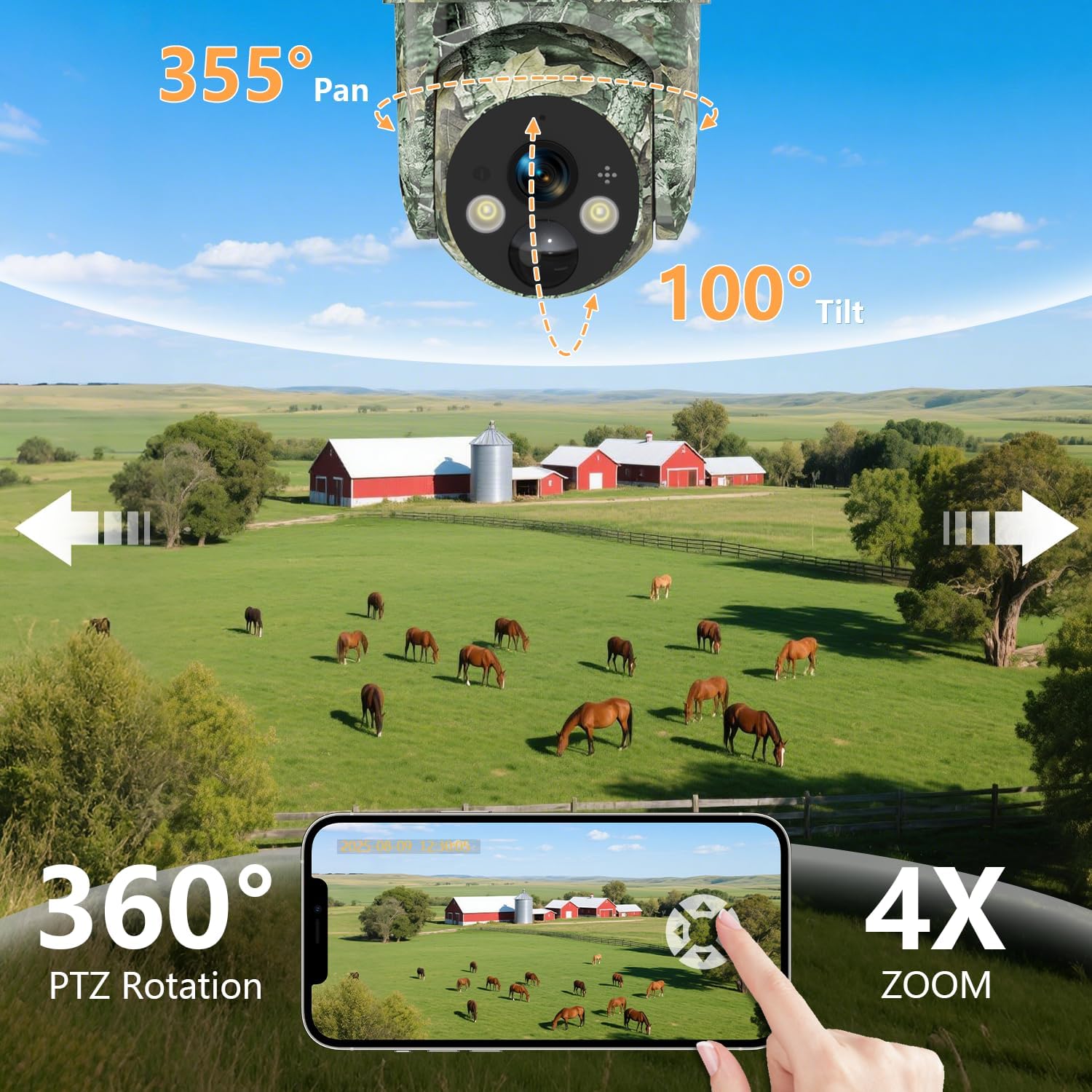
Image: An illustration of the camera's 355° pan and 100° tilt capabilities, providing extensive coverage. A smartphone displays the remote control interface, allowing users to adjust the camera's view and utilize 4X zoom.
4.5 โหมดการมองเห็นตอนกลางคืน
The camera offers multiple night vision options for clear monitoring in low-light conditions.
- 2K HD Day Vision: วิดีโอสีมาตรฐานในเวลากลางวัน
- 2K HD Color Night Vision: Utilizes white light for full-color video at night.
- 2K HD IR Night Vision: Infrared mode for sharp black-and-white footagในความมืดสนิท
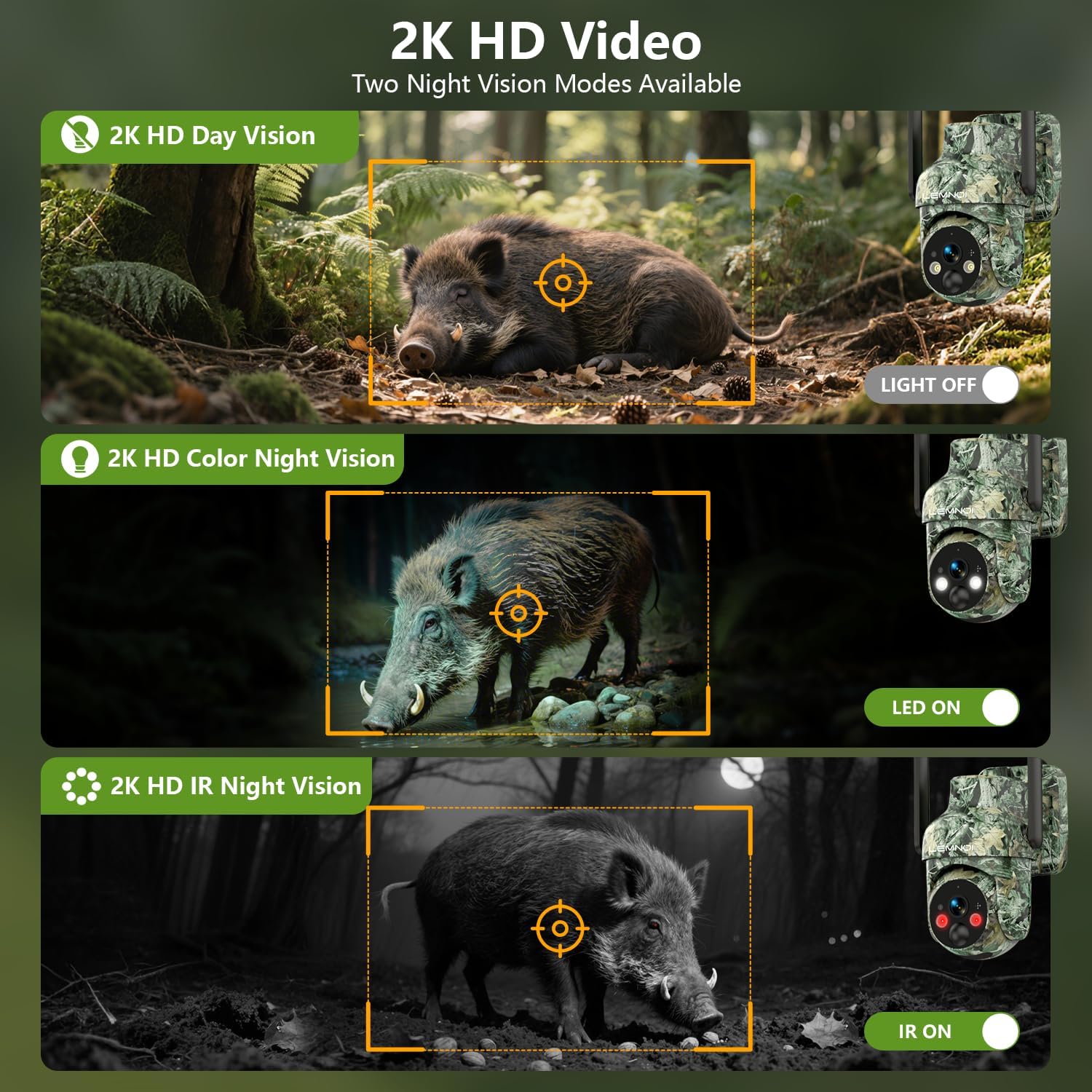
Image: A visual comparison demonstrating the camera's 2K HD Day Vision, 2K HD Color Night Vision (with LED on), and 2K HD IR Night Vision (with IR on) modes, showcasing its versatility in various lighting environments.
4.6 เสียงสองทาง
ไมโครโฟนและลำโพงในตัวช่วยให้สามารถสื่อสารสองทางได้
- พูด: Use the microphone icon in the UBox app to transmit your voice through the camera's speaker.
- ฟัง: The camera's microphone captures audio from its surroundings, which can be heard through the app.

Image: A scenario depicting a user interacting with the camera via a smartphone, utilizing the two-way audio feature to communicate. This highlights the camera's capability for remote interaction and deterrence.
5. การบำรุงรักษา
- การทำความสะอาดแผงโซลาร์เซลล์: Periodically clean the solar panel surface to ensure maximum charging efficiency. Use a soft, damp ผ้าเพื่อขจัดฝุ่น สิ่งสกปรก หรือเศษต่างๆ
- การทำความสะอาดเลนส์: Gently wipe the camera lens with a microfiber cloth to maintain clear image quality. Avoid abrasive materials.
- อัพเดตเฟิร์มแวร์: Check the UBox app regularly for available firmware updates. Keeping the firmware updated ensures optimal performance and access to new features.
- สุขภาพแบตเตอรี่: ขณะใช้งานพลังงานแสงอาทิตย์ ควรตรวจสอบระดับแบตเตอรี่ผ่านแอป โดยเฉพาะในช่วงที่มีแสงแดดน้อยเป็นเวลานาน
- การป้องกันสภาพอากาศ: The camera is IP66 weatherproof, but extreme conditions may require additional protection or temporary relocation.

Image: An illustration highlighting the camera's IP66 weatherproof rating, indicating its resistance to various environmental elements such as rain, snow, dust, and wind. The specified operating temperature range (-20°C to 50°C) is also shown.
6 การแก้ไขปัญหา
- กล้องเชื่อมต่อไม่ได้: Ensure the camera is powered on and has a strong 4G cellular signal. Check the SIM card status in the UBox app and verify your data plan.
- ไม่มีการแจ้งเตือนการตรวจจับการเคลื่อนไหว: Verify that motion detection is enabled in the app settings. Adjust sensitivity and check detection zones. Ensure the camera lens is clear.
- คุณภาพภาพ/วิดีโอไม่ดี: Clean the camera lens. Check the app for resolution settings. Ensure adequate lighting for optimal night vision performance.
- แบตเตอรี่ไม่ชาร์จ: Ensure the solar panel is clean and receiving direct sunlight. Check the charging cable connection if using external power.
- ปัญหาเกี่ยวกับแอป: Ensure your UBox app is updated to the latest version. Try restarting the app or your smartphone.
7. ข้อมูลจำเพาะ
| คุณสมบัติ | ข้อมูลจำเพาะ |
|---|---|
| ยี่ห้อ | Lemnoi |
| ชื่อรุ่น | S76 |
| การใช้งานภายใน/ภายนอกอาคาร | กลางแจ้ง |
| อุปกรณ์ที่รองรับ | สมาร์ทโฟน |
| แหล่งพลังงาน | ใช้พลังงานแสงอาทิตย์ ใช้พลังงานจากแบตเตอรี่ |
| โปรโตคอลการเชื่อมต่อ | เซลลูล่าร์ |
| ประเภทตัวควบคุม | Ubox APP |
| ประเภทการติดตั้ง | ติดผนัง |
| ความละเอียดในการจับภาพวิดีโอ | 1080p (Note: Product title states 2K, specifications list 1080p. Using 1080p from specifications for accuracy.) |
| สี | สีเขียว |
| ส่วนประกอบที่รวมอยู่ | Charging Cable (and camera, solar panel, SIM, SD card, mounting hardware) |
| เทคโนโลยีการสื่อสารไร้สาย | เซลลูล่าร์ |
| ขนาดรายการ (ยาว x กว้าง x สูง) | 9 x 6 x 5 นิ้ว |
| ขนาดหน่วยความจำแฟลชที่ติดตั้ง | 32GB |
| จำเป็นต้องใช้แบตเตอรี่หรือไม่? | Yes (1 C battery included) |
| รูปแบบการจับภาพวิดีโอ | เอ็มพี 4 |
| การใช้งานเฉพาะของผลิตภัณฑ์ | การครอบคลุม 360 องศา |
| การให้คะแนนการคุ้มครองระหว่างประเทศ | IP66 |
| ขนาดหน่วยความจำแฟลชที่รองรับสูงสุด | 128GB |
| เทคโนโลยีเซลลูล่าร์ | 4G |
| ความสามารถในการบันทึกภาพและเสียง | วีดีโอ |
| น้ำหนักสินค้า | 2.59 ปอนด์ |
| ผู้ผลิต | Lemnoi |
| การใช้งานที่แนะนำสำหรับผลิตภัณฑ์ | Game & Trail, Outdoor Security |
| คุณสมบัติพิเศษ | 2-Way Audio, HD Resolution, Motion Sensor, Night Vision, Remote control |
8. การรับประกันและการสนับสนุน
For warranty information and technical support, please refer to the contact details provided with your product packaging or visit the official Lemnoi website. Ensure you have your product model (S76) and purchase details ready when contacting support.