
การแนะนำ
Thank you for choosing the TECKNET TK-HS049 Hybrid Active Noise Cancelling Headphones. These headphones are designed to provide a superior audio experience with advanced noise cancellation, long battery life, and versatile connectivity. This manual will guide you through the setup, operation, and maintenance of your new headphones.
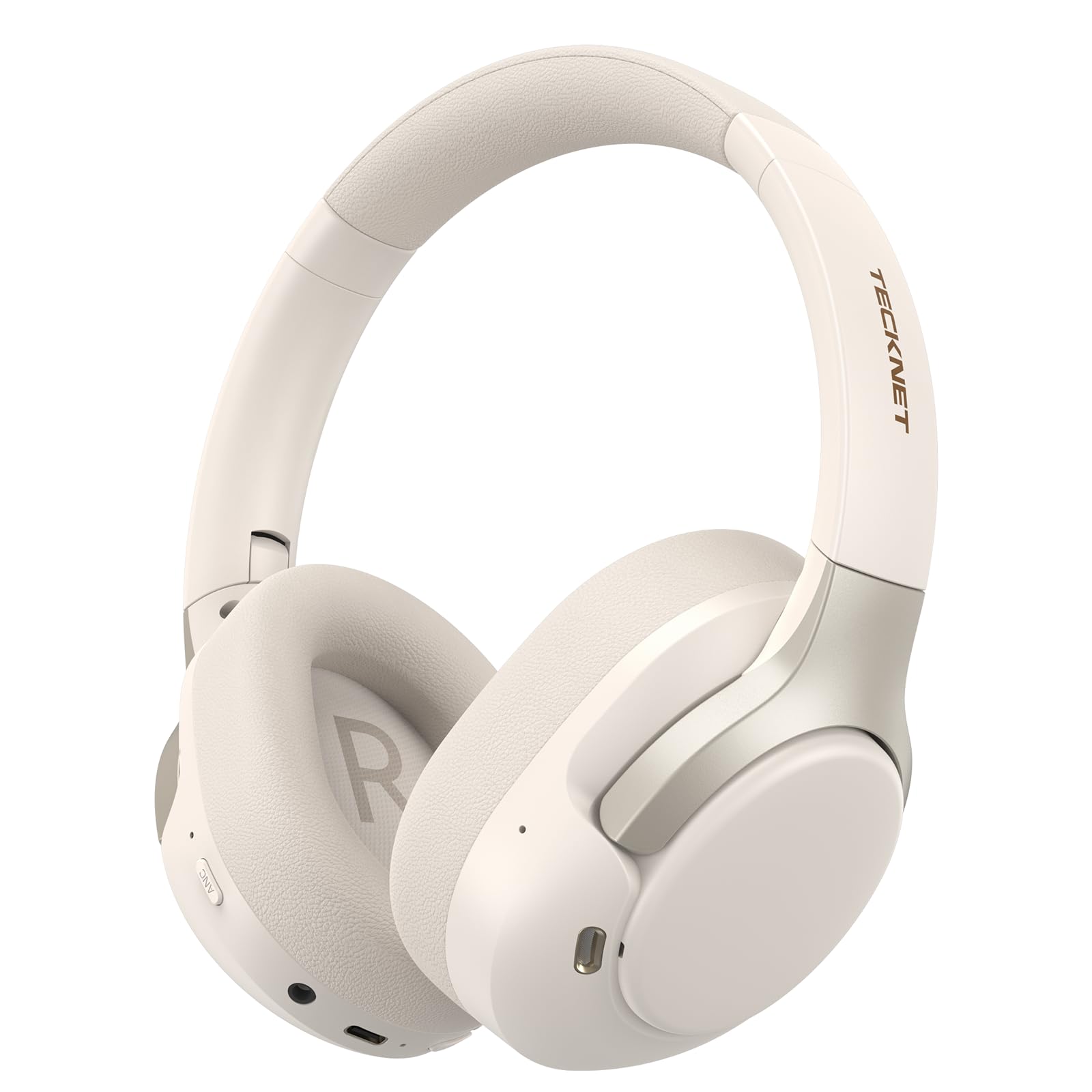
Image: TECKNET TK-HS049 Hybrid Active Noise Cancelling Headphones.
มีอะไรอยู่ในกล่อง
- 1 x TECKNET TK-HS049 ANC Headphones
- สายสัญญาณเสียงขนาด 1 มม. 3.5 เส้น
- 1 x คู่มือผู้ใช้
- สายชาร์จ Type-C 1 เส้น

Image: Contents of the product packaging.
สินค้าเกินview
Familiarize yourself with the various components and controls of your TECKNET TK-HS049 headphones.
ภาพ: ด้านข้าง view of the headphones highlighting control buttons and ports.
ส่วนประกอบหลัก:
- ปุ่มเปิด/ปิด: Used to turn the headphones on/off and for Bluetooth pairing.
- ปุ่มเพิ่มเสียง/ปุ่มเปลี่ยนเพลงถัดไป: เพิ่มระดับเสียงหรือข้ามไปยังแทร็กถัดไป
- ปุ่มลดเสียง/ปุ่มเล่นเพลงก่อนหน้า: ลดระดับเสียงหรือย้อนกลับไปเล่นแทร็กก่อนหน้า
- ปุ่มมัลติฟังก์ชั่น: เล่น/หยุดเพลง, รับ/วางสาย
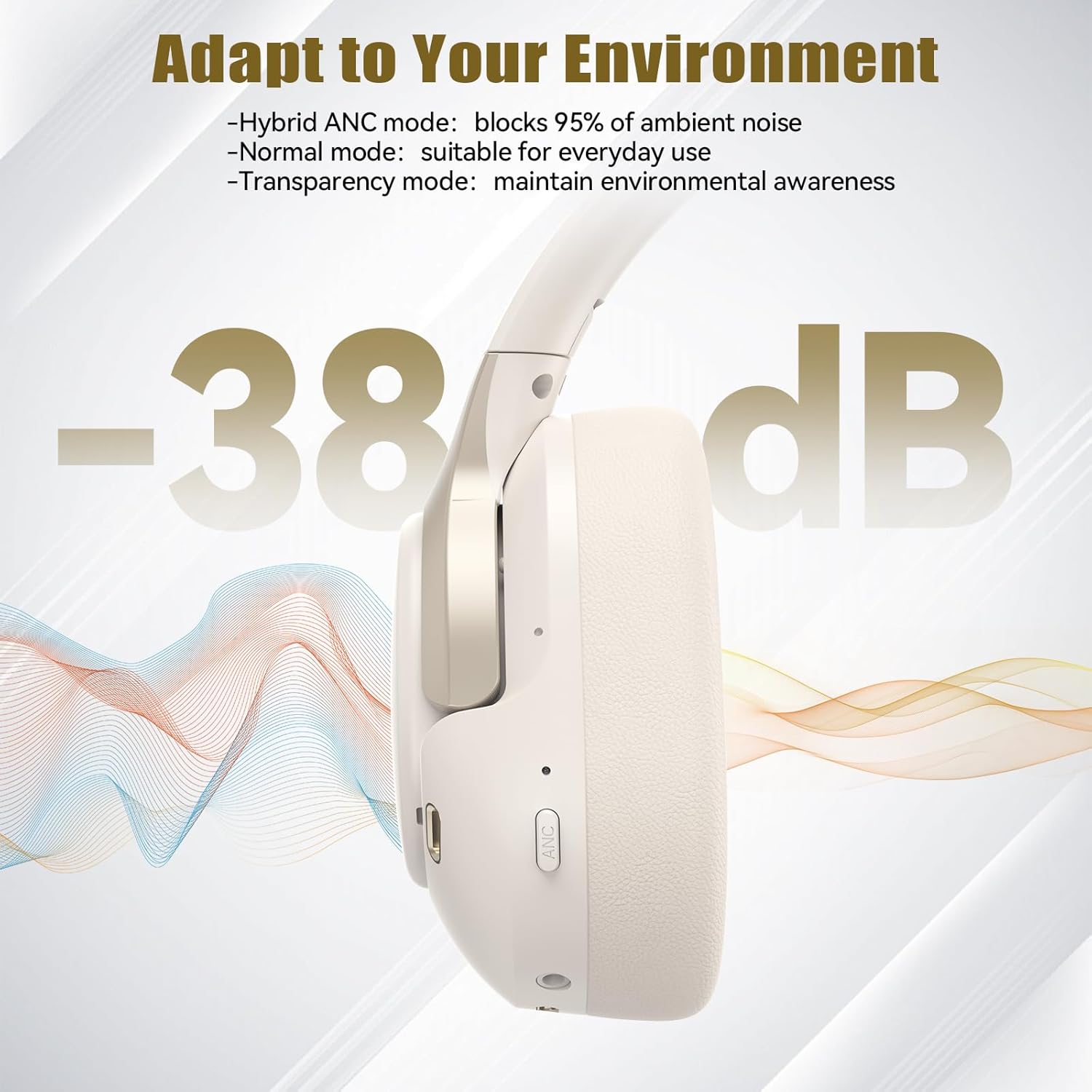
- ปุ่ม ANC: สลับโหมดการตัดเสียงรบกวนแบบแอคทีฟ
- พอร์ตชาร์จ Type-C: สำหรับการชาร์จหูฟัง
- แจ็คเสียงขนาด 3.5 มม.: สำหรับการเชื่อมต่อเสียงแบบมีสาย
- ไมโครโฟน: สำหรับการโทรและการสั่งงานด้วยเสียง
การตั้งค่า
1. การชาร์จหูฟัง
Before first use, fully charge your headphones. Connect the supplied Type-C charging cable to the charging port on the headphones and the other end to a USB power source (e.g., wall adapter, computer USB port).
- ไฟ LED จะแสดงสถานะการชาร์จ
- โดยทั่วไปการชาร์จเต็มจะใช้เวลาประมาณ 2-3 ชั่วโมง
2. เปิด/ปิดเครื่อง
- เปิดเครื่อง: กดปุ่มเปิด/ปิดค้างไว้ 3 วินาทีจนกระทั่งไฟ LED กะพริบเป็นสีน้ำเงิน
- หมดแรง: กดปุ่มเปิด/ปิดค้างไว้ 3 วินาทีจนกระทั่งไฟ LED แสดงสถานะกะพริบเป็นสีแดงแล้วดับลง
3. การจับคู่บลูทู ธ
วิธีเชื่อมต่อหูฟังกับอุปกรณ์ผ่านบลูทูธ:
- ตรวจสอบให้แน่ใจว่าหูฟังปิดอยู่
- กดปุ่มเปิด/ปิดค้างไว้ 5 วินาทีจนกระทั่งไฟ LED แสดงสถานะกะพริบเป็นสีแดงและสีน้ำเงินสลับกัน เพื่อระบุโหมดจับคู่
- บนอุปกรณ์ของคุณ (สมาร์ทโฟน แท็บเล็ต แล็ปท็อป) เปิดใช้งาน Bluetooth และค้นหาอุปกรณ์ที่มีอยู่
- Select "TECKNET TK-HS049" from the list of devices.
- เมื่อเชื่อมต่อแล้ว ไฟ LED จะกะพริบเป็นสีน้ำเงินช้าๆ
4. การเชื่อมต่ออุปกรณ์คู่
The headphones support simultaneous connection to two Bluetooth devices, allowing seamless switching between them.
- Pair the headphones with the first device (e.g., smartphone) as described above.
- ปิดใช้งานบลูทูธในอุปกรณ์เครื่องแรก หูฟังจะเข้าสู่โหมดจับคู่อีกครั้ง
- Pair the headphones with the second device (e.g., laptop).
- เปิดใช้งานบลูทูธบนอุปกรณ์เครื่องแรกอีกครั้ง หูฟังควรเชื่อมต่อกับอุปกรณ์ทั้งสองเครื่องโดยอัตโนมัติ
- To switch audio, simply play media on the desired device.

Image: Dual device connection setup.
5. การเชื่อมต่อแบบมีสาย
สำหรับอุปกรณ์ที่ไม่มีบลูทูธ หรือเมื่อแบตเตอรี่เหลือน้อย ให้ใช้สายสัญญาณเสียง 3.5 มม. ที่ให้มาในชุด
- เสียบปลายด้านหนึ่งของสายสัญญาณเสียงขนาด 3.5 มม. เข้ากับช่องเสียบหูฟัง
- เสียบปลายอีกด้านเข้ากับเอาต์พุตเสียงขนาด 3.5 มม. ของอุปกรณ์ของคุณ
- Note: Some headphone functions (e.g., ANC, EQ modes) may be limited or unavailable in wired mode without power.

Image: Wired connection via 3.5mm audio jack.
การดำเนินงาน
1. โหมดตัดเสียงรบกวนแบบแอคทีฟ (ANC)
Press the ANC button to cycle through the available noise cancellation modes:
- โหมดตัดเสียงรบกวนแบบไฮบริด: Blocks up to 35dB-38dB of ambient noise, ideal for travel or noisy environments.
- โหมดปกติ: ANC is off, suitable for everyday use where some environmental awareness is desired.
- โหมดความโปร่งใส: Allows ambient sounds to pass through, enhancing awareness of your surroundings.

Image: Hybrid Active Noise Cancellation in action.
2. การเล่นเพลง
- เล่น/หยุดชั่วคราว: กดปุ่มมัลติฟังก์ชั่นหนึ่งครั้ง
- เพลงถัดไป: กดปุ่มเพิ่มระดับเสียงค้างไว้
- แทร็กก่อนหน้า: กดปุ่มลดระดับเสียงค้างไว้
- ปรับระดับเสียงขึ้น: กดปุ่มเพิ่มระดับเสียงสั้นๆ
- ลดเสียงลง: กดปุ่มลดระดับเสียงสั้นๆ
3. การจัดการการโทร
- รับ/วางสาย: กดปุ่มมัลติฟังก์ชั่นหนึ่งครั้ง
- ปฏิเสธสาย: กดปุ่มมัลติฟังก์ชั่นค้างไว้ 2 วินาที
- ผู้ช่วยเสียง: กดปุ่มมัลติฟังก์ชันสองครั้งเพื่อเปิดใช้งานผู้ช่วยเสียงของอุปกรณ์
4. EQ Music Modes
The headphones feature 6 EQ music modes to optimize your listening experience for different genres. Press the EQ button (if available, or refer to specific button on your model) to cycle through these modes:
- เต้นรำ
- หิน
- คลาสสิก
- เสียงร้อง
- เบส
- อ่อนนุ่ม

Image: Cycling through 6 EQ music modes.
การซ่อมบำรุง
To ensure the longevity and optimal performance of your TECKNET TK-HS049 headphones, follow these maintenance guidelines:
- การทำความสะอาด: ใช้ผ้าแห้งนุ่มเช็ดทำความสะอาดที่ครอบหูและแถบคาดศีรษะ ห้ามใช้สารทำความสะอาดที่มีฤทธิ์กัดกร่อนหรือตัวทำละลาย
- พื้นที่จัดเก็บ: When not in use, store the headphones in a cool, dry place, preferably in a protective case to prevent dust and damage.
- หลีกเลี่ยงความชื้น: Although the headphones have a waterproof rating, avoid prolonged exposure to water or high humidity. Do not submerge them.
- การชาร์จ: Only use the provided Type-C cable for charging. Avoid overcharging the battery.
- อุณหภูมิ: อย่าให้หูฟังสัมผัสกับอุณหภูมิที่สูงหรือต่ำเกินไป (ร้อนหรือเย็นเกินไป)
การแก้ไขปัญหา
หากคุณพบปัญหาใดๆ เกี่ยวกับหูฟัง โปรดดูปัญหาและวิธีแก้ไขที่พบบ่อยต่อไปนี้:
| ปัญหา | สารละลาย |
|---|---|
| หูฟังไม่สามารถเปิดได้ | ตรวจสอบให้แน่ใจว่าหูฟังชาร์จเต็มแล้ว เสียบปลั๊กเข้ากับแหล่งจ่ายไฟแล้วลองอีกครั้งหลังจากผ่านไปสองสามนาที |
| ไม่สามารถจับคู่ผ่านบลูทูธได้ | Make sure the headphones are in pairing mode (LED flashing red/blue). Disable and re-enable Bluetooth on your device. Ensure no other devices are connected. |
| ไม่มีเสียงหรือเสียงเบา | Check volume levels on both headphones and your connected device. Ensure the headphones are properly paired. Try playing audio from a different source. |
| ANC ไม่ได้ผล | Ensure ANC mode is activated. Check that the earcups form a good seal around your ears. ANC is most effective against low-frequency, constant noise. |
| ไมโครโฟนไม่ทำงาน | Ensure the headphones are connected via Bluetooth. Check microphone settings on your device. |
ข้อมูลจำเพาะ
Detailed technical specifications for the TECKNET TK-HS049 headphones:
| คุณสมบัติ | รายละเอียด |
|---|---|
| หมายเลขรุ่น | TK-HS049 |
| เทคโนโลยีการเชื่อมต่อ | ไร้สาย (บลูทูธ), มีสาย (แจ็ค 3.5 มม.) |
| เวอร์ชันบลูทูธ | 6.0 |
| การควบคุมเสียงรบกวน | ระบบตัดเสียงรบกวนแบบไฮบริด (สูงสุด 38dB) |
| ประเภทไดรเวอร์ | ไดรเวอร์ไดนามิกขนาด 40 มม. |
| ช่วงความถี่ | 20Hz - 20,000Hz (supports up to 40kHz for high-resolution audio) |
| อายุการใช้งานแบตเตอรี่ (เปิด ANC) | สูงสุด 40 ชั่วโมง (ที่ระดับเสียง 60%) |
| อายุการใช้งานแบตเตอรี่ (ปิด ANC) | นานถึง 70 ชั่วโมง |
| วิธีการควบคุม | ปุ่มทางกายภาพ |
| การวางตำแหน่งหู | ครอบหู |
| วัสดุ | Fabric, Silicone, Memory Foam (earcups) |
| ระดับความต้านทานต่อน้ำ | กันน้ำ |
| ไมโครโฟน | ไมโครโฟน ENC 4 ตัว |
| โหมด EQ | 6 Presets (Dance, Rock, Classical, Vocal, Bass, Soft) |

ภาพ: อายุการใช้งานแบตเตอรี่เกินview.

Image: 40mm dynamic drivers for premium audio.

Image: Comfort features including memory foam earcups and adjustable headband.
การรับประกันและการสนับสนุน
TECKNET TK-HS049 headphones come with a รับประกัน 36 เดือน. If you encounter any problems during product use, please contact our professional customer service team for assistance. You can typically find contact information on the TECKNET official webเว็บไซต์หรือผ่านแพลตฟอร์มการซื้อของคุณ