
การแนะนำ
Thank you for choosing the Spacetronik Manual Height-Adjustable Sit-Stand Desk. This ergonomic desk is designed to provide a flexible workspace, allowing you to easily switch between sitting and standing positions to promote better posture and reduce fatigue. This manual provides essential information for the safe assembly, operation, and maintenance of your desk.
The desk features a robust steel frame and a silent, smooth crank mechanism for height adjustment. It supports a load capacity of up to 40 kg, making it suitable for various office or gaming setups.
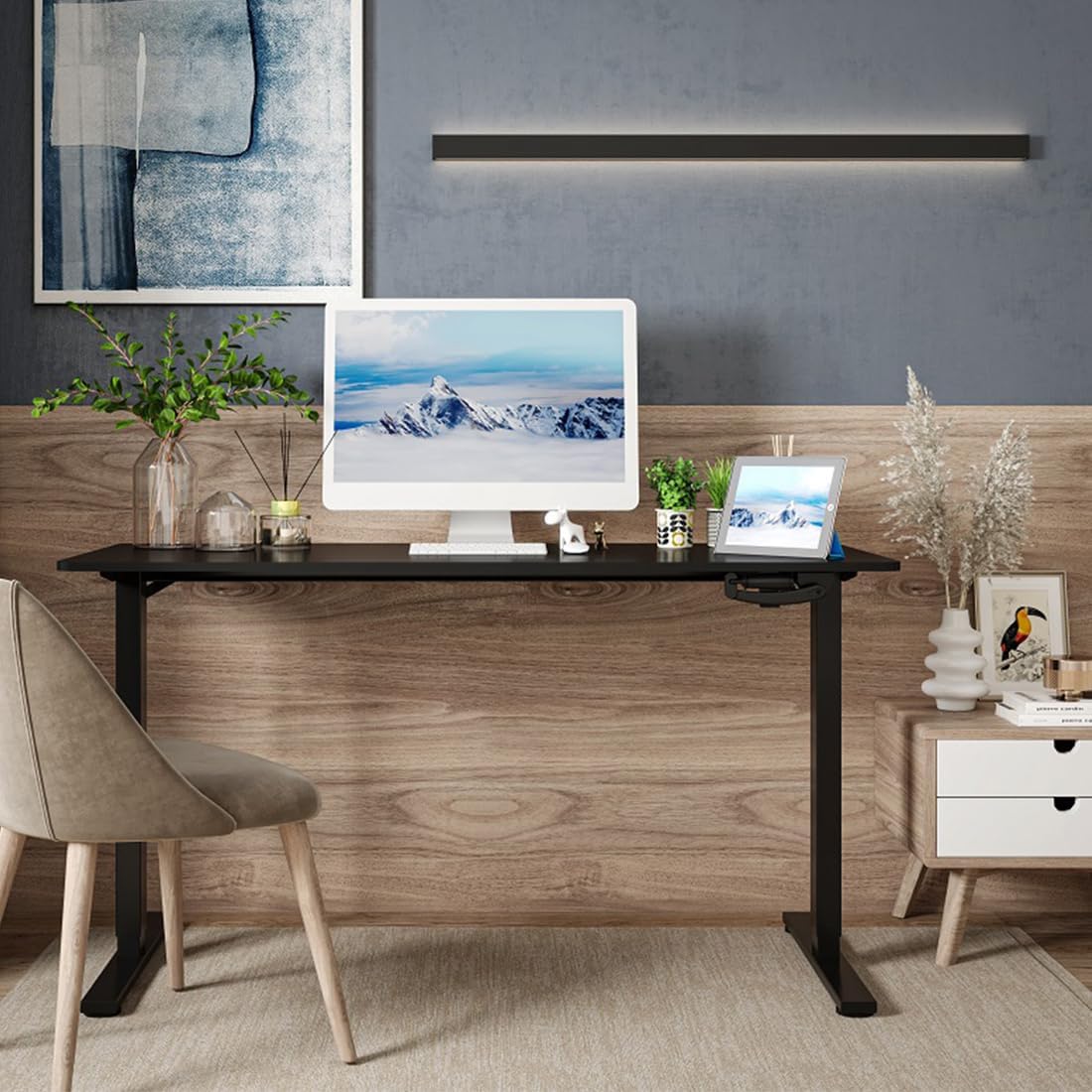
Image: The Spacetronik desk in a contemporary office environment, showcasinก. การออกแบบและฟังก์ชันการใช้งาน
ข้อมูลด้านความปลอดภัย
- อ่านคำแนะนำทั้งหมดอย่างละเอียดก่อนประกอบและใช้งาน
- Keep children and pets away from the desk during assembly and operation.
- Ensure all screws and bolts are securely tightened before use. Periodically check and re-tighten if necessary.
- อย่าบรรทุกของหนักเกินไปบนโต๊ะ รับน้ำหนักได้สูงสุด 40 กิโลกรัม
- Avoid placing liquids directly on the desk surface without protective coasters.
- When adjusting the height, ensure there are no obstructions above or below the desk that could cause damage or injury.
- Use the desk on a level surface to ensure stability.
เนื้อหาแพ็คเกจ
Please check the package contents against the list provided in your separate assembly instructions. Ensure all parts are present and undamaged before beginning assembly. If any parts are missing or damaged, please contact Spacetronik customer support.
ส่วนประกอบทั่วไปได้แก่:
- โต๊ะทำงาน
- Desk legs and feet
- Crank mechanism and handle
- ส่วนประกอบคานขวาง/โครง
- Hardware kit (screws, bolts, tools)
- คำแนะนำในการประกอบ
การติดตั้งและการประกอบ
Assembly of the Spacetronik desk is designed to be straightforward. Follow the detailed step-by-step instructions provided in the separate assembly manual included with your product. Ensure you have adequate space and the necessary tools (usually included in the hardware kit) before starting.
- แกะส่วนประกอบ: Carefully remove all parts from the packaging and lay them out on a clean, soft surface to prevent scratches. Verify all parts are present using the provided parts list.
- ประกอบโครง: Attach the crossbar and side frames to the desk legs according to the diagrams in the assembly manual. Ensure all connections are secure.
- Install Crank Mechanism: Mount the crank mechanism and handle onto the designated area of the frame. Test the mechanism for smooth rotation.
- ติดโต๊ะ: วางแผ่นโต๊ะลงบนโครงที่ประกอบแล้วอย่างระมัดระวัง จัดแนวรูที่เจาะไว้ให้ตรงกัน และยึดแผ่นโต๊ะให้แน่นโดยใช้สกรูที่ให้มา
- การตรวจสอบขั้นสุดท้าย: Once assembled, ensure all screws are tightened, and the desk is stable.

Image: A technical drawing illustrating the dimensions and structure of the Spacetronik desk, useful for assembly reference.
คำแนะนำการใช้งาน
The Spacetronik desk features a manual crank system for height adjustment, allowing you to effortlessly switch between sitting and standing positions.
การปรับความสูงของโต๊ะ:
- Locate the Crank Handle: The crank handle is typically located on the front or side of the desk frame.
- Rotate to Adjust: To raise the desk, turn the crank handle clockwise. To lower the desk, turn the crank handle counter-clockwise.
- การทำงานราบรื่น: The crank mechanism is designed for smooth and quiet operation, adjusting the desk height by approximately 8 mm per turn.
- ความสูงที่เหมาะสมที่สุด: Adjust the desk to a height that allows for comfortable posture, whether sitting or standing. For standing, your elbows should form a 90-degree angle when typing.

ภาพ: รายละเอียด view of the manual crank system, highlighting its smooth and precise adjustment capability.

Image: Illustration of the desk's height adjustment range, demonstrating comfortable sitting (72 cm) and standing (109.5 cm) positions.
การซ่อมบำรุง
Regular maintenance will help prolong the life and appearance of your Spacetronik desk.
- การทำความสะอาด: เช็ดพื้นโต๊ะด้วยผ้านุ่มๆamp ใช้ผ้าเช็ดทำความสะอาด สำหรับคราบฝังแน่น ให้ใช้ผลิตภัณฑ์ทำความสะอาดที่ไม่รุนแรงและไม่ทำให้เกิดรอยขีดข่วน หลีกเลี่ยงสารเคมีรุนแรงที่อาจทำให้พื้นผิวเสียหายได้
- การดูแลเฟรม: โครงเหล็กสามารถทำความสะอาดได้ด้วยน้ำยาทำความสะอาดamp cloth. Ensure it is dried thoroughly to prevent rust.
- กลไกข้อเหวี่ยง: The crank mechanism is generally maintenance-free. If it becomes stiff, a small amount of silicone-based lubricant can be applied to the moving parts, avoiding excessive application.
- การตรวจสอบฮาร์ดแวร์: ตรวจสอบสกรูและน็อตทั้งหมดเป็นระยะเพื่อให้แน่ใจว่ายังแน่นอยู่ หากพบว่าหลวมให้ขันให้แน่นอีกครั้ง
การแก้ไขปัญหา
If you encounter any issues with your Spacetronik desk, refer to the following common problems and solutions:
- โต๊ะโยกเยก:
- ตรวจสอบให้แน่ใจว่าสกรูและน็อตประกอบทั้งหมดขันแน่นดีแล้ว
- Check that the desk is placed on a level surface. Adjust the leveling feet if present.
- Crank mechanism is stiff or difficult to turn:
- Ensure the desk is not overloaded beyond its 40 kg capacity.
- ตรวจสอบดูว่ามีสิ่งกีดขวางใดๆ ที่อาจทำให้กลไกไม่สามารถเคลื่อนที่ได้อย่างอิสระหรือไม่
- Apply a small amount of silicone lubricant to the moving parts of the crank mechanism.
- Desk does not adjust evenly:
- This is unlikely with a manual crank system but ensure the crank is fully engaged and turning both legs simultaneously.
- Verify that the desk is not obstructed on one side.
If these solutions do not resolve the issue, please contact Spacetronik customer support for further assistance.
ข้อมูลจำเพาะ
| คุณสมบัติ | รายละเอียด |
|---|---|
| ยี่ห้อ | สเปซโทรนิค |
| หมายเลขรุ่น | SPEO113 |
| สี (สินค้าปัจจุบัน) | สีขาว |
| ขนาด (กว้าง x ยาว x สูง) | 120 x 60 x 72-109.5 cm (approx. 60P x 120l x 109H cm) |
| ช่วงการปรับความสูง | 72 ซม. ถึง 109.5 ซม. |
| กลไกการปรับความสูง | Manual Crank (approx. 8 mm per turn) |
| ความจุในการรับน้ำหนัก | 40 กก. |
| วัสดุกรอบ | Robust Steel |
| น้ำหนักสินค้า | 20 กิโลกรัม |
| Available Tabletop Sizes | 100x60 ซม., 120x60 ซม., 140x60 ซม. |
| Available Tabletop Colors | White, Black, Dark Wood |

Image: Visual representation of the three available tabletop sizes for the Spacetronik desk.

Image: The desk supporting a computer, monitor, and other accessories, illustrating its robust 40 kg load capacity.
การรับประกันและการสนับสนุน
Spacetronik products are designed for durability and performance. For specific warranty information, please refer to the documentation included with your purchase or visit the official Spacetronik webเว็บไซต์.
For customer support, technical assistance, or to inquire about replacement parts, please contact Spacetronik directly through their official channels. When contacting support, please have your model number (SPEO113) and purchase details ready.
ผู้ผลิต: สเปซโทรนิค
ประเทศต้นกำเนิด: จีน