
1. บทนำ
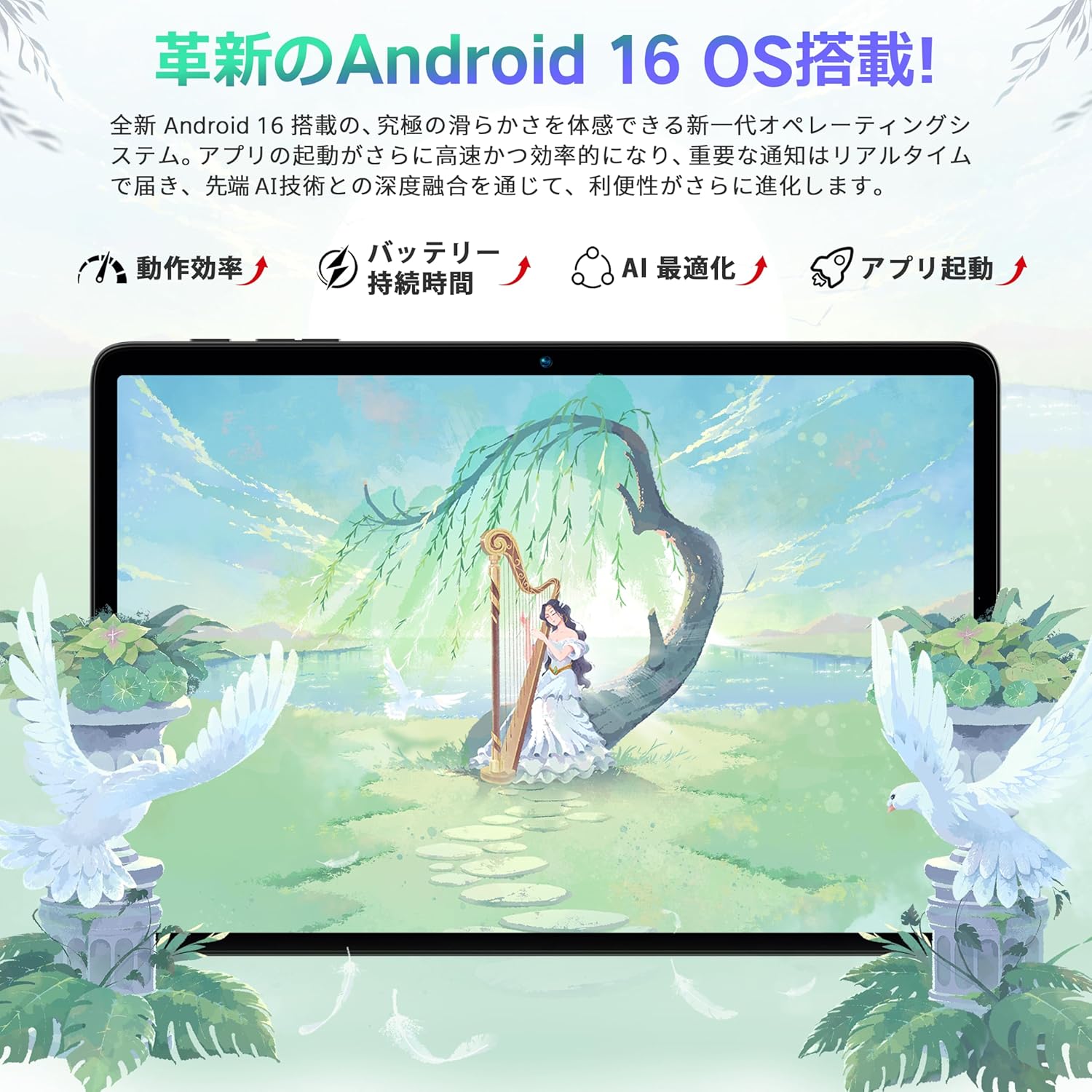
This manual provides comprehensive instructions for the Bmax I10 Plus tablet. Designed for optimal performance and user experience, this device features the latest Android 16 operating system, a powerful 8-core T7250 CPU, and a vibrant 10.1-inch IPS display. Please read this manual thoroughly to understand the tablet's functions and ensure proper usage.

ภาพ: หน้าจอแท็บเล็ตแสดงasing the Android 16 operating system interface.
2. สินค้าหมดview
The Bmax I10 Plus tablet is a versatile device equipped with advanced features for entertainment, productivity, and communication.
ภาพ: ด้านหน้าและด้านหลัง view of the Bmax I10 Plus tablet, showcasing การออกแบบที่เพรียวบาง

ภาพ: โอเวอร์view of the Bmax I10 Plus tablet's key features, including CPU, display, battery, and memory.
2.1 เนื้อหาบรรจุภัณฑ์
Upon unboxing your Bmax I10 Plus tablet, verify that all components are present:
- Bmax I10 Plus Tablet PC
- สายเคเบิล USB Type-C
- อะแดปเตอร์แปลงไฟ
- คู่มือการใช้งาน
- SIM Ejector Tool (if applicable for 4G model, though product description states Wi-Fi model)

Image: The Bmax I10 Plus tablet laid out with its standard accessories: charging cable, power adapter, and user manual.
2.2 ลักษณะทางกายภาพ
The tablet features a slim design with a 10.1-inch IPS display. Key physical components include:
- แสดง: 10.1-inch IPS incell TDDI touchscreen with 1280x800 resolution.
- กล้องถ่ายรูป: Front camera (5MP) and Rear camera (8MP).
- พอร์ต: พอร์ต USB Type-C สำหรับการชาร์จและถ่ายโอนข้อมูล
- เสียง: Dual speakers, 3.5mm audio jack.
- ปุ่ม: ปุ่มเปิด/ปิด, ปุ่มปรับระดับเสียง
- ช่องใส่การ์ด: Supports up to 1TB expandable storage via a storage card.
3. การตั้งค่า
3.1 การเปิดเครื่องครั้งแรก
To power on your Bmax I10 Plus tablet, press and hold the power button located on the side of the device until the screen illuminates. The tablet will boot up, displaying the Bmax logo and then the Android welcome screen.
3.2 การตั้งค่าภาษา
Upon first boot, you will be prompted to select your preferred language.
- On the welcome screen, tap on 'English (United States)' or the currently displayed language.
- Scroll through the list and select your desired language, for example, '日本語' (Japanese).
- Confirm your selection. The system interface will switch to the chosen language.
- Click 'Start' or '開始' to proceed with the initial setup.
Video: This video demonstrates how to set the display language to Japanese during the initial setup of a Bmax tablet.
3.3 การเชื่อมต่อ Wi-Fi
During the initial setup, you will be asked to connect to a Wi-Fi network.
- Select your preferred Wi-Fi network from the list of available networks.
- ป้อนรหัสผ่าน Wi-Fi หากได้รับแจ้ง
- Tap 'Connect'.
- If you do not wish to connect to Wi-Fi immediately, select 'Set up offline' to continue the setup process without an internet connection.
3.4 วันที่และเวลา
After connecting to Wi-Fi (or setting up offline), you will configure the date and time.
- เลือกเขตเวลาของคุณ
- Adjust the date and time if they are not automatically set.
- Tap 'Next' to continue.
4. คู่มือการใช้งาน
4.1 การนำทางพื้นฐาน
The Bmax I10 Plus tablet uses standard Android navigation gestures and controls.
- แตะ: เลือกรายการหรือเปิดแอปพลิเคชัน
- ปัด: เลื่อนดูหน้าจอหรือรายการ
- หยิก: Zoom in or out on content like photos or web หน้า
- กดแบบยาว: เข้าถึงเมนูบริบทหรือย้ายไอคอน

Image: A hand interacting with the tablet's touchscreen, demonstrating smooth and responsive touch input.
4.2 ฟังก์ชันการแบ่งหน้าจอ
The tablet supports split-screen mode, allowing you to use two applications simultaneously.
- เปิดแอปพลิเคชันแรกที่คุณต้องการใช้
- Access the recent apps menu (usually by swiping up from the bottom or tapping a dedicated button).
- Long-press the icon of the first app and drag it to one side of the screen.
- Select the second application from the recent apps list to fill the other half of the screen.
- Adjust the size of each app window by dragging the divider in the middle.
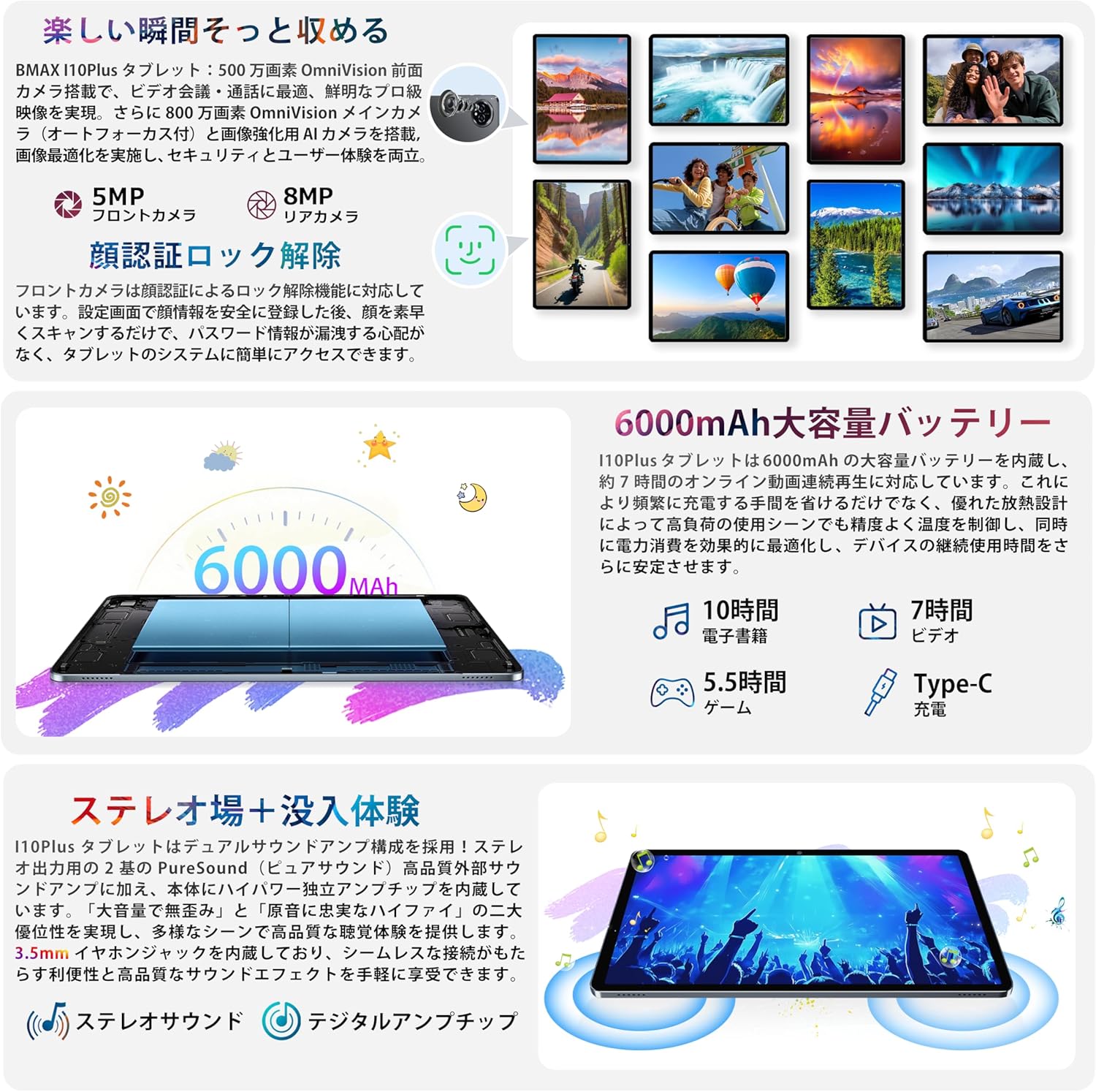
Image: The Bmax I10 Plus tablet showing two applications running side-by-side in split-screen mode, enhancing multitasking.
4.3 การจดจำใบหน้า
Unlock your tablet quickly and securely using face recognition.
- ไปที่ การตั้งค่า > ความปลอดภัยและความเป็นส่วนตัว > ปลดล็อคด้วยใบหน้า.
- ปฏิบัติตามคำแนะนำบนหน้าจอเพื่อลงทะเบียนใบหน้าของคุณ
- Once registered, simply look at the front camera to unlock your device.

Image: The tablet screen illustrating the face recognition feature for quick and secure device unlocking.
4.4 การบริโภคสื่อ
Enjoy high-quality video and audio with the tablet's IPS display and dual speakers. The device supports Widevine L1 and Netflix L1 for high-definition streaming from platforms like Amazon Prime Video, Netflix, and Hulu.
- การเล่นวิดีโอ: Open your preferred video streaming app or gallery to watch videos.
- การอ่าน: Use e-reader apps for a comfortable reading experience.
- เสียง: Connect headphones to the 3.5mm jack or use Bluetooth audio devices for private listening.
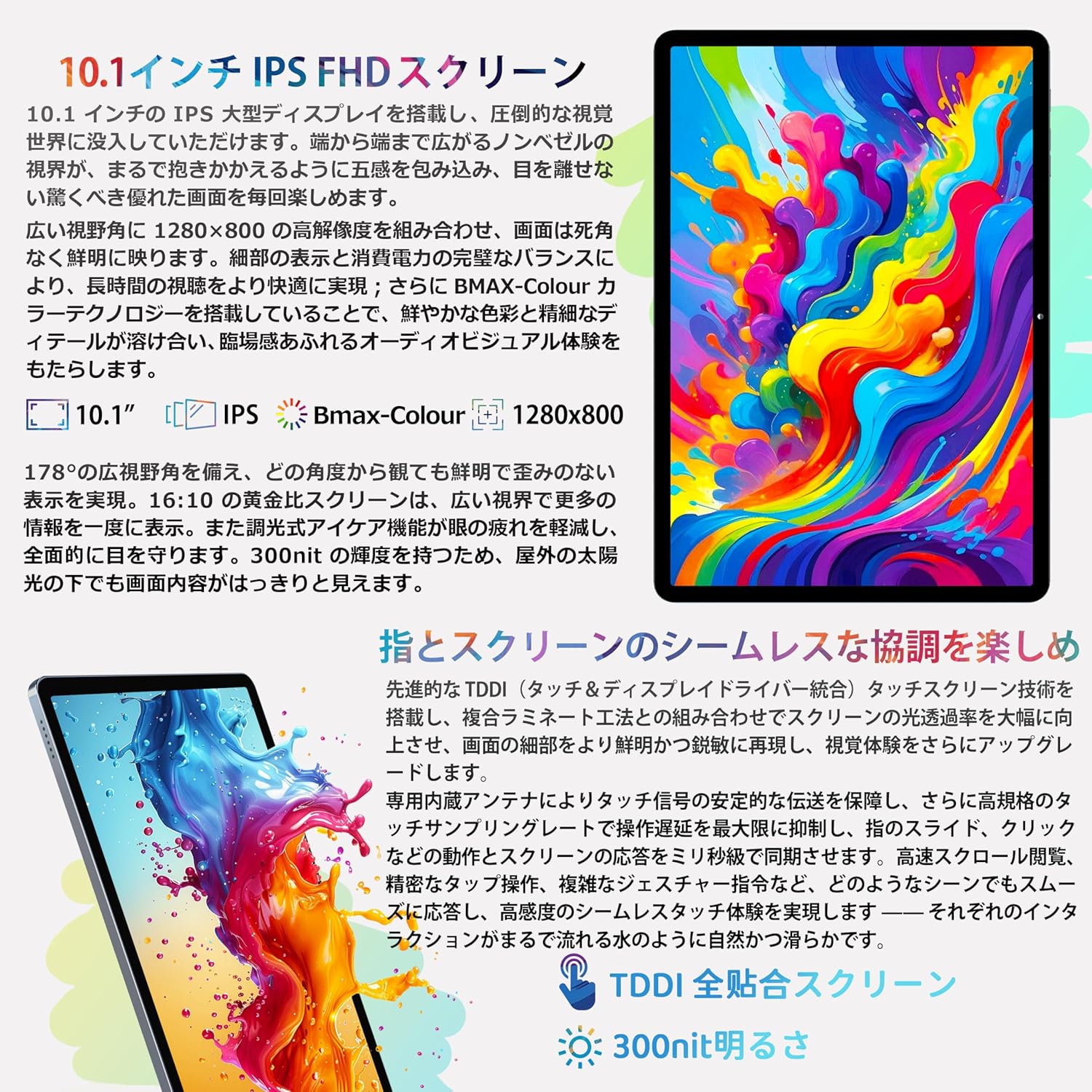
Image: A user holding the Bmax I10 Plus tablet while reading an e-book, highlighting the comfortable reading experience.

Image: The Bmax I10 Plus tablet displaying a video, showcasing its vibrant IPS screen.

Image: A person enjoying content on the Bmax I10 Plus tablet, demonstrating its use for media consumption.
Video: This video highlights various features and usage scenarios of a Bmax Android tablet, including gaming, browsing, and media playback.
4.5 การเล่นเกม
The 8-core T7250 CPU and ARM Mali-G57 GPU provide a smooth gaming experience.

Image: A user playing a game on the Bmax I10 Plus tablet, showcasing its gaming capabilities.

Image: A person engrossed in a game on the Bmax I10 Plus tablet, demonstrating its suitability for mobile gaming.
4.6 ฟังก์ชัน OTG
The tablet supports USB On-The-Go (OTG), allowing you to connect external USB devices such as flash drives, keyboards, or mice for enhanced functionality. Connect the OTG adapter (not included) to the Type-C port, then connect your USB device.
4.7 วิทยุ FM
To use the FM radio feature, connect wired headphones to the 3.5mm audio jack. The headphones act as an antenna. Open the FM Radio application and scan for available stations.
4.8 การฉายภาพแบบไร้สาย
The tablet supports wireless projection, allowing you to mirror your screen to a compatible display or TV.
- Ensure your tablet and the target display device are connected to the same Wi-Fi network.
- ไปที่ การตั้งค่า > อุปกรณ์ที่เชื่อมต่อ > การตั้งค่าการเชื่อมต่อ > Cast.
- Select your desired display device from the list.
4.9 การควบคุมโดยผู้ปกครอง
The tablet includes parental control features to ensure healthy usage for children. These features allow you to manage app access, screen time, and content filters.

Image: A child using the Bmax I10 Plus tablet, illustrating its suitability for family use with parental controls.
5. ข้อมูลจำเพาะ
The following table outlines the technical specifications of the Bmax I10 Plus tablet.
| คุณสมบัติ | คำอธิบาย |
|---|---|
| ยี่ห้อ | บีแม็กซ์ |
| ชื่อรุ่น | I10 Plus |
| ระบบปฏิบัติการ | แอนดรอยด์ 16 |
| ซีพียู | 8-core T7250 Processor |
| จีพียู | ARM Mali-G57 |
| แรม | 16GB (4GB หน่วยความจำจริง + 12GB หน่วยความจำเสมือน) |
| หน่วยความจำภายใน (ROM) | 128GB |
| พื้นที่เก็บข้อมูลแบบขยายได้ | Up to 1TB via storage card |
| ขนาดหน้าจอ | 10.1 นิ้ว |
| ประเภทจอภาพ | IPS incell TDDI |
| ปณิธาน | 1280x800 พิกเซล |
| อัตราส่วนภาพ | 16:10 น. |
| อัตราการรีเฟรช | 60เฮิรตซ์ |
| กล้องหน้า | 5MP |
| กล้องหลัง | 8MP |
| ความจุของแบตเตอรี่ | 6000mAh |
| พอร์ตชาร์จ | ยูเอสบี ไทป์ ซี |
| การเชื่อมต่อแบบไร้สาย | Wi-Fi (2.4GHz/5GHz, 802.11ac), Bluetooth 5.2 |
| การนำทาง | GPS, GLONASS, BDS, GALILEO |
| ขนาด (กว้าง x ยาว x สูง) | 24.2 x 16.1 x 0.9 ซม. |
| คุณสมบัติเพิ่มเติม | OTG, FM Radio, Split Screen, G-sensor, Face Recognition, Wireless Projection |

Image: A diagram illustrating the high-performance 8-core T7250 CPU.

รูปภาพ: แผนภาพแสดงasing the ARM Mali-G57 GPU for graphics processing.
6. การจัดการแบตเตอรี่
The Bmax I10 Plus is equipped with a 6000mAh lithium polymer battery, providing extended usage times for work, study, and entertainment.
- การชาร์จ: Use the provided Type-C cable and power adapter to charge the tablet.
- อายุการใช้งานแบตเตอรี่: Expect approximately 10 hours for e-books, 7 hours for video playback, and 5.5 hours for gaming on a full charge.
- ความปลอดภัย: The battery has passed safety certifications to ensure reliable operation.

ภาพ: ภายใน view of the Bmax I10 Plus tablet highlighting its 6000mAh battery capacity.
7. การจัดการการจัดเก็บข้อมูล
The tablet comes with 128GB of internal storage (ROM) and 16GB of RAM (4GB physical + 12GB virtual memory) for smooth multitasking. Storage can be expanded up to 1TB using a storage card (not included).
- พื้นที่เก็บข้อมูลที่ขยายได้: Insert a compatible storage card into the designated slot to increase available space for photos, videos, music, and applications.
- File โอน: Use the USB Type-C cable to connect the tablet to a computer for file management, or utilize OTG functionality with a USB flash drive.

Image: A visual representation of the tablet's 16GB RAM, 128GB ROM, and 1TB expandable storage capabilities.
8. การเชื่อมต่อ
The Bmax I10 Plus tablet offers robust connectivity options.
- ไวไฟ : Supports 2.4GHz and 5GHz Wi-Fi (802.11ac) for stable and fast internet access.
- Bluetooth 5.2: Connect wireless headphones, speakers, and other Bluetooth-enabled accessories.
- จีพีเอส: Integrated GPS module provides accurate navigation services.

Image: The tablet highlighting its stable high-speed connectivity features, including 2.4G+5G Wi-Fi and Bluetooth 5.2.
9. การใช้กล้อง
The tablet is equipped with a 5MP front camera and an 8MP rear camera, suitable for video calls, capturing photos, and scanning documents.
- ถ่ายรูป: เปิดแอปกล้องแล้วแตะปุ่มชัตเตอร์เพื่อถ่ายภาพ
- การบันทึกวิดีโอ: Switch to video mode in the Camera app to record videos.
- การตั้งค่า: Adjust camera settings such as resolution, flash, and modes within the Camera app.
10. การบำรุงรักษา
Proper maintenance ensures the longevity and optimal performance of your Bmax I10 Plus tablet.
- การทำความสะอาด: ใช้ผ้าเนื้อนุ่มที่ไม่เป็นขุยเช็ดทำความสะอาดหน้าจอและตัวเครื่องแท็บเล็ต หลีกเลี่ยงการใช้สารทำความสะอาดที่มีฤทธิ์กัดกร่อนหรือตัวทำละลาย
- การอัปเดตซอฟต์แวร์: ตรวจสอบและติดตั้งการอัปเดตระบบเป็นประจำเพื่อให้แน่ใจว่าอุปกรณ์ของคุณมีคุณสมบัติล่าสุดและแพทช์ความปลอดภัย ไปที่ การตั้งค่า > ระบบ > อัปเดตระบบ.
- การสำรองข้อมูล: ควรสำรองข้อมูลสำคัญไปยังระบบคลาวด์หรืออุปกรณ์ภายนอกเป็นระยะ เพื่อป้องกันการสูญหายของข้อมูล
11 การแก้ไขปัญหา
If you encounter issues with your Bmax I10 Plus tablet, refer to the following common troubleshooting steps:
- อุปกรณ์ไม่เปิด: ตรวจสอบให้แน่ใจว่าแบตเตอรี่ชาร์จเต็มแล้ว เสียบแท็บเล็ตเข้ากับที่ชาร์จและรอสักครู่ก่อนที่จะลองเปิดเครื่องอีกครั้ง
- หน้าจอค้าง: กดปุ่มเปิด/ปิดค้างไว้ประมาณ 10-15 วินาทีเพื่อบังคับให้รีสตาร์ท
- ปัญหาการเชื่อมต่อ Wi-Fi: ตรวจสอบว่าเปิดใช้งาน Wi-Fi ในการตั้งค่าแล้วหรือไม่ รีสตาร์ทเราเตอร์และแท็บเล็ต ตรวจสอบให้แน่ใจว่าคุณอยู่ในระยะสัญญาณ Wi-Fi
- แอปพลิเคชันหยุดทำงาน: ล้างแคชและข้อมูลของแอปที่มีปัญหาใน การตั้งค่า > แอป > [ชื่อแอป] > ที่เก็บข้อมูลหากปัญหายังคงมีอยู่ ให้ถอนการติดตั้งและติดตั้งแอปใหม่อีกครั้ง
- ประสิทธิภาพช้า: Close unnecessary background applications. Clear cached data regularly. Consider performing a factory reset if performance issues continue (back up your data first).
12. ข้อมูลด้านความปลอดภัย
Please read and follow these safety guidelines to prevent damage to your device or injury to yourself and others.
- อย่าให้ยาเม็ดนี้ถูกวางไว้ในที่ที่มีอุณหภูมิสูงหรือต่ำเกินไป โดนแสงแดดโดยตรง หรืออยู่ในที่ชื้น
- ควรหลีกเลี่ยงการทำแท็บเล็ตตกหรือกระแทกอย่างรุนแรง
- Use only Bmax-approved chargers and accessories.
- อย่าพยายามถอดประกอบหรือซ่อมแซมแท็บเล็ตด้วยตนเอง โปรดติดต่อฝ่ายบริการลูกค้าเพื่อขอความช่วยเหลือ
- Keep the tablet away from children and pets to prevent accidental damage or ingestion of small parts.
13. การรับประกันและการสนับสนุน
Your Bmax I10 Plus tablet comes with a 1-year warranty against manufacturer defects.
- ระยะเวลารับประกัน: Enjoy a 1-year warranty service from the date of purchase.
- นโยบายการคืนเงิน: Products purchased from our store are eligible for a 30-day refund policy.
- ติดต่อฝ่ายสนับสนุน: If you encounter any issues or have questions, please contact our customer support team via email. Our staff will respond within 24 hours.
- How to Contact: Navigate to your Amazon account, then 'Order History', and select the relevant order to contact the seller.

Image: A customer support representative, symbolizing the available support for Bmax products.

Image: Information detailing the Bmax 1-year warranty service, ensuring product quality and customer peace of mind.