
การแนะนำ
This manual provides detailed instructions for the proper setup, operation, maintenance, and troubleshooting of your Tilta Khronos Case for iPhone 17 Pro Max. Please read this manual thoroughly before using the product to ensure optimal performance and longevity.
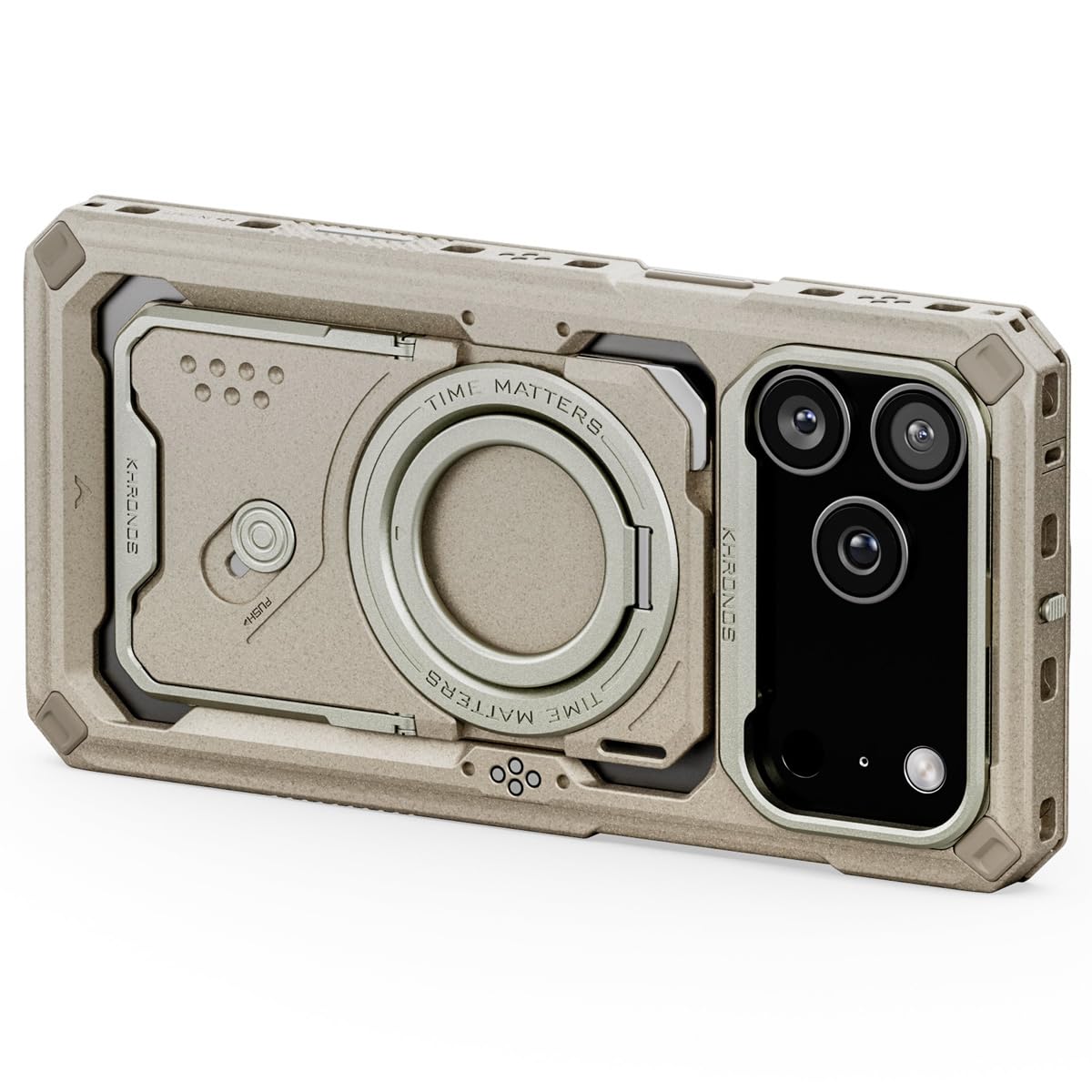
Image: The Tilta Khronos Case for iPhone 17 Pro Max in beige, featuring its integrated kickstand extended for hands-free viewการไอเอ็นจี
สินค้าเกินview
The Tilta Khronos Case is designed to enhance the functionality and protection of your iPhone 17 Pro Max, offering a versatile platform for mobile filmmaking and photography. Key features include:
- ออกแบบตามสั่ง: Specifically engineered for iPhone 17 Pro Max smartphones, ensuring a precise fit and full access to all ports and buttons.
- การออกแบบที่สามารถขยายได้: Compatible with a wide range of accessories such as focus side handles, cooling modules, filters, on-board lights, and USB-C hubs, creating a comprehensive mobile production ecosystem.
- การติดตั้งที่ปลอดภัย: Features a locking clamp design for securely attaching accessories and mounting the system to tripods or other support systems.
- Passthrough Power: Integrated electronic contact points provide convenient passthrough power options for connected accessories.
- Snap-in Design: Allows for quick and easy installation or removal of your iPhone when needed.
การตั้งค่า
1. Installing Your iPhone
- Ensure the case is clean and free of debris.
- Align your iPhone 17 Pro Max with the case, ensuring the camera module and ports match the case cutouts.
- Gently press your iPhone into the case until it snaps securely into place. Verify that all edges are flush and the phone is firmly seated.
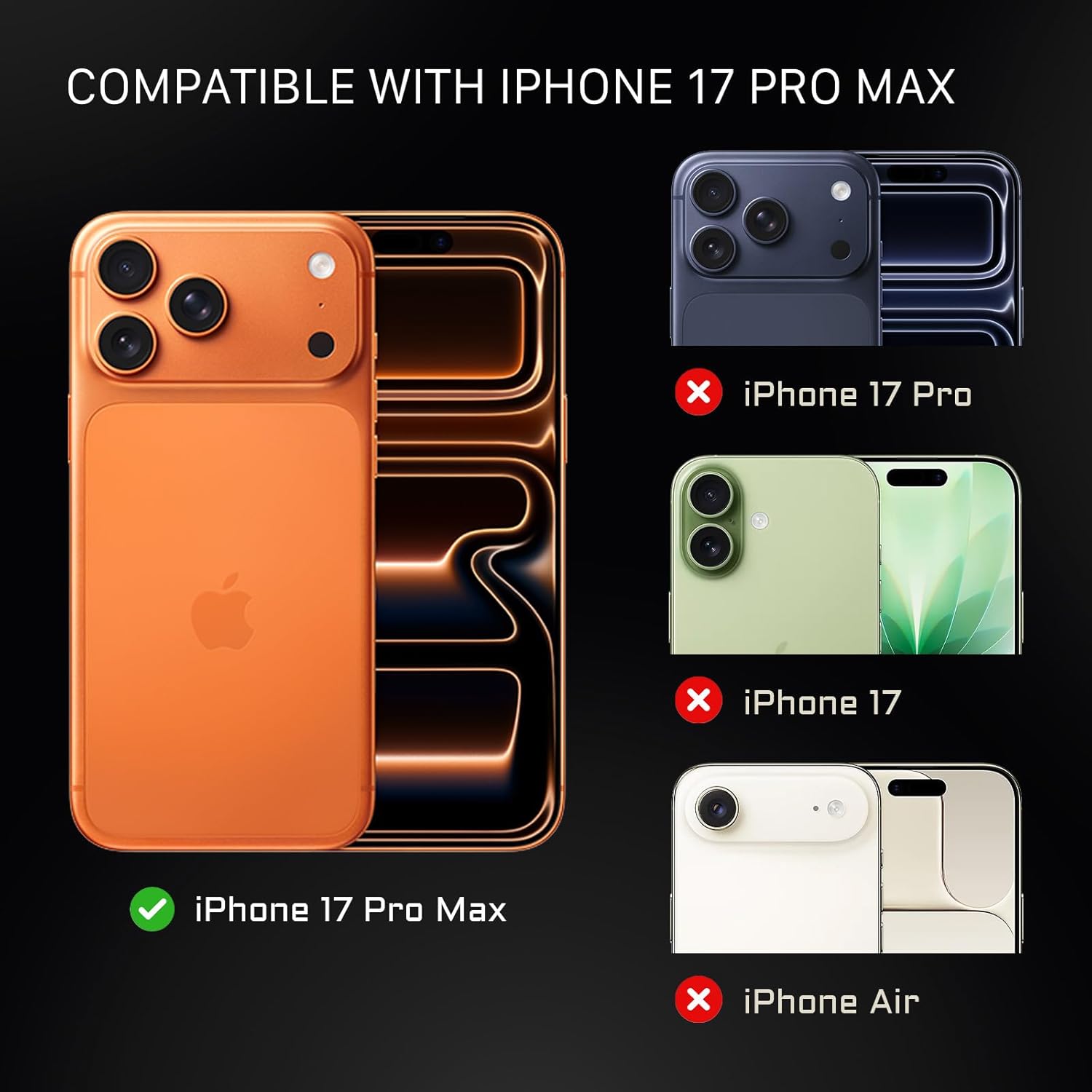
Image: Visual guide confirming the Tilta Khronos Case is specifically designed for the iPhone 17 Pro Max, highlighting its precise fit.
2. การติดตั้งอุปกรณ์เสริม
The Khronos Case features multiple mounting points and a locking clamp system for various accessories.
- Back Plate System: The practical 3+3 back plate system allows for modular attachment of accessories. Align the accessory with the desired slot and slide it into place until it locks securely.
- ล็อค Clamp: For larger accessories or mounting to tripods, utilize the integrated locking clamp. Open the clamp, position the accessory or mounting plate, and close the clamp ให้แน่นหนามั่นคง
- Passthrough Power: Accessories designed for passthrough power will connect via the electronic contact points on the case. Ensure a firm connection for power delivery.

Image: An illustration detailing the modular 3+3 back plate system, showcasing the multi-functional back plate, magnetic ring stand, and an optional card holder.

ภาพ: ภาพระยะใกล้ view of the Tilta Khronos Case highlighting its built-in circuitry, which enables passthrough power for compatible accessories.
การดำเนินงาน
1. การใช้งานขาตั้งในตัว
The case features a magnetic ring stand integrated into the back plate. To use it, simply pull out the ring stand from its recess. It can rotate 360 degrees, allowing for both horizontal and vertical phone orientation. Push it back into the recess when not in use.
2. Horizontal and Vertical Shooting
The modular design and various mounting points facilitate effortless switching between horizontal and vertical shooting modes. Attach side handles or other grips as needed for comfortable and stable operation in either orientation.

Image: Demonstrates the versatility of the Tilta Khronos Case, showing an iPhone mounted horizontally and vertically with attached accessories for seamless shooting.
3. Utilizing the Open Ecosystem for Filters and Lenses
The Khronos Case supports an open ecosystem for creative enhancements:
- Filter Tray: Compatible with the Khronos Filter Tray (58mm). Snap the filter tray onto the case over the camera module.
- Lens Adapters: Compatible with Khronos Lens Adapters for 17mm thread lenses and T-series mount lenses. Attach the appropriate lens adapter to expand your photographic capabilities.

Image: Illustrates the Tilta Khronos Case's compatibility with various photographic accessories, including a 58mm filter tray and lens adapters for 17mm thread and T-series mount lenses.
4. วิดีโอผลิตภัณฑ์อย่างเป็นทางการ
Video: An official Tilta video showcasing the Khronos Ecosystem for iPhone 17 Pro and Pro Max, demonstrating various features and accessory integrations.
การซ่อมบำรุง
To maintain the condition and functionality of your Tilta Khronos Case, follow these guidelines:
- การทำความสะอาด: เช็ดเคสเป็นประจำด้วยผ้านุ่มๆamp cloth. Avoid using harsh chemicals or abrasive materials, which can damage the polycarbonate material.
- การตรวจสอบ: Periodically check the locking clamps and accessory mounting points for any signs of wear or damage. Ensure they are functioning correctly to maintain secure attachment.
- พื้นที่จัดเก็บ: เมื่อไม่ได้ใช้งาน ให้เก็บเคสไว้ในสภาพแวดล้อมที่สะอาดและแห้ง ห่างจากอุณหภูมิที่สูงและแสงแดดโดยตรง

Image: A visual representation emphasizing the rugged protection and premium finish of the Tilta Khronos Case, highlighting its durable construction.
การแก้ไขปัญหา
If you encounter any issues with your Tilta Khronos Case, refer to the following common solutions:
- iPhone Not Fitting Securely: Ensure your iPhone is correctly aligned with the case and pressed firmly until it snaps into place. Check for any obstructions or debris within the case.
- Accessories Not Attaching: Verify that the accessory is compatible with the Khronos system. Ensure the locking clamp or back plate mechanism is fully engaged and free from obstructions.
- Passthrough Power Issues: Check that the accessory requiring power is properly connected to the electronic contact points. Ensure the power source (e.g., USB-C hub) is functioning correctly.
- ปุ่มไม่ตอบสนอง: Confirm that your iPhone is seated correctly within the case and that the case's buttons align perfectly with your phone's buttons.
If problems persist, please contact Tilta customer support for further assistance.
ข้อมูลจำเพาะ
| คุณสมบัติ | รายละเอียด |
|---|---|
| ยี่ห้อ | ทิลต้า |
| รุ่นโทรศัพท์ที่รองรับ | ไอโฟน 17 โปรแม็กซ์ |
| สี | สีเบจ |
| วัสดุ | โพลีคาร์บอเนต |
| หมายเลขรุ่น | TK-IP17-PMFC-BG |
| ยูพีซี | 810193520397 |
| จำนวนรายการ | 1 |
การรับประกันและการสนับสนุน
ข้อมูลการรับประกัน
The Tilta Khronos Case for iPhone 17 Pro Max comes with a รับประกันกลไก 2 ปี และก 1-year electronic warrantyการรับประกันนี้ครอบคลุมข้อบกพร่องด้านวัสดุและฝีมือการผลิตภายใต้การใช้งานปกติ โปรดเก็บหลักฐานการซื้อไว้เพื่อขอรับสิทธิ์การรับประกัน
การสนับสนุนลูกค้า
For any questions, technical assistance, or warranty inquiries, please contact Tilta customer support through their official website or the retailer where the product was purchased. Provide your model number (TK-IP17-PMFC-BG) and a detailed description of your issue for efficient service.