
1. บทนำ
This manual provides essential information for the safe and efficient operation, maintenance, and troubleshooting of your ECOROAD ES4 Electric Scooter. Please read this manual thoroughly before using the scooter and retain it for future reference.

Figure 1: ECOROAD ES4 Electric Scooter with included accessories.
2. คำแนะนำด้านความปลอดภัย
Your safety is paramount. Always wear a helmet and appropriate protective gear when riding. Adhere to all local traffic laws and regulations. Avoid riding in adverse weather conditions or on slippery surfaces. Ensure the scooter is in good working order before each use.
- ควรสวมหมวกนิรภัยและอุปกรณ์ป้องกันเสมอ
- Observe local traffic laws and regulations.
- อย่าขี่ภายใต้ฤทธิ์แอลกอฮอล์หรือยาเสพติด
- Avoid riding in heavy rain, snow, or on icy roads.
- Perform a pre-ride check of brakes, tires, and lights.
3. เนื้อหาบรรจุภัณฑ์
ตรวจสอบว่ามีสินค้าครบทั้งหมดเมื่อแกะกล่อง:
- ECOROAD ES4 Electric Scooter
- ที่ชาร์จ (1x)
- คู่มือการใช้งาน
- ชุดเครื่องมือประกอบ
4. การตั้งค่าและการประกอบ
The ECOROAD ES4 Electric Scooter comes mostly pre-assembled. Follow these steps to complete the setup:
4.1. การแกะกล่องและการตรวจสอบเบื้องต้น
Carefully remove the scooter and all accessories from the packaging. Inspect for any signs of damage during transit.
4.2. การกางสกูตเตอร์
Lift the handlebar stem until it locks into the upright position. Ensure the folding mechanism is securely latched. Attach the handlebars by screwing them into place.
4.3. Installing the Rear Mudguard
Attach the rear mudguard using the provided screws and tool. Ensure it is firmly secured over the rear wheel.
Video 1: Detailed installation guide for the ECOROAD ES4 Electric Scooter, demonstrating unfolding and mudguard attachment.
5. การดำเนินการ
5.1. การเปิด/ปิดเครื่อง
Press and hold the power button on the display to turn the scooter on or off. The display will illuminate, showing battery level, speed mode, and other ride data.
5.2. โหมดความเร็ว
The ES4 offers 4 speed modes, allowing you to adjust acceleration and top speed according to your preference and environment. Use the mode button on the handlebar control panel to cycle through the modes.

Figure 2: The 800W motor provides strong acceleration and supports 4 speed modes for varied riding experiences.
5.3. แสดงผลทับview
The central display provides real-time information including current speed, battery level, trip distance, total mileage, and selected speed mode. It also indicates headlight status.

Figure 3: The clear digital display provides essential ride information, complemented by integrated lighting.
5.4. การเชื่อมต่อแอพ
Download the ECOROAD companion app to enhance your riding experience. The app allows you to:
- Lock/unlock the scooter.
- Track your trips and mileage.
- ตรวจสอบอายุการใช้งานแบตเตอรี่
- Adjust speed limits and driving modes.
5.5. แสงไฟ
The ES4 is equipped with comprehensive lighting for visibility and safety:
- ไฟหน้า: Bright LED headlight for illuminating the path ahead.
- ไฟท้าย: Integrated rear LED light for visibility from behind. Functions as a brake light when activated.
- RGB Deck Lights: Customizable RGB lights along the deck enhance side visibility and add a distinctive look.
5.6. ระบบเบรก
The scooter features a reliable triple braking system for effective stopping power:
- ดรัมเบรก: Located on both front and rear wheels for mechanical stopping.
- E-ABS: Electronic Anti-lock Braking System provides additional control and prevents wheel lock-up during hard braking.

Figure 4: The high-performance drum brake system ensures reliable stopping power.
5.7. การขับขี่สกู๊ตเตอร์
Place one foot on the deck and push off with the other foot to gain initial momentum. Once moving, gently press the thumb throttle to accelerate. To slow down, release the throttle and apply the brake levers. The 8.5-inch pneumatic off-road tires and effective suspension system provide a smooth ride across various terrains, including city streets and park paths. The scooter can handle inclines up to 20 degrees.

Figure 5: Dual suspension and pneumatic tires ensure a smooth ride on various terrains.
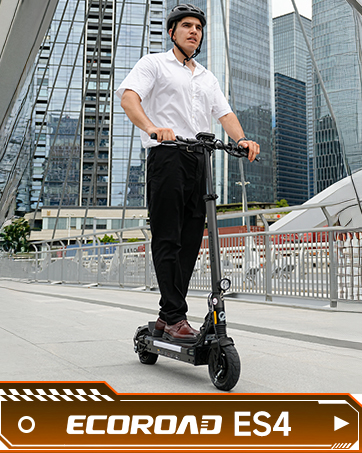
Figure 6: The ES4 is capable of climbing slopes up to 20 degrees with ease.
6. การชาร์จไฟ
6.1. กระบวนการชาร์จ
To charge the scooter, locate the charging port on the side of the deck. Open the protective cover and connect the charger. The charger indicator light will typically show red when charging and turn green when fully charged. A full charge takes approximately 4 hours.
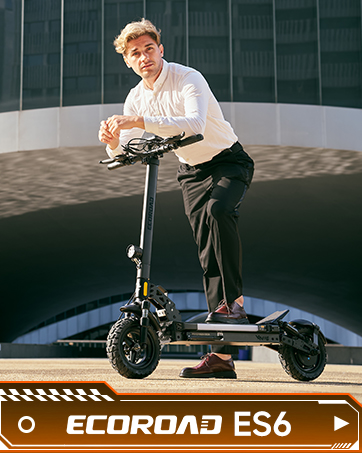
Figure 7: The 48V 10.4Ah battery provides an extended range of up to 25 miles.
6.2. ไฟแสดงสถานะแบตเตอรี่
The display shows the current battery level. It is recommended to charge the scooter after each use or when the battery level is low to maintain optimal battery health.
7. การบำรุงรักษา
7.1. การดูแลทั่วไป
ทำความสะอาดสกูตเตอร์ของคุณเป็นประจำด้วยน้ำยาทำความสะอาดamp cloth. Avoid using harsh chemicals that may damage the finish. Store the scooter in a dry, cool place away from direct sunlight and extreme temperatures.
7.2. การบำรุงรักษายางรถยนต์
Check tire pressure regularly to ensure optimal performance and safety. Maintain the recommended pressure as indicated on the tire sidewall.
7.3. การตรวจสอบเบรก
Periodically inspect the brake levers and cables for proper function and wear. Adjust or replace components as needed to ensure effective braking.
8 การแก้ไขปัญหา
If you encounter any issues with your ECOROAD ES4 Electric Scooter, please refer to the following common troubleshooting tips:
- สกู๊ตเตอร์ไม่สามารถเปิดเครื่องได้: Ensure the battery is charged and the power button is pressed firmly.
- ระยะทาง/ความเร็วลดลง: Check tire pressure, ensure battery is fully charged, and verify riding mode settings in the app.
- Brakes not responsive: Inspect brake cables for tension and wear. Adjust as necessary.
- ปัญหาการเชื่อมต่อแอป: Ensure Bluetooth is enabled on your device and the scooter is powered on and within range.
หากมีปัญหาเกิดขึ้นอย่างต่อเนื่อง โปรดติดต่อฝ่ายสนับสนุนลูกค้า
9. ข้อมูลจำเพาะ
| คุณสมบัติ | ข้อมูลจำเพาะ |
|---|---|
| ยี่ห้อ | ECOROAD |
| ชื่อรุ่น | ES4 |
| กำลังมอเตอร์ | 800W (สูงสุด 1000W) |
| ความเร็วสูงสุด | 25 ไมล์ต่อชั่วโมง |
| ช่วงสูงสุด | สูงสุด 25 ไมล์ |
| แบตเตอรี่ | 48V 10.4Ah |
| เวลาในการชาร์จ | 4 ชั่วโมง |
| จำกัด น้ำหนัก | 330 ปอนด์ |
| ขนาดยาง | 8.5 นิ้ว |
| ประเภทยาง | ระบบลมยางสำหรับรถออฟโรด |
| การระงับ | ระบบกันสะเทือนแบบสปริง |
| สไตล์เบรค | Triple Braking System (Drum Brakes, E-ABS) |
| วัสดุกรอบ | อลูมิเนียม |
| ขนาดสินค้า | ยาว 50 นิ้ว x กว้าง 22.3 นิ้ว x สูง 43.5 นิ้ว |
| น้ำหนักสินค้า | 25.4 ปอนด์ |
| คุณสมบัติพิเศษ | Adjustable Handlebar Height, Cruise Control, Digital Display, Dual Braking System, Foldable, RGB Lights, APP Control |
10. ข้อมูลการรับประกัน
The ECOROAD ES4 Electric Scooter comes with a limited manufacturer's warranty. A 180-day warranty is provided for different parts of the scooter. Please refer to the warranty card included in your package for full details and terms.
11. การสนับสนุนลูกค้า
For any questions, technical assistance, or warranty claims, please contact ECOROAD customer support:
- อีเมล: support-us@ecoroad.com (ตอบกลับภายใน 24 ชั่วโมง)
- สายด่วนบริการ: +1-877-701-5009