
การแนะนำ
The ShanWan Wireless Controller is a versatile gaming peripheral designed for use across multiple platforms, including PC, iPhone, Android, Nintendo Switch, and Steam. It offers tri-mode connectivity (Bluetooth, 2.4G wireless, and USB-C wired) to ensure a seamless gaming experience. This manual provides detailed instructions for setup, operation, maintenance, and troubleshooting to help you maximize your controller's performance.
Note: This controller is not compatible with Xbox or PlayStation 4/5 consoles.
เนื้อหาแพ็คเกจ
- ShanWan Wireless Controller
- สายชาร์จ USB-C
- ดองเกิลไร้สาย 2.4G
- คู่มือการใช้งาน (เอกสารนี้)
คอนโทรลเลอร์โอเวอร์view
ภาพ: ด้านหน้า view of the ShanWan Wireless Controller, showcasing its ergonomic design, dual joysticks, D-pad, and face buttons (A, B, X, Y).
ภาพ: กลับ view of the ShanWan Wireless Controller, highlighting the mode switch for different platforms (X, D, S).
คุณสมบัติหลัก:
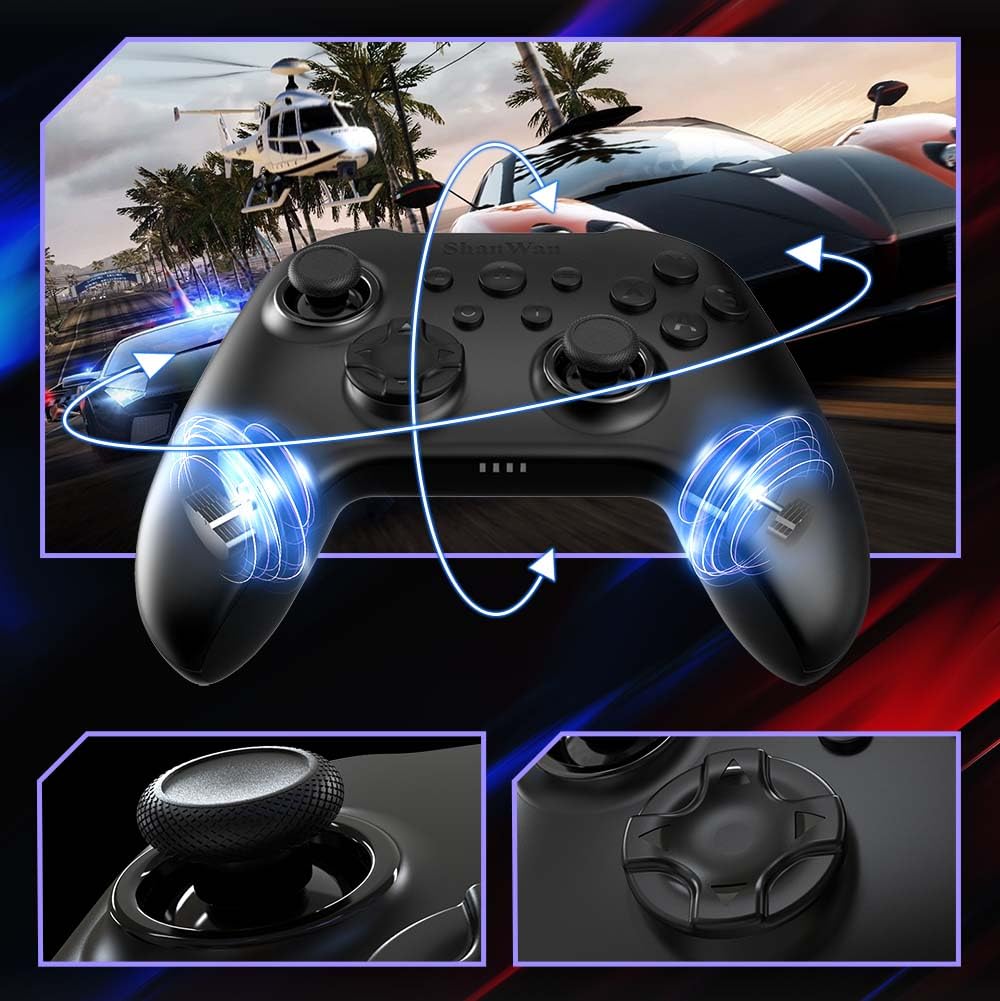
- จอยสติ๊กเอฟเฟกต์ฮอลล์: Designed for precision with no dead zones and anti-drift capabilities.
- ปุ่มเจลที่ทนทาน: Conductive gel buttons tested for 1 million clicks for long-lasting performance.
- ไจโรสโคป 6 แกน: Provides precise motion sensing for immersive gameplay.
- มอเตอร์สั่นสะเทือนคู่: Delivers strong and subtle haptic feedback for an enhanced gaming experience.
- ฟังก์ชั่นเทอร์โบ: ช่วยให้สามารถกดปุ่มซ้ำๆ กันได้อย่างรวดเร็ว
การตั้งค่า
1. การชาร์จคอนโทรลเลอร์
Before initial use, fully charge the controller using the provided USB-C cable. Connect the USB-C end to the controller and the USB-A end to a power source (e.g., computer USB port, USB wall adapter). The charging indicator lights will show charging status and turn off when fully charged.
2. การเชื่อมต่อกับอุปกรณ์
The ShanWan Wireless Controller supports three connection modes: Bluetooth, 2.4G Wireless, and USB-C Wired. Ensure the mode switch on the back of the controller is set to the appropriate platform before attempting to connect.

ภาพ: Visual representation of the controller's tri-mode connectivity, illustrating Bluetooth, 2.4G wireless, and USB-C wired options.
Mode Switch Settings:
- โหมด 'S': For Nintendo Switch.
- 'X' Mode: For PC (X-input), Android.
- 'D' Mode: For PC (D-input), iOS.
การเชื่อมต่อบลูทู ธ :
- Set the mode switch on the back of the controller to the desired platform ('S', 'X', or 'D').
- Press and hold the pairing button (usually a small button on the top or back) until the indicator lights flash rapidly.
- On your device (PC, iPhone, Android, Switch), go to Bluetooth settings and search for new devices.
- Select "ShanWan Controller" or a similar name from the list to pair.
- Once paired, the indicator lights on the controller will become solid.
2.4G Wireless Connection (for PC/Switch):
- Set the mode switch on the back of the controller to 'X' (for PC) or 'S' (for Switch).
- Insert the 2.4G wireless dongle into a USB port on your PC or Switch dock.
- Press the Home button on the controller to power it on. It should automatically connect to the dongle.
- The indicator lights will become solid once connected.
การเชื่อมต่อแบบมีสาย USB-C:
- Connect the USB-C cable to the controller and the other end to your PC or Switch dock.
- The controller will automatically be recognized as a wired device.
- No specific mode switch setting is required for wired connection, but setting it to the correct platform mode ('X' for PC, 'S' for Switch) is recommended for optimal compatibility.
คำแนะนำการใช้งาน
เปิด/ปิดเครื่อง:
- เปิดเครื่อง: กดปุ่มโฮมหนึ่งครั้ง
- หมดแรง: Press and hold the Home button for 3-5 seconds, or the controller will automatically power off after a period of inactivity.
การควบคุมการเคลื่อนไหว:
The built-in 6-axis gyroscope provides motion control capabilities, particularly useful for games on Nintendo Switch or other compatible platforms. Ensure the game supports motion controls for this feature to function.
ข้อเสนอแนะการสั่นสะเทือน:
The dual vibration motors provide haptic feedback during gameplay. The intensity of the vibration can often be adjusted through game settings or the Gamepad Space app.
ฟังก์ชั่นเทอร์โบ:
วิธีเปิดใช้งานฟังก์ชัน Turbo สำหรับปุ่มเฉพาะ:
- กดปุ่มที่คุณต้องการตั้งค่าเป็นโหมดเทอร์โบค้างไว้
- While holding the button, press the Turbo button (refer to controller layout for location).
- The button will now repeatedly register presses as long as it is held down.
To deactivate Turbo for a button, repeat the process.
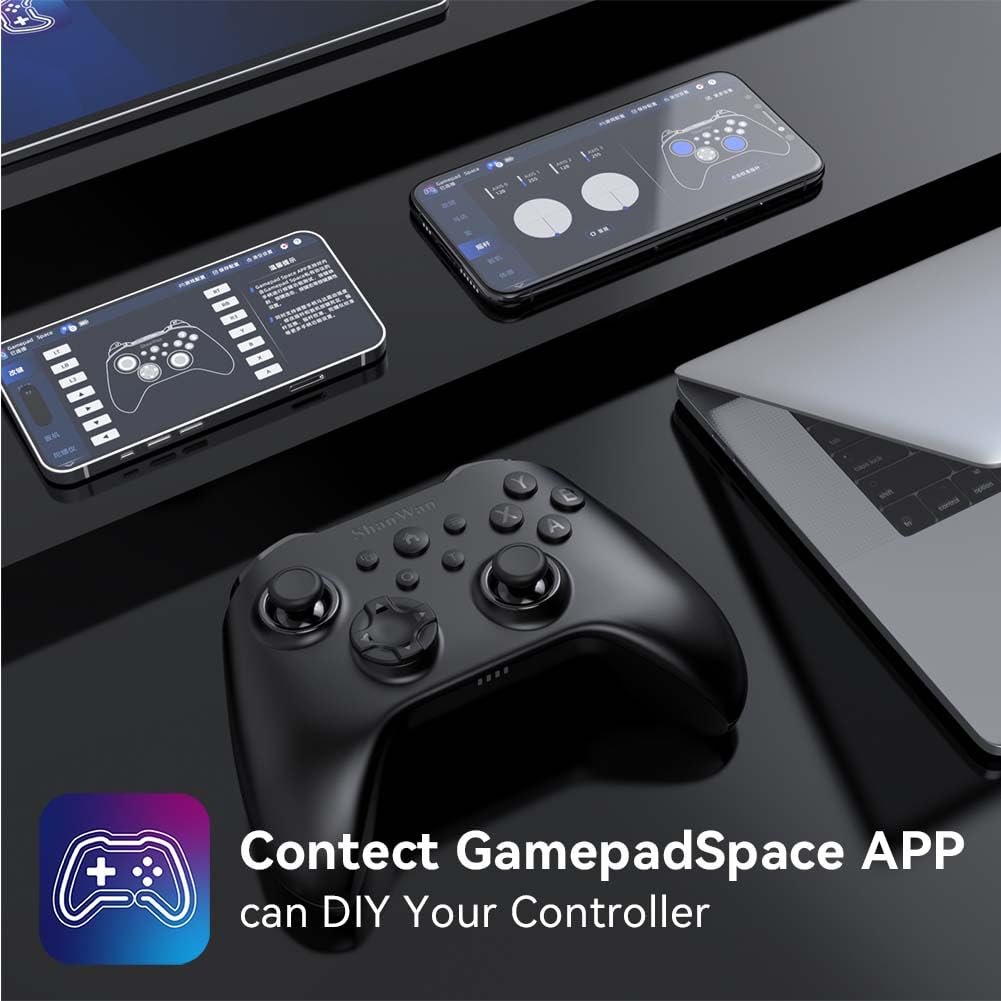
Software Customization (Gamepad Space App):
Enhance your gaming experience by customizing controller settings using the Gamepad Space mobile application.

ภาพ: A ShanWan controller alongside smartphones displaying the Gamepad Space app, illustrating options for calibration and on-the-fly adjustments.
- Download the "Gamepad Space" app from your mobile device's app store.
- Connect your controller to your mobile device via Bluetooth.
- ภายในแอป คุณสามารถ:
- อัพเกรดเฟิร์มแวร์
- ปรับระยะเดดโซนของจอยสติ๊กและไกปืน
- ปรับระดับความแรงของการสั่นสะเทือนได้ตามต้องการ
- ทดสอบปุ่มกด
การซ่อมบำรุง
- การทำความสะอาด: ใช้ผ้านุ่มและแห้งทำความสะอาดคอนโทรลเลอร์ หลีกเลี่ยงการใช้สารเคมีรุนแรงหรือวัสดุที่มีฤทธิ์กัดกร่อน
- พื้นที่จัดเก็บ: เก็บตัวควบคุมไว้ในที่แห้งและเย็น ห่างจากแสงแดดโดยตรงและอุณหภูมิที่สูงหรือต่ำมาก
- การดูแลแบตเตอรี่ เพื่อยืดอายุการใช้งานแบตเตอรี่ ควรหลีกเลี่ยงการปล่อยประจุแบตเตอรี่จนหมดบ่อยๆ ควรชาร์จเป็นประจำ แม้จะไม่ได้ใช้งานบ่อยก็ตาม
การแก้ไขปัญหา
ตัวควบคุมไม่เชื่อมต่อ:
- ตรวจสอบให้แน่ใจว่าได้ชาร์จคอนโทรลเลอร์แล้ว
- Verify the mode switch on the back of the controller is set correctly for your platform (S, X, or D).
- สำหรับการเชื่อมต่อบลูทูธ โปรดตรวจสอบให้แน่ใจว่าบลูทูธบนอุปกรณ์ของคุณเปิดอยู่ และตัวควบคุมอยู่ในโหมดจับคู่
- For 2.4G wireless, ensure the dongle is properly inserted and the controller is in the correct mode.
- ลองรีสตาร์ททั้งตัวควบคุมและอุปกรณ์ของคุณ
ความล่าช้าของอินพุตหรือการตัดการเชื่อมต่อ:
- ตรวจสอบให้แน่ใจว่าไม่มีสัญญาณรบกวนแม่เหล็กไฟฟ้าที่รุนแรงอยู่บริเวณใกล้เคียง
- Move closer to your device for a stronger wireless signal.
- ตรวจสอบให้แน่ใจว่าแบตเตอรี่ของตัวควบคุมไม่เหลือน้อย
- Consider using a wired USB-C connection for the most stable experience.
Joystick Drift or Unresponsive Buttons:
- Calibrate the joysticks and test buttons using the Gamepad Space app.
- Ensure the controller's firmware is up to date via the Gamepad Space app.
- ทำความสะอาดรอบปุ่มและจอยสติ๊กเพื่อขจัดสิ่งสกปรก
ข้อมูลจำเพาะ
| แบบอย่าง | B0FS13DT2B |
| เทคโนโลยีการเชื่อมต่อ | บลูทูธ, ไร้สาย 2.4G, USB-C แบบมีสาย |
| อุปกรณ์ที่รองรับ | Android, iOS, Nintendo Switch, Nintendo Switch 2, PC |
| ประเภทตัวควบคุม | แป้นเกม |
| จำนวนปุ่ม | 12 |
| คุณสมบัติพิเศษ | Hall Effect Joysticks, 6-Axis Gyroscope, Dual Vibration, Turbo Function, Software Customization |
| แหล่งพลังงาน | ใช้พลังงานจากแบตเตอรี่ |
| น้ำหนักสินค้า | 300 กรัม |
| ขนาดสินค้า (ลึก x กว้าง x สูง) | 2.5" x 4" x 6" |
การรับประกันและการสนับสนุน
ShanWan products are designed for reliability and performance. For specific warranty information, please refer to the documentation included with your purchase or visit the official ShanWan support website. If you encounter any issues not covered in this manual, please contact ShanWan customer support for assistance.
การสนับสนุนทางออนไลน์: Visit the ShanWan Store on Amazon