
การแนะนำ
The HUBBLE CONNECTED GoBaby AI Portable Pro is an advanced 2K Ultra Clear HD baby monitor designed to provide comprehensive monitoring and peace of mind. This system includes a portable camera with AI-powered features, a dedicated HD parent unit, and a portable battery for flexible use. Key features include AI Rollover Detection, True Cry Alerts, and Advanced Sleep Analytics, ensuring you are informed about your baby's well-being.
สิ่งที่รวมอยู่
The GoBaby AI Portable Pro package contains the following components:

- 2K Ultra-Clear HD Baby Camera: Provides high-resolution video monitoring.
- HD Parent Unit (5-inch display): For direct, secure viewโดยไม่ต้องใช้สมาร์ทโฟน
- Portable Battery Pack: Offers extended battery life for on-the-go monitoring.
- Flexible Wall Mount & Cord Management: For versatile camera placement.
- อะแดปเตอร์ไฟฟ้า: For charging the camera and parent unit.
- Quick Start Guide & User Guide: Provides initial setup and detailed instructions.
คุณสมบัติผลิตภัณฑ์
AI-Powered Monitoring
The monitor incorporates artificial intelligence to provide critical insights and alerts:
- Covered Face & Rollover Detection: Alerts you if your baby's face is covered or if they roll over, enhancing safety.
- True Cry Alerts: Differentiates between actual cries and ambient noise, reducing false alarms.
- Advanced Sleep Analytics: Tracks sleep patterns and provides data to help establish healthy routines.

Image: Hubble AI alerts for covered face detection.

Image: Hubble AI sleep analytics showing rollover events and sleep quality.
Portability and Flexible Setup
The GoBaby AI Portable Pro is designed for versatility, allowing you to monitor your baby from various locations:
- แบตเตอรี่แบบพกพา: The included battery pack provides over 10 hours of power, enabling monitoring without a constant power source.
- Flexible Base & Wall Mount: Easily attach and detach the camera, or use the flexible base to position it for optimal viewing in different rooms, in a car, or on a stroller.
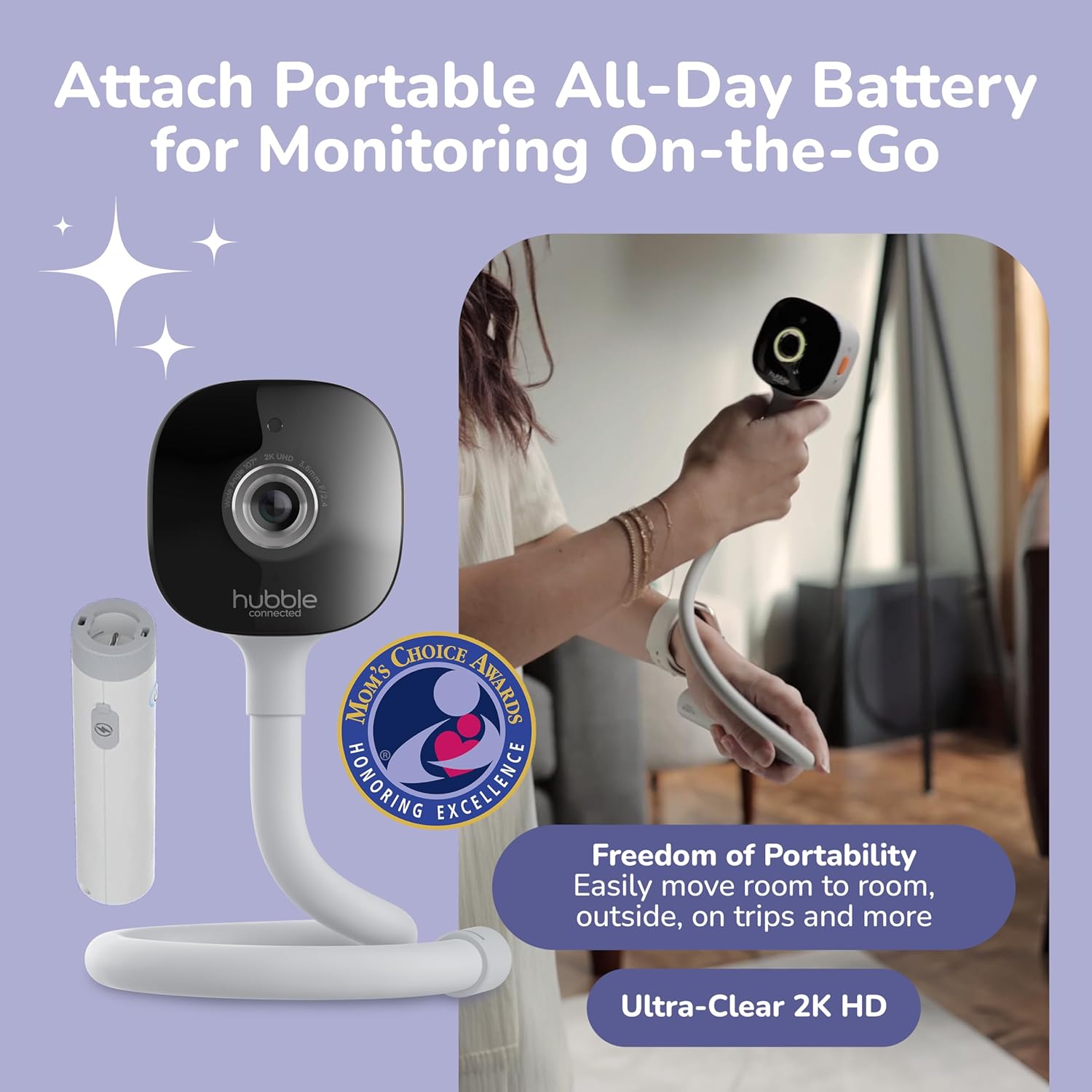
Image: Portable camera with battery pack for monitoring on-the-go.
โหมด dual Viewกำลังทำ
Monitor your baby using either the dedicated 5-inch HD Parent Unit or the HubbleClub App on your smartphone:
- หน่วยหลัก: Offers secure, phone-free viewing with or without Wi-Fi, ideal for family members or babysitters.
- HubbleClub App: เชื่อมต่อผ่าน Wi-Fi ไปยัง view the live feed, access sleep insights, receive notifications, and utilize additional features from anywhere.

Image: Dual mode viewing options with the HD parent unit and HubbleClub app.
Built-in Sleep Trainer and Soother
The camera includes features to assist with your baby's sleep routine:
- ไฟกลางคืน: Adjustable night light to create a calming environment.
- Soothing Sounds & Audio Stories: Pre-loaded sounds and stories to help your baby fall asleep.
- Wake & Rise Program: Helps establish healthy sleep habits.
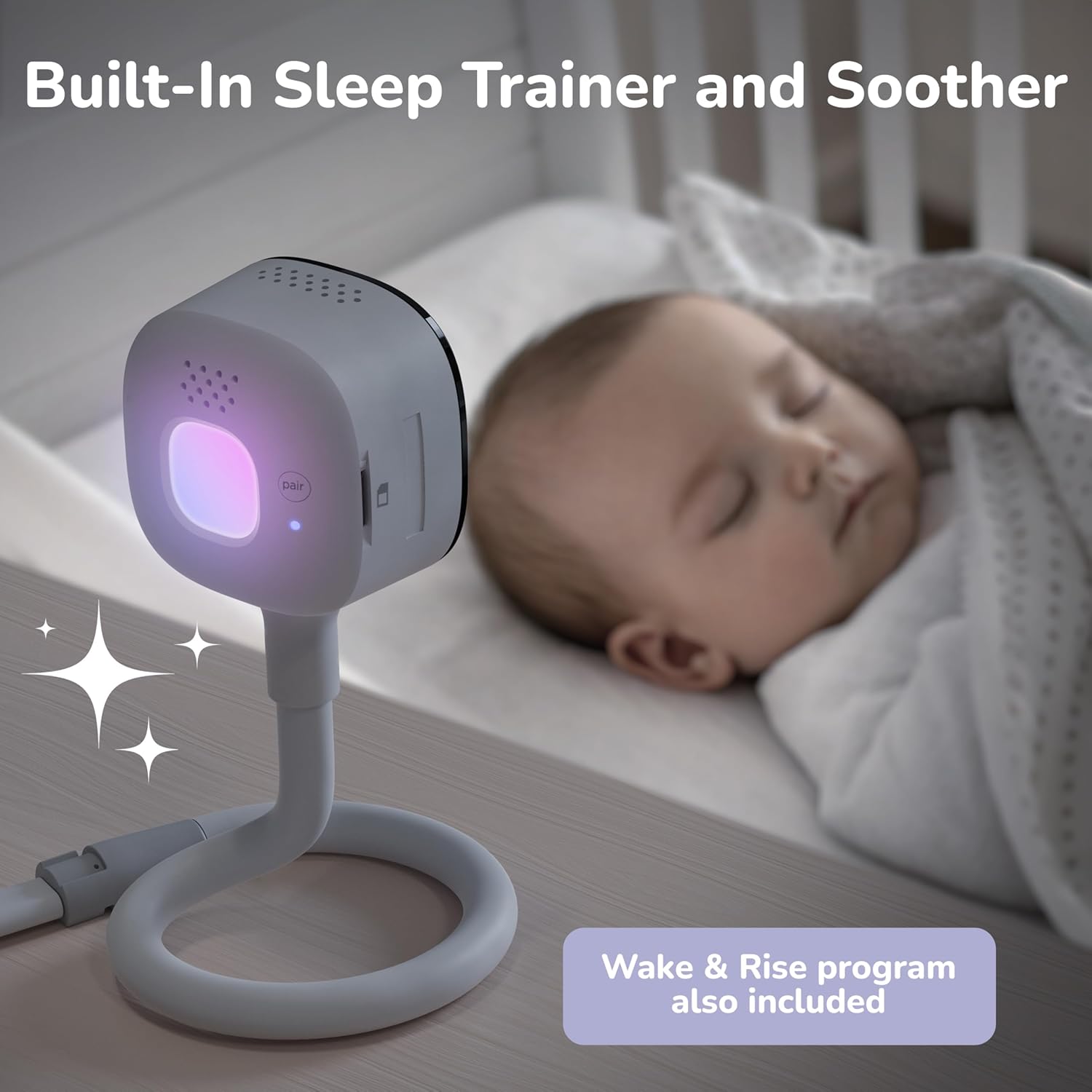
Image: GoBaby AI camera with built-in sleep trainer and soother.
การรักษาความปลอดภัยที่เพิ่มขึ้น
Your privacy and data security are prioritized:
- 256-bit AES Wi-Fi Encryption: Provides double the protection compared to standard monitors.
- US-based Servers: Ensures data is stored and processed within secure regions.
- ISO 27001/27017 Certified & GDPR Compliant: Adheres to international standards for information security and data protection.

Image: Security features of the GoBaby AI Portable Pro.
คู่มือการติดตั้ง
1. การวางตำแหน่งกล้อง
วางตำแหน่งกล้องในตำแหน่งที่ให้ภาพที่ชัดเจน view of your baby. Use the flexible base to wrap around crib rails or place on a flat surface. For a more permanent solution, utilize the included wall mount. Ensure the camera is at a safe distance from your baby, out of reach, and that the power cable is securely managed to prevent entanglement.
2. เปิดเครื่อง
- กล้อง: Connect the camera to a power outlet using the provided power adapter. For portable use, attach the portable battery pack.
- หน่วยหลัก: Connect the parent unit to a power outlet using its adapter. Press and hold the power button to turn it on.
3. Connecting to Parent Unit
The camera and parent unit are typically pre-paired. If they do not connect automatically, refer to the 'Pairing' section in the detailed User Guide for instructions on manual pairing.
4. Using with HubbleClub App (Optional)
To access advanced features and remote viewing, download the HubbleClub App from the App Store or Google Play. Follow the in-app instructions to connect your camera to your home Wi-Fi network and pair it with your account. Ensure your Wi-Fi network is 2.4GHz for optimal compatibility.
วิดีโอ: จบแล้วview of the Hubble Connected GoBaby AI Portable Pro.
การใช้งานจอภาพของคุณ
1. การควบคุมหน่วยหลัก
The 5-inch HD parent unit features intuitive buttons for navigation and control:
- ปุ่มเปิด/ปิด: เปิด/ปิดเครื่อง
- ปุ่มปรับระดับเสียง: ปรับระดับเสียง
- ปุ่มเมนู: Accesses settings and features.
- ปุ่มนำทาง: Moves through menu options and controls camera pan/tilt (if applicable).
- ปุ่มสนทนาสองทาง: Activates the microphone to speak to your baby.
2. Understanding AI Alerts
When connected to the HubbleClub App with Wi-Fi enabled, the monitor will send notifications to your smartphone for detected events:
- Rollover/Covered Face: Immediate alerts for potential safety concerns.
- True Cry: Notifies you when a genuine cry is detected, distinguishing it from other noises.
- Motion/Sound/Temperature: Customizable alerts for activity, noise levels, and room temperature changes.
3. การสื่อสารสองทาง
Press and hold the two-way talk button on the parent unit or use the microphone icon in the HubbleClub App to speak to your baby through the camera's speaker.
4. การมองเห็นในเวลากลางคืน
The camera automatically switches to infrared night vision in low-light conditions, providing a clear black-and-white image of your baby.
5. Sleep Trainer Functions
Access the sleep trainer settings via the parent unit or HubbleClub App to:
- Select different night light colors and brightness levels.
- Choose from a variety of soothing sounds or audio stories.
- Set up a personalized Wake & Rise program to signal morning time.
Video: GoBaby AI Portable Pro in use, demonstrating portability and monitoring.
การซ่อมบำรุง
1. Cleaning the Devices
Regularly clean the camera lens and parent unit screen with a soft, dry cloth. Do not use abrasive cleaners or solvents. Ensure devices are powered off and unplugged before cleaning.
2. การดูแลแบตเตอรี่
To maximize the life of the portable battery, avoid fully discharging it frequently. Charge the battery regularly, even when not in active use, to maintain its capacity. Store the device in a cool, dry place when not in use for extended periods.
การแก้ไขปัญหา
If you encounter issues with your GoBaby AI Portable Pro, try the following common solutions:
- No Picture/Sound on Parent Unit: Ensure both the camera and parent unit are powered on and within range. Recharge batteries if necessary.
- คุณภาพวิดีโอไม่ดี: Check for obstructions between the camera and parent unit. Ensure a strong Wi-Fi signal if using the app. Clean the camera lens.
- ไม่มีการแจ้งเตือนจากแอป: Verify the camera is connected to Wi-Fi and the HubbleClub App is running in the background with notifications enabled in your phone settings.
- การรบกวน: Move the monitor away from other electronic devices that may cause interference.
For more detailed troubleshooting or persistent issues, refer to the full User Guide or contact customer support.
ข้อมูลจำเพาะ
| ยี่ห้อ | ฮับเบิลเชื่อมต่อแล้ว |
| แบบอย่าง | GoBaby AI Portable Pro |
| วัสดุ | พลาสติก |
| สี | แสงจันทร์ |
| อุปกรณ์ที่รองรับ | สมาร์ทโฟน |
| Screen Size (Parent Unit) | 5 นิ้ว |
| ประเภทเซนเซอร์ | Optical, Auditory |
| ยูพีซี | 850072711096 |
| ASIN | B0FRB4BDXQ |
ข้อมูลด้านความปลอดภัย
Please read and follow all safety warnings and instructions provided in the full User Guide to prevent injury or damage. Keep all components, especially cords, out of reach of children. This product is not a substitute for responsible adult supervision.
การรับประกันและการสนับสนุน
For warranty information and customer support, please refer to the warranty card included in your product packaging or visit the official HUBBLE CONNECTED website. You can also find additional resources and contact information on their Amazon store page: HUBBLE CONNECTED Store.