
1. การตั้งค่า
1.1 การแกะกล่องและส่วนประกอบ
Upon opening the package, ensure all components are present. The package typically includes the NBCP X6 Wireless Pro Controller, a USB charging cable, a user manual, and a replaceable BL-5C battery.
Video: This video demonstrates the product details and connection methods, including unboxing and initial setup.
1.2 การติดตั้งแบตเตอรี่
The NBCP X6 controller uses a removable and replaceable BL-5C battery. To install, gently open the battery compartment cover on the back of the controller. Insert the BL-5C battery, ensuring correct polarity, then close the cover securely.

ภาพ: ภาพระยะใกล้ view of the controller's battery compartment with the BL-5C replaceable battery.
1.3 การชาร์จเริ่มต้น
Before first use, fully charge the controller using the provided USB cable. Connect the cable to the controller's charging port and a compatible USB power source. The indicator lights will show charging status.
1.4 การจับคู่กับอุปกรณ์
The NBCP X6 controller supports multiple platforms via Bluetooth. Ensure the controller is charged before attempting to pair.
- นินเทนโด สวิตช์ / สวิตช์ 2:
- On your Nintendo Switch, navigate to the 'Controllers' menu.
- Select 'Change Grip/Order' or 'Pair Controller'.
- On the NBCP X6 controller, press and hold the บ้าน กดปุ่มค้างไว้ 3 วินาที จนกว่าไฟแสดงสถานะจะเริ่มกะพริบถี่ๆ
- สวิตช์จะตรวจจับตัวควบคุม เมื่อตรวจพบแล้ว ให้กดปุ่ม A button on the controller to confirm pairing.
Video: Demonstration of easy connection to Nintendo Switch 2.
Video: A demo showing the connection process with a Nintendo Switch console.
- PC, Android, iOS:
- Enable Bluetooth on your device (PC, Android phone/tablet, or iOS device).
- On the NBCP X6 controller, press and hold the บ้าน button for 3 seconds until the indicator lights flash rapidly.
- ค้นหา new Bluetooth devices on your platform and select "NBCP X6 Controller" (or similar) to pair.
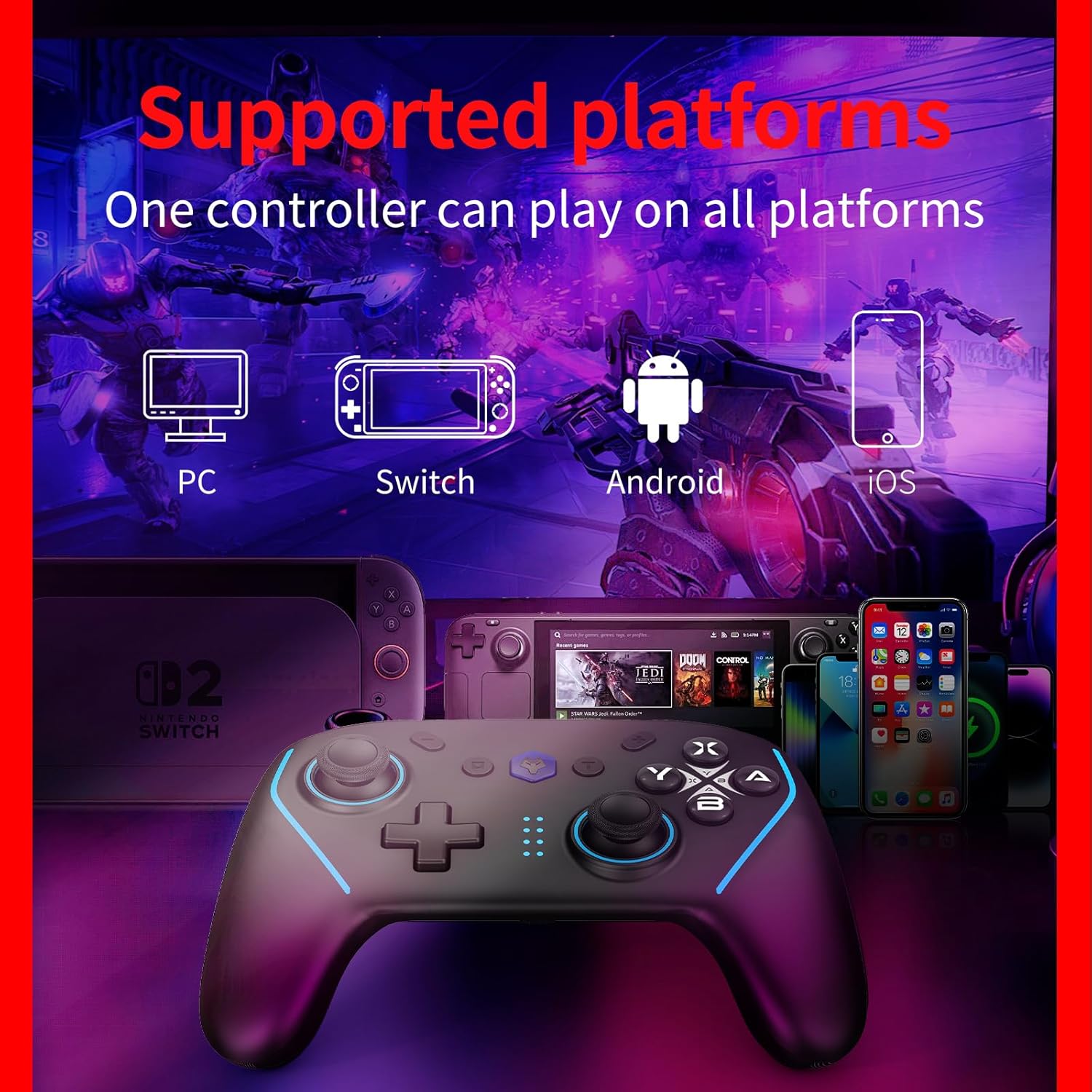
Image: The NBCP X6 controller is compatible with multiple platforms including PC, Nintendo Switch, Android, and iOS.
2. คู่มือการใช้งาน
2.1 การควบคุมขั้นพื้นฐาน
The NBCP X6 controller features standard gaming buttons, including two analog joysticks, a D-pad, A/B/X/Y buttons, L/R shoulder buttons, ZL/ZR triggers, and various function buttons (HOME, +, -, Share, Turbo, Macro).
2.2 เซ็นเซอร์ไจโร 6 แกน
The built-in 6-axis gyro sensor provides precise motion control, allowing for immersive gameplay experiences, especially in games requiring aiming or steering based on physical movement.

Image: The 6-axis gyro sensor translates even slight hand movements into precise in-game operations.
Video: Experience responsive motion-sensing feedback during gameplay with the 6-axis gyro.
2.3 ระบบสั่นคู่
The controller features dual vibration motors with 4 adjustable intensity levels. This allows for tactile feedback that enhances immersion by simulating in-game events.

Image: The dual vibration motors provide 4-level adjustable intensity for enhanced gaming feedback.
2.4 ฟังก์ชันเทอร์โบ
The TURBO function allows for rapid-fire input of selected buttons. It supports both semi-automatic and fully automatic modes, with adjustable speeds (5/s, 12/s, 20/s).
- Semi-automatic TURBO: Simultaneously press the 'T' key and the desired function key (e.g., A, B, X, Y, L1, R1, L2, R2). The indicator light will blink.
- Fully automatic TURBO: Simultaneously press the 'T' key and the function key again. The indicator light will blink.
- Turn off TURBO: Press the 'T' key and the function key a third time.
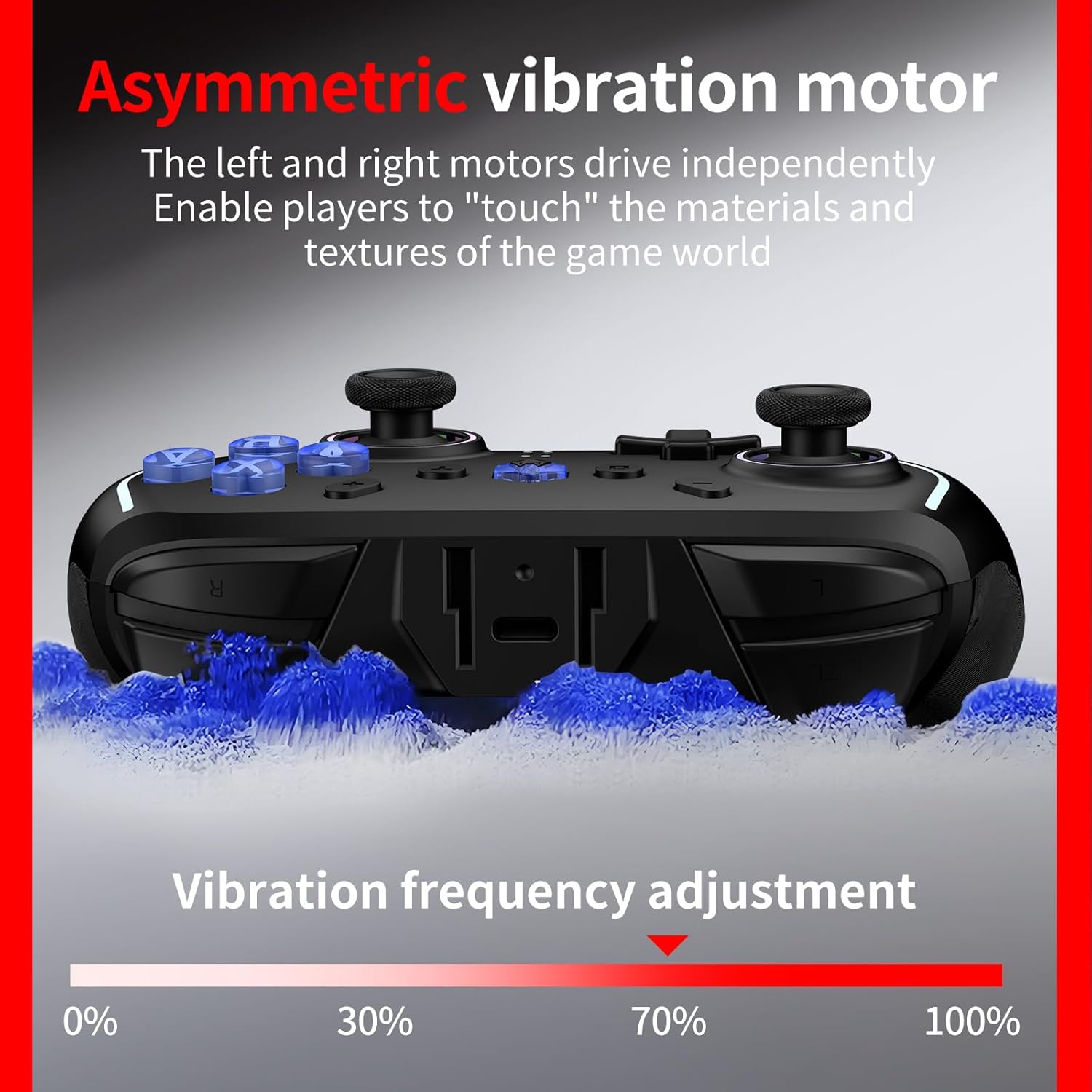
Image: Instructions for activating AUTO and TURBO modes with adjustable speeds.
Video: Guide on setting up macro programming buttons and TURBO mode.
2.5 Programmable Rear Buttons (Macros)
The controller features two customizable rear macro buttons (ML/MR). Each button can be programmed to store and execute a sequence of up to 21 commands, providing a tactical advantage.
- การบันทึกแมโคร: Simultaneously press the 'T' key and the 'ML' (or 'MR') key. The indicator light will blink, indicating recording readiness. Input your desired sequence of up to 21 keys. Press the 'ML' (or 'MR') key again to save the macro.
- Using a Macro: Press the programmed ML/MR button to execute the recorded sequence.

Image: The ML/MR macro programming buttons can record up to 21 button settings.
Video: Guide on setting up macro programming buttons and TURBO mode.
2.6 Joystick Drift Repair
The controller features a revolutionary joystick drift repair function to maintain long-lasting precision. Refer to the full manual for detailed calibration steps.
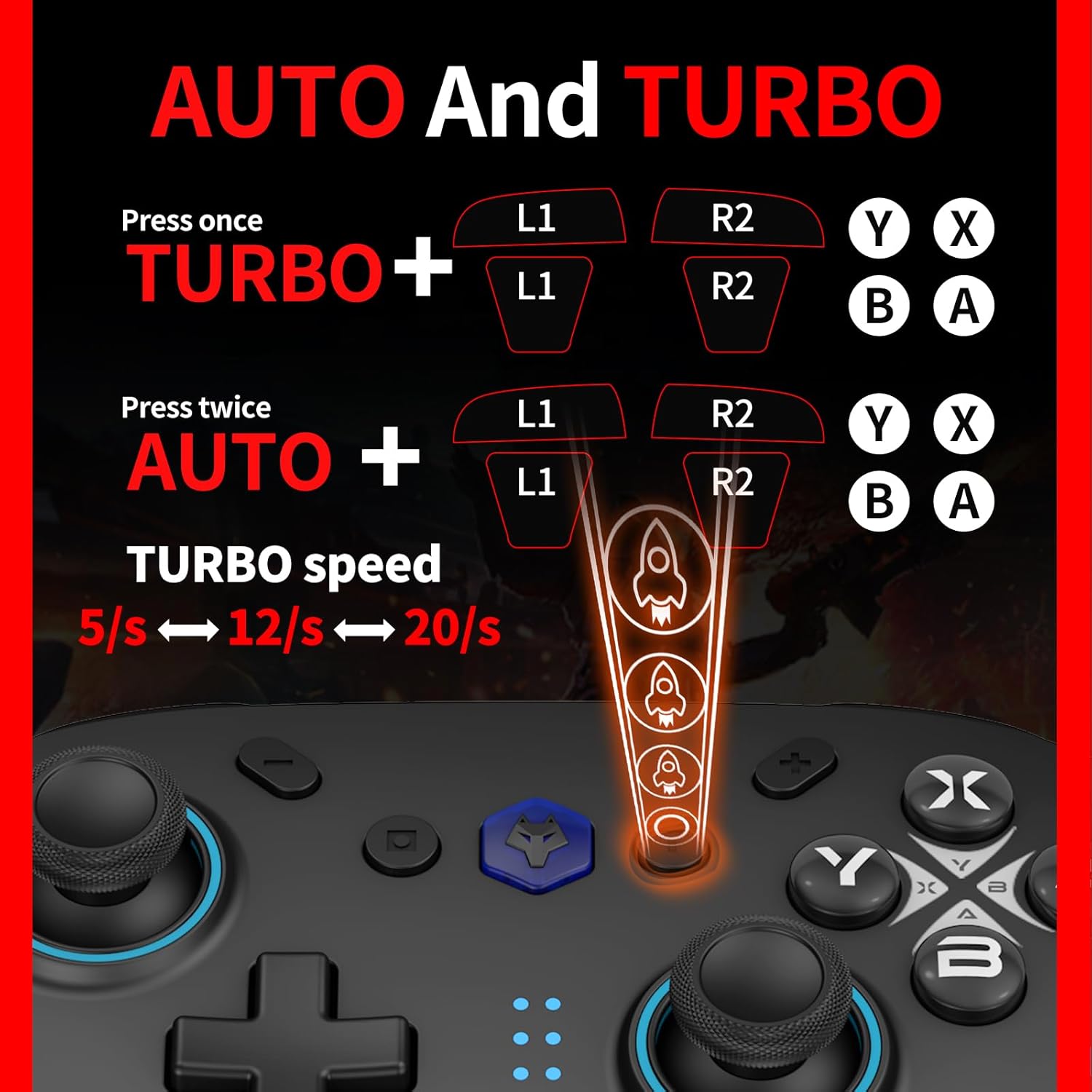
Image: The elite joystick design aims for precise and non-drifting control.
2.7 Wake-Up & Photo Buttons
The controller includes a one-touch wake-up feature for your Nintendo Switch and a dedicated button to capture in-game moments instantly.
3. การบำรุงรักษา
3.1 การดูแลแบตเตอรี่
The BL-5C battery is removable and replaceable. To maximize battery life, avoid extreme temperatures and store the controller in a cool, dry place when not in use. Fully charge the battery before extended storage.
3.2 การทำความสะอาด
ในการทำความสะอาดคอนโทรลเลอร์ ให้ใช้ผ้านุ่มและแห้ง สำหรับสิ่งสกปรกฝังแน่น ให้เช็ดเบาๆampen the cloth with water or a mild cleaning solution. Avoid using harsh chemicals or abrasive materials, as these can damage the controller's finish.
4 การแก้ไขปัญหา
4.1 ปัญหาการเชื่อมต่อ
- ตัวควบคุมไม่ได้เชื่อมต่อ: Ensure the controller is charged. Try re-pairing the controller by following the steps in Section 1.4. Make sure Bluetooth is enabled on your device.
- การเชื่อมต่อไม่ต่อเนื่อง: Ensure there are no obstructions between the controller and the device. Move closer to the device. Check for other wireless interference.
4.2 การเลื่อนของจอยสติ๊ก
If you experience unintended movement from the joysticks, utilize the built-in joystick drift repair function. Specific instructions for calibration can be found in the comprehensive user manual provided with the product.
4.3 ปุ่มไม่ตอบสนอง
If buttons are not responding, check the battery level and recharge if necessary. If the issue persists, try resetting the controller (refer to the full manual for reset procedures) and re-pairing it with your device.
5. ข้อมูลจำเพาะ
| คุณสมบัติ | รายละเอียด |
|---|---|
| หมายเลขรุ่น | M735 |
| เทคโนโลยีการเชื่อมต่อ | บลูทูธ, ยูเอสบี |
| ประเภทตัวควบคุม | แป้นเกม |
| ยี่ห้อ | กสทช |
| แหล่งพลังงาน | ใช้พลังงานจากแบตเตอรี่ |
| แพลตฟอร์มฮาร์ดแวร์ | Android, Gaming Console, Nintendo Switch, Nintendo Switch 2, iOS |
| ประเภทแบตเตอรี่ | Lithium Ion (BL-5C, 600mAh) |
| อุปกรณ์ที่รองรับ | Android, iOS, Nintendo Switch, PC, Windows |
| สี | สีดำ |
| น้ำหนักสินค้า | 1.52 ปอนด์ |
| ขนาดแพ็คเกจ | 6.97 x 6.61 x 4.8 นิ้ว |
6. การรับประกันและการสนับสนุน
6.1 ข้อมูลการรับประกัน
Specific warranty details for the NBCP X6 Wireless Pro Controller are not provided in this manual. Please refer to the product packaging or the official NBCP webเว็บไซต์สำหรับข้อมูลการรับประกันล่าสุด
6.2 การสนับสนุนลูกค้า
For technical assistance, troubleshooting, or any inquiries regarding your NBCP X6 Wireless Pro Controller, please visit the official NBCP support website or contact their customer service. Contact information can typically be found on the product packaging or the manufacturer's webเว็บไซต์.