
การแนะนำ
Thank you for choosing the Grandder 55x28 Inch Electric Standing Desk. This manual provides detailed instructions for assembly, operation, and maintenance to ensure optimal performance and longevity of your desk. Please read this manual thoroughly before assembly and use, and retain it for future reference.
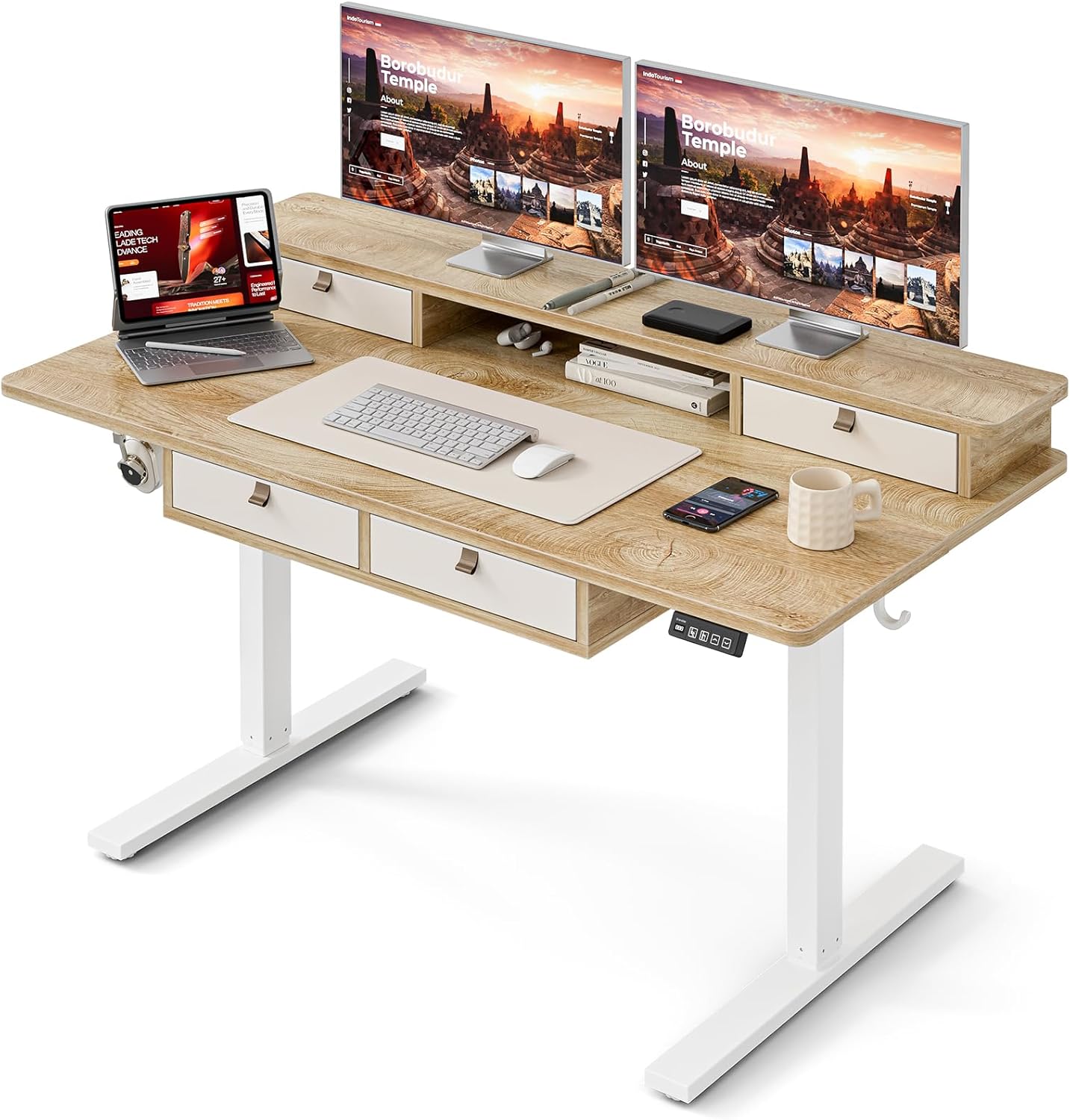
Image: The Grandder electric standing desk, showcasing its spacious desktop, integrated storage, and monitor stand.
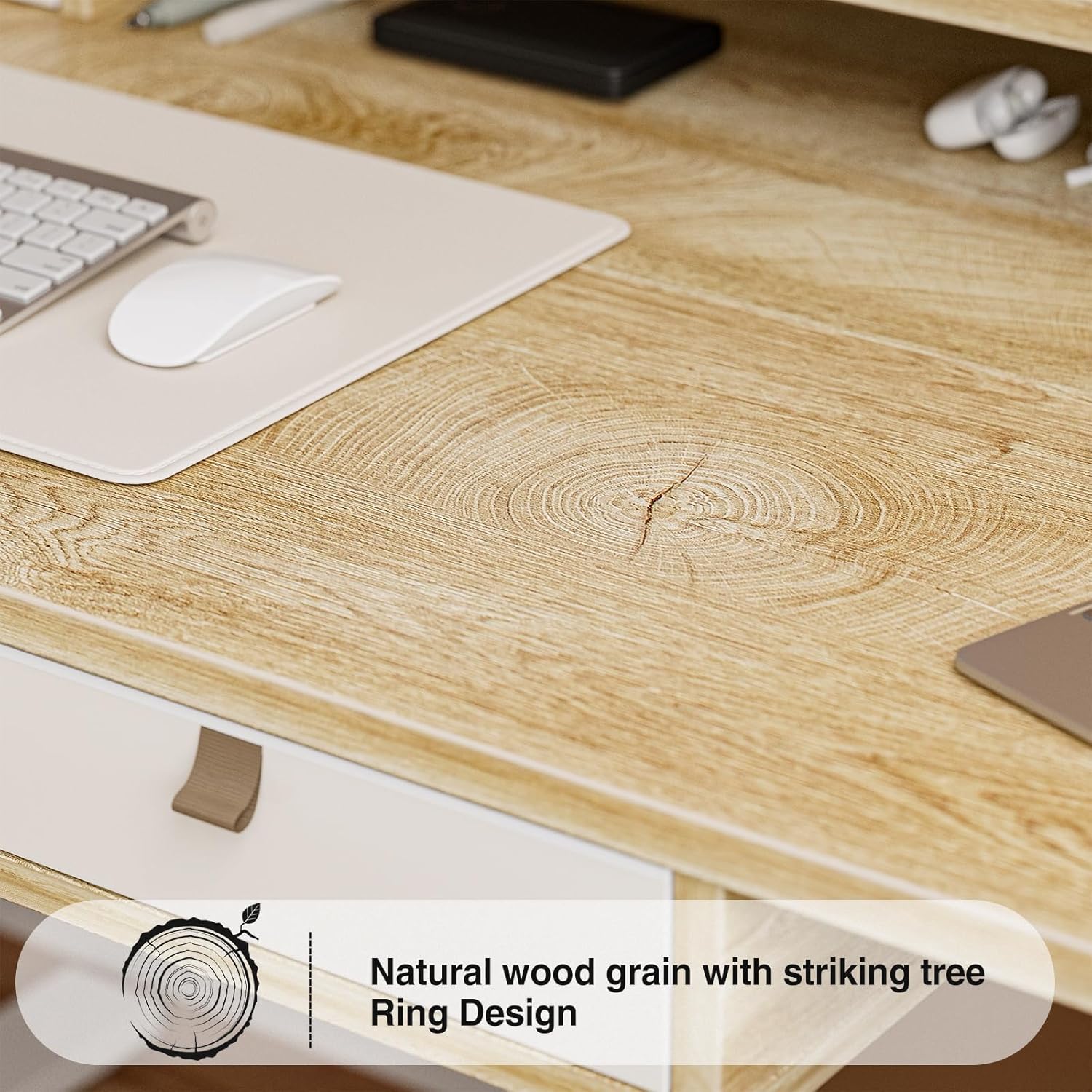
Image: Detail of the natural wood grain desktop finish.

Image: The desk's robust construction, tested for over 50,000 lifts, ensuring stability and durability.
ข้อมูลด้านความปลอดภัย
To prevent injury or damage to your desk, please observe the following safety precautions:
- ตรวจสอบให้แน่ใจว่าส่วนประกอบทั้งหมดได้รับการยึดอย่างแน่นหนาก่อนการใช้งาน
- โปรดกันเด็กและสัตว์เลี้ยงให้อยู่ห่างจากโต๊ะทำงานขณะทำการผ่าตัด
- อย่าบรรทุกของหนักเกินไปบนโต๊ะ โปรดดูข้อมูลจำเพาะสำหรับน้ำหนักสูงสุดที่รับได้
- หลีกเลี่ยงการวางของเหลวลงบนแผงควบคุมหรือชิ้นส่วนมอเตอร์โดยตรง
- ตัดการเชื่อมต่อไฟฟ้าก่อนทำความสะอาดหรือดำเนินการบำรุงรักษา
- Do not attempt to modify the desk's electrical components.
- ตรวจสอบให้แน่ใจว่าไม่มีสิ่งกีดขวางใดๆ ในเส้นทางการเคลื่อนที่ของโต๊ะขณะปรับความสูง
เนื้อหาแพ็คเกจ
โปรดตรวจสอบให้แน่ใจว่ามีชิ้นส่วนครบทุกชิ้นก่อนเริ่มประกอบ หากมีชิ้นส่วนใดขาดหายหรือเสียหาย โปรดติดต่อฝ่ายบริการลูกค้า
- โต๊ะทำงาน (แผงเชื่อมต่อ)
- โครงโต๊ะ (ขาและคานขวาง)
- Electric Lifting Mechanism (Motor and Control Box)
- แผงควบคุม
- ลิ้นชักเก็บของ 4 ลิ้นชัก
- Monitor Stand/Upper Shelf
- ปลอกร้อยสายไฟ
- ที่แขวนหูฟัง
- Assembly Hardware (Screws, Allen Wrenches, etc.)
- อะแดปเตอร์แปลงไฟ
- คู่มือการใช้งาน
คำแนะนำในการประกอบ
Assembly typically requires two people. Follow the steps below carefully. An estimated assembly time is 50-60 minutes.
- แกะส่วนประกอบ: นำชิ้นส่วนทั้งหมดออกจากบรรจุภัณฑ์อย่างระมัดระวัง และวางเรียงบนพื้นผิวที่สะอาดและนุ่ม เพื่อป้องกันรอยขีดข่วน ตรวจสอบชิ้นส่วนทั้งหมดกับรายการสิ่งของบนบรรจุภัณฑ์
- ประกอบโครงโต๊ะ: Attach the desk legs to the crossbar using the provided hardware. Ensure all connections are secure.
- แนบเดสก์ท็อป: Carefully place the desktop onto the assembled frame. Align the pre-drilled holes and secure the desktop to the frame with screws.
- Install Electric Mechanism: Mount the motor and control box to the designated areas under the desktop. Connect all necessary cables according to the wiring diagram (refer to specific diagrams in the full manual, if available).
- ติดตั้งแผงควบคุม: Attach the control panel to the underside of the desktop, typically on the right side, and connect its cable to the control box.
- Assemble Storage Elements: Install the four storage drawers into their respective slots. Attach the monitor stand/upper shelf to the desktop.
- ติดอุปกรณ์เสริม: Install cable grommets and the headphone hook as desired.
- เชื่อมต่อพลังงาน: เสียบอะแดปเตอร์แปลงไฟเข้ากับกล่องควบคุม จากนั้นเสียบเข้ากับเต้ารับที่ผนัง
- การทดสอบเบื้องต้น: Perform an initial test of the height adjustment function to ensure smooth operation.

Image: Desk dimensions for reference during assembly and placement.
คำแนะนำการใช้งาน
Your Grandder electric standing desk features an intuitive control panel for easy height adjustment and memory presets.
ฟังก์ชั่นแผงควบคุม

Image: The hand controller for the electric standing desk, showing the digital display and control buttons.
- ลูกศรขึ้น/ลง (▲ / ▼): Press and hold to manually adjust the desk height. Release to stop at the desired position.
- จอแสดงผลดิจิตอล: แสดงความสูงของโต๊ะปัจจุบันเป็นนิ้วหรือเซนติเมตร
- Preset Buttons (Icons): Your desk features preset buttons to save and recall preferred sitting and standing heights.
- วิธีบันทึกค่าที่ตั้งไว้ล่วงหน้า: Adjust the desk to your desired height using the up/down arrows. Press and hold one of the preset icon buttons (e.g., sitting person icon) until the display flashes or beeps, indicating the height is saved.
- ในการเรียกคืนพรีเซ็ต: Briefly press the corresponding preset icon button. The desk will automatically move to the saved height.
การปรับความสูง
The desk allows for smooth electric height adjustment, enabling you to switch between sitting and standing positions. The height range is approximately 28 inches to 45.6 inches.
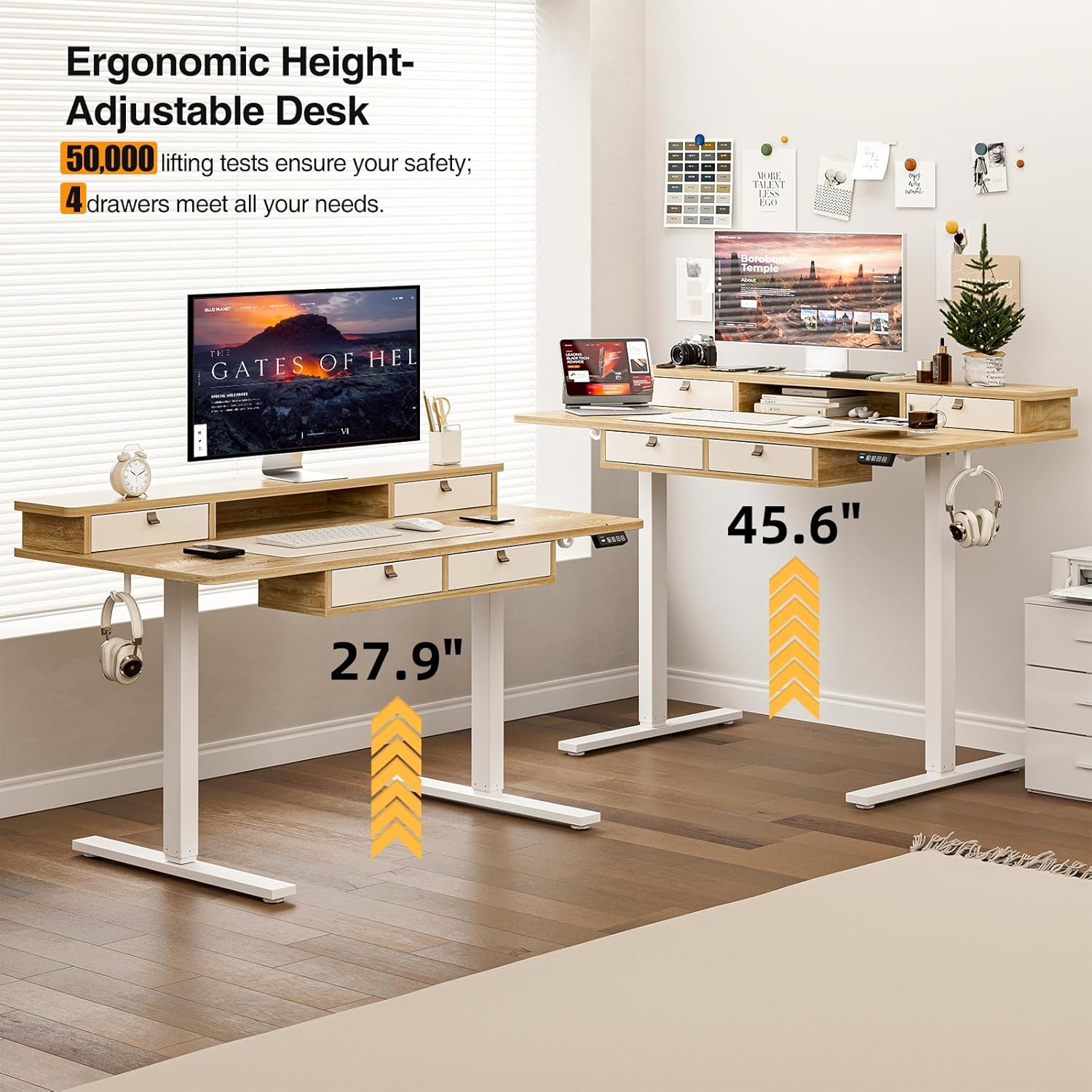
Image: Visual representation of the desk's adjustable height range, from sitting to standing positions.
คุณสมบัติการจัดเก็บข้อมูล
The desk includes four integrated drawers and an upper shelf for organized storage of office essentials, helping to maintain a tidy workspace.

Image: The four storage drawers providing ampพื้นที่สำหรับการจัดระเบียบ

Image: Comparison illustrating the enhanced storage capabilities of the Grandder desk.
คุณสมบัติเพิ่มเติม
- การออกแบบป้องกันการชน: The desk is equipped with an anti-collision system that automatically stops movement if an obstruction is detected, preventing damage or injury.
- แผ่นรองเท้าแบบปรับได้: The desk features adjustable foot pads to ensure stability on uneven floors.
- ที่เกี่ยวหูฟัง: A convenient hook is included for hanging headphones or other accessories.

Image: Details of the control panel, adjustable foot pads, and anti-collision feature.
การซ่อมบำรุง
Regular maintenance ensures the longevity and smooth operation of your desk.
- การทำความสะอาด: เช็ดพื้นเดสก์ท็อปและกรอบด้วยผ้าเนื้อนุ่มamp ผ้า หลีกเลี่ยงน้ำยาทำความสะอาดที่มีฤทธิ์กัดกร่อนหรือสารเคมีรุนแรงที่อาจทำลายพื้นผิวได้
- การจัดการสายเคเบิล: ตรวจสอบและจัดระเบียบสายเคเบิลเป็นระยะ เพื่อป้องกันการพันกันและตรวจสอบให้แน่ใจว่าสายเคเบิลไม่กีดขวางการเคลื่อนไหวของโต๊ะ
- การตรวจสอบตัวยึด: Every few months, check all screws and fasteners to ensure they are tight. Retighten if necessary.
- การดูแลมอเตอร์: The electric motor is designed for maintenance-free operation. Do not attempt to lubricate or disassemble it.
การแก้ไขปัญหา
| ปัญหา | สาเหตุที่เป็นไปได้ | สารละลาย |
|---|---|---|
| โต๊ะไม่ขยับ | สายไฟหลุด; มอเตอร์ทำงานหนักเกินไป; แผงควบคุมมีปัญหา | Check power connections. Unplug and replug the power cable. Reduce weight on the desk. Contact customer support if the issue persists. |
| การปรับความสูงที่ไม่เท่ากัน | Uneven load; loose fasteners. | Distribute weight evenly on the desktop. Check and tighten all assembly fasteners. |
| โต๊ะหยุดทำงานกลางคัน | Overload protection activated; anti-collision system triggered. | Reduce weight on the desk. Check for obstructions under or around the desk. Wait a few moments before attempting to adjust again. |
| Control panel display not working. | Power issue; loose cable connection. | Ensure the power cable is securely connected. Check the connection between the control panel and the control box. |
ข้อมูลจำเพาะ
| ยี่ห้อ | แกรนด์เดอร์ |
| หมายเลขรุ่น | A205-55DX |
| ขนาดสินค้า (ลึก x กว้าง x สูง) | 27.6"D x 55"W x 37"H (at lowest point, approximate) |
| ช่วงความสูงที่สามารถปรับได้ | Approx. 28" - 45.6" |
| วัสดุเดสก์ท็อป | Engineered Wood with Laminated Finish |
| วัสดุกรอบ | โลหะ |
| สี | ต้นโอ๊ค |
| น้ำหนักสินค้า | 59 ปอนด์ |
| ความจุน้ำหนัก | สูงสุด 220 ปอนด์ |
| คุณสมบัติพิเศษ | Ergonomic, 4 Storage Drawers, Monitor Stand, Cable Grommets, Headphone Hook |

Image: The desk's capacity to hold various office items, up to 220 lbs.
การรับประกันและการสนับสนุน
Grandder products are designed for quality and durability. For warranty information, technical support, or assistance with missing/damaged parts, please contact Grandder customer service through the retailer's platform or the official Grandder website. Please have your model number (A205-55DX) and purchase date ready when contacting support.


