
1. บทนำ
The OUKITEL P1000E Plus is a versatile portable power station designed to provide reliable power for various applications, from outdoor adventures and camping to emergency home backup. Featuring a 1024Wh LiFePO4 battery, 1800W AC output, and multiple charging options, it ensures your devices stay powered wherever you are. This manual provides essential information for safe operation, setup, maintenance, and troubleshooting.
2. คำแนะนำด้านความปลอดภัย
- ห้ามถอดประกอบ ซ่อมแซม หรือดัดแปลงตัวเครื่อง การประกอบใหม่ที่ไม่ถูกต้องอาจก่อให้เกิดไฟไหม้หรืออันตรายได้
- ห้ามนำอุปกรณ์ไปวางใกล้ไฟหรือบริเวณที่มีอุณหภูมิสูง
- ห้ามใช้งานหรือเก็บเครื่องในที่ที่มีแสงแดดส่องโดยตรงหรือในสภาพแวดล้อมที่มีอุณหภูมิสูง
- ห้ามใช้งานหรือเก็บเครื่องในห้องน้ำ หรือบริเวณที่โดนน้ำหรือฝน
- ใช้เฉพาะอุปกรณ์เสริมที่เป็นของแท้หรือได้รับการรับรองเท่านั้น
- เก็บเครื่องให้ห่างจากเด็กและสัตว์เลี้ยง
- ตรวจสอบให้แน่ใจว่ามีการระบายอากาศที่เหมาะสมระหว่างการใช้งานเพื่อป้องกันความร้อนสูงเกินไป
- ควรหลีกเลี่ยงการทำตก การกระแทกอย่างแรง หรือการสั่นสะเทือนอย่างรุนแรง
- If the unit emits unusual odors, heat, or other abnormalities, stop using it immediately and contact customer support.
3. เนื้อหาบรรจุภัณฑ์
ตรวจสอบว่ามีรายการทั้งหมดรวมอยู่ในแพ็คเกจของคุณ:
- OUKITEL P1000E PLUS unit x1
- สายชาร์จ x1
- MC4 to XT60 cable x1
- คู่มือการใช้งาน x1

รูปที่ 3.1: Included Components. This image illustrates the OUKITEL P1000E Plus power station alongside its standard accessories, including the AC charging cable, MC4 to XT60 cable for solar connection, and the user manual.
4. คุณสมบัติผลิตภัณฑ์และมากกว่าview
คุณสมบัติหลัก
- 11-in-1 Connections: Features 4 AC 1800W outputs (3600W peak), 2 PD100W Type-C outputs, 2 USB-A 18W outputs, 2 DC5521 outputs, and a 12V cigarette lighter port for comprehensive device compatibility.
- Reliable and Durable LiFePO4 Battery: Offers up to 4000 charge cycles for daily use, ensuring a lifespan of up to 10 years.
- 1200W Fast Charging Function: Achieves 100% power in just 70 minutes via AC. Combined AC and solar charging can fully charge the unit in 40 minutes. 500W solar charging alone completes a full charge in 2.1 hours.
- 10ms Seamless Power Switching (UPS): Automatically switches to UPS mode in less than 10 milliseconds during a power outage, ensuring continuous operation for critical connected devices.
- การควบคุมแอพอัจฉริยะ: Manage the power station with the OUKITEL app, allowing seamless switching between charging modes, flexible adjustment of charging speed, and real-time statistics. Enjoy quiet operation with noise levels ≤ 29 dB.
Output Ports Overview

รูปที่ 4.1: Front Panel Layout. This image displays the front panel of the OUKITEL P1000E Plus, highlighting the locations of the AC outlets, DC ports, USB-A ports, USB-C ports, and the cigarette lighter port, along with the main display and control buttons.

รูปที่ 4.2: Multiple Device Charging. The power station is shown actively charging a laptop, a smartphone, and powering a fan, demonstrating its multi-device capability and various output types.
5. การตั้งค่าและการชาร์จ
การตั้งค่าเริ่มต้น
Before first use, fully charge your OUKITEL P1000E Plus. This ensures optimal battery performance and calibration.
วิธีการชาร์จ
The P1000E Plus supports multiple charging methods:
- การชาร์จผนัง AC: Connect the AC charging cable to the unit and a standard wall outlet. The 1200W fast charging can fully charge the unit in approximately 70 minutes.

รูปที่ 5.1: AC Wall Charging. The power station is connected to a standard wall socket for rapid AC charging, illustrating the quick charge capability.
- การชาร์จพลังงานแสงอาทิตย์: Connect compatible solar panels (up to 500W) to the unit using the MC4 to XT60 cable. A full charge via 500W solar input takes approximately 2.1 hours.
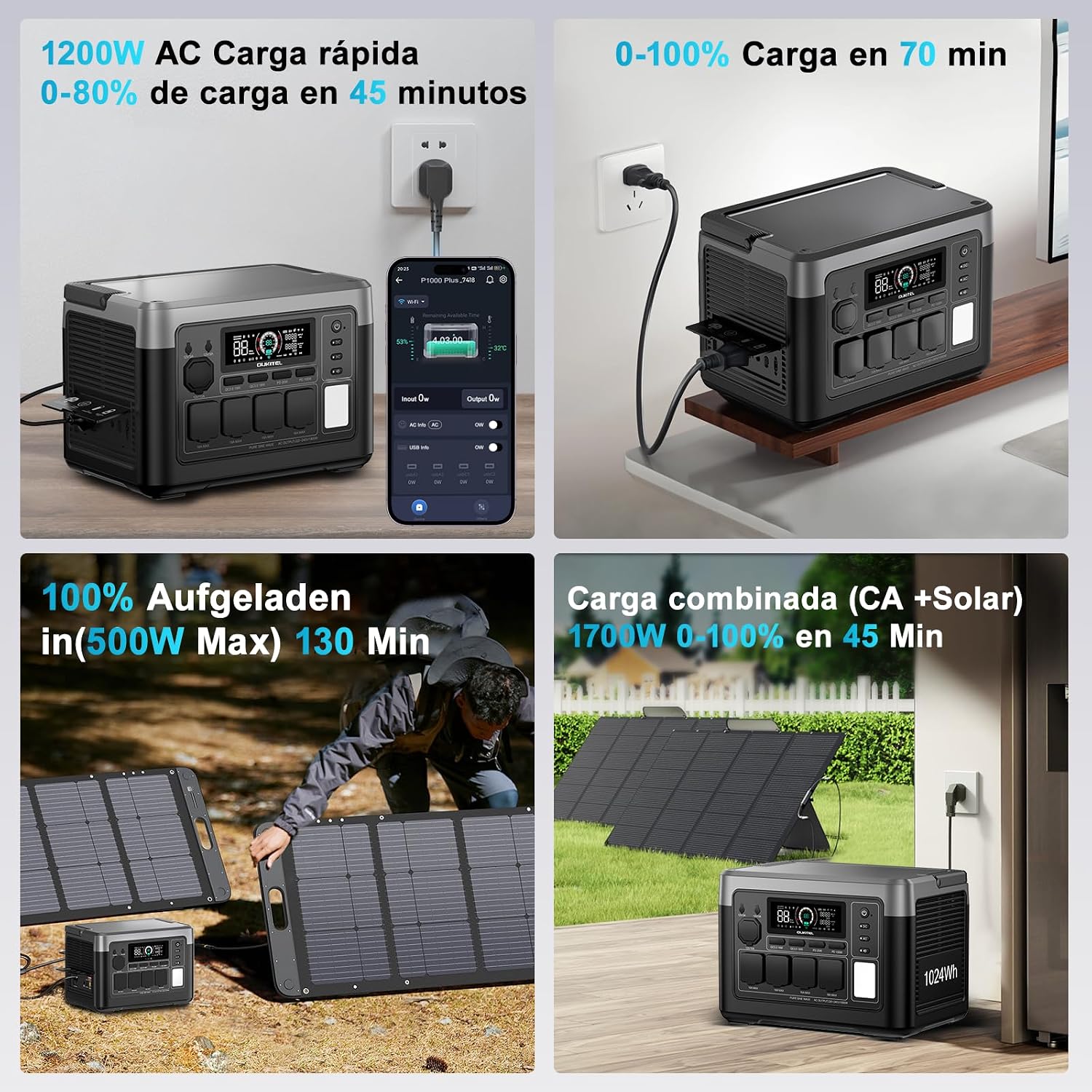
รูปที่ 5.2: Solar Charging. The power station is shown connected to foldable solar panels in an outdoor setting, demonstrating its solar charging capability.
- การชาร์จรถยนต์: Use a 12V/24V car charger to charge the unit from your vehicle's power outlet. Full charging time varies between 8 to 12 hours depending on the vehicle's output.

รูปที่ 5.3: Car Charging. The power station is depicted charging inside a vehicle, connected to the car's 12V/24V outlet, highlighting its portability and convenience for travel.
- Combined AC + Solar Charging: For the fastest charging, combine AC and solar inputs. This method can achieve a full charge in as little as 40 minutes.
6. คู่มือการใช้งาน
การเปิด/ปิดเครื่อง
Press and hold the main power button for a few seconds to turn the unit on or off. The display will illuminate, showing battery status and output information.
Using AC Outputs
Press the AC button to enable or disable the AC outlets. Connect your devices to the 1800W (3600W peak) AC ports. Ensure the total power consumption does not exceed the rated output.
Using DC and USB Outputs
Press the DC button to enable or disable the DC outputs (including USB-A, USB-C, DC5521, and cigarette lighter port). Connect your compatible devices to the respective ports.
ฟังก์ชั่นแหล่งจ่ายไฟสำรอง (UPS)
When the P1000E Plus is connected to an AC wall outlet and has devices plugged into its AC outputs, it can function as a UPS. In the event of a power outage, the unit will automatically switch to battery power in less than 10 milliseconds, providing seamless power to connected critical devices.

รูปที่ 6.1: UPS Function in Action. The power station is shown connected to a desktop computer setup, illustrating its role in providing uninterrupted power during a grid failure, preventing data loss.
การควบคุมแอพอัจฉริยะ
Download the OUKITEL app from your smartphone's app store. Connect your P1000E Plus via Bluetooth or Wi-Fi to monitor battery status, adjust charging parameters, switch between modes, and view real-time power statistics. The app also allows for silent operation mode, keeping noise levels below 29 dB.

รูปที่ 6.2: OUKITEL App Interface. A smartphone screen displays the OUKITEL app, showing battery percentage, อินพุต/เอาท์พุตtage, and controls for various functions of the power station.
7. การบำรุงรักษาและการจัดเก็บ
การดูแลแบตเตอรี่
The P1000E Plus uses a LiFePO4 battery, known for its longevity and safety. To maximize battery lifespan:
- หลีกเลี่ยงการปล่อยแบตเตอรี่จนหมดบ่อยครั้ง
- For long-term storage, charge the unit to approximately 50-80% and recharge every 3-6 months.
- เก็บในที่เย็นและแห้ง ห่างจากแสงแดดโดยตรงและอุณหภูมิที่สูงเกินไป
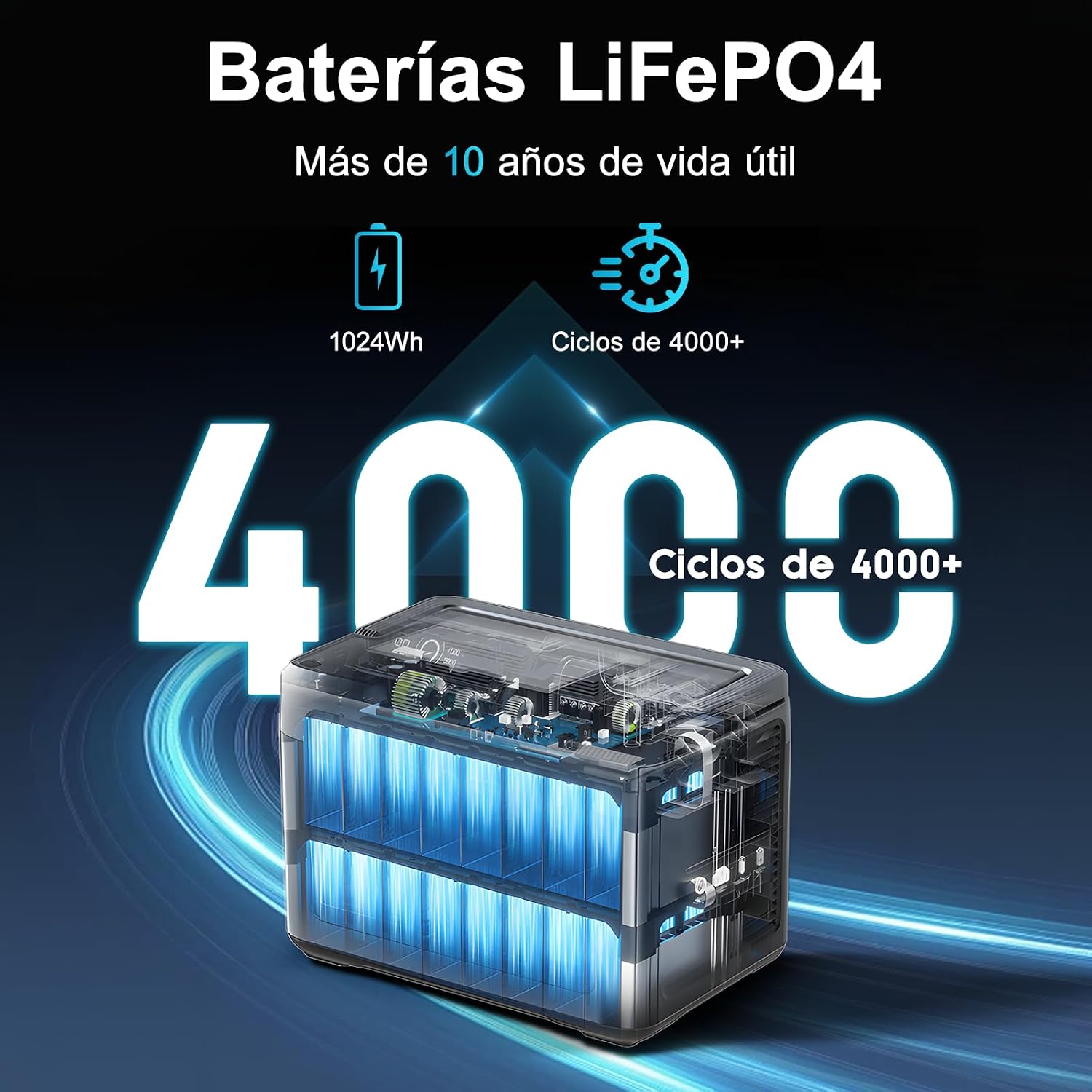
รูปที่ 7.1: LiFePO4 Battery Longevity. This diagram visually represents the extended lifespan of the LiFePO4 battery, highlighting its capability of over 4000 charge cycles and more than 10 years of operational life.
การทำความสะอาดและการเก็บรักษา
Wipe the unit with a dry, soft cloth. Do not use abrasive cleaners or solvents. When not in use, store the power station in a stable, dry environment.
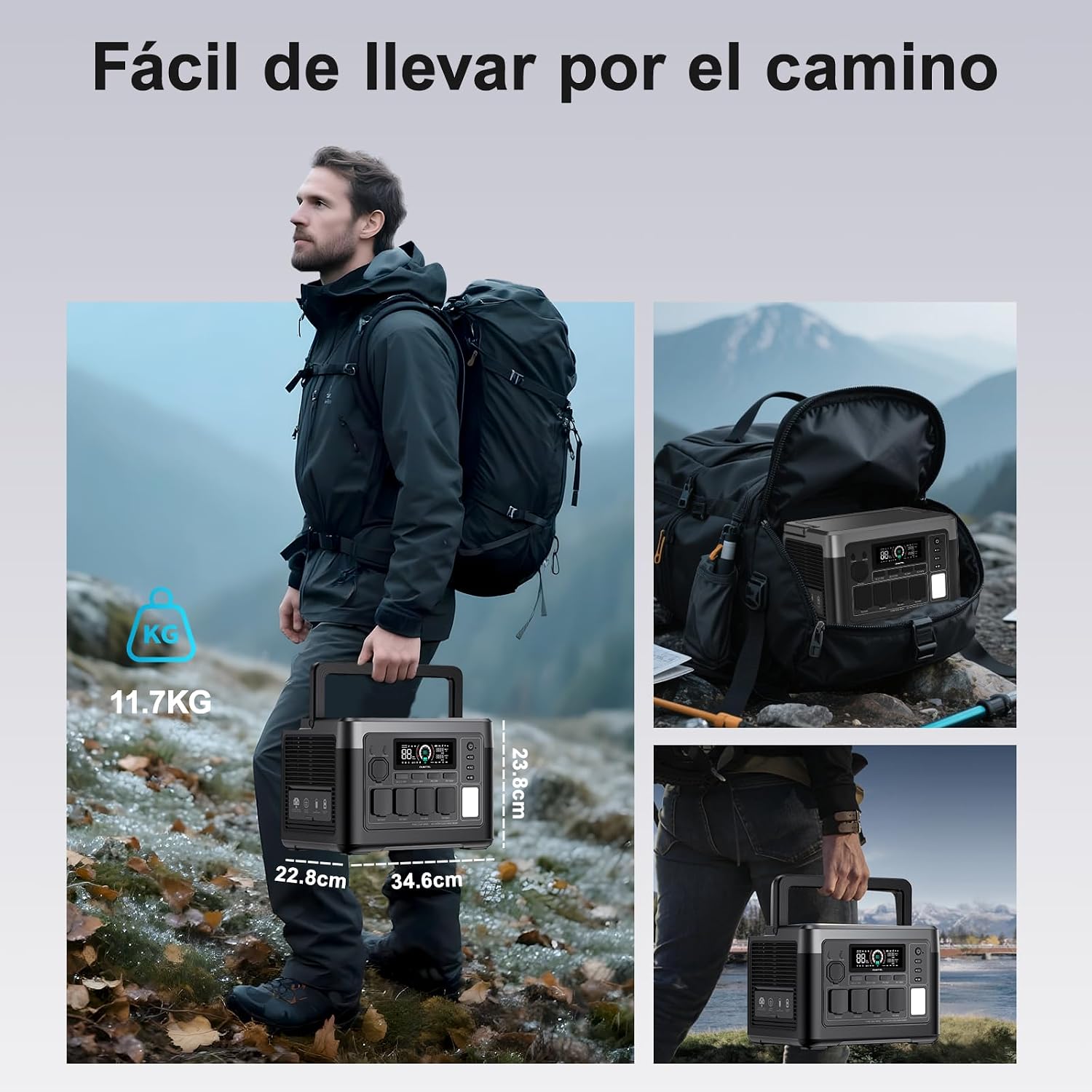
รูปที่ 7.2: Portability. A person is shown easily carrying the OUKITEL P1000E Plus by its handle, emphasizing its compact design and light weight for transport.
8 การแก้ไขปัญหา
If you encounter issues with your OUKITEL P1000E Plus, refer to the following common troubleshooting steps:
- หน่วยไม่เปิด: Ensure the battery is charged. If not, connect it to a power source.
- ไม่มีสัญญาณส่งออกจากพอร์ต: Check if the respective output buttons (AC/DC) are enabled. Ensure the device connected is within the power station's wattagอีขีดจำกัด
- การชาร์จช้า: Verify that the charging cable is securely connected and the power source is adequate. For solar charging, ensure panels are in direct sunlight and clean.
- คำเตือนโอเวอร์โหลด: Disconnect some devices to reduce the load. The unit will automatically recover once the load is within limits.
- ความร้อนสูงเกินไป: Ensure the unit has adequate ventilation. Move it to a cooler environment if necessary.
For persistent issues, please contact OUKITEL customer support.
9. ข้อมูลจำเพาะ
| ข้อมูลจำเพาะ | ค่า |
|---|---|
| ยี่ห้อ | โอคิเทล |
| หมายเลขรุ่น | OUKITEL P1000E PLUS |
| ประเภทแบตเตอรี่ | ลิเธียมไอออนฟอสเฟต |
| ความจุของแบตเตอรี่ | 1024 วัตต์ชั่วโมง |
| AC เอาท์พุตวัตต์tage | 1800W (Operating), 3600W (Peak) |
| Total Number of AC Outlets | 4 |
| เอาท์พุต Type-C | PD100W x2 |
| เอาต์พุต USB-A | 18วัตต์x2 |
| เอาท์พุท DC | DC5521 x2, 12V Cigarette Lighter |
| AC Fast Charging | 1200W (0-100% in 70 minutes) |
| อินพุตการชาร์จพลังงานแสงอาทิตย์ | Max 500W (0-100% in 2.1 hours) |
| เวลาเปลี่ยนของ UPS | < 10มิลลิวินาที |
| ขนาดสินค้า (กว้าง x ยาว x สูง) | 39.9 x 28.6 x 32 ซม. |
| คำแนะนำการใช้งานผลิตภัณฑ์ | Camping, Outdoor, Emergency, RV |
| Start System Type | อิเล็กทรอนิกส์ |
10. การรับประกันและการสนับสนุน
OUKITEL provides a การรับประกันสามปี for the P1000E Plus Portable Power Station, covering manufacturing defects and malfunctions under normal use.
For any questions, technical assistance, or warranty claims, please do not hesitate to contact OUKITEL customer support. We are committed to responding to your inquiries within 24 hours.
โปรดดูข้อมูลการติดต่อที่ระบุไว้ในเว็บไซต์อย่างเป็นทางการของเรา webโปรดตรวจสอบเว็บไซต์หรือแพลตฟอร์มการซื้อของคุณเพื่อรับช่องทางการสนับสนุนล่าสุด