
1. สินค้าหมดview
The VEIKK VK640 is a compact digital graphic tablet designed for drawing, design, online teaching, and other creative applications. It features a 6x4 inch active area, 6 customizable shortcut keys, and a battery-free stylus with 8192 pressure levels and 60-degree tilt support.

ภาพ: เหนือview of VEIKK VK640 Graphic Tablet features.

Image: The compact size of the VK640 drawing tablet, ideal for beginners.
2. เนื้อหาบรรจุภัณฑ์
ก่อนทำการติดตั้ง โปรดตรวจสอบให้แน่ใจว่ามีอุปกรณ์ครบถ้วนในบรรจุภัณฑ์:
- VEIKK VK640 Pen Tablet
- P05 Battery-Free Pen
- ที่ใส่ปากกา
- หัวปากกาสำรอง 28 ชิ้น
- กระเป๋าใส่ปากกา
- OTG Adapter (USB-C)
- Nib Remover Tool
- ถุงมือศิลปิน
- คู่มือเริ่มต้นอย่างรวดเร็ว

Image: All items included in the VK640 product box.
3. คำแนะนำในการตั้งค่า
3.1 การติดตั้งไดรเวอร์
- ถอนการติดตั้งไดรเวอร์เวอร์ชันเก่า: If you have other tablet drivers installed, uninstall them completely before installing the VEIKK driver to avoid conflicts.
- ดาวน์โหลดไดร์เวอร์: เยี่ยมชมเว็บไซต์อย่างเป็นทางการของ VEIKK webงาน (www.veikk.com) and download the latest driver for your operating system (Windows, macOS, or Linux).
- ติดตั้งไดรเวอร์: เรียกใช้โปรแกรมติดตั้งที่ดาวน์โหลดมา และทำตามคำแนะนำบนหน้าจอ
- รีสตาร์ทคอมพิวเตอร์: After installation, restart your computer to ensure the driver is properly loaded.
3.2 การเชื่อมต่อแท็บเล็ต
Connect the VK640 tablet to your computer using the provided USB cable. For mobile devices, use the included OTG adapter if necessary.

Image: Connecting the VK640 tablet to a mobile device.

Image: The VK640 tablet connected and in use with a laptop.
4. การใช้งานแท็บเล็ต
4.1 การใช้งานปากกาแบบไม่ต้องใช้แบตเตอรี่
The P05 pen is battery-free, eliminating the need for charging. It features 8192 levels of pressure sensitivity and supports 60-degree tilt function, allowing for natural and precise drawing strokes. Adjust the pressure in your software settings for desired line thickness and opacity.

Image: Features of the battery-free stylus, including pressure sensitivity and tilt function.
4.2 ปุ่มลัดที่ปรับแต่งได้
The VK640 tablet is equipped with 6 customizable shortcut keys. These keys can be programmed through the VEIKK driver software to perform various functions, such as undo, redo, zoom in/out, brush size adjustment, or switching tools. Refer to the driver software interface for detailed customization options.

Image: The 6 customizable shortcut keys on the VK640 tablet.
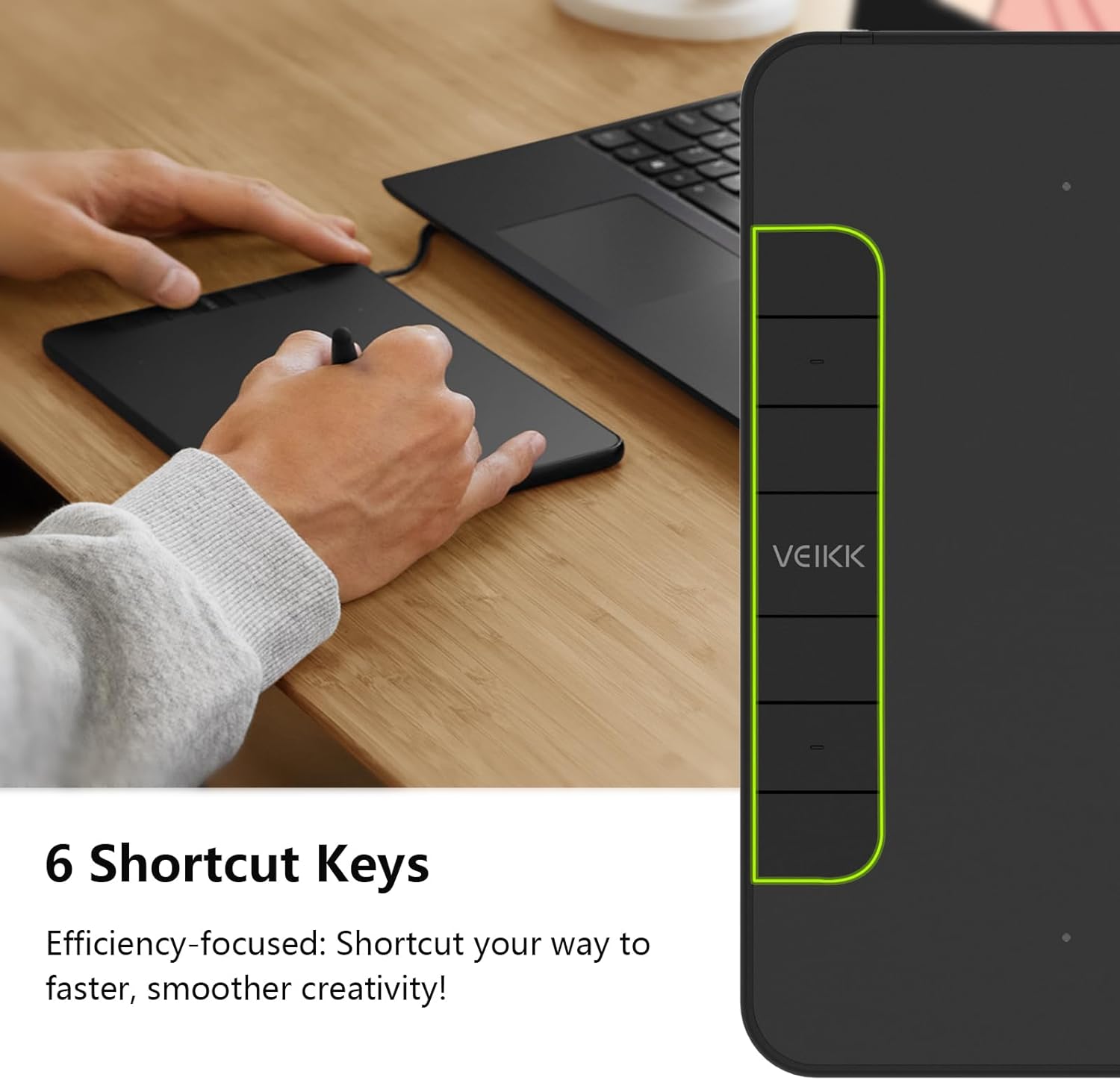
ภาพ: อดีตample functions for the 6 customizable press keys.
4.3 ความเข้ากันได้ของซอฟต์แวร์
The VK640 is compatible with a wide range of creative software, including but not limited to:
- อะโดบี โฟโต้ชอป
- กฤติ
- โปรแกรม Adobe Illustrator
- ซาย
- SketchBookPro
- ไฟร์อัลปากา
- OpenCanvas
- Manga Studio

Image: Broad compatibility of the VK640 with different operating systems and creative applications.
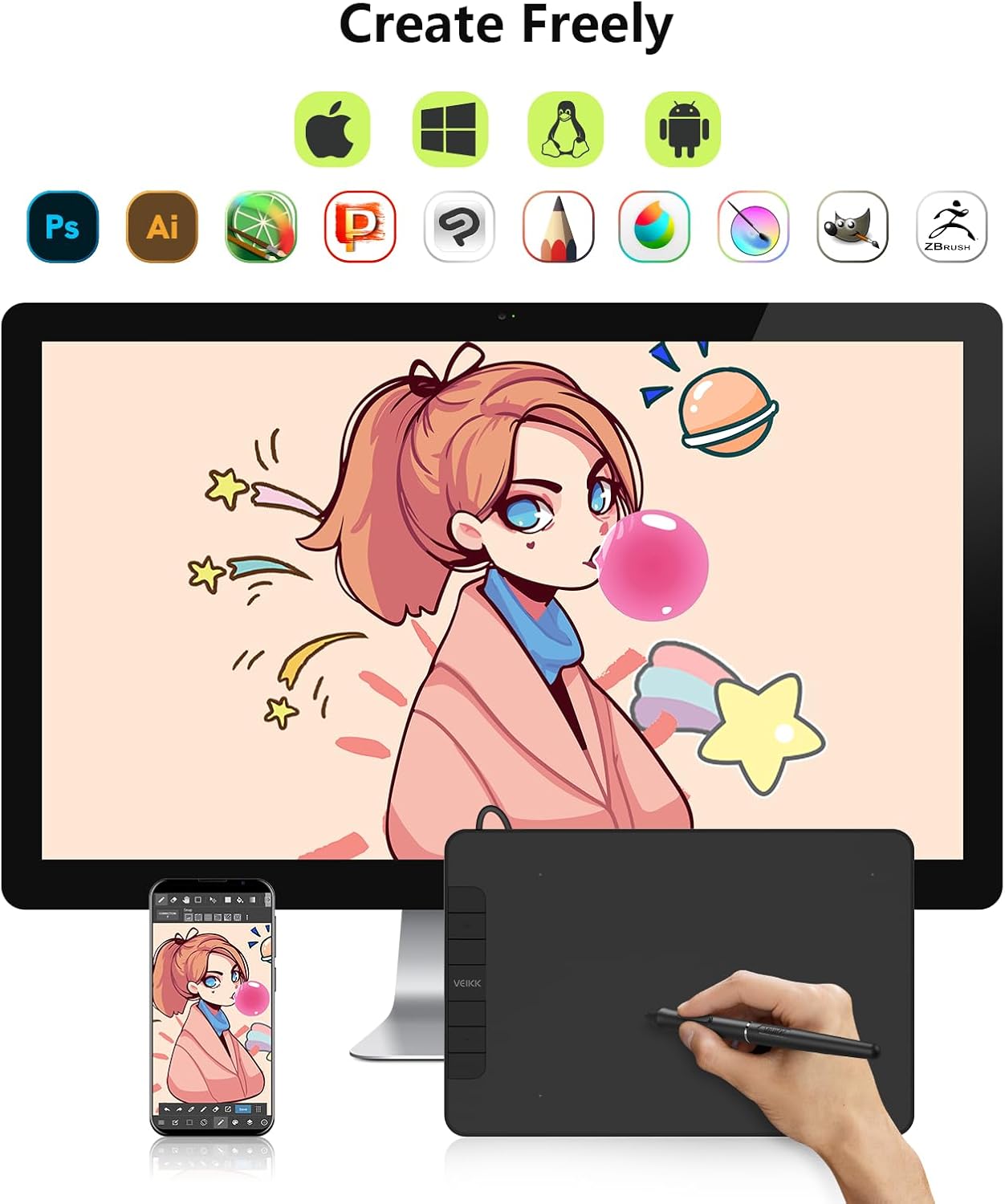
Image: Broad compatibility of the VK640 with different operating systems and creative applications.
5. การบำรุงรักษา
5.1 การทำความสะอาดแท็บเล็ต
ในการทำความสะอาดพื้นผิวแท็บเล็ต ให้ใช้ผ้าแห้งนุ่มๆ เช็ด สำหรับคราบสกปรกที่ติดแน่น ให้ใช้ผ้าชุบน้ำหมาดๆ เช็ดเบาๆamp สามารถใช้ผ้าชุบน้ำยาทำความสะอาดอ่อนๆ ที่ไม่ทำให้เกิดรอยขีดข่วนได้ หลีกเลี่ยงความชื้นมากเกินไปและสารเคมีรุนแรง
5.2 การเปลี่ยนหัวปากกา
The pen nibs will wear down with use. When a nib becomes too short or sharp, replace it using the included nib remover tool. Gently pull out the old nib and insert a new one until it is secure.
The package includes 28 replacement pen nibs to ensure long-term use.
6 การแก้ไขปัญหา
6.1 Pen Not Responding
- Ensure the tablet is properly connected to your computer.
- Verify that the VEIKK driver is installed correctly and running.
- ลองรีสตาร์ทเครื่องคอมพิวเตอร์ของคุณ
- Check if the pen nib is securely inserted or needs replacement.
- หากเป็นไปได้ ให้ลองเสียบแท็บเล็ตเข้ากับพอร์ต USB หรือคอมพิวเตอร์เครื่องอื่นดู
6.2 Pressure Sensitivity Not Working
- Confirm that the VEIKK driver is installed and updated.
- Check the pressure settings within your drawing software and the VEIKK driver panel.
- Ensure no other tablet drivers are conflicting with the VEIKK driver. Uninstall any old drivers.
6.3 Shortcut Keys Not Functioning
- Open the VEIKK driver software and verify that the shortcut keys are correctly assigned.
- Ensure the driver is active and not conflicting with other software.
7. ข้อมูลจำเพาะ
| ยี่ห้อ | วีค |
| ชื่อรุ่น | VK640 |
| เทคโนโลยีการเชื่อมต่อ | ยูเอสบี |
| พื้นที่ใช้งาน | 6 x 4 inches (24 square inches) |
| ความไวต่อแรงกด | 8192 ระดับ |
| รองรับการเอียง | 60° |
| ปุ่มลัด | 6 ปุ่มที่ปรับแต่งได้ |
| ความเข้ากันได้ของระบบปฏิบัติการ | Windows 7 or later, macOS 10.12 or later, Android 6.0 or later, Linux |
| น้ำหนักสินค้า | 279 กรัม |
| ความหนา | ประมาณ 8 มม. (0.3 นิ้ว) |

Image: Physical dimensions and weight of the VK640 tablet.

Image: Physical dimensions and weight of the VK640 tablet.
8. การรับประกันและการสนับสนุน
The VEIKK VK640 Digital Graphic Tablet comes with a รับประกันหนึ่งปี from the date of purchase. VEIKK also provides การสนับสนุนทางเทคนิคตลอดอายุการใช้งาน สำหรับผลิตภัณฑ์นี้
For warranty claims, technical assistance, or further inquiries, please contact VEIKK customer support through their official website or the contact information provided in the Quick Start Guide.