
1. บทนำและเรื่องอื่นๆview
The DATOUBOSS 6200W 48V Hybrid Solar Inverter is a pure sine wave inverter designed to convert 48V DC power to 220/230V AC power. It integrates a 120A MPPT solar charge controller and supports a maximum PV array power of 8500W. This inverter is engineered for reliable performance in various applications, including RVs, camping boats, and home emergency power systems. It features advanced protection mechanisms and flexible operating modes to optimize solar energy utilization.
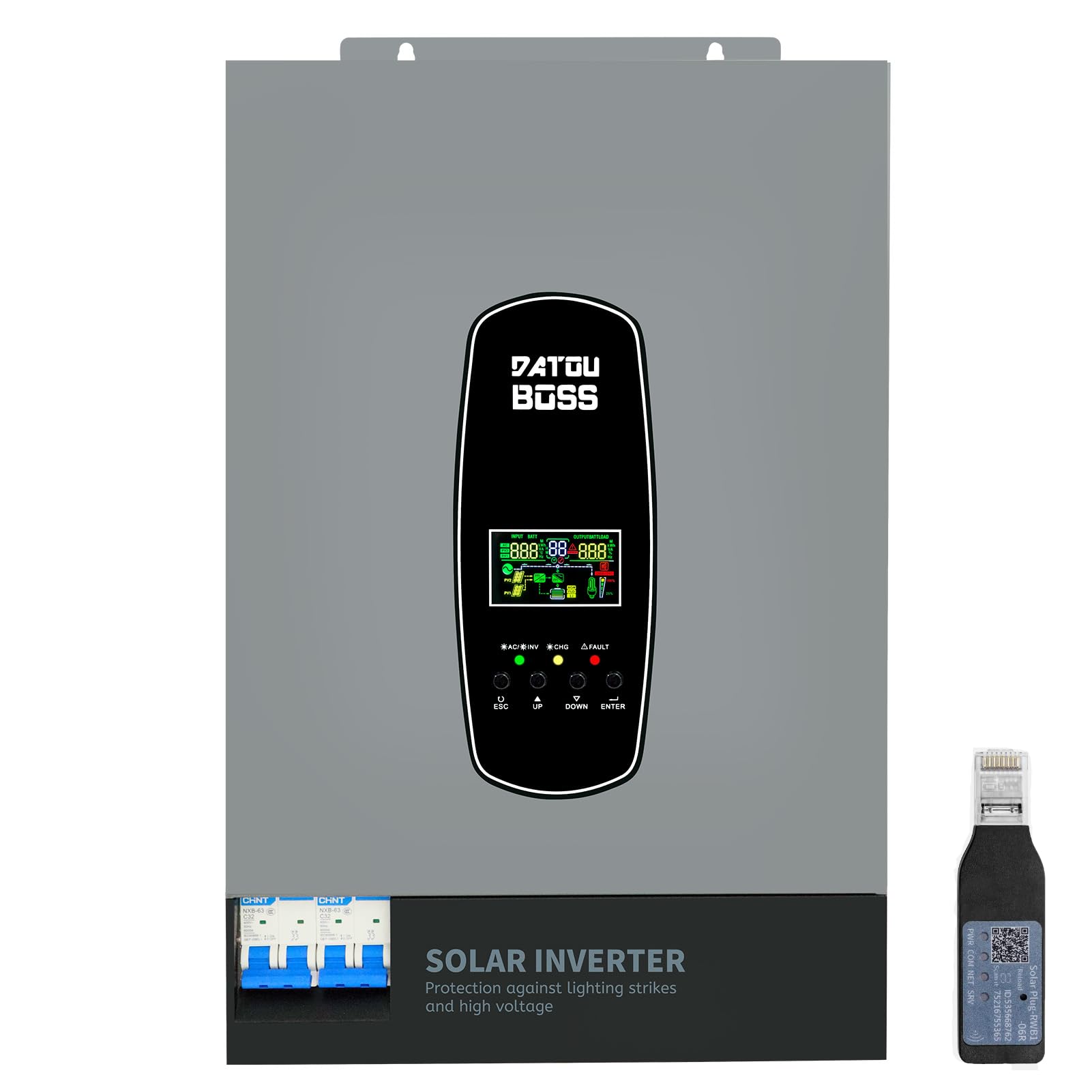
Image 1.1: The DATOUBOSS 6200W Hybrid Solar Inverter, highlighting its 6200W battery inverter output, 6500W PV inverter output, 120A MPPT charging, 8500W maximum PV input, and 60-500Vdc MPPT input voltagช่วงอี
2. ข้อมูลด้านความปลอดภัย
Please read all safety instructions carefully before installation and operation. Failure to follow these instructions may result in electric shock, fire, or serious injury. Keep this manual for future reference.
- การติดตั้งโดยมืออาชีพ: การติดตั้งควรทำโดยบุคลากรที่มีคุณสมบัติเหมาะสมเท่านั้น
- การระบายอากาศ : ตรวจสอบให้แน่ใจว่ามีการระบายอากาศที่เพียงพอรอบๆ อินเวอร์เตอร์เพื่อป้องกันความร้อนสูงเกินไป
- การสัมผัสน้ำ: อย่าให้อินเวอร์เตอร์โดนฝน หิมะ ละอองน้ำ หรือของเหลวใดๆ
- การต่อลงดิน: การต่อสายดินอย่างเหมาะสมถือเป็นสิ่งสำคัญเพื่อความปลอดภัย
- การปิดระบบฉุกเฉิน: Know how to quickly disconnect power in an emergency.
- Lightning and Surge Protection: This inverter includes enhanced lightning and overvoltage protection. Integrated safety switches at input and output further enhance safety against overload, short circuit, and surge hazards.

Image 2.1: The inverter features a new lightning-proof design, offering lightning and high-voltage protection, input and output safety switches, increased PV input current, improved inverter performance under PV, higher PV utilization, and EMI filtering.
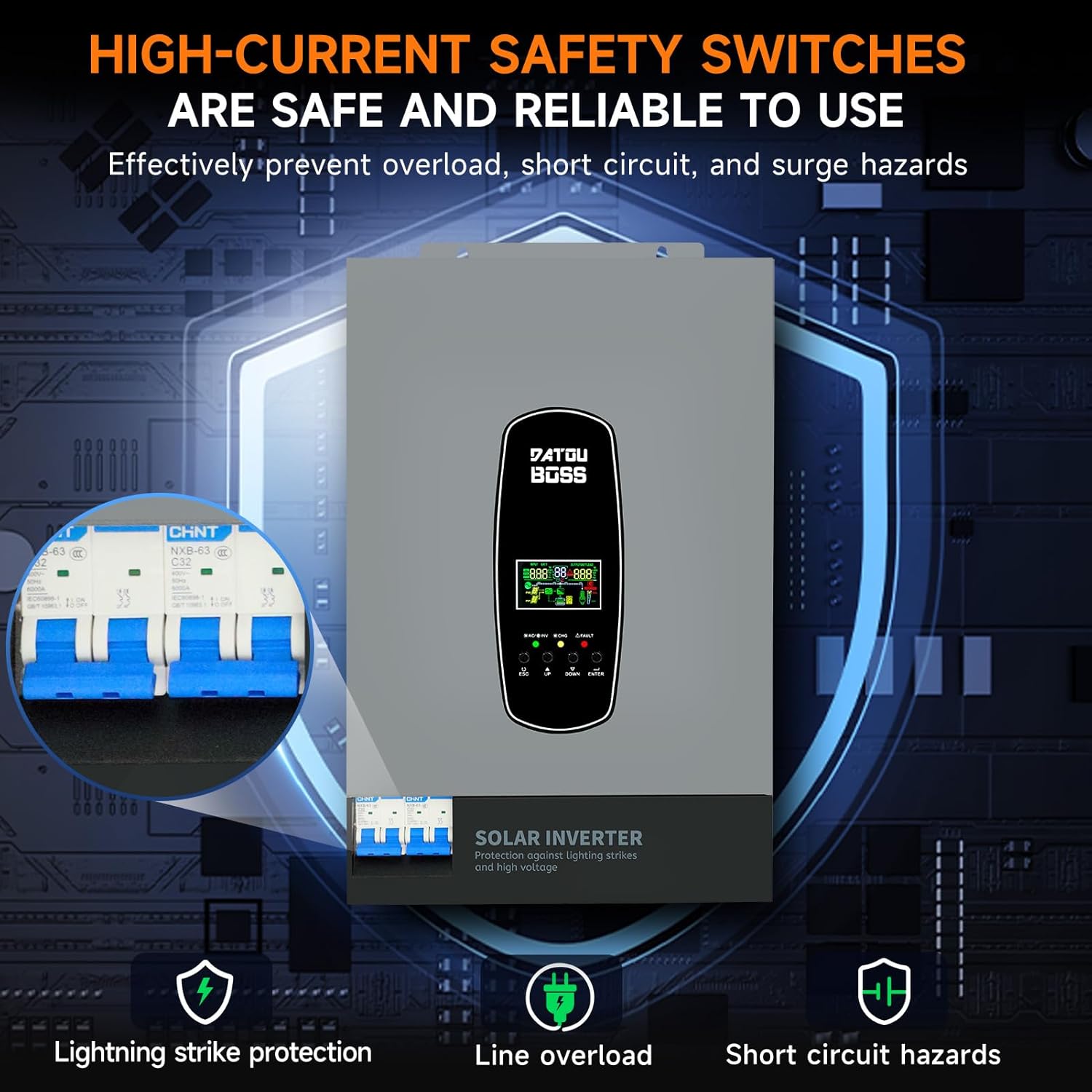
Image 2.2: High-current safety switches are integrated to effectively prevent overload, short circuit, and surge hazards, ensuring safe and reliable operation.
3. คุณสมบัติของผลิตภัณฑ์
- เอาท์พุตคลื่นไซน์บริสุทธิ์: ให้กระแสไฟฟ้าสลับคุณภาพสูง เหมาะสำหรับอุปกรณ์อิเล็กทรอนิกส์ที่ต้องการกระแสไฟฟ้าคุณภาพดี
- ตัวควบคุมการชาร์จ MPPT ในตัว: Features a 120A MPPT solar charge controller for efficient solar power harvesting.
- ใช้งานได้โดยไม่ต้องใช้แบตเตอรี่: Supports direct power supply to loads from PV array or AC source without requiring a battery connection.
- BMS Protection System: Equipped with a Battery Management System for lithium batteries, preventing overcharge and deep discharge.
- Customizable Charging Modes: Offers three battery charging modes: Hybrid (solar and utility), Solar Limited, and Pure Solar.
- จอแสดงผล LCD และไฟแสดงสถานะ LED: Real-time system data and operating status are displayed on the LCD screen, complemented by 3 dynamic LED indicators. Error codes are shown for easy troubleshooting.
- EMI Filtering: Minimizes electromagnetic interference for stable operation.
- พอร์ตการสื่อสาร RS485: Enables communication with batteries for monitoring and optimized charging.
4. ลักษณะคำอธิบาย
The DATOUBOSS 6200W Hybrid Solar Inverter features a robust design with clearly labeled connection points and an intuitive user interface.

ภาพที่ 4.1: ภาพนี้แสดงรายละเอียดอย่างครบถ้วน view of the inverter's front, left, and right sides. The front panel includes an LCD display, status indicators, and control buttons (ESC, UP, DOWN, ENTER). The top panel shows AC input, BMS/RS485, AC output, RS232 Dry Contact, and PV input ports. The bottom features a safety switch and ground wire connection. The left and right sides show ventilation grilles.
- แผงด้านหน้า: Features an LCD display for real-time data, status indicators (AC/INV, CHG, FAULT), and navigation buttons (ESC, UP, DOWN, ENTER).
- Top Connections: Includes terminals for AC input, AC output, PV input, BMS/RS485 communication, and RS232 Dry Contact.
- การเชื่อมต่อด้านล่าง: Equipped with a safety switch and a ground wire terminal.
- ด้านข้าง: Designed with ventilation grilles for efficient heat dissipation.
5. ข้อมูลจำเพาะ
Key technical specifications for the DATOUBOSS 6200W 48V Hybrid Solar Inverter:

Image 5.1: A close-up of the inverter's detailed parameters label, showing model DT4862L, capacity, PV and DC specifications, operating temperature, and protection degree.
| คุณสมบัติ | ข้อมูลจำเพาะ |
|---|---|
| หมายเลขรุ่น | DATOUBOSS-48V-6200W |
| ความจุ | 6200W/6200VA |
| อินพุต Voltage | 48 โวลต์ดีซี |
| ปริมาณการส่งออกtage | 230 VAC (Pure Sine Wave) |
| กำลังไฟสูงสุด | 9300 วัตต์ |
| MPPT PV Voltagอี เรนจ์ | 60 VDC ถึง 500 VDC |
| กำลังไฟฟ้าอาร์เรย์ PV สูงสุด | 8500 วัตต์ |
| กระแสไฟชาร์จพลังงานแสงอาทิตย์สูงสุด | 120 ก |
| กระแสไฟชาร์จ AC สูงสุด | 100 ก |
| Max Combined Charging Current (PV + AC) | 120 ก |
| ช่วงอุณหภูมิในการทำงาน | -10°C ถึง 50°C |
| ระดับการป้องกัน | IP21 |
| ขนาด (กว้าง x ยาว x สูง) | 31 x 13.4 x 46.3 ซม. |
| น้ำหนักสินค้า | 10.4 กิโลกรัม |
| ประเภทจอภาพ | จอแอลซีดี |
6. การตั้งค่า
Proper setup is crucial for the safe and efficient operation of your hybrid solar inverter. Always ensure all power sources are disconnected before making any connections.
- การติดตั้ง: Choose a suitable location for mounting the inverter. It should be indoors, well-ventilated, and protected from direct sunlight, moisture, and extreme temperatures. Ensure sufficient clearance around the unit for airflow.
- การต่อลงดิน: เชื่อมต่อขั้วกราวด์ของอินเวอร์เตอร์เข้ากับจุดต่อกราวด์ที่เชื่อถือได้
- การเชื่อมต่อแบตเตอรี่: Connect the battery bank to the inverter's battery terminals. Ensure correct polarity (positive to positive, negative to negative). Use appropriate cable gauges and fuses. The inverter supports 48V lithium batteries and includes a lithium battery activation function.
- การเชื่อมต่ออาร์เรย์ PV: Connect the solar panel array to the PV input terminals. Verify that the PV voltage and current are within the inverter's specified operating range (60-500 VDC MPPT range, max 500 VDC open circuit voltage, max 27A input current). Ensure correct polarity.
- การเชื่อมต่อไฟ AC (จากแหล่งจ่ายไฟหลัก/เครื่องกำเนิดไฟฟ้า): เชื่อมต่อไฟจากระบบไฟฟ้ากระแสสลับหรือเครื่องกำเนิดไฟฟ้าที่ใช้งานร่วมกันได้เข้ากับขั้วต่ออินพุต AC
- การเชื่อมต่อเอาต์พุต AC (โหลด): Connect your AC loads (appliances, circuits) to the AC output terminals.
- การเชื่อมต่อการสื่อสาร (ไม่บังคับ): If using, connect the RS485 port to a compatible battery or monitoring device. The WiFi module (if included) can be connected for remote monitoring.
- การตรวจสอบขั้นสุดท้าย: Double-check all connections for tightness and correct polarity. Ensure all safety switches are in the OFF position before powering on.
7. ปฏิบัติการ
Once the inverter is properly installed and all connections are secure, you can begin operation.
- เปิดเครื่อง: Turn on the battery breaker first, then the PV array breaker, and finally the AC input breaker (if connected). Switch the inverter's main power ON/OFF switch to the 'ON' position.
- จอแสดงผล LCD: The LCD screen will illuminate, displaying system data such as input voltage, ปริมาณการส่งออกtage, battery status, and load percentage. Use the 'UP' and 'DOWN' buttons to navigate through different display screens and the 'ENTER' button to confirm selections.
- ไฟ LED แสดงสถานะ: Observe the three LED indicators:
- กระแสสลับ/อินเวอร์: Indicates AC input status or inverter operation.
- ซีเอชจี: แสดงสถานะการชาร์จแบตเตอรี่
- ความผิดพลาด: Illuminates if an error occurs. Refer to the LCD for specific error codes.
- Setting Charging Modes: The inverter allows customization of battery charging modes:
- ระบบชาร์จไฮบริด: (Default) Utilizes both solar energy and AC utility power for charging.
- Solar Limited Charge: Prioritizes solar charging, using AC utility only when solar is insufficient.
- Pure Solar Charge: ชาร์จแบตเตอรี่โดยใช้พลังงานแสงอาทิตย์เพียงอย่างเดียว
- Battery-Less Mode: The inverter can operate without a battery connected, directly powering loads from the PV array or AC source. This mode can be configured through the system settings.
- การติดตาม: Regularly check the LCD display for system status and performance. If a WiFi module is installed, use the dedicated application for remote monitoring.
8. การบำรุงรักษา
Regular maintenance ensures the longevity and optimal performance of your DATOUBOSS Hybrid Solar Inverter.
- การทำความสะอาด: รักษาอินเวอร์เตอร์ให้สะอาดและปราศจากฝุ่น ใช้ผ้าแห้งเช็ดทำความสะอาดภายนอก ตรวจสอบให้แน่ใจว่าช่องระบายอากาศไม่ถูกปิดกั้น
- การตรวจสอบการเชื่อมต่อ: ตรวจสอบการเชื่อมต่อทางไฟฟ้าทั้งหมดเป็นระยะ เพื่อดูว่าแน่นหนาดีหรือไม่ และมีร่องรอยการกัดกร่อนหรือไม่ ขันการเชื่อมต่อที่หลวมให้แน่น
- การตรวจสอบแบตเตอรี่: If using batteries, regularly check their terminals for corrosion and ensure they are clean and secure. Monitor battery health via the inverter's display or communication port.
- สภาพแวดล้อม : Ensure the inverter remains in a suitable environment, free from excessive heat, cold, or humidity.
- อัพเดตเฟิร์มแวร์: ตรวจสอบของผู้ผลิต webตรวจสอบเว็บไซต์เพื่อดูการอัปเดตเฟิร์มแวร์ที่มีให้ใช้งาน เพื่อให้แน่ใจว่าอินเวอร์เตอร์ของคุณมีคุณสมบัติล่าสุดและได้รับการแก้ไขข้อบกพร่องแล้ว
9 การแก้ไขปัญหา
ส่วนนี้ให้คำแนะนำสำหรับปัญหาทั่วไป สำหรับปัญหาที่ซับซ้อน โปรดติดต่อฝ่ายสนับสนุนด้านเทคนิค
| ปัญหา | สาเหตุที่เป็นไปได้ | สารละลาย |
|---|---|---|
| อินเวอร์เตอร์ไม่เปิด | No battery power; main switch off; loose connections. | ตรวจสอบปริมาณแบตเตอรี่tage; ensure main switch is ON; verify all connections. |
| ไม่มีเอาท์พุต AC | โอเวอร์โหลด; ไฟฟ้าลัดวงจร; แบตเตอรี่อ่อนtage; fault code. | Reduce load; check for short circuits; charge battery; check LCD for error codes. |
| แบตเตอรี่ไม่ชาร์จ | PV input too low/high; AC input unavailable; incorrect charging mode. | ตรวจสอบปริมาณ PVtage/current; verify AC input; adjust charging mode settings. |
| Fault LED illuminated | Internal error; over-temperature; over-voltagอี/กระแส | Note the error code on the LCD and consult the full user manual for specific remedies. Power cycle the unit if safe to do so. |
10. การรับประกันและการสนับสนุน
DATOUBOSS is committed to providing high-quality products and customer satisfaction.
- อายุการใช้งาน: This product is designed for a 10-year lifespan.
- รับประกัน: A 5-year guarantee covers manufacturing defects and malfunctions under normal use.
- การสนับสนุนลูกค้า: We offer 24-hour response for technical inquiries and support.
- บริการ: Local warehouses are available for efficient service and parts.

Image 10.1: Visual representation of DATOUBOSS's commitment to product quality and customer service, including a 10-year lifespan, 5-year guarantee, 24-hour response, and local warehouses.
For further assistance or to report an issue, please contact DATOUBOSS customer service through the official channels provided with your purchase.