
1. บทนำ
This manual provides detailed instructions for the setup, operation, and maintenance of your CHEREEKI Wireless Controller for PlayStation 4. Please read this manual thoroughly before using the product to ensure proper functionality and to maximize your gaming experience.
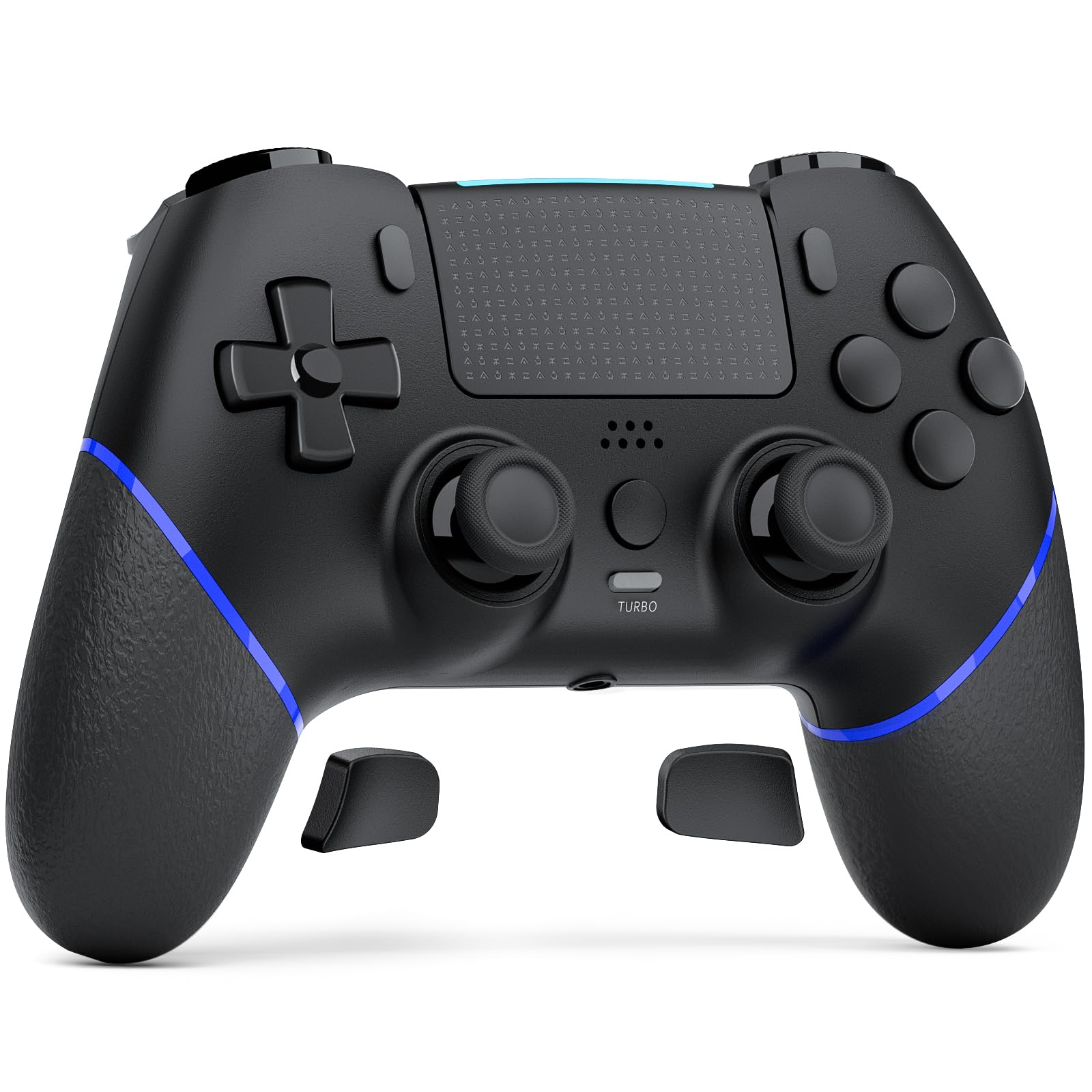
Image 1.1: The CHEREEKI Wireless Controller for PS4. This image displays the black controller from a front-top angle, highlighting its ergonomic design and button layout.
2. สินค้าหมดview
The CHEREEKI Wireless Controller is designed for use with PlayStation 4 consoles (PS4, PS4 Slim, PS4 Pro). It features advanced Hall Effect joysticks, customizable back buttons, vibration feedback, motion sensing, a touchpad, and a 3.5mm headphone jack for an immersive gaming experience.
2.1 คุณสมบัติหลัก
- Universal PS4 Compatibility: Connects seamlessly with PS4, PS4 Slim, and PS4 Pro consoles.
- Hall Effect Joystick Technology: Provides precise, lag-free control and eliminates stick drift.
- Customizable Back Button Programming: Map frequently used actions to two programmable back buttons.
- แบตเตอรี่ใช้งานได้ยาวนาน: Equipped with a 1000mAh battery, offering 8-10 hours of gameplay on a 3-hour charge.
- เพิ่มความสะดวกสบาย: Generously proportioned design for a natural grip, suitable for various hand sizes.
- Double Vibration Feedback: Provides realistic in-game sensations.
- เซ็นเซอร์ตรวจจับการเคลื่อนไหว: Integrated motion sensing for interactive gameplay.
- ทัชแพด: Functional touchpad for additional control options.
- แจ็คหูฟัง 3.5 มม.: For audio output and communication.
2.2 เค้าโครงตัวควบคุม

Image 2.1: Labeled diagram of the CHEREEKI Wireless Controller. This image identifies the Type C Port, R1/R2/L1/L2 Buttons, SHARE Button, LED indicator, OPTIONS Button, Directional Buttons, Left Stick, Right Stick, Home Button, Turbo Button, Stereo Headset Jack, and Reset button location.
3. การตั้งค่าและการเชื่อมต่อ
3.1 Initial Connection to PS4
- โปรดตรวจสอบให้แน่ใจว่าเครื่อง PS4 ของคุณเปิดอยู่
- Connect the CHEREEKI Wireless Controller to your PS4 console using the included USB-C cable.
- กดปุ่ม ปุ่มโฮม (located in the center of the controller) to activate the controller.
- The controller will automatically pair with your PS4. Once paired, you can disconnect the USB-C cable for wireless use.
- หากต้องการใช้งานครั้งต่อไป เพียงกดปุ่ม ปุ่มโฮม to reconnect wirelessly.
3.2 การชาร์จคอนโทรลเลอร์
The controller features a 1000mAh rechargeable battery. To charge:
- Connect the controller to your PS4 console or a USB power adapter (5V/1A recommended) using the USB-C cable.
- ไฟแสดงสถานะ LED บนตัวควบคุมจะแสดงสถานะการชาร์จ
- การชาร์จเต็มใช้เวลาประมาณ 3 ชั่วโมง และสามารถใช้งานได้ 8-10 ชั่วโมง
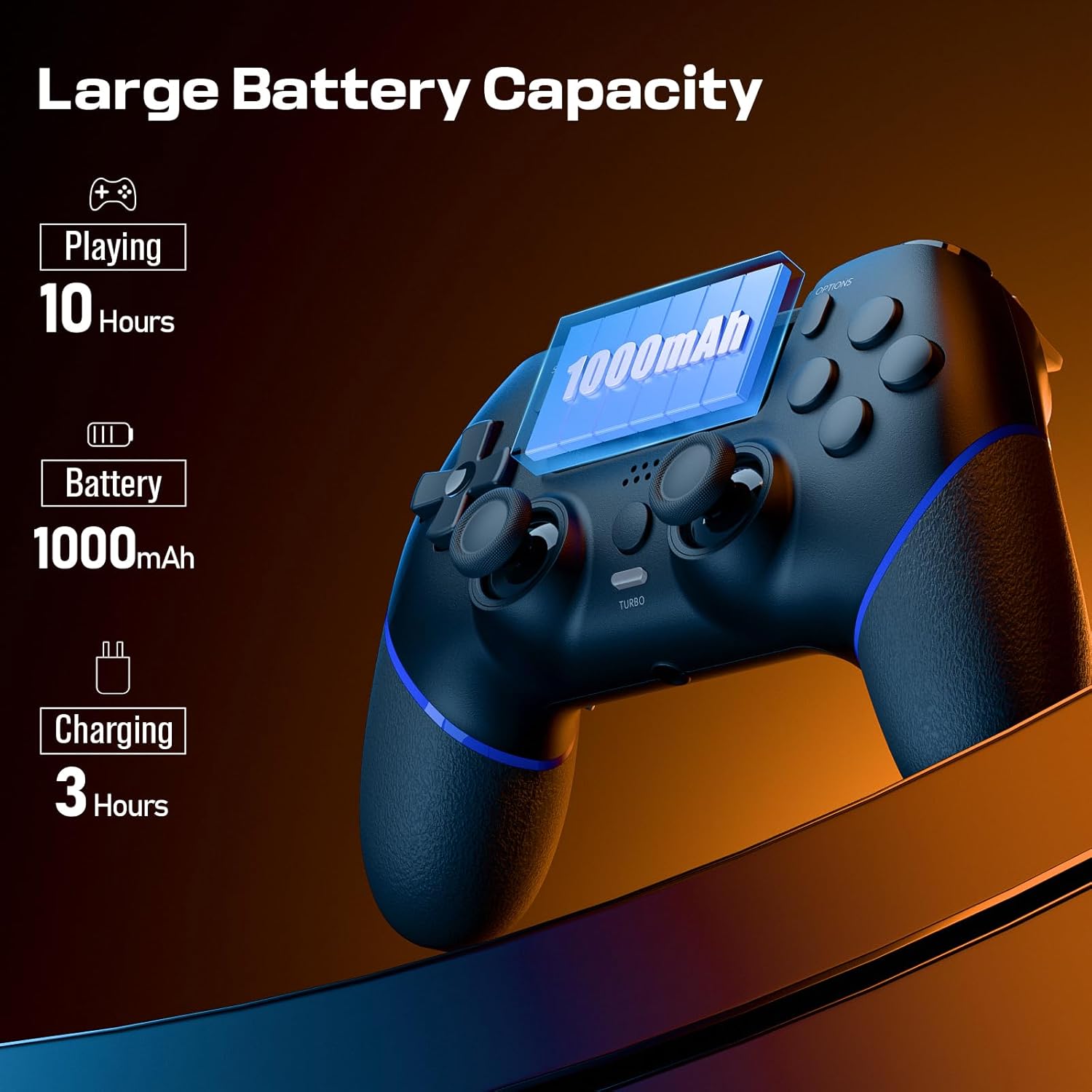
Image 3.1: Visual representation of the controller's battery capacity and charging details. It shows 'Playing 10 Hours', 'Battery 1000mAh', and 'Charging 3 Hours'.
4. คู่มือการใช้งาน
4.1 จอยสติ๊กแบบ Hall Effect
The controller is equipped with Hall Effect joysticks, which use magnetic sensors instead of physical contacts. This design significantly reduces wear and tear, preventing common issues like stick drift and ensuring consistent, precise input over time.
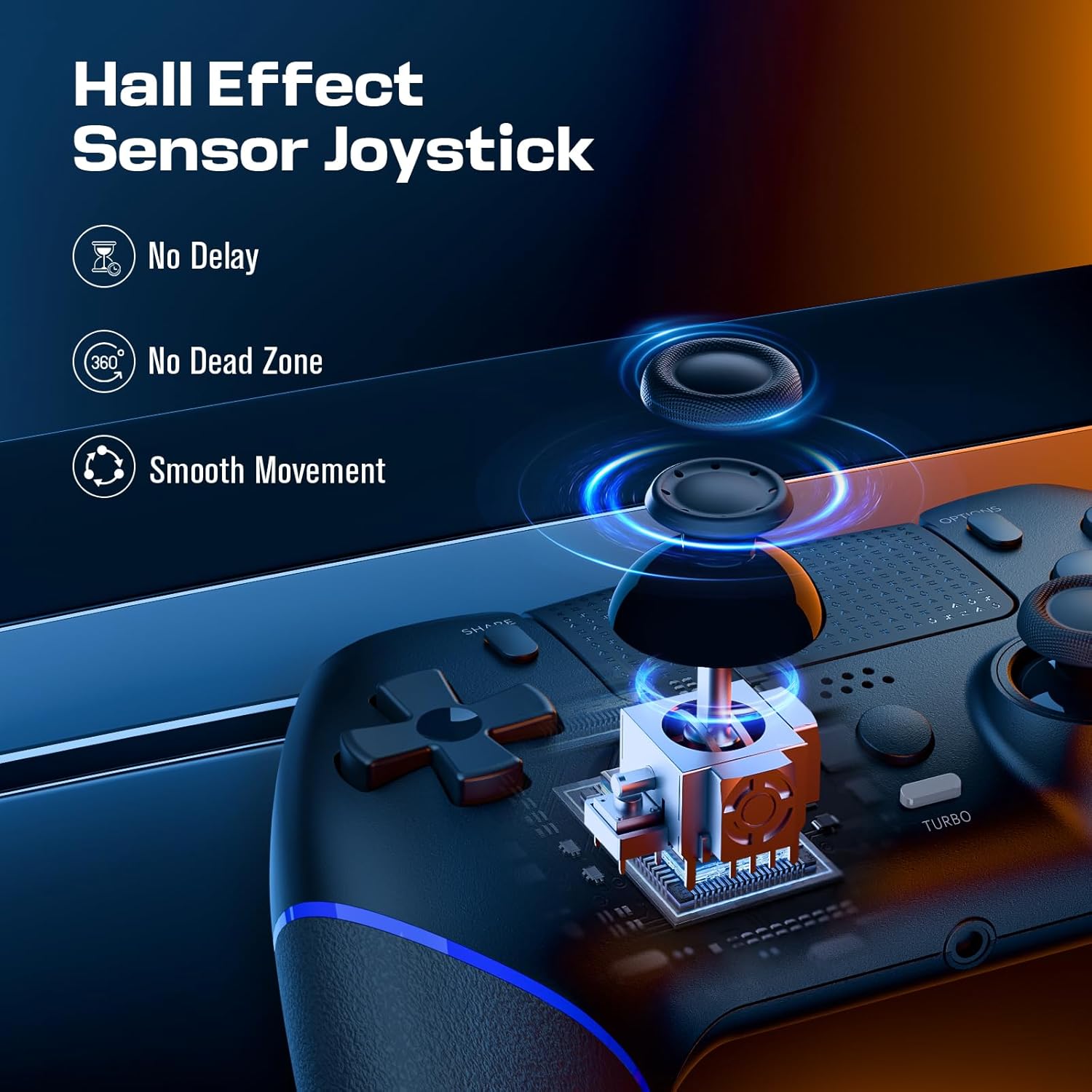
Image 4.1: Diagram illustrating the Hall Effect Sensor Joystick technology. It highlights 'No Delay', 'No Dead Zone', and 'Smooth Movement' as benefits.
4.2 ปุ่มย้อนกลับที่ปรับแต่งได้
The two programmable back buttons (often labeled L3/R3 or similar in mapping) allow you to assign complex actions or frequently used button combinations for quicker execution and reduced finger fatigue. Refer to your console's settings or specific game options for detailed button remapping procedures.

Image 4.2: Visual of the Custom Button Mapping feature. It shows how L3/R3 can be converted to other face buttons or shoulder buttons.
4.3 ฟังก์ชันเทอร์โบ
The Turbo function allows for rapid, sustained input of a button press without repeatedly pressing the button. To activate/deactivate the Turbo function:
- กดปุ่มค้างไว้ ปุ่มเทอร์โบ.
- While holding Turbo, press the desired action button (e.g., X, O, Square, Triangle, R1, L1, etc.).
- Release both buttons. The selected action button will now continuously register input as long as it is held down.
- To deactivate, repeat the process: hold เทอร์โบ แล้วกดปุ่มดำเนินการอีกครั้ง

Image 4.3: The Turbo button on the controller is highlighted, with text indicating 'Sustain Auto-Fire with a Single Button Press'.
4.4 การตอบรับการสั่นสะเทือน
The controller includes dual motors for vibration feedback, providing tactile responses to in-game events such as impacts, explosions, or environmental effects. This enhances immersion and provides additional sensory cues during gameplay.

Image 4.4: Controller with visual effects representing Double Vibration Feedback, indicating a 'More Realistic Feeling in the Games'.
4.5 Motion Sensor and Touchpad
The integrated motion sensor allows for intuitive control in games that utilize tilt and movement. The central touchpad provides an additional input method, supporting gestures and taps for navigation and specific in-game actions.
แจ็คหูฟัง 4.6
A 3.5mm stereo headphone jack is located at the bottom of the controller, allowing you to connect a headset for game audio and voice chat.
4.7 วิดีโอสินค้า
Video 4.1: An official product video demonstrating the CHEREEKI Wireless Controller, focusing on its Hall Effect joystick technology and overall design. This video highlights the precision and responsiveness of the controller's inputs.
5. การบำรุงรักษา
To ensure the longevity and optimal performance of your CHEREEKI Wireless Controller, follow these maintenance guidelines:
- การทำความสะอาด: ใช้ผ้านุ่มและแห้งเช็ดคอนโทรลเลอร์ สำหรับสิ่งสกปรกฝังแน่น ให้เช็ดเบาๆampชุบผ้าด้วยน้ำ หลีกเลี่ยงการใช้สารเคมีรุนแรงหรือน้ำยาทำความสะอาดที่มีฤทธิ์กัดกร่อน
- พื้นที่จัดเก็บ: เก็บตัวควบคุมไว้ในที่แห้งและเย็น ห่างจากแสงแดดโดยตรงและอุณหภูมิที่สูงหรือต่ำมาก
- การจัดการ: หลีกเลี่ยงการทำคอนโทรลเลอร์ตกหรือโดนแรงกระแทกรุนแรง เพราะอาจทำให้ชิ้นส่วนภายในเสียหายได้
- การชาร์จ: อย่าชาร์จแบตเตอรี่มากเกินไป ถอดสายชาร์จออกเมื่อชาร์จคอนโทรลเลอร์เต็มแล้ว
6 การแก้ไขปัญหา
If you encounter issues with your CHEREEKI Wireless Controller, please refer to the following common solutions:
6.1 ปัญหาการเชื่อมต่อ
- ตัวควบคุมไม่ได้เชื่อมต่อ: Ensure the controller is charged. Connect it to the PS4 with the USB-C cable and press the Home button for initial pairing.
- การเชื่อมต่อไม่ต่อเนื่อง: Move closer to the PS4 console to rule out interference. Ensure no other wireless devices are causing interference.
6.2 Stick Drift or Unresponsive Inputs
- While the Hall Effect joysticks are designed to prevent stick drift, if you experience any unusual input, try resetting the controller.
6.3 การรีเซ็ตคอนโทรลเลอร์
If the controller is unresponsive or behaving erratically, perform a reset:
- Locate the small reset button on the back of the controller (often near the L2/R2 triggers or a screw hole).
- Use a small, pointed object (like a straightened paperclip) to press and hold the reset button for 3-5 seconds.
- ปล่อยปุ่ม
- Reconnect the controller to your PS4 using the USB-C cable and press the Home button to re-establish connection.
6.4 แบตเตอรี่ไม่ชาร์จ
- ตรวจสอบให้แน่ใจว่าสาย USB-C เชื่อมต่อกับตัวควบคุมและแหล่งจ่ายไฟอย่างแน่นหนาแล้ว
- Try a different USB-C cable or a different USB port/power adapter.
- Confirm the power source is providing sufficient power (e.g., a PS4 USB port or a 5V/1A adapter).
7. ข้อมูลจำเพาะ
| คุณสมบัติ | ข้อมูลจำเพาะ |
|---|---|
| อุปกรณ์ที่รองรับ | Playstation 4 (PS4, PS4 Slim, PS4 Pro) |
| ประเภทตัวควบคุม | แป้นเกม |
| การเชื่อมต่อ | ไร้สาย (บลูทูธ), มีสาย (USB-C) |
| เทคโนโลยีจอยสติ๊ก | เอฟเฟกต์ฮอลล์ |
| ความจุของแบตเตอรี่ | 1000mAh |
| เวลาในการชาร์จ | ประมาณ 3 ชั่วโมง |
| เวลาเล่น | ประมาณ 8-10 ชั่วโมง |
| คุณสมบัติเพิ่มเติม | Ergonomic Design, Headphone Jack, Motion Sensing, Touchpad, Programmable Back Buttons, Double Vibration |
| สี | สีดำ |
8. การรับประกันและการสนับสนุน
For warranty information, technical support, or any product-related inquiries, please contact CHEREEKI customer service through the retailer where the product was purchased or visit the official CHEREEKI webไซต์ โปรดเก็บหลักฐานการซื้อไว้เพื่อใช้ในการเรียกร้องการรับประกัน