
ซัมซุง UN65U7900FFXZA
Samsung UN65U7900F Series 65-inch UHD 4K Smart Tizen TV Instruction Manual
รุ่น: UN65U7900FFXZA
1. บทนำ
Welcome to your new Samsung UN65U7900F Series 65-inch UHD 4K Smart Tizen TV. This manual provides essential information for setting up, operating, maintaining, and troubleshooting your television. Please read these instructions carefully to ensure proper use and to maximize your viewการสร้างประสบการณ์
ข้อมูลด้านความปลอดภัยที่สำคัญ:
- ปฏิบัติตามข้อควรระวังด้านความปลอดภัยพื้นฐานเสมอเมื่อใช้ผลิตภัณฑ์นี้ เพื่อลดความเสี่ยงต่อการเกิดไฟไหม้ ไฟฟ้าช็อต และการบาดเจ็บ
- อย่าให้ทีวีโดนฝนหรือความชื้น
- ตรวจสอบให้แน่ใจว่ามีการระบายอากาศที่เหมาะสมรอบๆ ทีวี
- ส่งต่อการบริการทั้งหมดไปยังบุคลากรบริการที่มีคุณสมบัติเหมาะสม
2. อะไรอยู่ในกล่อง
แกะทีวีของคุณออกจากกล่องอย่างระมัดระวังและตรวจสอบว่ามีรายการสิ่งของต่อไปนี้รวมอยู่ด้วยหรือไม่:
- Samsung Q8F 4K HDR Smart QLED TV (Note: Product title indicates U7900F series, please verify model on packaging)
- รีโมทคอนโทรล SolarCell
- สายไฟ
- Limited 1-Year Protection documentation
หากมีสินค้าใดขาดหายหรือเสียหาย โปรดติดต่อผู้ค้าปลีกของคุณ
3. การตั้งค่า
3.1. TV Assembly
Before proceeding, ensure the TV is placed on a stable, level surface or securely mounted to a wall using a compatible VESA mount (sold separately). If using the included stand, attach it according to the instructions provided in the separate stand assembly guide.

Figure 3.1: Samsung 65-inch TV securely placed on its stand.
3.2. การเชื่อมต่ออุปกรณ์ต่อพ่วง
Connect your devices to the TV's ports. Ensure the TV and all devices are powered off before making connections.
- สายไฟ: เชื่อมต่อสายไฟเข้ากับช่องอินพุตไฟของทีวี จากนั้นจึงเชื่อมต่อกับเต้ารับที่ผนัง
- อุปกรณ์ HDMI: Connect external devices such as a Blu-ray player, game console, or cable box to the TV's HDMI port. Note: This model features only ONE HDMI input. Plan your device connections accordingly.
- อุปกรณ์ยูเอสบี: Connect USB storage devices for media playback or software updates to the TV's USB port. Note: This model features only ONE USB input.
- การเชื่อมต่อเครือข่าย: For Smart TV features, connect the TV to your home network via Wi-Fi or an Ethernet cable (not included).

รูปที่ 3.2: โปรด้านข้างfile of the TV, illustrating the location of connection ports.
3.3. การตั้งค่าเริ่มต้น
เมื่อเปิดเครื่องแล้ว ทีวีจะแนะนำคุณตลอดขั้นตอนการตั้งค่าเบื้องต้น ซึ่งรวมถึง:
- การเลือกภาษา
- Network connection setup (Wi-Fi or wired)
- การสแกนช่องสัญญาณ (สำหรับการเชื่อมต่อเสาอากาศ/สายเคเบิล)
- Samsung account login (optional, for full Smart TV features)
4. การใช้งานทีวีของคุณ
4.1. SolarCell Remote Control
Your TV comes with a SolarCell Remote Control. This remote charges via indoor lighting or USB-C, eliminating the need for disposable batteries. Familiarize yourself with the buttons for power, volume, channel, navigation, and smart hub access.
4.2. Navigating Tizen OS
The Samsung Tizen operating system provides a user-friendly interface for accessing apps, streaming services, and TV settings. Use the remote's navigation pad to browse the Smart Hub, which appears as a horizontal bar at the bottom of the screen.
4.3. Accessing Free Content
Your TV offers access to over 2,700 free channels, including more than 400 premium Samsung TV Plus channels. These include live national and local news, sports, movies, music, kids' shows, and K-Content. Additionally, you can access free streaming apps like Pluto TV and Freevee with an internet connection.
5. คุณสมบัติหลัก
5.1. Crystal Processor 4K & 4K Upscaling
The Crystal Processor 4K enhances picture quality, delivering vibrant colors and lifelike detail. It also features powerful 4K upscaling, which analyzes and upgrades lower-resolution content to near-4K quality, ensuring movies, TV shows, games, and sports appear sharp and clear.
5.2. การออกแบบ MetalStream
The TV features a sleek MetalStream Design, crafted from a single sheet of metal. This design minimizes distractions with a slim bezel and enhances the aesthetic of your living space.
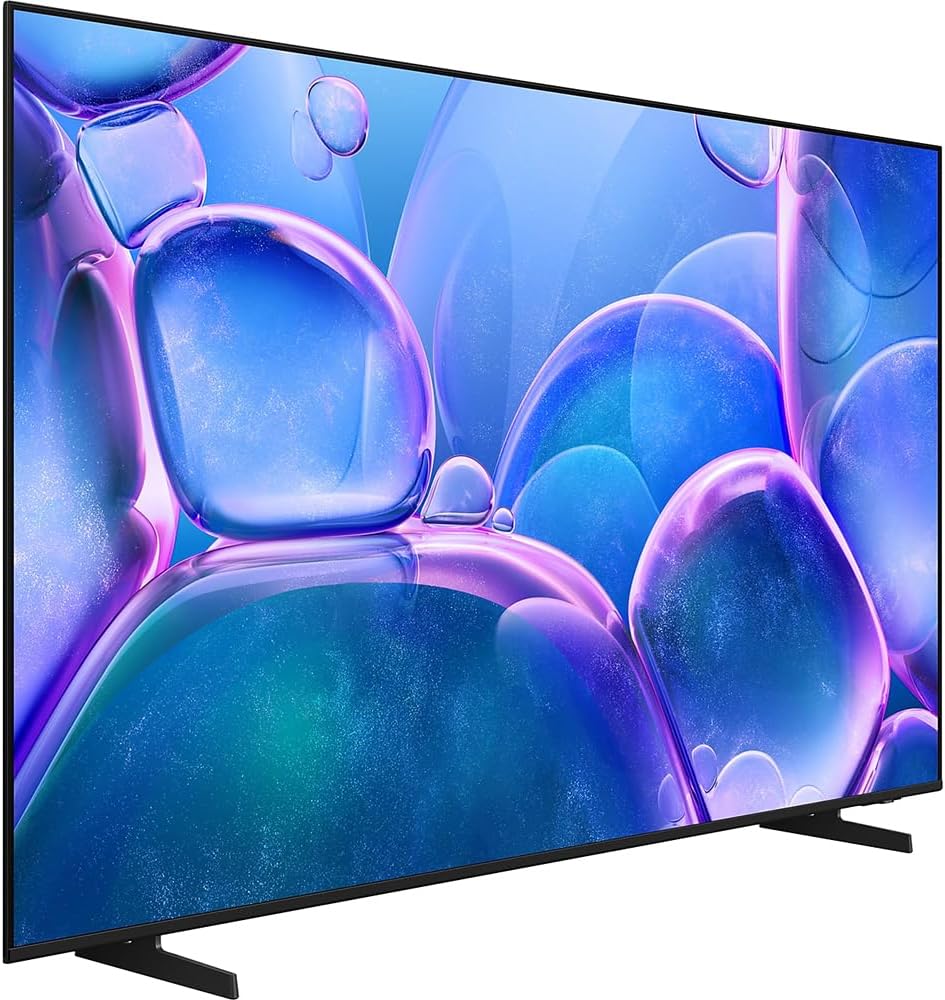
รูปที่ 5.1: รุ่น Slim Profile and elegant MetalStream Design of the television.
5.3. ระบบรักษาความปลอดภัย Samsung Knox
Your TV incorporates Samsung Knox Security, a triple-layer protection system. It automatically blocks unauthorized applications and phishing websites, safeguarding your personal data and IoT devices connected to the TV. Regular updates ensure continuous protection.
5.4. Motion Xcelerator Technology
Motion Xcelerator technology improves clarity for fast-moving content, such as video games and sports. It estimates and predicts motion between frames to enhance smoothness and reduce blur, providing a more fluid viewการสร้างประสบการณ์
5.5. HDR10+ & Color Booster
High Dynamic Range (HDR) technology, including HDR10+, expands the contrast range between the lightest and darkest parts of a scene, revealing enhanced detail and depth. The Color Booster feature further intensifies hues, making colors appear richer and more vibrant.

รูปที่ 5.2: ตัวอย่างample of HDR enhancing the contrast and detail in a scenic image.
5.6. Object Tracking Sound Lite & Q-Symphony
Object Tracking Sound Lite creates an immersive audio experience by making sound follow the on-screen action, utilizing a virtual top channel. When paired with a compatible Samsung soundbar, Q-Symphony allows both the TV speakers and the soundbar to operate simultaneously, producing a more robust and nuanced surround sound.
6. การบำรุงรักษา
6.1. การทำความสะอาดทีวี
ในการทำความสะอาดหน้าจอ ให้เช็ดเบาๆ ด้วยผ้าไมโครไฟเบอร์ที่นุ่มและแห้ง สำหรับรอยฝังแน่น ให้เช็ดเบาๆampเช็ดผ้าด้วยน้ำหรือน้ำยาทำความสะอาดหน้าจอโดยเฉพาะ หลีกเลี่ยงการใช้สารเคมีรุนแรง วัสดุที่มีฤทธิ์กัดกร่อน หรือการฉีดน้ำยาลงบนหน้าจอโดยตรง
To clean the TV frame and stand, use a soft, dry cloth. Do not use wax or polishing agents.
6.2. การอัปเดตซอฟต์แวร์
Periodically check for software updates through the TV's settings menu. Updates can improve performance, add new features, and enhance security. Ensure your TV is connected to the internet to receive updates.
7 การแก้ไขปัญหา
หากคุณประสบปัญหาเกี่ยวกับทีวี โปรดดูปัญหาทั่วไปและวิธีแก้ไขต่อไปนี้:
- ไม่มีไฟฟ้า:
ตรวจสอบให้แน่ใจว่าสายไฟเชื่อมต่อกับทีวีและเต้ารับที่ใช้งานได้สนิทดีแล้ว ทดสอบเต้ารับด้วยอุปกรณ์อื่นก่อน - ไม่มีภาพ/เสียง:
Verify that the correct input source is selected. Check all cable connections (HDMI, etc.) for looseness or damage. If using an external device, ensure it is powered on. - คุณภาพภาพไม่ดี:
Adjust picture settings (brightness, contrast, sharpness) in the TV menu. If using an antenna, check its connection and position. For streaming content, ensure a stable internet connection. - รีโมทคอนโทรลไม่ทำงาน:
Ensure the SolarCell Remote is charged. Point the remote directly at the TV. If issues persist, try resetting the remote or pairing it again according to the on-screen instructions. - Limited Connectivity (HDMI/USB):
This model is noted to have only one HDMI input and one USB input. If you have multiple devices, consider using an HDMI switch or USB hub (sold separately) to manage your connections. - คุณสมบัติอัจฉริยะไม่ทำงาน:
Check your internet connection. Restart the TV and your router. Ensure the TV's software is up to date.
สำหรับปัญหาที่ซับซ้อนกว่านี้ โปรดดูคู่มืออิเล็กทรอนิกส์ฉบับเต็ม ซึ่งสามารถเข้าถึงได้ผ่านการตั้งค่าของทีวี หรือไปที่เว็บไซต์ฝ่ายสนับสนุนของ Samsung webเว็บไซต์.
8. ข้อมูลจำเพาะ
| ยี่ห้อ | ซัมซุง |
| หมายเลขรุ่น | E1SAMUN65U7900 (UN65U7900FFXZA) |
| ขนาดหน้าจอ | 65 นิ้ว |
| เทคโนโลยีการแสดงผล | นำ |
| ปณิธาน | 4K UHD (3840 x 2160) |
| อัตราการรีเฟรช | 60 เฮิรตซ์ |
| อัตราส่วนภาพ | 16:9 น. |
| เทคโนโลยีการเชื่อมต่อ | บลูทู ธ Wi-Fi |
| ขนาดสินค้า (ลึก x กว้าง x สูง) | 8.74" x 56.85" x 34.73" (พร้อมขาตั้ง) |
| น้ำหนักสินค้า | 32 ปอนด์ |
| คุณสมบัติพิเศษ | Crystal Processor 4K, HDR10+, Color Booster, MetalStream Design, Object Tracking Sound Lite, Samsung Knox Security, Motion Xcelerator |
9. การรับประกันและการสนับสนุน
9.1. การรับประกันแบบจำกัด
This Samsung TV comes with a limited 1-year manufacturer's protection. Please refer to the warranty documentation included in your product packaging for full terms and conditions. Keep your proof of purchase for warranty claims.
9.2. การสนับสนุนลูกค้า
For technical assistance, service requests, or further information, please visit the official Samsung support website or contact Samsung customer service. Contact details can typically be found on the Samsung webไซต์หรือในเอกสารการรับประกันของคุณ