
1. บทนำ
The HUAWEI Watch GT 6 Pro 46mm is an advanced smartwatch designed to enhance your daily life and fitness activities. Featuring a vibrant 1.47-inch AMOLED display, durable sapphire crystal, and aerospace-grade titanium alloy casing, this device offers comprehensive health monitoring, precise GPS tracking, and extended battery life. It is compatible with both iOS and Android devices, providing seamless integration with your smartphone.
2. อะไรอยู่ในกล่อง
Upon unboxing your HUAWEI Watch GT 6 Pro, you should find the following items:
- HUAWEI Watch GT 6 Pro Smartwatch 46mm
- แท่นชาร์จไร้สาย
- สายชาร์จ
- คู่มือเริ่มต้นอย่างรวดเร็ว
- บัตรรับประกัน
คำอธิบายวิดีโอ: An unboxing video demonstrating the contents of the HUAWEI Watch GT 6 Pro package, including the watch, charging accessories, and documentation.
3. สินค้าหมดview
The HUAWEI Watch GT 6 Pro features a robust and elegant design. The watch case is crafted from aerospace-grade titanium alloy, providing both lightness and durability. The display is protected by a sapphire crystal, known for its scratch resistance and clarity. The watch is equipped with a fluoroelastomer strap for comfort and resilience.
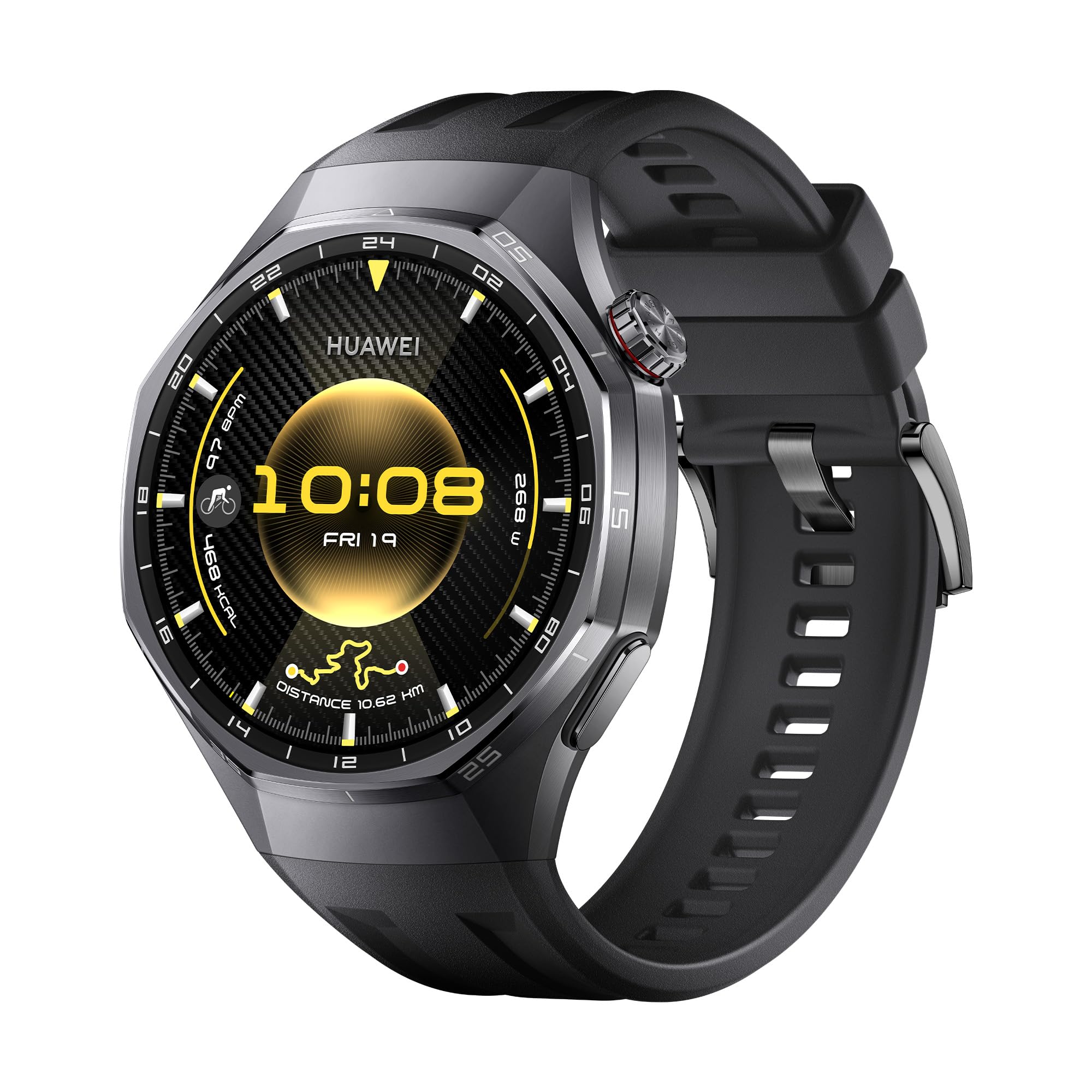
คำอธิบายภาพ: ด้านหน้า view of the HUAWEI Watch GT 6 Pro Smartwatch with a black fluoroelastomer strap, showcasing its round AMOLED display.

คำอธิบายภาพ: ภาพระยะใกล้ view highlighting the titanium alloy casing and sapphire crystal display of the HUAWEI Watch GT 6 Pro, emphasizing its premium materials.
4. การตั้งค่า
4.1 การชาร์จอุปกรณ์
Before initial use, fully charge your HUAWEI Watch GT 6 Pro. Connect the charging cable to the wireless charging cradle and place your watch on the cradle. Ensure the watch is properly aligned for charging to begin. A full charge typically takes approximately 1.5 hours.
4.2 การติดตั้งแอป HUAWEI Health
The HUAWEI Health app is essential for managing your smartwatch, tracking data, and accessing additional features. It is compatible with both iOS and Android devices.
- ดาวน์โหลด: Scan the QR code provided in the Quick Start Guide or search for "HUAWEI Health" in your device's app store (App Store for iOS, Google Play Store or HUAWEI AppGallery for Android). Alternatively, visit HUAWEI.com to download the application.
- ติดตั้ง: Follow the on-screen instructions to install the app on your smartphone.

คำอธิบายภาพ: An image illustrating the HUAWEI Watch GT 6 Pro's compatibility with iOS and Android, featuring a smartphone screen displaying the HUAWEI Health app interface.
4.3 การจับคู่สมาร์ทวอทช์ของคุณ
To pair your HUAWEI Watch GT 6 Pro with your smartphone:
- Open the HUAWEI Health app on your smartphone.
- นำทางไปที่ อุปกรณ์ > เพิ่ม > สมาร์ทวอทช์.
- เลือก HUAWEI Watch GT 6 Pro ของคุณจากรายการอุปกรณ์ที่มีให้เลือก
- ทำตามคำแนะนำบนหน้าจอทั้งบนโทรศัพท์และนาฬิกาของคุณเพื่อดำเนินการจับคู่ให้เสร็จสมบูรณ์
4.4 การอัพเดตเฟิร์มแวร์
Regularly update your watch firmware to ensure optimal performance and access to the latest features:
- Open the HUAWEI Health app.
- ไปที่ ส่วนตัว > ตรวจสอบการอัปเดต.
- Follow the instructions to download and install any available updates.
5. คู่มือการใช้งาน
5.1 การตรวจติดตามสุขภาพ
The HUAWEI Watch GT 6 Pro offers advanced health tracking features:
- ECG Analysis: Press and hold the side electrode for 30 seconds to generate an ECG report directly on your watch. This feature provides insights into your heart rhythm.
- การตรวจสอบ SpO2: Continuously monitor your blood oxygen saturation levels.
- การติดตามอัตราการเต้นของหัวใจ: Accurate heart rate monitoring during workouts and throughout the day.
- การติดตามการนอนหลับ: Detailed analysis of your sleep patterns, including sleep stagและคุณภาพ
- การติดตามความเครียด: Track your stress levels and receive guidance for relaxation.

คำอธิบายภาพ: A visual representation of the ECG analysis feature on the HUAWEI Watch GT 6 Pro, showing a heart rate graph and instructions to press the side electrode.

คำอธิบายภาพ: Displays the watch's capabilities for 24-hour fatigue monitoring (HRV) and blood oxygen (SpO2) level at a glance.
5.2 โหมดกีฬาและการติดตามด้วย GPS
The watch supports over 100 sports modes, including advanced tracking for cycling, trail running, and golf. The HUAWEI Sunflower Positioning System provides 20% increased positioning accuracy for outdoor activities.
- การปั่นจักรยาน: Monitor critical indicators like heart rate, incline, speed, and distance. Virtual Cycling Power helps optimize your training.
- การตรวจจับการตก: The watch can detect falls during activities and automatically send an SOS call or request to selected contacts after your confirmation.
- การนำทาง: Utilize the integrated GPS for easy navigation, whether commuting or exploring new routes.

คำอธิบายภาพ: ภาพแสดงasing the variety of sports modes available on the HUAWEI Watch GT 6 Pro, including trail running, golf, and skiing.

คำอธิบายภาพ: A cyclist wearing the HUAWEI Watch GT 6 Pro, with an overlay showing real-time cycling metrics like heart rate, speed, and virtual power.
5.3 ฟังก์ชัน NFC
The HUAWEI Watch GT 6 Pro supports NFC, enabling convenient contactless payments and other NFC-based interactions where available.
6. อายุการใช้งานแบตเตอรี่
The HUAWEI Watch GT 6 Pro is equipped with a high-capacity battery, offering impressive endurance:
- สูงถึง 21 วัน with light usage.
- สูงถึง 12 วัน โดยใช้ตามการใช้งานทั่วไป
- สูงถึง 7 วัน with Always-On Display (AOD) activated.
Battery life may vary based on usage patterns, settings, and environmental factors.

คำอธิบายภาพ: An infographic illustrating the impressive battery life of the HUAWEI Watch GT 6 Pro, showing up to 21 days for light use, 12 days for typical use, and 7 days with AOD.
7. ข้อมูลจำเพาะ
| คุณสมบัติ | ข้อมูลจำเพาะ |
|---|---|
| ชื่อรุ่น | Atum-B29F |
| หมายเลขรุ่น | 55020FUC |
| ขนาดจอแสดงผล | 1.47 นิ้ว |
| ประเภทจอภาพ | อโมเลด |
| ความละเอียดการแสดงผล | 390 x 390 หรือสูงกว่า |
| Max Screen Brightness | 1000 NIT Coating |
| ความจุในการเก็บข้อมูล | 64GB |
| ความจุของแบตเตอรี่ | 867 มิลลิวินาทีamp ชั่วโมง |
| ประเภทแบตเตอรี่ | ลิเธียมโพลีเมอร์ |
| อายุการใช้งานแบตเตอรี่โดยเฉลี่ย | 21 วัน |
| เทคโนโลยีการเชื่อมต่อ | บลูทูธ |
| มาตรฐานการสื่อสารไร้สาย | บลูทูธ |
| คุณสมบัติพิเศษ | GPS, NFC, ECG, SpO2, Virtual Cycling Power, HUAWEI TruSense |
| จีพีเอส | จีพีเอสแบบบูรณาการ |
| ระดับความต้านทานต่อน้ำ | IP69, 5 Meters (5 ATM) |
| วัสดุตัวเรือน | Titanium Alloy & Black Ceramic |
| วัสดุสายรัด | ฟลูออโรอีลาสโตเมอร์ |
| อุปกรณ์ที่รองรับ | Smartphone, Tablet, PC (iOS and Android compatible) |
| ขนาด | 12 x 12 x 6 มิลลิเมตร |
| ประเทศต้นกำเนิด | จีน |
8 การแก้ไขปัญหา
If you encounter any issues with your HUAWEI Watch GT 6 Pro, consider the following steps:
- รีสตาร์ทอุปกรณ์: การรีสตาร์ทแบบง่ายๆ มักจะสามารถแก้ไขข้อผิดพลาดซอฟต์แวร์เล็กๆ น้อยๆ ได้
- Check App Connection: Ensure your watch is properly connected to the HUAWEI Health app on your smartphone via Bluetooth.
- อัปเดตเฟิร์มแวร์: Make sure your watch's firmware and the HUAWEI Health app are updated to the latest versions.
- รีเซ็ตเป็นการตั้งค่าจากโรงงาน: As a last resort, you can reset your watch to its factory settings. Be aware that this will erase all data on the watch.
- Consult the App: The HUAWEI Health app often provides specific troubleshooting tips for common issues.
For persistent problems, please refer to the official HUAWEI support webเว็บไซต์หรือติดต่อฝ่ายบริการลูกค้า
9. การรับประกันและการสนับสนุน
Your HUAWEI Watch GT 6 Pro comes with a การรับประกันจากผู้ผลิต 1 ปีโปรดเก็บหลักฐานการซื้อไว้เพื่อใช้เรียกร้องการรับประกัน
For detailed warranty information, technical support, or service inquiries, please visit the official HUAWEI support website or contact their customer service department. Additional protection plans may be available for purchase.


