
การแนะนำ
Welcome to the user manual for your new HONOR Magic V5 5G smartphone. This guide provides essential information to help you set up, operate, maintain, and troubleshoot your device. The HONOR Magic V5 5G combines a revolutionary foldable design with powerful performance, advanced camera capabilities, and a long-lasting battery.
โปรดอ่านคู่มือนี้อย่างละเอียดถี่ถ้วน เพื่อให้มั่นใจได้ว่าอุปกรณ์ของคุณจะใช้งานได้อย่างมีประสิทธิภาพและยาวนานที่สุด
1. การตั้งค่า
1.1 การแกะกล่องและเนื้อหาภายในบรรจุภัณฑ์
Upon opening your HONOR Magic V5 5G package, verify that all items are present:
- HONOR Magic V5 5G Smartphone
- สาย USB
- ตัวดันถาดซิม
- Polyurethane Case
- Pre-applied Screen Protectors (inner and outer screens)
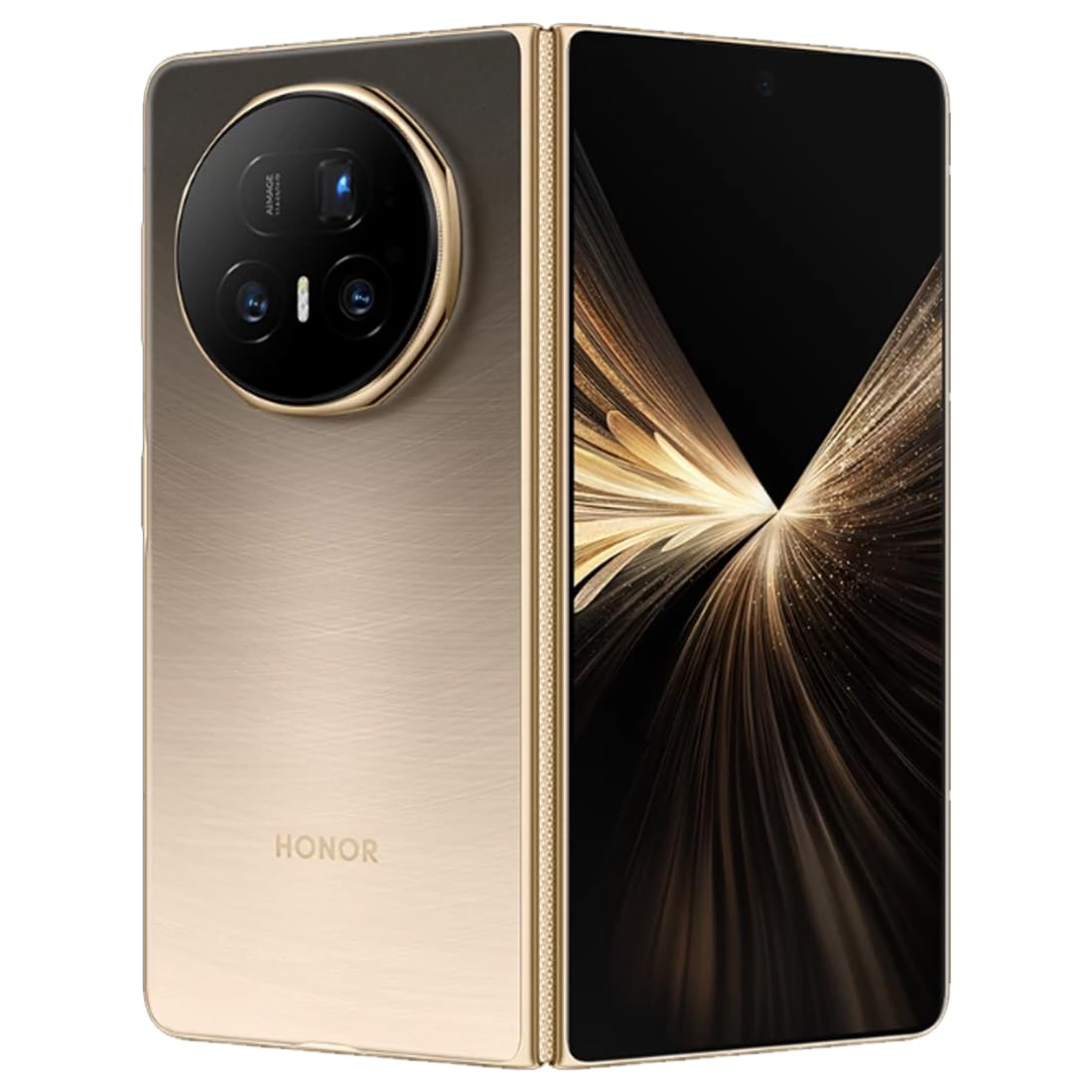
ภาพ: ด้านหลัง view of the HONOR Magic V5 5G smartphone, highlighting the camera array and the device's elegant finish.
1.2 การติดตั้งซิมการ์ด
The HONOR Magic V5 5G supports Dual SIM functionality.
- ค้นหาถาดใส่การ์ด SIM ที่ด้านข้างของอุปกรณ์
- ใส่เครื่องมือถอดซิมเข้าไปในรูเล็ก ๆ ข้างถาดแล้วกดเบา ๆ จนกว่าถาดจะดีดออกมา
- Place your Nano-SIM card(s) into the tray with the gold contacts facing down, ensuring they are correctly oriented.
- ใส่ถาดซิมกลับเข้าไปในโทรศัพท์อย่างระมัดระวัง
1.3 การเปิดเครื่องครั้งแรกและการชาร์จ
To power on your device, press and hold the power button until the HONOR logo appears. Follow the on-screen instructions to complete the initial setup, including language selection, Wi-Fi connection, and Google account setup.
For optimal performance, fully charge your device before first use. The device supports 66W wired fast charging and 50W wireless charging. Use the provided USB cable and a compatible charger.
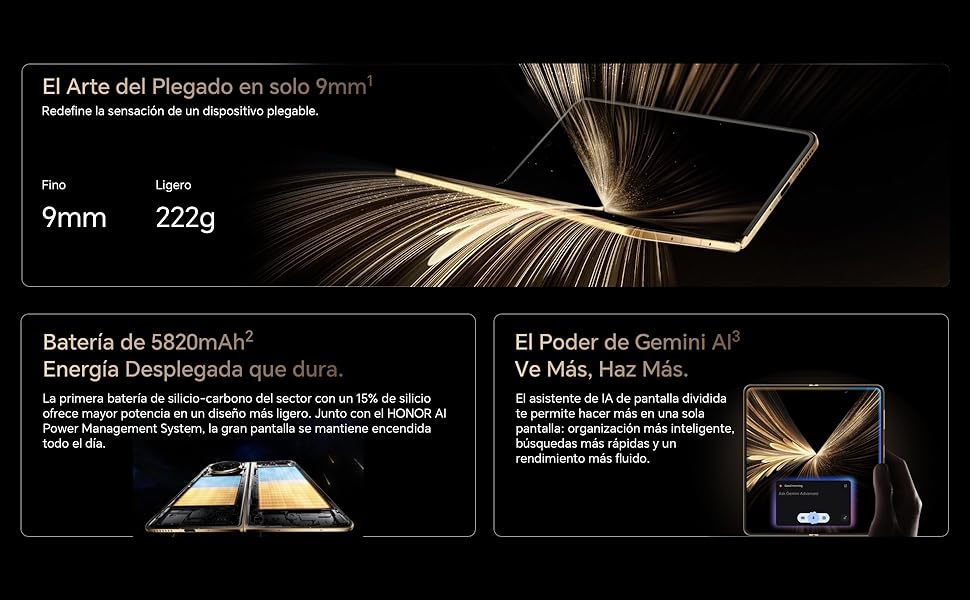
Image: Visual representation of the HONOR Magic V5 5G's large 5820mAh battery and the Gemini AI assistant's split-screen functionality.
2. การใช้งานอุปกรณ์ของคุณ
2.1 Foldable Display and Navigation
The HONOR Magic V5 5G features a unique foldable design. When unfolded, it reveals an impressive 7.95-inch LTPO OLED display with a 120Hz refresh rate and up to 5000 nits peak brightness. When folded, it maintains a compact form factor with a secondary display.
Navigate through the Android 15 operating system with MagicOS 9 using touch gestures. Swipe up from the bottom to go home, swipe and hold for recent apps, and swipe down from the top for notifications and quick settings.
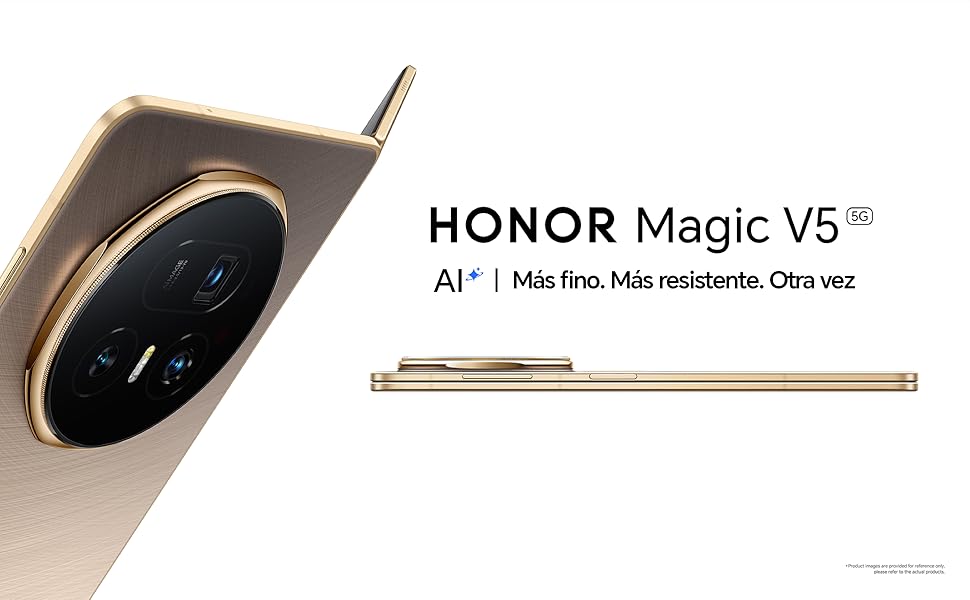
Image: The HONOR Magic V5 5G in its folded state, emphasizing its slim profile และโครงสร้างน้ำหนักเบา
2.2 คุณสมบัติกล้อง
Your device is equipped with an advanced HONOR Falcon AI Camera system:
- กล้องหลัก: 50MP สำหรับภาพถ่ายความละเอียดสูง
- กล้องเทเลโฟโต้แบบปริซึม: 64MP with 3x optical zoom.
- กล้องอัลตร้าไวด์: ความละเอียด 50 ล้านพิกเซล สำหรับภาพถ่ายมุมกว้าง
- กล้องหน้า: Dual 20MP cameras (internal and cover screen).
The camera supports 4K HDR video recording and various AI-enhanced features for optimal image quality in different scenarios, including low light.
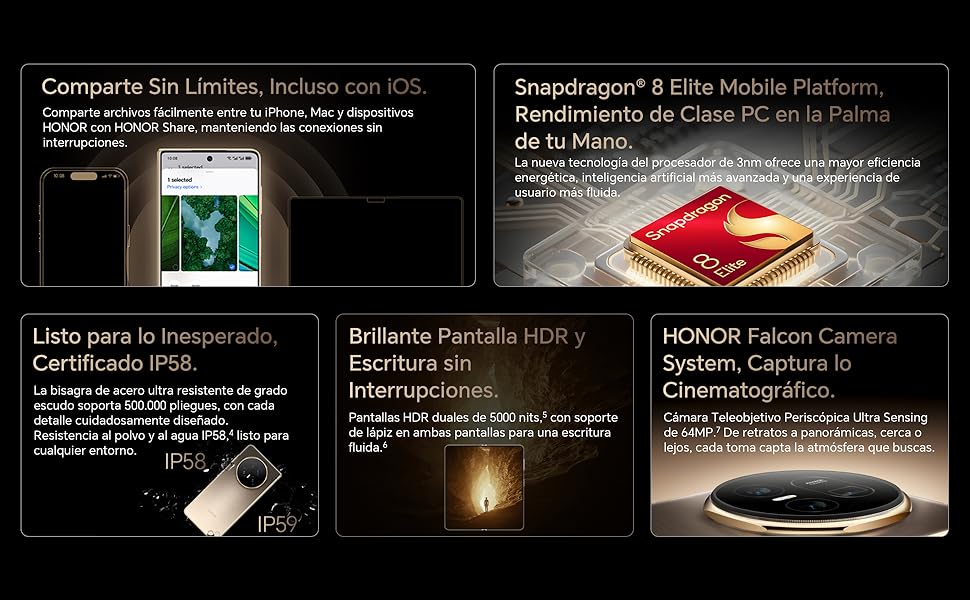
Image: A compilation of key features including the Snapdragon 8 Elite processor, IP58 dust and water resistance, and the advanced HONOR Falcon Camera System.
2.3 ประสิทธิภาพและการเชื่อมต่อ
Powered by the Snapdragon 8 Elite 3nm chip and 16GB of RAM, the Magic V5 5G delivers flagship-level performance for smooth multitasking and fast app launches.
Connectivity options include 5G for high-speed mobile data, Wi-Fi, and Bluetooth. The device features a USB Type-C port for charging and data transfer.
2.4 คุณสมบัติด้านความปลอดภัย
Unlock your device securely using facial recognition. Ensure your face is clearly visible to the front camera for accurate recognition.
2.5 HONOR Share and Gemini AI
เกียรติยศ แบ่งปัน: แบ่งปันได้อย่างง่ายดาย files between your HONOR device, iPhone, and Mac for seamless connectivity.
เจมินี AI: The split-screen AI assistant enhances productivity with smarter organization, faster searches, and smoother performance.
3. การบำรุงรักษา
3.1 การทำความสะอาดอุปกรณ์ของคุณ
To clean your HONOR Magic V5 5G, use a soft, lint-free cloth. Avoid abrasive materials, solvents, or aerosol sprays. For the screen, a screen cleaner specifically designed for electronics can be used. Do not spray liquids directly onto the device.
3.2 การอัปเดตซอฟต์แวร์
ตรวจสอบและติดตั้งการอัปเดตซอฟต์แวร์เป็นประจำเพื่อให้แน่ใจว่าอุปกรณ์ของคุณมีฟีเจอร์ แพตช์ความปลอดภัย และการปรับปรุงประสิทธิภาพล่าสุด โดยทั่วไปคุณจะพบตัวเลือกนี้ได้ใน การตั้งค่า > ระบบและการอัปเดต > การอัปเดตซอฟต์แวร์.
3.3 การดูแลแบตเตอรี่
เพื่อยืดอายุการใช้งานแบตเตอรี่ 5820mAh ของคุณ:
- หลีกเลี่ยงอุณหภูมิที่สูงหรือต่ำเกินไป
- อย่าปล่อยให้แบตเตอรี่หมดจนหมดบ่อยๆ
- ใช้เฉพาะอุปกรณ์ชาร์จไฟที่เป็นของแท้หรือได้รับการรับรองเท่านั้น
3.4 ความทนทานและการกันน้ำ
The device is IP58 certified for dust and water resistance. This means it can withstand immersion in up to 1.5 meters of fresh water for up to 30 minutes. However, water resistance is not permanent and may decrease over time with normal wear. Avoid exposing the device to pressurized water, seawater, or other liquids. The hinge is designed for over 500,000 folds.
4 การแก้ไขปัญหา
4.1 ปัญหาทั่วไปและแนวทางแก้ไข
- อุปกรณ์ไม่เปิด: ตรวจสอบให้แน่ใจว่าแบตเตอรี่ชาร์จเต็มแล้ว เสียบอุปกรณ์ชาร์จไว้อย่างน้อย 10 นาที แล้วลองเปิดเครื่องอีกครั้ง
- แอปค้างหรือขัดข้อง: ปิดแอปแล้วเปิดใหม่อีกครั้ง หากปัญหายังคงอยู่ ให้รีสตาร์ทอุปกรณ์
- อายุการใช้งานแบตเตอรี่ไม่ดี: ตรวจสอบการใช้งานแอปพื้นหลัง ลดความสว่างหน้าจอ และปิดใช้งานฟีเจอร์ที่ไม่จำเป็น เช่น GPS หรือ Bluetooth เมื่อไม่ได้ใช้งาน
- ปัญหาการเชื่อมต่อเครือข่าย: ลองเปิดและปิดโหมดเครื่องบิน ตรวจสอบการใส่ซิมการ์ด รีสตาร์ทอุปกรณ์
- หน้าจอสัมผัสไม่ตอบสนอง: รีสตาร์ทอุปกรณ์ หากปัญหายังคงอยู่ โปรดติดต่อฝ่ายสนับสนุน
4.2 รีเซ็ตเป็นค่าโรงงาน
หากคุณพบปัญหาซอฟต์แวร์อย่างต่อเนื่อง การรีเซ็ตเป็นค่าโรงงานอาจแก้ไขปัญหาเหล่านั้นได้ คำเตือน: การรีเซ็ตเป็นค่าเริ่มต้นจากโรงงานจะลบข้อมูลทั้งหมดในอุปกรณ์ของคุณ โปรดสำรองข้อมูลสำคัญก่อนดำเนินการ
- ไปที่ Settings > System & updates > Reset.
- เลือก รีเซ็ตโทรศัพท์ or ลบข้อมูลทั้งหมด (รีเซ็ตเป็นค่าโรงงาน).
- Confirm your choice and enter your password/PIN if prompted.
5. ข้อมูลจำเพาะ
| คุณสมบัติ | รายละเอียด |
|---|---|
| ชื่อรุ่น | เมจิก V5 |
| หมายเลขรุ่น | MBH-N49 |
| ระบบปฏิบัติการ | Android 15 + MagicOS 9 |
| โปรเซสเซอร์ | สแนปดราก้อน 8 อีลีท |
| แรม | 16GB |
| พื้นที่จัดเก็บ | 512GB |
| จอแสดงผลหลัก | 7.95 inches LTPO OLED, 2352 x 2172 resolution, 120Hz refresh rate, 5000 nits peak brightness |
| กล้องหลัง | 50 MP (Main) + 64 MP (Periscope Telephoto) + 50 MP (Ultra Wide) |
| กล้องหน้า | 20 MP (Internal) + 20 MP (Cover Screen) |
| ความจุของแบตเตอรี่ | 5820 มิลลิแอมป์ |
| การชาร์จไฟ | 66W Wired, 50W Wireless |
| ซิมการ์ด | ซิมนาโนคู่ |
| การเชื่อมต่อ | 5G, Wi-Fi, บลูทูธ, USB Type-C |
| ความต้านทานต่อน้ำ | IP58 (ป้องกันฝุ่นและละอองน้ำ) |
| ขนาด (พับ) | ความหนา 9มม. |
| น้ำหนัก | 222กรัม |
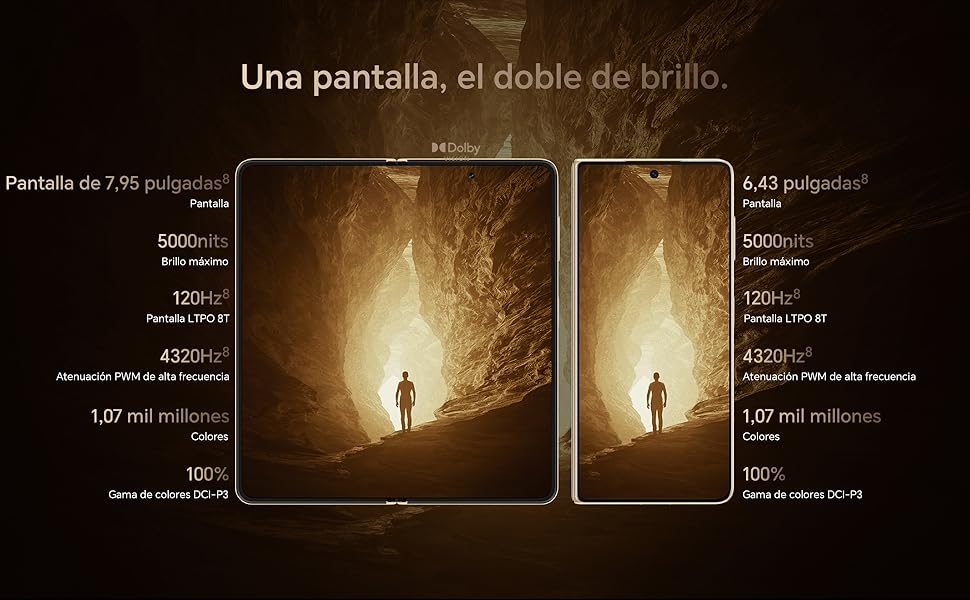
Image: Display comparison showing the large 7.95-inch main screen and the 6.43-inch cover screen, both featuring high brightness and refresh rates.
6. ข้อมูลการรับประกัน
Your HONOR Magic V5 5G comes with a การรับประกันจากผู้ผลิต 3 ปี. This warranty covers defects in materials and workmanship under normal use. It does not cover damage caused by accidents, misuse, unauthorized repairs, or normal wear and tear.
Please retain your proof of purchase for warranty claims. For detailed terms and conditions, refer to the warranty card included in your product packaging or visit the official HONOR webเว็บไซต์.
7. การสนับสนุน
For further assistance, technical support, or service inquiries, please visit the official HONOR support webเว็บไซต์หรือติดต่อฝ่ายบริการลูกค้าของพวกเขา