
1. บทนำ
This manual provides essential information for the proper setup, operation, and maintenance of your KTC 27M1 27-inch QHD 210Hz Fast IPS Gaming Monitor. This monitor features a native 2560 x 1440 QHD resolution, a 210Hz refresh rate, 1ms (MPRT) response time, built-in dual 2W speakers, and a detachable shielding hood for an optimized viewการสร้างประสบการณ์

Figure 1: KTC 27M1 27-inch QHD 210Hz Fast IPS Gaming Monitor with Shielding Hood.
2. อะไรอยู่ในกล่อง
ตรวจสอบว่ามีส่วนประกอบทั้งหมดอยู่ในแพ็คเกจ:
- มอนิเตอร์ x1
- ฐาน x1
- Monitor Shielding Hood x2
- คู่มือเริ่มต้นใช้งานฉบับย่อ (QSG) x1
- DisplayPort (DP) Cable x1
- อะแดปเตอร์ x1
- สายไฟ x1

Figure 2: Package contents for the KTC 27M1 monitor.
3. การตั้งค่า
3.1. ชุดประกอบจอภาพ
- นำจอภาพและฐานออกจากบรรจุภัณฑ์อย่างระมัดระวัง
- Attach the base to the monitor stand. Ensure it clicks securely into place.
- Attach the monitor shielding hoods to the sides of the monitor. These are designed to absorb light and reduce reflections, enhancing visual immersion.
3.2. การเชื่อมต่อจอภาพ
The KTC 27M1 monitor offers versatile connectivity options:
- DisplayPort 1.4 (DP): Supports up to 200Hz (overclocked to 210Hz) QHD resolution. Use the included DP cable for optimal performance.
- HDMI2.0: Supports up to 144Hz QHD resolution.
- ยูเอสบี 2.0: For firmware upgrades only.
- แจ็คหูฟัง: สำหรับเอาต์พุตเสียง
Connect the appropriate cable(s) from your computer or device to the monitor. Then, connect the power adapter and power cord to the monitor and a power outlet.
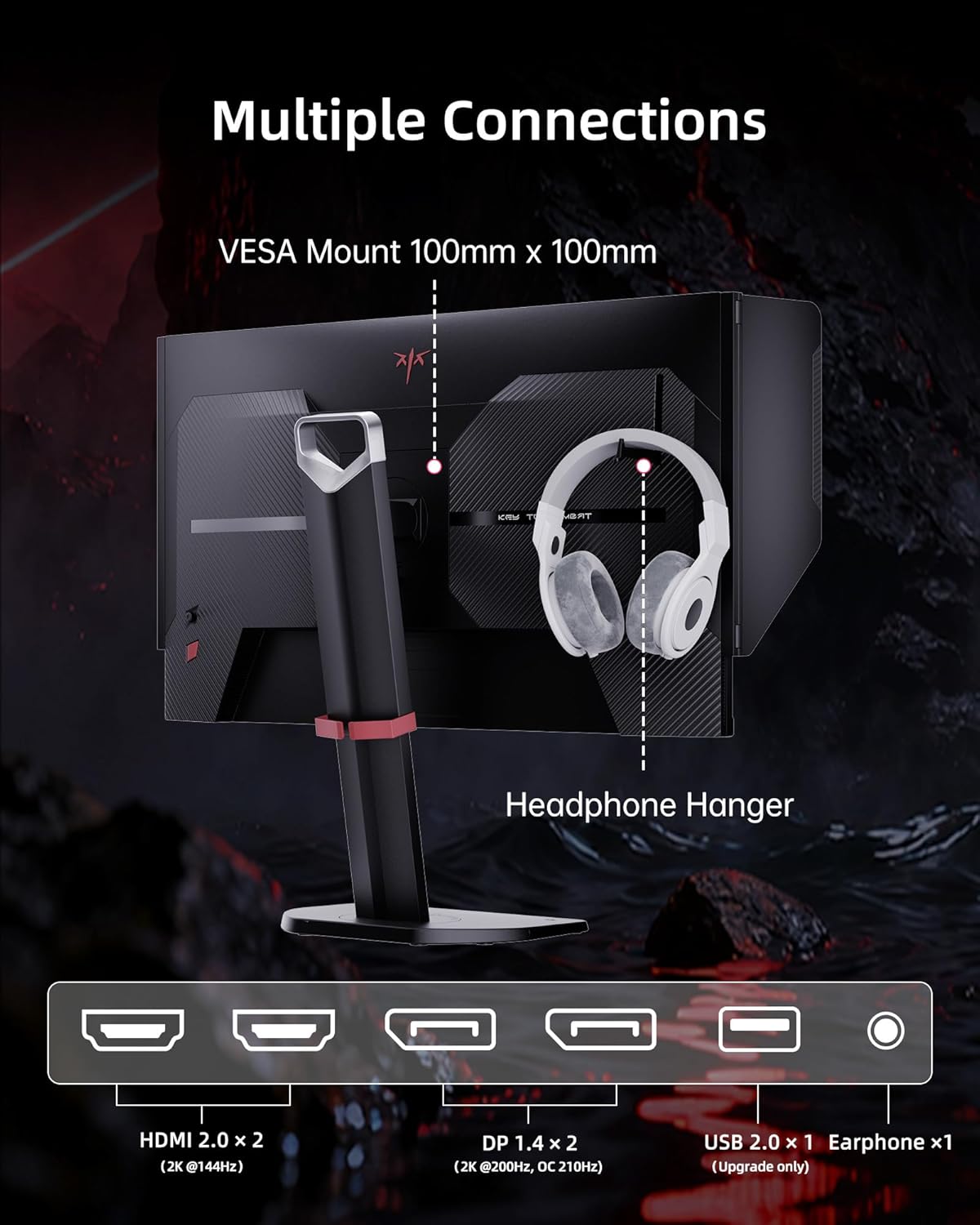
Figure 3: Multiple connection options and features on the KTC 27M1 monitor.
4. การใช้งานจอภาพ
4.1. เปิด/ปิดเครื่อง
กดปุ่มเปิด/ปิดที่อยู่บนจอภาพเพื่อเปิดหรือปิดเครื่อง
4.2. การนำทางเมนูการแสดงผลบนหน้าจอ (OSD)
The monitor features a 5-way navigation joystick for easy access and control of the OSD menu. Push the joystick in to open the menu, then move it up, down, left, or right to navigate and select options.
4.3. การตั้งค่าการแสดงผล
- ปณิธาน: The monitor supports a native 2560 x 1440 QHD resolution for sharp and clear visuals.
- อัตราการรีเฟรช: Enjoy a smooth experience with a 210Hz refresh rate (when overclocked via DisplayPort 1.4).
- เวลาตอบสนอง: A 1ms (MPRT) response time minimizes motion blur and ghosting.
- ความแม่นยำของสี: Features 130% sRGB color gamut area, 1.07 billion colors, 1000:1 contrast ratio, and 450cd/m² brightness with HDR support for professional, true-to-life colors.

Figure 4: QHD 2K Resolution for clear visual detail.
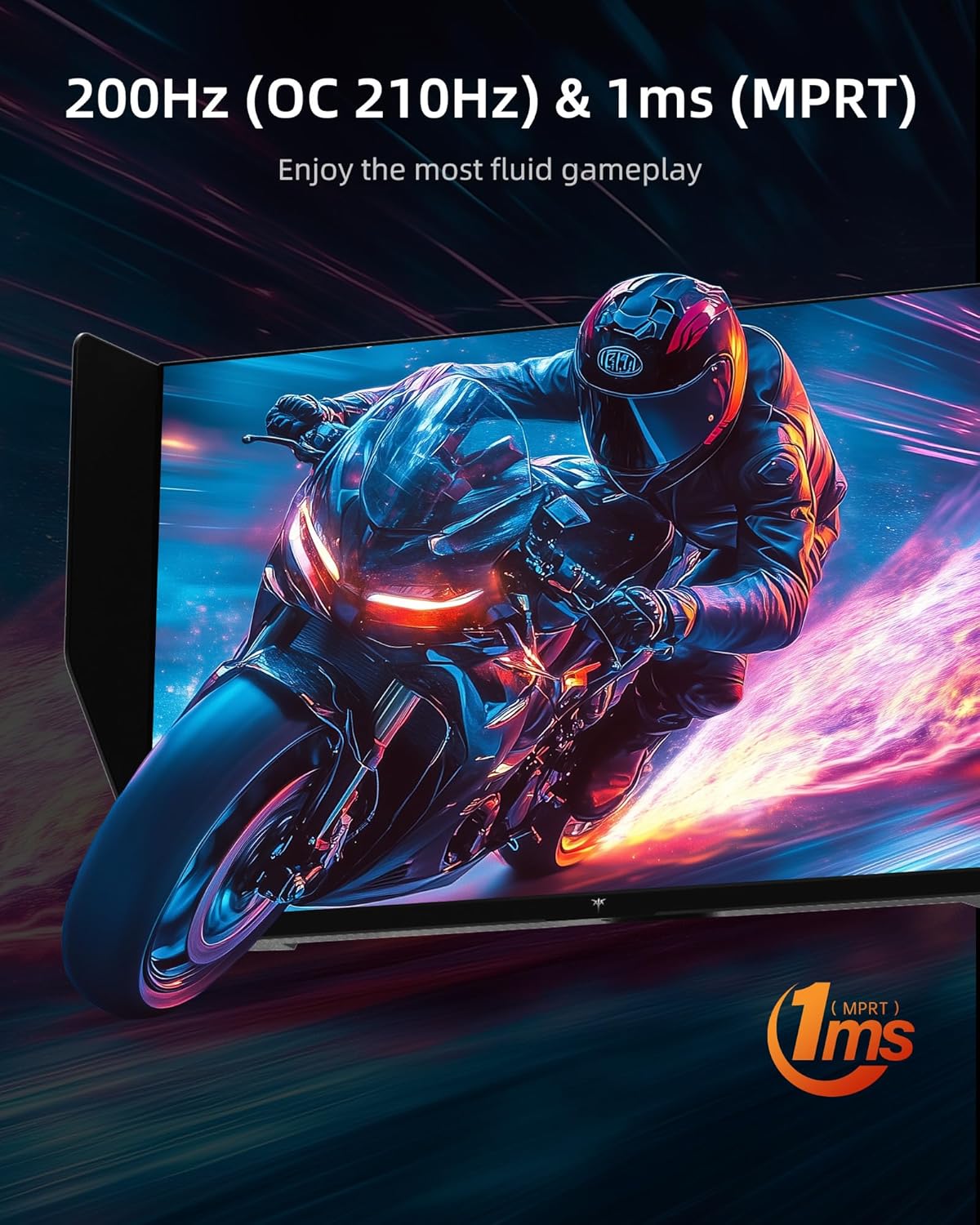
Figure 5: High refresh rate and fast response time for fluid gameplay.
4.4. คุณสมบัติการเล่นเกม
- การซิงโครไนซ์แบบปรับได้: Supports Adaptive Sync technology for tear-free and stutter-free gaming.
- พิกัด: Adjust the overdrive setting for faster pixel response times.
- เอ็มพีอาร์ที: Motion Picture Response Time can be enabled for reduced motion blur.
- ผู้ช่วยเกม: Access various in-game enhancements like crosshairs or timers.
- อีควอไลเซอร์สีดำ: Adjust dark areas in games for better visibility.
- Game Mode/FPS Mode: Pre-set display modes optimized for different game genres.
4.5. เสียง
The monitor includes built-in dual 2W speakers, providing convenient audio without external speakers. An earphone jack is also available for private listening.
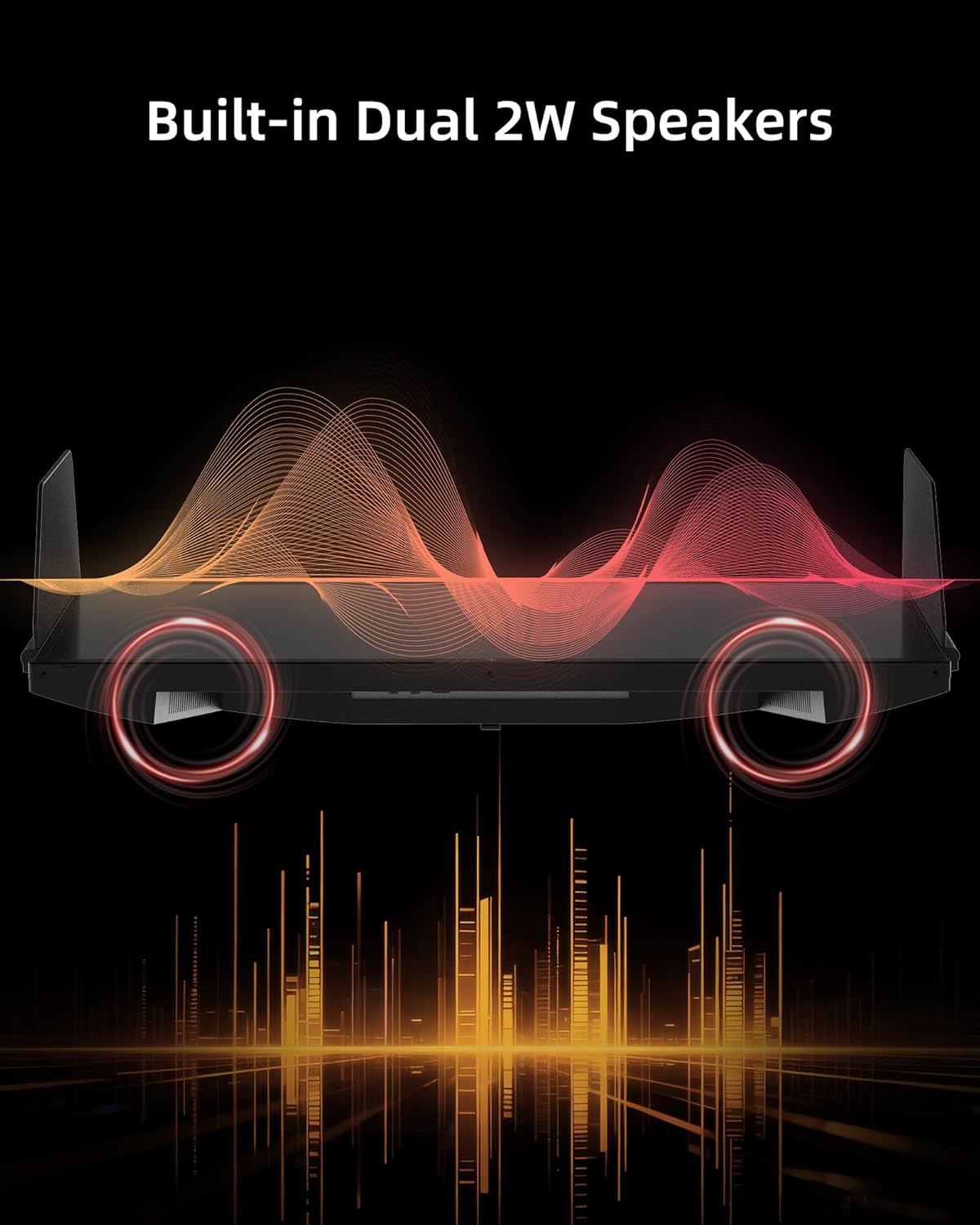
Figure 6: Built-in Dual 2W Speakers.
4.6. Shielding Hood
The detachable monitor hood, made of flocking material, helps eliminate frame reflections by absorbing ambient light. This enhances visual immersion and image contrast, and also provides a soft texture with sound-absorbing effects.

Figure 7: Detachable Monitor Hood to eliminate ambient light and reflection.
4.7. การปรับตามหลักสรีรศาสตร์
The monitor stand supports a range of adjustments for optimal viewความสะดวกสบาย:
- การปรับความสูง: 150±5มม.
- เอียง: -5° ถึง 35°
- หมุน: -60° ถึง 60°
- หมุน: -5° to 90° (for vertical orientation)
The monitor also supports VESA 100 x 100 mm mounting for alternative mounting solutions.

Figure 8: Flexible angle adjustments for personalized viewการไอเอ็นจี
4.8. Eye Comfort Features
The monitor incorporates low blue light and flicker-free technologies to reduce eye strain and enhance comfort during prolonged use.
4.9. วิดีโอผลิตภัณฑ์อย่างเป็นทางการ
วิดีโอ 1: จบview of the KTC 27 Inch 210Hz 2K Gaming Monitor with Shielding Hood, showcasing คุณสมบัติและการออกแบบของมัน
5. การบำรุงรักษา
เพื่อให้จอภาพของคุณมีอายุการใช้งานยาวนานและมีประสิทธิภาพสูงสุด โปรดปฏิบัติตามคำแนะนำในการบำรุงรักษาดังต่อไปนี้:
- การทำความสะอาดหน้าจอ: เช็ดหน้าจอเบาๆ ด้วยผ้านุ่มที่ไม่เป็นขุย สำหรับรอยฝังแน่น ให้...ampใช้ผ้าชุบน้ำหรือน้ำยาทำความสะอาดหน้าจอชนิดอ่อนที่ไม่ทำให้เกิดรอยขีดข่วนเช็ดเบาๆ หลีกเลี่ยงการใช้สารเคมีรุนแรงหรือวัสดุที่มีฤทธิ์กัดกร่อน
- การทำความสะอาด Casing: ใช้ผ้าแห้งนุ่มๆ เช็ดทำความสะอาดจอภาพasing.
- พื้นที่จัดเก็บ: หากต้องเก็บรักษาจอภาพเป็นเวลานาน ควรเก็บไว้ในบรรจุภัณฑ์เดิมหรือในที่ห่อหุ้มป้องกัน และเก็บไว้ในที่แห้งและเย็น
6 การแก้ไขปัญหา
If you encounter any issues with your KTC 27M1 monitor, refer to the following common problems and solutions:
- ไม่มีจอแสดงผล:
- ตรวจสอบให้แน่ใจว่าสายไฟเชื่อมต่อกับจอภาพและเต้าเสียบไฟอย่างแน่นหนา
- Verify that the video cable (DP or HDMI) is correctly connected to both the monitor and your computer/device.
- ตรวจสอบว่าได้เลือกแหล่งสัญญาณเข้าที่ถูกต้องในเมนู OSD แล้ว
- Test the monitor with another device or cable if possible.
- หน้าจอกระพริบ:
- ตรวจสอบให้แน่ใจว่าเสียบสายวิดีโอแน่นสนิทแล้ว
- ตรวจสอบไดรเวอร์การ์ดจอของคุณและอัปเดตหากจำเป็น
- Disable any overclocking settings if enabled.
- Verify that the refresh rate is set correctly in your operating system's display settings.
- ปัญหาสี:
- ปรับการตั้งค่าสี (ความสว่าง ความคมชัด อุณหภูมิสี) ในเมนู OSD
- Ensure HDR is enabled or disabled as desired in both the monitor's OSD and your device's settings.
- รีเซ็ตจอภาพกลับไปเป็นการตั้งค่าเริ่มต้นจากโรงงานผ่านเมนู OSD
- ไม่มีเสียงจากลำโพง:
- Check the volume level on the monitor and your connected device.
- Ensure the audio output is correctly routed to the monitor in your device's sound settings.
- If using the earphone jack, ensure headphones are properly plugged in.
7. ข้อมูลจำเพาะ
| คุณสมบัติ | ข้อมูลจำเพาะ |
|---|---|
| หมายเลขรุ่น | 27 ล้าน |
| ขนาดหน้าจอ | 27 นิ้ว |
| ปณิธาน | 2560 x 1440 พิกเซล (QHD จอไวด์สกรีน 1440p) |
| อัตราการรีเฟรช | 210Hz (OC) via DisplayPort 1.4, 144Hz via HDMI 2.0 |
| เวลาตอบสนอง | 1 มิลลิวินาที (MPRT) |
| ประเภทแผง | เกือบ IPS |
| อัตราส่วนภาพ | 21:9 น. |
| ช่วงสี | 130% sRGB |
| สีที่รองรับ | 1.07 พันล้าน |
| อัตราส่วนคอนทราสต์ | 1000:1 น. |
| ความสว่าง | 450 ซีดี/ตรม. |
| รองรับ HDR | ใช่ |
| ลำโพง | Built-in Dual 2W Speakers |
| การเชื่อมต่อ | DisplayPort 1.4 x2, HDMI 2.0 x2, USB 2.0 x1 (Upgrade only), Earphone x1 |
| แท่นยึด VESA | 100 x 100 มม. |
| หลักสรีรศาสตร์ | Height Adjustment (150±5mm), Tilt (-5°~35°), Swivel (-60°~60°), Pivot (-5°~90°) |
| คุณสมบัติการดูแลดวงตา | ลดแสงสีฟ้า ปราศจากแสงกระพริบ |
| ขนาดสินค้า | 8.03 x 24.09 x 21.18 นิ้ว |
| น้ำหนักสินค้า | 12.54 ปอนด์ |
8. การรับประกันและการสนับสนุน
KTC provides a three-year warranty for the 27M1 monitor. For any issues or inquiries, please contact Ktcmonitor-Official customer support. They aim to respond within 12 hours.
You can typically find contact information on the seller's page or through your purchase platform.