
1. บทนำ
The ASUS ROG RYUO IV SLC 360 ARGB is an advanced all-in-one CPU liquid cooler designed for optimal thermal performance and aesthetic customization. It features a curved 6.67-inch AMOLED display, pre-mounted daisy-chained ARGB fans, and a powerful pump to ensure efficient cooling for high-performance systems.
This manual provides essential information for the proper installation, operation, and maintenance of your ROG RYUO IV SLC 360 ARGB liquid cooler.
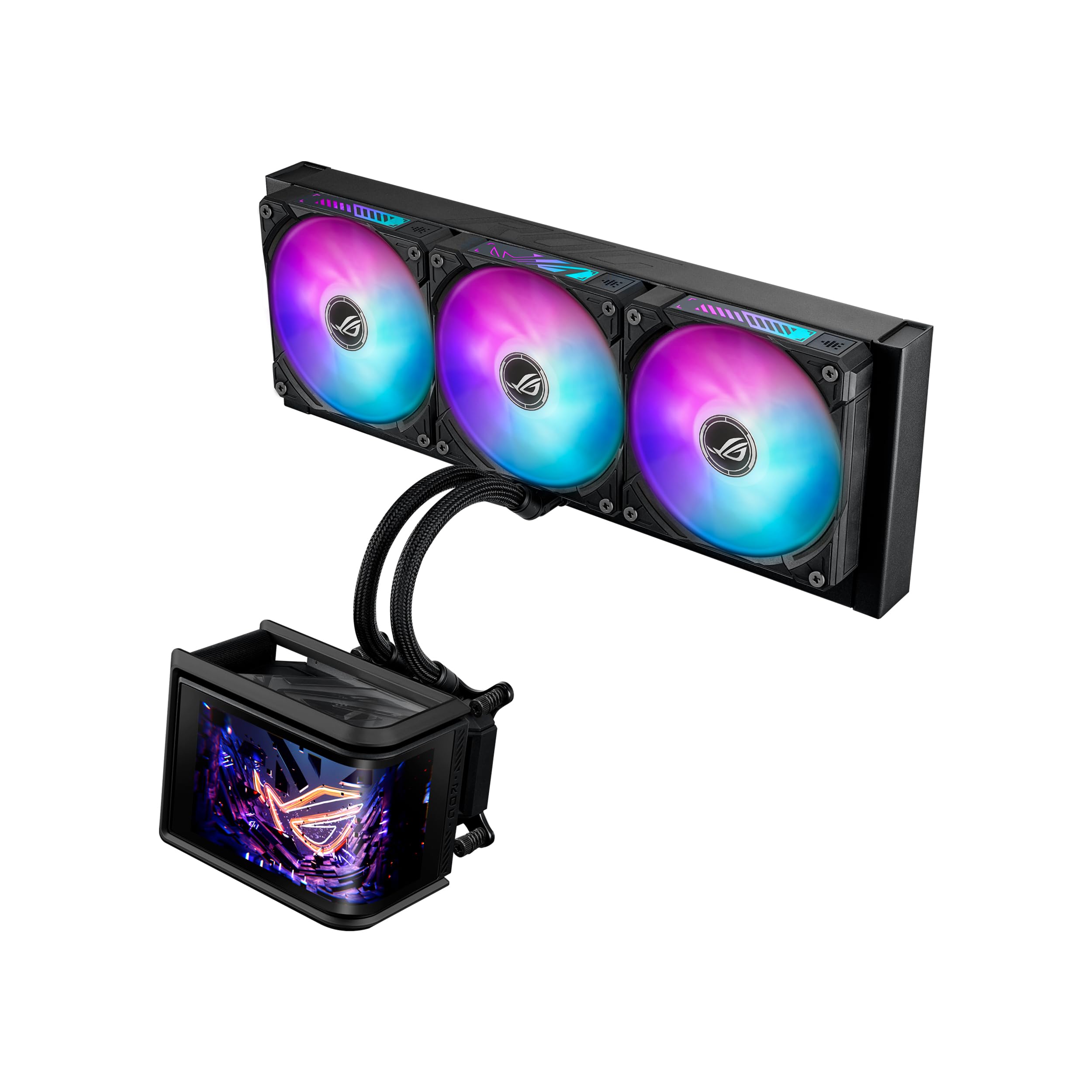
Figure 1: ASUS ROG RYUO IV SLC 360 ARGB Liquid Cooler
2. การตั้งค่าและการติดตั้ง
2.1 เนื้อหาบรรจุภัณฑ์
ก่อนเริ่มการติดตั้ง ตรวจสอบว่ามีส่วนประกอบทั้งหมดอยู่ในแพ็คเกจหรือไม่:
- ROG Ryuo IV SLC 360 ARGB AIO Cooler (Radiator, Pump, Fans)
- ชุดอุปกรณ์เสริม ประกอบด้วยสกรูและขายึด (สำหรับซ็อกเก็ต Intel และ AMD)
- คู่มือเริ่มต้นอย่างรวดเร็ว
- ROG Cable Organizer
- สติ๊กเกอร์ ROG
- บัตรวีไอพี ROG

รูปที่ 2: อะไรอยู่ในกล่อง
2.2 ความเข้ากันได้
The ROG RYUO IV SLC 360 ARGB supports a wide range of CPU sockets:
- อินเทล: LGA 1851, 1700
- เอเอ็มดี: เอเอ็ม5,เอเอ็ม4
Ensure your motherboard and PC case are compatible with a 360mm radiator. The shortened tubing design (200mm) is optimized for a clean aesthetic and improved compatibility within most mid to large tower cases.

รูปที่ 3: ความเข้ากันได้อย่างกว้างขวาง
2.3 ขั้นตอนการติดตั้ง (ทั่วไป)view)
- เตรียมเมนบอร์ด: Install the appropriate mounting brackets for your CPU socket (Intel or AMD) onto the motherboard.
- ติดตั้งหม้อน้ำ: Secure the 360mm radiator to an available mounting location in your PC case, typically at the top or front. The pre-mounted daisy-chained ARGB fans simplify cable management.
- ติดตั้งปั๊ม/แผ่นเย็น: Apply thermal paste (if not pre-applied) to the CPU. Mount the pump/cold plate assembly onto the CPU, ensuring even pressure.
- เชื่อมต่อสายเคเบิล: Connect the pump and fan cables to the appropriate headers on your motherboard. Connect the display cable for the AMOLED screen.
- การติดตั้งซอฟต์แวร์: Install the ASUS Armoury Crate software to customize the AMOLED display, ARGB lighting, and fan profiles.
For detailed, step-by-step instructions, please refer to the included Quick Start Guide or the official ASUS support webเว็บไซต์.

Figure 4: Pre-Installed, Daisy-Chained Fans
3. คู่มือการใช้งาน
3.1 Curved AMOLED Display
The 6.67-inch curved AMOLED display on the pump head supports 3D-effect videos or customized system information. Use the ASUS Armoury Crate software to:
- Monitor real-time CPU temperature, fan speed, and other system metrics.
- Display custom images, GIFs, or videos.
- Adjust display orientation and content.

Figure 5: Curved AMOLED Display
3.2 การควบคุมแสง ARGB
The pre-mounted daisy-chained ARGB fans feature front and side lighting. The lighting can be synchronized with other ASUS Aura Sync compatible components through the Armoury Crate software. Customize lighting effects, colors, and patterns to match your system's aesthetic.
3.3 ประสิทธิภาพการทำความเย็น
The powerful pump and high-airflow fans deliver robust cooling performance, higher flow, and lower impedance. The system is designed to maintain optimal operating temperatures for your CPU even under heavy workloads, preventing thermal throttling and performance degradation.
วิดีโอ 1: จบview of the ASUS ROG RYUO IV SLC 360 ARGB Liquid Cooler's features and aesthetics.
4. การบำรุงรักษา
Regular maintenance ensures the longevity and optimal performance of your liquid cooler:
- การกำจัดฝุ่น: Periodically clean the radiator fins and fan blades using compressed air to prevent dust buildup, which can impede airflow and cooling efficiency.
- ตรวจสอบท่อและการเชื่อมต่อ: Inspect the tubing for any signs of kinks, leaks, or damage. Ensure all connections to the pump, radiator, and motherboard are secure.
- การอัปเดตซอฟต์แวร์: Keep your ASUS Armoury Crate software updated to the latest version to ensure compatibility and access to new features or performance optimizations.
- เสียงปั๊ม: If you notice unusual pump noises, ensure the pump is running at an appropriate speed and that there are no air bubbles trapped in the loop. Gently tilting the PC case can sometimes help dislodge air bubbles.
5 การแก้ไขปัญหา
5.1 อุณหภูมิ CPU สูง
- Verify that the pump is functioning correctly and that its cables are securely connected.
- Ensure fans are spinning and configured for optimal airflow (intake/exhaust).
- ตรวจสอบดูว่ามีฝุ่นเกาะบนหม้อน้ำหรือไม่ และทำความสะอาดหากจำเป็น
- Confirm that the cold plate is making proper contact with the CPU and that thermal paste was applied correctly.
5.2 เสียงพัดลม
- Adjust fan curves in ASUS Armoury Crate to find a balance between cooling performance and noise levels.
- ตรวจสอบให้แน่ใจว่าพัดลมติดตั้งแน่นหนาและไม่สั่นสะเทือนกับตัวเคส
- At maximum RPM, fans may produce audible noise, which is normal for high-performance cooling.
5.3 AMOLED Display Issues
- Ensure the display cable is properly connected to the motherboard.
- Update ASUS Armoury Crate software and display drivers.
- If the display prevents your OLED monitor from entering sleep mode, check for updated software or firmware from ASUS that addresses this specific issue.
5.4 ARGB Lighting Malfunctions
- Verify all ARGB cables are correctly connected to the motherboard's ARGB headers.
- Ensure ASUS Armoury Crate is installed and updated, and that lighting effects are properly configured.
6. ข้อมูลจำเพาะ
| คุณสมบัติ | ข้อมูลจำเพาะ |
|---|---|
| ขนาดสินค้า | ยาว 4.72 นิ้ว x กว้าง 0.98 นิ้ว x สูง 4.72 นิ้ว |
| ยี่ห้อ | เอซุส |
| ประเภทตัวเชื่อมต่อกระแสไฟ | 4-pin PWM, 3-pin 5V ARGB |
| เล่มที่tage | 0.55 โวลต์ |
| วัดtage | 120 วัตต์ |
| วิธีการทำความเย็น | พัดลม, น้ำ |
| อุปกรณ์ที่รองรับ | AMD: AM5, AM4, Intel: LGA 1851, 1700 |
| ระดับเสียง | 39.6 เดซิเบล |
| วัสดุ | อลูมิเนียม, ทองแดง |
| ความเร็วการหมุนสูงสุด | 1500 รอบต่อนาที |
7. การรับประกันและการสนับสนุน
7.1 ข้อมูลการรับประกัน
The ASUS ROG RYUO IV SLC 360 ARGB Liquid Cooler comes with the following warranty:
- แสดง: รับประกัน 2 ปี
- ชุดระบายความร้อน AIO: รับประกัน 6 ปี
Please retain your proof of purchase for warranty claims. Warranty terms and conditions may vary by region.
7.2 การสนับสนุนด้านเทคนิค
หากต้องการความช่วยเหลือเพิ่มเติม การสนับสนุนทางเทคนิค หรือดาวน์โหลดไดรเวอร์และซอฟต์แวร์เวอร์ชั่นล่าสุด โปรดเยี่ยมชมเว็บไซต์สนับสนุนอย่างเป็นทางการของ ASUS webเว็บไซต์:
คุณยังสามารถเยี่ยมชม ร้านค้า ASUS บน Amazon สำหรับข้อมูลผลิตภัณฑ์เพิ่มเติม


