
1. บทนำ
Thank you for choosing the THOMSON COSMO 500W Wi-Fi Connected Fluid-Free Electric Towel Dryer. This appliance is designed to provide rapid and uniform heat, ensuring warm towels and a comfortable bathroom environment. Its elegant design and smart connectivity features offer both performance and convenience.
This manual provides essential information for the safe installation, operation, and maintenance of your new towel dryer. Please read it thoroughly before use and retain it for future reference.
2. คำแนะนำด้านความปลอดภัย
คำเตือน: การไม่ปฏิบัติตามคำแนะนำด้านความปลอดภัยเหล่านี้ อาจส่งผลให้เกิดไฟไหม้ ไฟฟ้าช็อต หรือการบาดเจ็บได้
- อ่านคำแนะนำทั้งหมดก่อนติดตั้งหรือใช้อุปกรณ์นี้
- เครื่องใช้ไฟฟ้านี้มีไว้สำหรับใช้ในครัวเรือนเท่านั้น ห้ามใช้เพื่อวัตถุประสงค์เชิงพาณิชย์หรืออุตสาหกรรม
- ตรวจสอบแหล่งจ่ายไฟ voltage ตรงกับฉลากการจัดอันดับบนเครื่องใช้
- ห้ามใช้งานเครื่องใช้ไฟฟ้าหากสายไฟหรือปลั๊กชำรุด หรือหากเครื่องทำงานผิดปกติหรือตกหล่น
- วางสายไฟให้ห่างจากพื้นผิวที่ร้อน
- ห้ามจุ่มอุปกรณ์ สายไฟ หรือปลั๊กในน้ำหรือของเหลวอื่นๆ
- ถอดปลั๊กเครื่องออกจากเต้ารับไฟฟ้าทุกครั้งเมื่อไม่ได้ใช้งานและก่อนทำความสะอาด
- Do not allow children to operate or play with the appliance. Close supervision is necessary when the appliance is used near children.
- Install the towel dryer in a location where it is not accessible to persons in the bath or shower.
- Ensure proper ventilation around the appliance. Do not cover the towel dryer.
- This appliance is equipped with overheat protection. If it overheats, it will automatically shut off.
- การติดตั้งจะต้องดำเนินการโดยช่างไฟฟ้าที่มีคุณสมบัติตามข้อบังคับเกี่ยวกับสายไฟในท้องถิ่น
3. สินค้าหมดview
The THOMSON COSMO towel dryer features a sleek design and advanced fluid-free heating technology for rapid and even heat distribution. It includes a digital control panel and Wi-Fi connectivity for remote management.
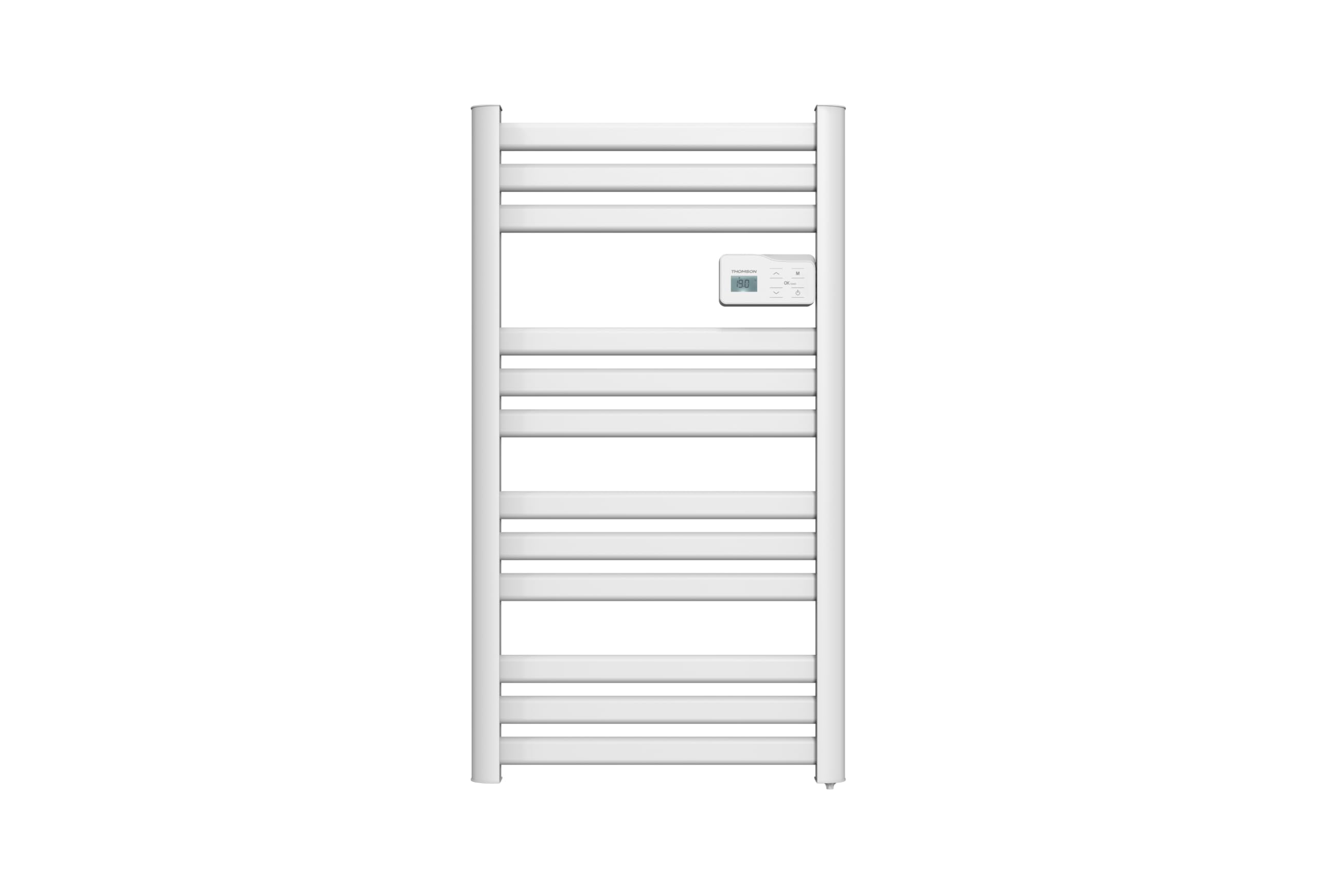
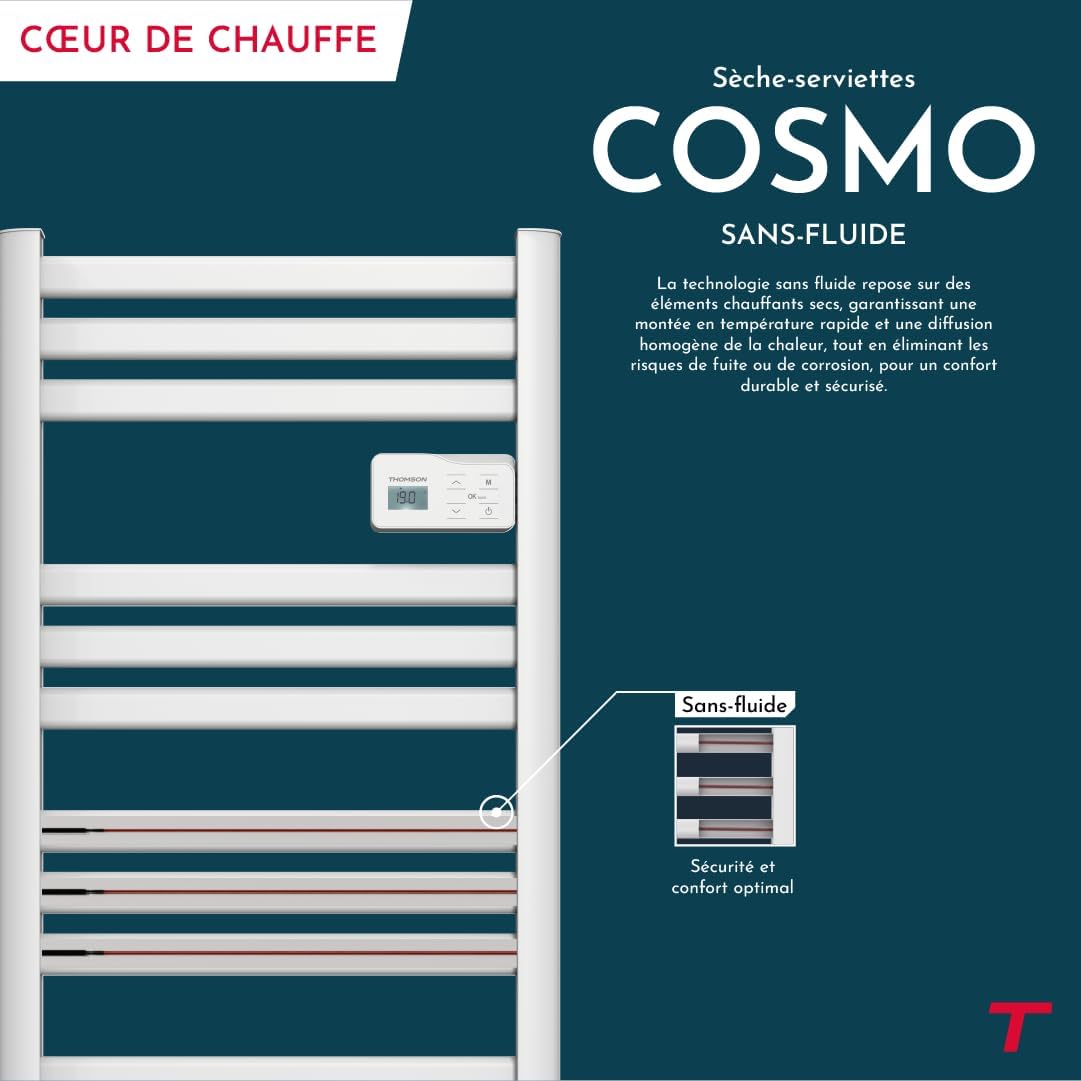
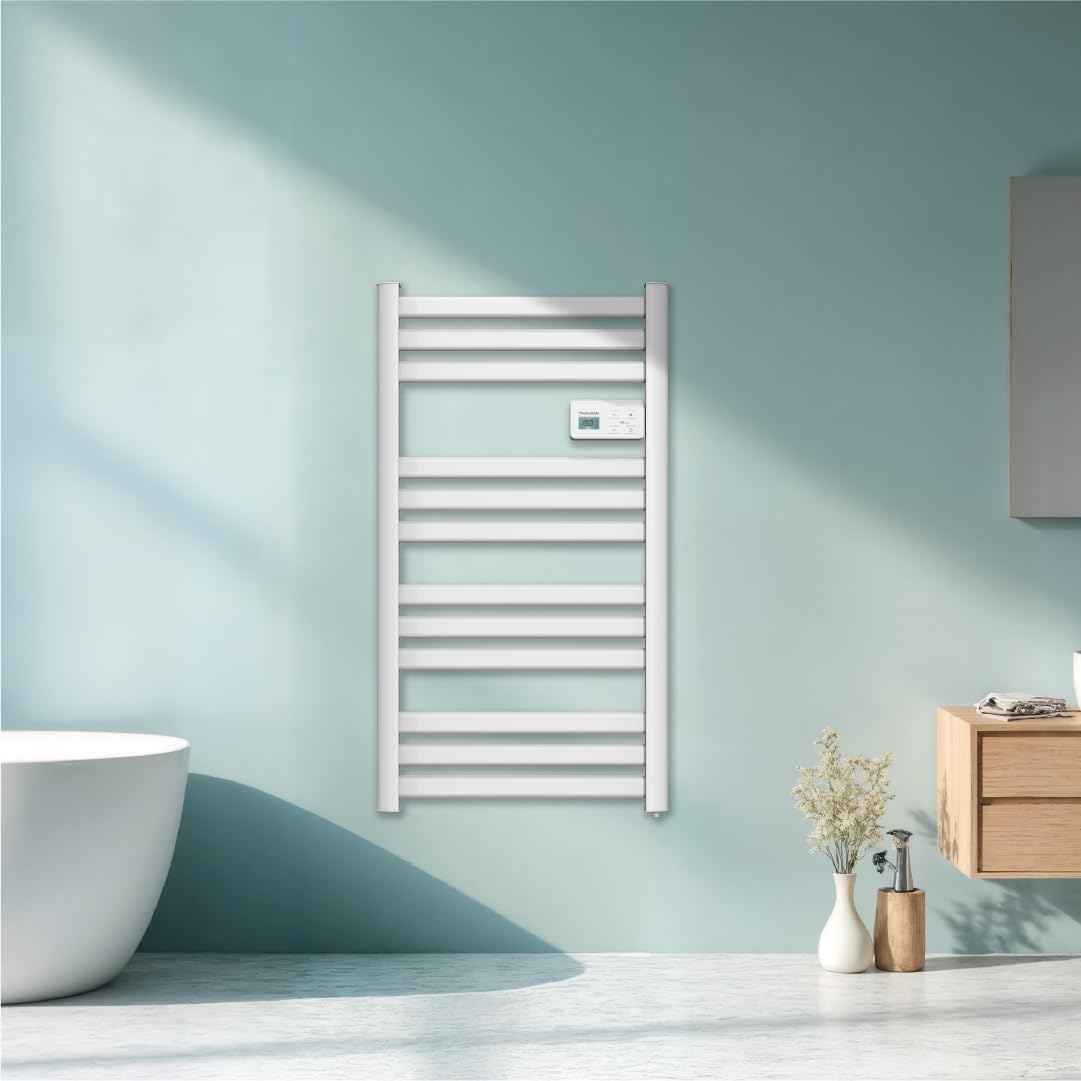
ภาพ: ด้านหน้า view of the THOMSON COSMO electric towel dryer, white, wall-mounted, showcasing its design in a bathroom.
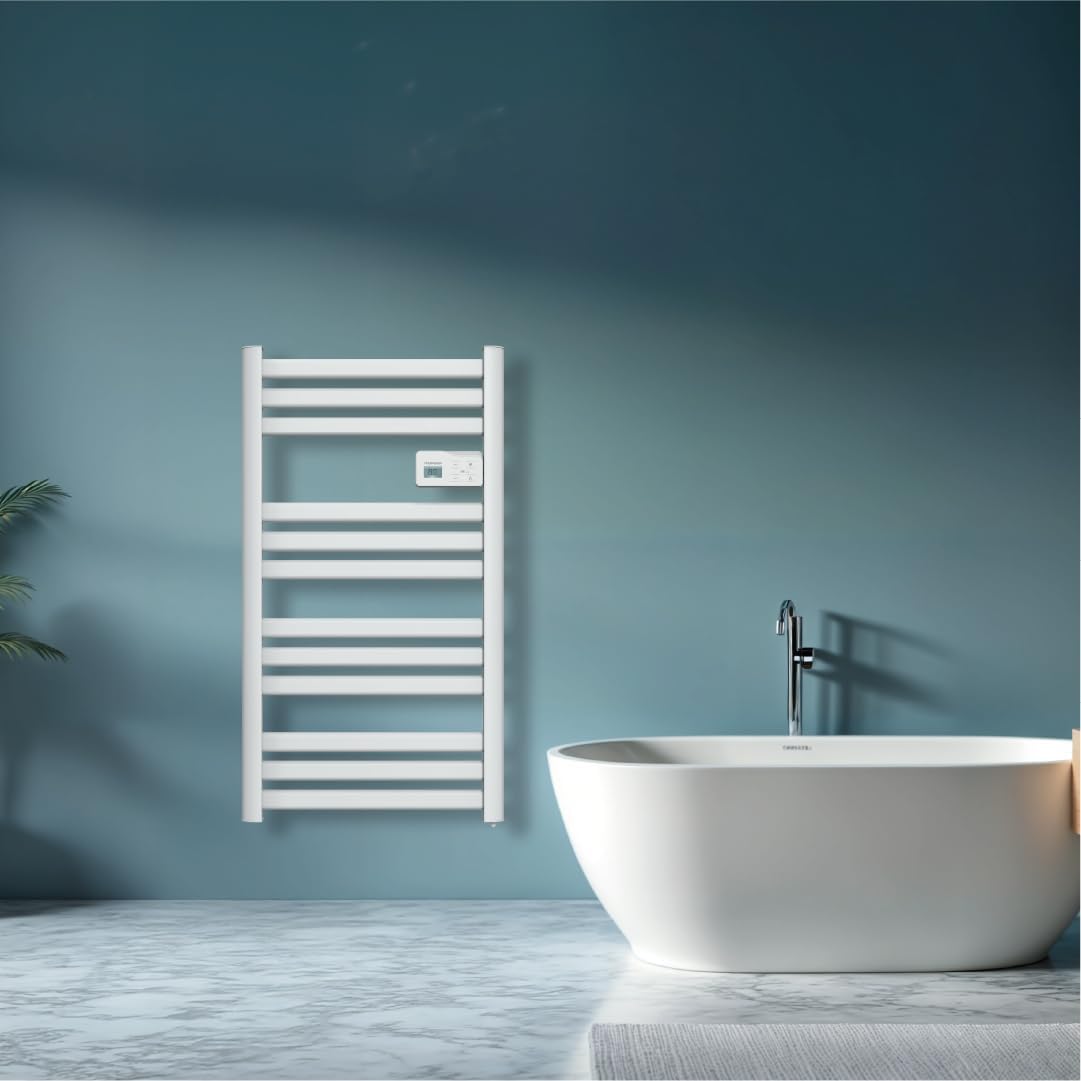
ภาพ: Diagram illustrating the internal fluid-free heating elements, highlighting rapid and homogeneous heat distribution and programmable thermostat.
คุณสมบัติหลัก:
- กำลังไฟ 500 วัตต์: Efficient heating for towels and bathroom.
- Fluid-Free Technology: Ensures quick heat-up and uniform temperature across the surface.
- การเชื่อมต่อ Wi-Fi: Compatible with Tuya Smart and Smart Life applications for remote control.
- แผงควบคุมดิจิตอล: Intuitive LCD display for direct temperature and mode adjustments.
- โปรแกรมควบคุมอุณหภูมิ: 7 daily pre-recorded and customizable programs.
- การตรวจจับการเปิดหน้าต่าง: Automatically cuts heating to save energy if a sudden temperature drop is detected.
- การล็อคเด็ก: ป้องกันการเปลี่ยนแปลงการตั้งค่าที่ไม่ได้ตั้งใจ
4. การตั้งค่าและการติดตั้ง
The THOMSON COSMO towel dryer is designed for wall-mounted installation. Professional installation is recommended.
4.1. การแกะกล่อง
- Carefully remove the towel dryer and all accessories from the packaging.
- ตรวจสอบความเสียหายระหว่างการขนส่ง หากเกิดความเสียหาย โปรดอย่าติดตั้งและติดต่อผู้ค้าปลีกของคุณ
- เก็บรักษาบรรจุภัณฑ์ไว้เพื่อการขนส่งหรือจัดเก็บในอนาคต
4.2. ตำแหน่งการติดตั้ง
- Choose a suitable wall in your bathroom, ensuring it is structurally sound to support the weight of the unit (approximately 3.9 kg).
- Ensure the location complies with local electrical safety regulations, especially regarding proximity to water sources (baths, showers, sinks).
- Maintain adequate clearance around the unit for air circulation and access.

ภาพ: Product dimensions and weight for installation planning.
4.3. การติดตั้งบนผนัง
- Mark the drilling points on the wall using the provided mounting template or by measuring the bracket positions.
- Drill holes of appropriate size for the wall plugs (e.g., Molly anchors for plasterboard, as suggested by a user review).
- Insert the wall plugs and secure the mounting brackets to the wall.
- Carefully hang the towel dryer onto the secured brackets.
- Ensure the unit is level and securely fastened to the wall.
4.4. การเชื่อมต่อไฟฟ้า
- The appliance connects via an electrical cable. Ensure the power supply is switched off at the main circuit breaker before making any connections.
- Connect the towel dryer to a suitable electrical outlet or junction box according to local electrical codes.
- Once connected, switch on the power supply.
5. คู่มือการใช้งาน
The THOMSON COSMO towel dryer features an intuitive digital control panel for easy operation.
ภาพ: Digital control panel with LCD display and buttons for temperature adjustment and mode selection, shown with a hand pressing the power button.
5.1. แผงควบคุมด้านบนview
- จอแสดงผล LCD: แสดงอุณหภูมิปัจจุบัน โหมด และการตั้งค่าอื่นๆ
- ปุ่มเพาเวอร์ (⏻): เปิด/ปิดเครื่อง
- ลูกศรขึ้น/ลง (⌃ / ⌄): Adjust temperature settings or navigate menus.
- ปุ่มโหมด (M): Cycles through different operating modes (e.g., Comfort, Eco, Boost, Program).
- Menu/Confirm Button (≡): Accesses menu options or confirms selections.
5.2. การทำงานพื้นฐาน
- เปิด/ปิดเครื่อง: กดปุ่ม Power (⏻) to turn the towel dryer on or off.
- ตั้งค่าอุณหภูมิ: When the unit is on, use the Up/Down arrows (⌃ / ⌄) to adjust the desired temperature. The display will show the set temperature.
- เปลี่ยนโหมด: Press the Mode button (M) to cycle through available operating modes. Refer to the full product manual for detailed descriptions of each mode (e.g., Comfort, Eco, Boost, Frost Protection).
5.3. การเขียนโปรแกรม
The towel dryer offers 7 daily pre-recorded and customizable programs. Access the programming menu via the Menu/Confirm button (≡) and follow the on-screen instructions to set your desired heating schedules.
For a visual guide on programming, you can refer to the official video tutorial playlist:
วีดีโอ: Official video tutorial playlist for THOMSON COSMO towel dryer programming and features. This playlist provides step-by-step instructions on how to set up and use various functions of your device.
6. Wi-Fi Connectivity & Smart Features
The THOMSON COSMO towel dryer can be controlled remotely via Wi-Fi using the Tuya Smart or Smart Life mobile applications.
ภาพ: A graphic indicating the towel dryer's Wi-Fi connectivity and compatibility with the Tuya Smart application.
6.1. การติดตั้งและการจับคู่แอป
- Download the "Tuya Smart" or "Smart Life" app from your smartphone's app store (Google Play Store for Android, Apple App Store for iOS).
- ลงทะเบียนหรือเข้าสู่ระบบบัญชีของคุณ
- Ensure your towel dryer is powered on and your smartphone is connected to a 2.4 GHz Wi-Fi network.
- ในแอป ให้แตะ "เพิ่มอุปกรณ์" หรือไอคอน "+"
- Select the appropriate device category (e.g., "Heater" or "Towel Warmer").
- Follow the in-app instructions to put your towel dryer into pairing mode (usually by pressing and holding a button on the control panel until an indicator light flashes).
- ดำเนินการจับคู่ให้เสร็จสมบูรณ์ภายในแอป
6.2. คุณสมบัติของรีโมทคอนโทรล
เมื่อเชื่อมต่อแล้ว คุณสามารถใช้แอปเพื่อ:
- Turn the towel dryer ON/OFF.
- ปรับอุณหภูมิ
- เปลี่ยนโหมดการทำงาน
- Set and customize heating schedules.
- Monitor energy consumption (if supported by the app and device).

ภาพ: The Tuya Smart app interface demonstrating energy monitoring and scheduling features for connected devices.
6.3. การบูรณาการการควบคุมด้วยเสียง
The THOMSON COSMO towel dryer is compatible with voice assistants like Amazon Alexa and Google Home via the Tuya Smart/Smart Life app integration.

ภาพ: Logos of Amazon Alexa and Google Home, signifying that the towel dryer can be controlled using voice commands through these platforms.
- Enable the "Tuya Smart" or "Smart Life" skill/service in your Alexa or Google Home app.
- Link your Tuya/Smart Life account with your voice assistant account.
- Discover devices. Your towel dryer should appear as a controllable device.
- ตอนนี้คุณสามารถใช้คำสั่งเสียงได้แล้ว เช่น:
- "Alexa, turn on the bathroom heater."
- "Hey Google, set the bathroom heater to 22 degrees."
7. การบำรุงรักษา
Regular maintenance ensures the longevity and efficient operation of your THOMSON COSMO towel dryer.
7.1. การทำความสะอาด
- ถอดปลั๊กเครื่องเสมอและปล่อยให้เย็นสนิทก่อนทำความสะอาด
- เช็ดพื้นผิวภายนอกด้วยผ้านุ่ม damp ผ้า ห้ามใช้น้ำยาทำความสะอาดที่มีฤทธิ์กัดกร่อน ตัวทำละลาย หรือสารเคมีรุนแรง เพราะอาจทำให้พื้นผิวเสียหายได้
- ตรวจสอบให้แน่ใจว่าไม่มีน้ำเข้าไปในแผงควบคุมหรือส่วนประกอบไฟฟ้า
- Do not use water jets or immerse the appliance in water.
7.2. การจัดเก็บ
If storing the towel dryer for an extended period, ensure it is clean and dry. Store it in a cool, dry place, preferably in its original packaging to protect it from dust and damage.
8 การแก้ไขปัญหา
If you encounter issues with your THOMSON COSMO towel dryer, refer to the following common problems and solutions:
| ปัญหา | สาเหตุที่เป็นไปได้ | สารละลาย |
|---|---|---|
| เครื่องไม่เปิดขึ้น | ไม่มีแหล่งจ่ายไฟ; ไม่ได้กดปุ่มเปิด/ปิด; เปิดใช้งานระบบป้องกันความร้อนสูงเกินไป | Check power outlet and circuit breaker; Press the Power button; Unplug, let cool, then plug back in. |
| Appliance is not heating. | Temperature setting too low; Incorrect mode selected; Window open detection activated. | Increase temperature setting; Select Comfort or Boost mode; Close windows/doors. |
| การเชื่อมต่อ Wi-Fi ล้มเหลว | Incorrect Wi-Fi password; Not connected to 2.4 GHz network; Router too far; Device not in pairing mode. | Verify password; Connect to 2.4 GHz Wi-Fi; Move router closer or use extender; Re-enter pairing mode as per app instructions. |
| การควบคุมด้วยเสียงไม่ทำงาน | App not linked to voice assistant; Device not discovered; Incorrect commands. | Ensure Tuya/Smart Life skill is enabled and linked; Re-discover devices in Alexa/Google Home app; Use correct voice commands. |
หากปัญหายังคงมีอยู่หลังจากลองวิธีแก้ไขเหล่านี้แล้ว โปรดติดต่อฝ่ายสนับสนุนลูกค้า
9. ข้อมูลจำเพาะ
| คุณสมบัติ | รายละเอียด |
|---|---|
| แบบอย่าง | คอสโม |
| ยี่ห้อ | THOMSON (Bestherm) |
| กำลังขับ | 500 วัตต์ |
| วิธีการให้ความร้อน | Radiant, Fluid-Free Electric |
| ขนาด (สูง x กว้าง x ลึก) | 98 ซม. x 54 ซม. x 9.2 ซม. (38.6 นิ้ว x 21.3 นิ้ว x 3.6 นิ้ว) |
| น้ำหนัก | 3.9 กิโลกรัม (8.6 ปอนด์) |
| สี | สีขาว |
| ประเภทการติดตั้ง | แบบติดผนัง |
| คุณสมบัติพิเศษ | Wi-Fi Compatible, Overheat Protection, Programmable Thermostat, Electronic Thermostat, Child Lock, Window Open Detection |
| ความเข้ากันได้ของสมาร์ทโฮม | Tuya Smart, Smart Life, Amazon Alexa, Google Home |
| ASIN | B0FP2KJNLQ |
10. การรับประกันและการสนับสนุน
10.1. ข้อมูลการรับประกัน
Your THOMSON COSMO towel dryer comes with a manufacturer's warranty. Please refer to the warranty card included with your product for specific terms, conditions, and duration. Keep your proof of purchase for warranty claims.
10.2. การสนับสนุนลูกค้า
For technical assistance, troubleshooting beyond this manual, or warranty inquiries, please contact your retailer or the manufacturer's customer service. Contact details can typically be found on the product packaging or the manufacturer's official webเว็บไซต์.
แหล่งข้อมูลออนไลน์: For additional support and video tutorials, visit the official THOMSON website or the YouTube playlist provided in this manual.