
การแนะนำ
ขอบคุณสำหรับการซื้อasing the ROCAM Digital Radio Alarm Clock. This manual provides detailed instructions for setting up, operating, and maintaining your device. Please read this manual thoroughly before use to ensure proper function and longevity of the product.
ข้อมูลด้านความปลอดภัย
- Ensure the device is connected to a power source with the correct voltage.
- อย่าให้เครื่องโดนน้ำหรือความชื้นมากเกินไป
- หลีกเลี่ยงการวางอุปกรณ์ใกล้แหล่งความร้อนหรือแสงแดดโดยตรง
- อย่าพยายามถอดประกอบหรือซ่อมแซมอุปกรณ์ด้วยตนเอง โปรดติดต่อเจ้าหน้าที่บริการที่มีคุณสมบัติเหมาะสม
- เก็บให้พ้นจากมือเด็ก
สินค้าเกินview
The ROCAM Digital Radio Alarm Clock features a clear display, intuitive controls, and multiple functions including FM radio, Bluetooth speaker, night light, and charging ports.

ด้านหน้า view of the ROCAM Digital Radio Alarm Clock, showing the large digital display and speaker grille.
คุณสมบัติหลัก:
- FM Radio (87.5 MHz - 108.0 MHz) with 20 presets.
- Bluetooth 5.0 speaker with 10m wireless range.
- Adjustable night light.
- USB and Type-C charging ports.
- Large, dimmable LED display (5 brightness levels).
- Dual alarm modes with classic beep or radio sound.
- 12/24 hour format and DST function.
- Battery backup for time and settings during power outagใช่
การตั้งค่า
1. การเชื่อมต่อไฟฟ้า:
Connect the provided power adapter to the DC input port on the back of the alarm clock and plug it into a wall outlet. The clock requires plug power to operate. The internal battery serves as a backup for settings during power interruptions.
2. การเปิดเครื่องครั้งแรก:
Once connected, the display will light up. You may need to set the time manually if it's the first use or after a prolonged power disconnection without battery backup.
คำแนะนำการใช้งาน
การตั้งเวลาและวันที่:
- กดปุ่มค้างไว้ การตั้งเวลา button (or similar button, usually indicated by a clock icon). The hour digits will start flashing.
- หมุน Time/Volume knob เพื่อปรับชั่วโมง
- กดปุ่ม การตั้งเวลา กดปุ่มอีกครั้งเพื่อยืนยันชั่วโมงและเปลี่ยนเป็นนาที
- หมุน Time/Volume knob เพื่อปรับนาที
- กดปุ่ม การตั้งเวลา button once more to save the time.
- หากต้องการสลับระหว่างรูปแบบเวลา 12 ชั่วโมงและ 24 ชั่วโมง ให้กดปุ่ม 12/24 ชม. ปุ่ม.
การตั้งค่าการเตือน:
นาฬิกาเรือนนี้สามารถตั้งปลุกได้สองระบบแยกอิสระ
- กดปุ่มค้างไว้ ปลุก 1 or ปลุก 2 กดปุ่ม ตัวเลขชั่วโมงของนาฬิกาปลุกจะกะพริบ
- หมุน Time/Volume knob เพื่อตั้งเวลาปลุกที่ต้องการ
- กดที่เกี่ยวข้อง เตือน กดปุ่มอีกครั้งเพื่อยืนยันชั่วโมงและเปลี่ยนเป็นนาที
- หมุน Time/Volume knob เพื่อตั้งค่านาทีปลุกที่ต้องการ
- กดปุ่ม เตือน button again to select the alarm sound: classic beep or FM radio.
- กดปุ่ม เตือน button one last time to save the alarm setting.
- ในการเปิด/ปิดสัญญาณเตือน ให้กดปุ่มที่เกี่ยวข้องสั้นๆ เตือน กดปุ่ม ไอคอนแจ้งเตือนจะปรากฏ/หายไปบนหน้าจอ
The alarm clock display showing the time and an active alarm icon, indicating the alarm function is set.
ฟังก์ชั่นเลื่อน:
เมื่อสัญญาณเตือนดังขึ้น ให้กดปุ่ม เลื่อน/เบา button to temporarily silence the alarm for a few minutes (default snooze time). The alarm will sound again after the snooze period.
การใช้งานวิทยุ FM:
- กดปุ่ม โหมด กดปุ่มเพื่อสลับไปยังโหมดวิทยุ FM
- To perform an automatic scan for stations, press and hold the สแกน button. The radio will search for and save up to 20 available stations (87.5 MHz to 108.0 MHz).
- To manually tune, short press the ก่อนหน้า/ถัดไป ปุ่มสำหรับปรับความถี่
- หมุน Time/Volume knob to adjust the radio volume (16 levels).

The alarm clock display showing an FM radio frequency, indicating it is in radio mode.
การจับคู่บลูทู ธ :
- กดปุ่ม โหมด button to switch to Bluetooth mode. The display will show a Bluetooth icon, usually flashing to indicate pairing mode.
- On your mobile device or computer, enable Bluetooth and search for "ROCAM Alarm Clock" (or similar device name).
- Select the device to pair. Once connected, the Bluetooth icon on the clock's display will stop flashing.
- You can now stream audio from your device to the alarm clock.
- หมุน Time/Volume knob to adjust the playback volume.

การภายใน view of the ROCAM alarm clock highlighting its Bluetooth 5.0 capabilities and speaker components, demonstrating its audio features.
ฟังก์ชั่นไฟกลางคืน:
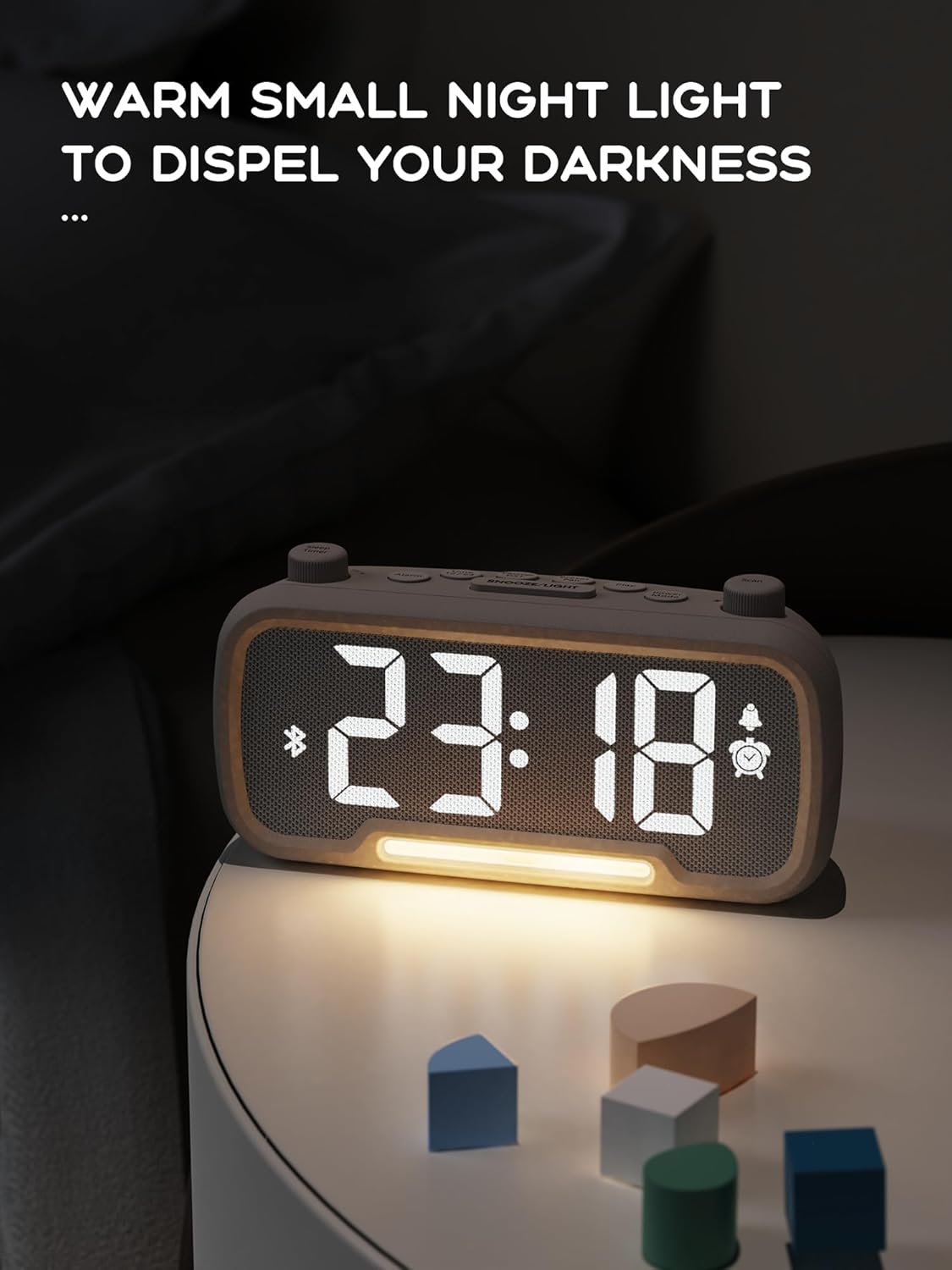
The alarm clock features an integrated night light.
- กดสั้น ๆ เลื่อน/เบา ปุ่มสำหรับเปิดหรือปิดไฟกลางคืน
- The night light has adjustable brightness levels. Press and hold the เลื่อน/เบา button to cycle through the brightness options.

The ROCAM alarm clock on a bedside table, with its warm night light illuminated, providing ambient lighting.
การปรับความสว่างของจอแสดงผล:
The main display has 5 adjustable brightness levels.
- กดปุ่ม ความสว่าง button (or similar, often combined with Snooze/Light) to cycle through the display brightness levels.
- Select the level that is most comfortable for your environment.
Daylight Saving Time (DST) Function:
เพื่อปรับเวลาให้สอดคล้องกับเวลาออมแสง:
- กดสั้น ๆ เวลาออมแสง button (or similar, often indicated by a sun icon). The time will automatically adjust forward or backward by one hour.
- Press it again to revert the change.
USB and Type-C Charging Ports:
The alarm clock includes USB and Type-C ports for charging external devices.
- Connect your device's charging cable to the appropriate USB or Type-C port on the back of the alarm clock.
- โปรดตรวจสอบให้แน่ใจว่านาฬิกาปลุกเปิดอยู่ เพื่อให้พอร์ตชาร์จทำงานได้
การซ่อมบำรุง
- ทำความสะอาดอุปกรณ์ด้วยผ้านุ่มและแห้ง ห้ามใช้น้ำยาทำความสะอาดหรือวัสดุขัดถู
- รักษาอุปกรณ์ให้ปราศจากฝุ่นและสิ่งสกปรก เพื่อให้มีการระบายอากาศที่เหมาะสม
- If the device will not be used for an extended period, unplug it from the power outlet.
การแก้ไขปัญหา
| ปัญหา | สาเหตุที่เป็นไปได้ | สารละลาย |
|---|---|---|
| หน้าจอแสดงเวลาปิดอยู่ | ไม่มีไฟ ไฟดับtage, or device is off. | Check power connection. Ensure the power adapter is securely plugged in. If there was a power outage, the battery backup should maintain settings, but the display requires main power. |
| สัญญาณเตือนภัยไม่ดัง | Alarm is not activated, volume is too low, or incorrect time set. | Ensure the alarm icon is visible on the display. Increase alarm volume. Verify alarm time is set correctly. |
| การรับสัญญาณวิทยุ FM ไม่ดี | สัญญาณอ่อน เสาอากาศไม่ได้ยืดออก หรือมีสัญญาณรบกวน | Adjust the position of the device. Extend the FM antenna fully. Try auto-scanning for stations again. Avoid placing near other electronic devices. |
| ไม่สามารถจับคู่บลูทูธได้ | Clock not in Bluetooth mode, device too far, or already paired with another device. | Ensure the clock is in Bluetooth mode (flashing icon). Move your device closer to the clock. Disconnect from other Bluetooth devices. |
| การชาร์จผ่าน USB/Type-C ใช้งานไม่ได้ | Clock not powered, cable faulty, or device not compatible. | Ensure the alarm clock is plugged into a wall outlet. Try a different charging cable. Verify your device is compatible with standard USB charging. |
ข้อมูลจำเพาะ
| คุณสมบัติ | รายละเอียด |
|---|---|
| ยี่ห้อ | ร็อคแคม |
| แบบอย่าง | B0FNWB172Z |
| สี | สีเทา |
| ขนาด | 16.8 x 3.81 x 8.4 ซม. (6.6 x 1.5 x 3.3 นิ้ว) |
| น้ำหนัก | 350 กรัม (0.77 ปอนด์) |
| แหล่งพลังงาน | สายไฟ |
| แบตเตอรี่ | 1 Lithium-metal battery (included, for backup) |
| ช่วงความถี่ FM | 87.5 เมกะเฮิรตซ์ - 108.0 เมกะเฮิรตซ์ |
| เวอร์ชันบลูทูธ | 5.0 |
| ความสว่างของจอภาพ | ปรับได้ 5 ระดับ |
| ระดับเสียง | ปรับได้ 16 ระดับ |
การรับประกันและการสนับสนุน
For warranty information or technical support, please refer to the contact details provided with your purchase or visit the official ROCAM webไซต์นี้ โปรดเก็บหลักฐานการซื้อไว้เพื่อใช้ยืนยันการรับประกัน