
1. บทนำ
This manual provides comprehensive instructions for the ZIUTY T21 Wireless Earbuds. These earbuds feature Active Noise Cancellation (ANC) and Environmental Noise Cancellation (ENC) for clear audio, a multi-functional touchscreen charging case, Bluetooth 5.3 connectivity, and an IPX7 waterproof rating. Please read this manual carefully to ensure proper use and optimal performance of your device.
2. อะไรอยู่ในกล่อง
ตรวจสอบว่ารายการทั้งหมดที่ระบุไว้ด้านล่างนี้รวมอยู่ในแพ็คเกจของคุณ:
- หูฟังไร้สาย T21
- เคสชาร์จพร้อมหน้าจอสัมผัส
- สายชาร์จ USB-C
- จุกหูฟัง (ขนาด S/M/L)
- คู่มือการใช้งาน

Image: Package contents of the ZIUTY T21 Wireless Earbuds.
3. สินค้าหมดview
3.1 ส่วนประกอบ
The ZIUTY T21 system consists of two wireless earbuds and a portable charging case with an integrated touchscreen.
3.2 การควบคุม
The earbuds and charging case offer various control options:
การควบคุมแบบสัมผัสของหูฟัง:
- เล่น/หยุดชั่วคราว: แตะที่หูฟังข้างใดข้างหนึ่งเพียงครั้งเดียว
- เพลงถัดไป: แตะหูฟังข้างขวาสองครั้ง
- แทร็กก่อนหน้า: แตะสองครั้งที่หูฟังข้างซ้าย
- รับ/วางสาย: แตะที่หูฟังข้างใดข้างหนึ่งเพียงครั้งเดียว
- ปฏิเสธสาย: กดและค้างไว้ที่หูฟังข้างใดข้างหนึ่ง
- เปิดใช้งาน Voice Assistant: แตะสามครั้งที่หูฟังข้างใดข้างหนึ่ง
- สลับโหมด ANC/Transparency: กดค้างที่หูฟังข้างใดข้างหนึ่งเป็นเวลา 2 วินาที
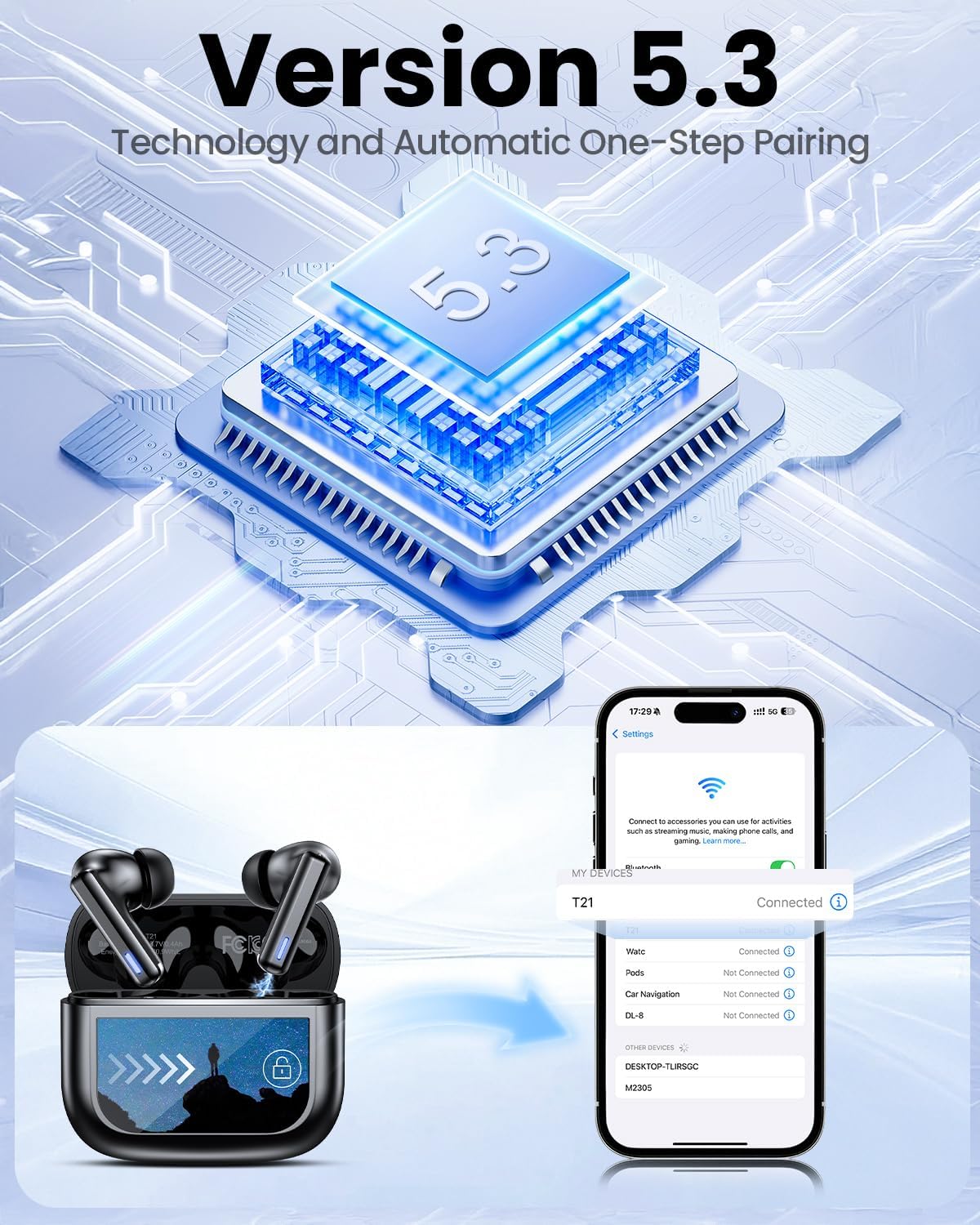
Image: Smart touch controls available on the earbuds.
Charging Case Touch Screen Functions:
- การเล่นเพลง: Control play, pause, and track navigation.
- การควบคุมระดับเสียง: ปรับระดับเอาท์พุตเสียง
- การลดเสียงรบกวน: Toggle between ANC, Transparency, and Normal modes.
- อีควอไลเซอร์ (EQ): Select from 5 preset sound profiles.
- ระดับแสง: ปรับความสว่างหน้าจอ
- สวิตช์ภาษา: เปลี่ยนภาษาที่แสดง
- ค้นหาหูฟังของฉัน: ค้นหาตำแหน่งหูฟังที่สูญหาย
- การควบคุมกล้อง: ทริกเกอร์กล้องโทรศัพท์ของคุณจากระยะไกล

Image: Multi-functional LCD touch screen interface on the charging case.
4. การตั้งค่า
4.1 การชาร์จเริ่มต้น
- Before first use, remove the protective film from the charging contacts on both earbuds.
- วางหูฟังลงในกล่องชาร์จ
- Connect the USB-C charging cable to the case and a power source. The case's touchscreen will display the charging status.
- Fully charge the earbuds and case before initial use. A full charge takes approximately 1.5 hours.
4.2 การจับคู่บลูทูธ
- เปิดกล่องชาร์จ หูฟังจะเข้าสู่โหมดจับคู่โดยอัตโนมัติ
- บนอุปกรณ์ของคุณ (สมาร์ทโฟน แท็บเล็ต แล็ปท็อป) ให้เปิดใช้งาน Bluetooth
- ค้นหา เลือกอุปกรณ์ Bluetooth ที่ใช้งานได้ และเลือก "T21" จากรายการ
- Once connected, the earbuds will indicate successful pairing, and the device will show "Connected".

Image: Bluetooth 5.3 technology and one-step pairing process.
5. คู่มือการใช้งาน
5.1 การตัดเสียงรบกวนแบบแอคทีฟ (ANC) และโหมดโปร่งใส
The earbuds feature Hybrid Active Noise Cancellation (ANC) to reduce ambient noise by up to 40dB, and a Transparency Mode to allow you to hear your surroundings.
- โหมดการสลับ: Press and hold either earbud for 2 seconds to cycle between ANC, Transparency, and Normal modes. You can also switch modes via the charging case touchscreen.

Image: Active Noise-Cancelling in use.
5.2 คุณภาพเสียงและโหมด EQ
Equipped with 14.2mm dynamic drivers, the earbuds deliver balanced audio. You can customize your listening experience with 5 Equalizer (EQ) presets:
- ปกติ
- หิน
- คลาสสิค
- โผล่
- แจ๊ส
Select your preferred EQ mode directly from the charging case touchscreen.

Image: Available 5 EQ Modes for audio customization.
5.3 การโทรออกและรับสาย
The dual-ENC microphones are designed to reduce 98% of background noise, ensuring clear calls even in noisy environments.
- รับ/วางสาย: แตะที่หูฟังข้างใดข้างหนึ่งเพียงครั้งเดียว
- ปฏิเสธสาย: กดและค้างไว้ที่หูฟังข้างใดข้างหนึ่ง

Image: Earbud design for superior call clarity with built-in microphones.
5.4 Find My Earbuds Feature
The charging case touchscreen includes a "Find My Earphone" function to help locate misplaced earbuds.
- Access the "Find My Earphone" option on the case's touchscreen. The earbuds will emit a sound to assist in locating them.

Image: Using the 'Find My Earbuds' feature on the charging case.
5.5 การจัดการแบตเตอรี่
The earbuds provide up to 8 hours of playtime on a single charge, extended to a total of 40 hours with the charging case. A 10-minute quick charge can provide 2 hours of music playback.
- The charging case touchscreen displays the battery percentage สำหรับทั้งเคสและหูฟังแต่ละข้าง

Image: Battery life indication for ZIUTY T21 earbuds and charging case.
6. การบำรุงรักษา
6.1 การทำความสะอาด
Regular cleaning helps maintain optimal performance and charging efficiency.
- Use an alcohol pad or a soft, dry cloth to clean the charging contacts on both the earbuds and inside the charging case.
- Gently clean the ear tip mesh to remove any dust or earwax that may affect sound quality or volume.

Image: Cleaning instructions for earbuds and charging case contacts.
6.2 ความต้านทานต่อน้ำ
The ZIUTY T21 earbuds have an IPX7 waterproof rating, meaning they can withstand immersion in water up to 1 meter for 30 minutes. This makes them suitable for workouts and light rain exposure.
- ห้ามจุ่มเคสชาร์จลงในน้ำ
- ตรวจสอบให้แน่ใจว่าหูฟังแห้งก่อนใส่กลับเข้าไปในกล่องชาร์จเพื่อป้องกันความเสียหาย

Image: IPX7 Waterproof feature of the earbuds.
6.3 Eartip Selection and Comfort
The package includes S, M, and L size eartips to ensure a comfortable and secure fit for various ear canal sizes. A proper fit is crucial for optimal sound quality and noise cancellation.
- Experiment with different eartip sizes to find the best seal and comfort for your ears.
- To replace eartips, gently pull off the current tip and push on the new one, ensuring it is securely attached.

Image: Eartip sizes for comfortable and stable fit.
7 การแก้ไขปัญหา
If you encounter issues with your ZIUTY T21 Wireless Earbuds, refer to the following common problems and solutions:
- หูฟังไม่จับคู่:
Ensure earbuds are charged and removed from the case. Turn off and on your device's Bluetooth. Forget "T21" from your device's Bluetooth list and re-pair. - ไม่มีเสียงจากหูฟังข้างหนึ่ง:
Check if both earbuds are charged. Try placing both earbuds back in the case, closing it, and then reopening to reset the connection. Clean the charging contacts. - ปัญหาการชาร์จ:
Ensure the USB-C cable is securely connected to both the case and the power source. Clean the charging contacts on the earbuds and inside the case. Try a different charging cable or power adapter. - คุณภาพเสียงไม่ดีหรือระดับเสียงเบา:
Ensure eartips provide a good seal. Clean the ear tip mesh to remove any obstructions. Adjust volume on both the earbuds (via touch controls) and your connected device. - การควบคุมแบบสัมผัสไม่ตอบสนอง:
Ensure your fingers are clean and dry. Try resetting the earbuds by placing them in the case and closing it for a few seconds.
8. ข้อมูลจำเพาะ
| คุณสมบัติ | ข้อมูลจำเพาะ |
|---|---|
| ชื่อรุ่น | T21 |
| เทคโนโลยีการเชื่อมต่อ | ไร้สาย (บลูทูธ 5.3) |
| ช่วงบลูทูธ | 15 เมตร |
| การควบคุมเสียงรบกวน | การตัดเสียงรบกวนแบบแอคทีฟ (ANC) |
| ไมโครโฟน | Dual-ENC Microphones |
| ขนาดไดร์เวอร์เสียง | 14.2 มิลลิเมตร |
| การตอบสนองความถี่ | ความถี่ 20 กิโลเฮิรตซ์ |
| ความไวต่อความรู้สึก | 107 เดซิเบล |
| อิมพีแดนซ์ | 32 โอห์ม |
| อายุการใช้งานแบตเตอรี่ (หูฟัง) | นานถึง 8 ชั่วโมง |
| อายุการใช้งานแบตเตอรี่ (พร้อมเคส) | นานถึง 40 ชั่วโมง |
| เวลาในการชาร์จ | ประมาณ 1.5 ชั่วโมง |
| ระดับความต้านทานต่อน้ำ | IPX7 |
| ประเภทการควบคุม | การควบคุมแบบสัมผัส (หูฟัง), หน้าจอสัมผัส (เคส) |
| คุณสมบัติพิเศษ | 5 EQ Presets, Find My Earbuds, Camera Control |
| วัสดุ | อะคริโลไนไตรล์ บิวทาไดอีน สไตรีน (ABS) |
| น้ำหนักสินค้า | 3.17 ออนซ์ (90 กรัม) |
| ขนาดสินค้า | 2.23 x 1.01 x 1.94 นิ้ว |
9. การรับประกันและการสนับสนุน
For warranty information or technical support, please refer to the contact details provided with your purchase or visit the official ZIUTY webไซต์ เก็บหลักฐานการซื้อของคุณไว้เพื่อใช้ในกรณีเรียกร้องการรับประกัน