
1. บทนำ
The EASYLONGER ES960 is a high-capacity 297.6Wh CPAP battery backup designed to provide reliable power for your CPAP machine and other electronic devices. It ensures uninterrupted sleep during power outagเอส, คamping trips, or travel. Featuring LiFePO4 battery cells, it offers enhanced safety and a long service life.

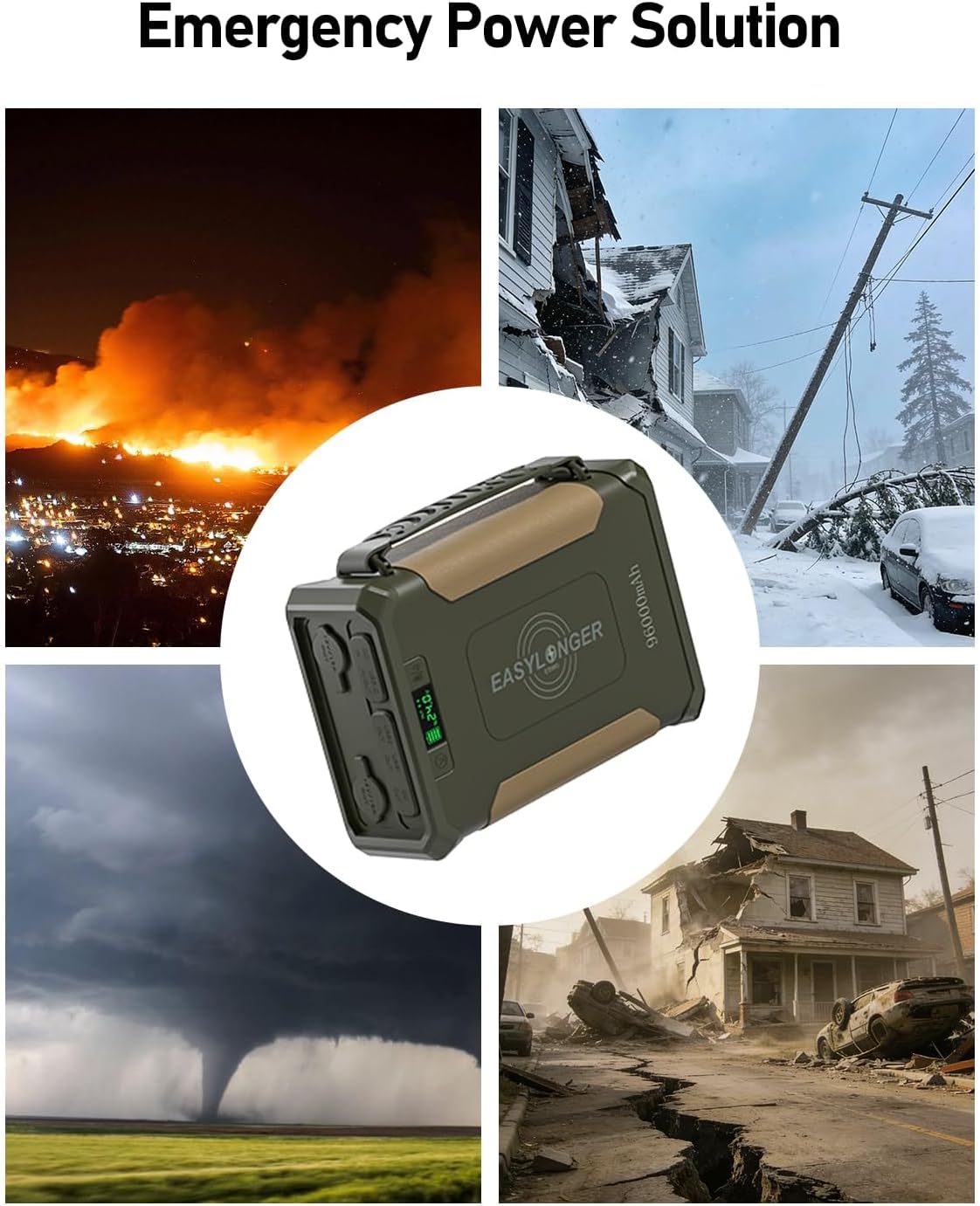
The ES960 provides emergency power during various outagใช่
2. ข้อมูลด้านความปลอดภัย
- ห้ามถอดประกอบ ดัดแปลง หรือพยายามซ่อมแซมอุปกรณ์
- Keep away from water, fire, and extreme temperatures.
- ใช้เฉพาะอุปกรณ์ชาร์จที่ให้มาหรือได้รับการอนุมัติเท่านั้น
- This device exceeds the 160Wh airline limit and is not approved for air travel.
- ตรวจสอบให้แน่ใจว่ามีการระบายอากาศที่เหมาะสมในระหว่างการใช้งานและการชาร์จ
- The built-in LiFePO4 cells offer protection against overcharge, over-discharge, overcurrent, short circuits, and high temperatures.
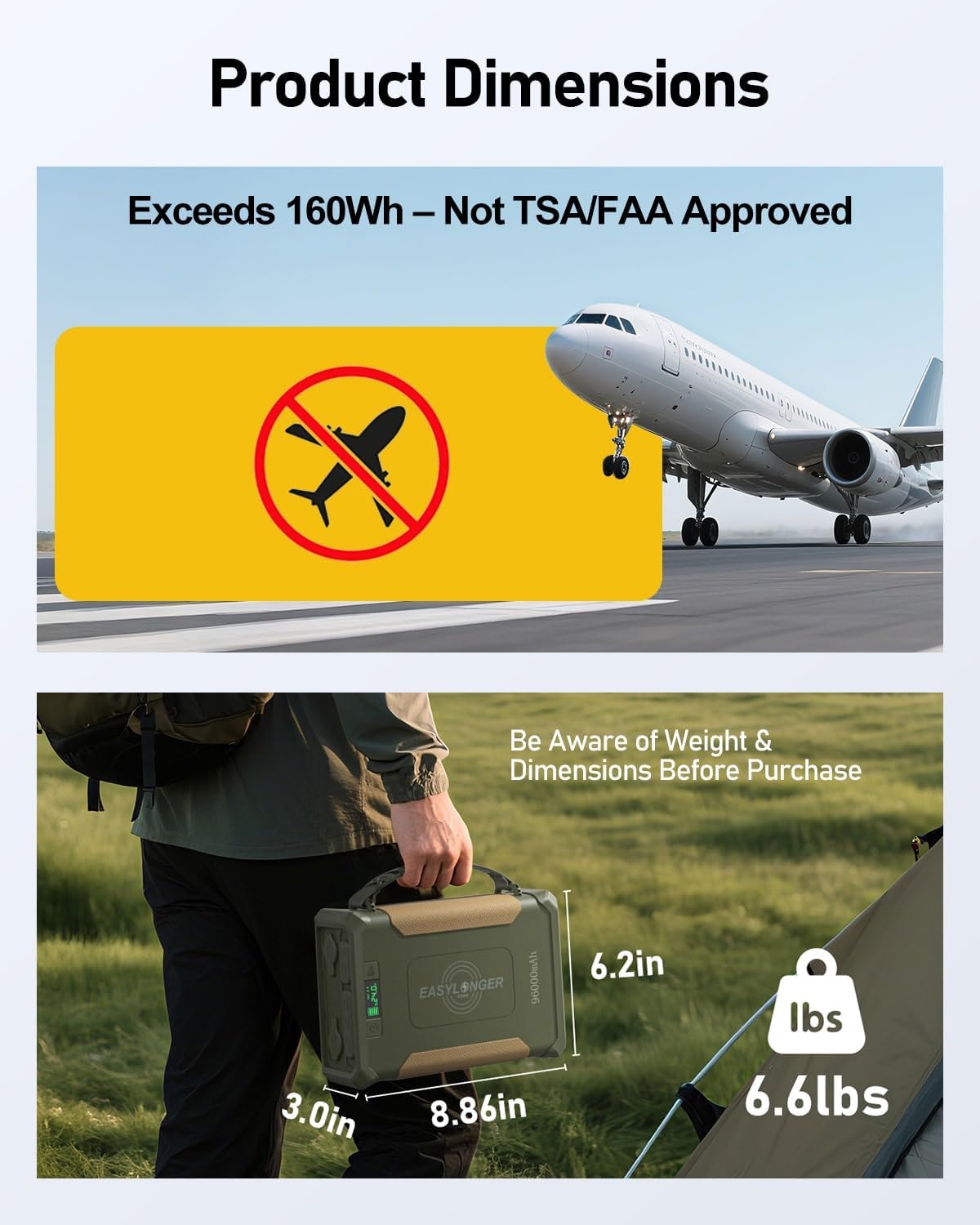
The ES960 exceeds 160Wh and is not approved for air travel. Be aware of weight and dimensions.
3. เนื้อหาบรรจุภัณฑ์
ตรวจสอบว่ามีรายการทั้งหมดอยู่ในแพ็คเกจของคุณ:
- EASYLONGER ES960 CPAP Battery Backup
- อะแดปเตอร์แปลงไฟ AC (72 วัตต์)
- USB-C PD Charger (60W)
- 4 CPAP DC Cables (for ResMed S9, AirSense 10/11, AirCurve 10/11, AirMini, Philips DreamStation 1/2, Luna G3)
- คู่มือการใช้งาน
4. สินค้าหมดview
The ES960 features multiple output ports, a digital display, and an integrated LED light for versatile use.
The ES960 with its multiple ports and digital display.
คุณสมบัติหลัก:
- จอแสดงผลดิจิตอล: Shows battery level and output voltage.
- พอร์ตเอาท์พุต: 2x USB-A, 1x USB-C (Input/Output), 2x DC Out, 2x 12V/15A Cigarette Lighter Out.
- การชาร์จแบบไร้สาย: 10W wireless charging pad on top.
- ไฟ LED ในตัว: เพื่อการส่องสว่างในสภาวะแสงน้อย
5. การตั้งค่า
5.1 การชาร์จ ES960
Ensure the battery is fully charged before first use. The ES960 offers three charging methods:
- 60W USB-C PD Charger: Connect the included USB-C PD charger to the USB-C In/Out port. Full charge in 6-8 hours.
- อะแดปเตอร์ AC 72W: Connect the included AC adapter to the DC In port. Full charge in 5-6 hours.
- Solar Panel (≥100W, not included): Connect a compatible solar panel to the DC In port. Charging time depends on solar intensity.

Multiple rapid recharge options for your ES960.
5.2 Connecting to CPAP Machine
The ES960 includes 4 specific DC cables for popular CPAP models. Ensure the correct cable is used and the voltage is set appropriately.

The ES960 includes 4 adapter cables compatible with most major CPAP models.
- Identify Your CPAP Model: Match your CPAP machine to the corresponding DC cable.
- Connect Cable to ES960: Plug the DC cable into one of the DC OUT ports on the ES960.
- Connect Cable to CPAP: เสียบปลายอีกด้านของสายไฟ DC เข้ากับเครื่อง CPAP ของคุณ
- เซ็ตเล่มtage: Long-press the 'V' button on the ES960 to enter voltage setting mode. Press once to cycle through 12V, 16.5V, 20V, and 24V. Select the voltage matching your CPAP machine's operating voltage.
Video: Connecting ES960 to AirSense 11
This video demonstrates how to connect the EASYLONGER ES960 to an AirSense 11 CPAP machine, including selecting the correct voltage.
Video: Powering AirSense 10 for Campกำลังทำ
This video shows how to use the ES960 to power an AirSense 10 CPAP machine during a campอิงการเดินทาง
5.3 Wide Compatibility for Other CPAP Models
For CPAP devices like Sefam S Box, Resvent iBreeze, Apex iCH, use a DC adapter. For F&P SleepStyle, Löwenstein Prisma, Breas Z1/Z2, DreamStation GO, and Transcend models, use a cigarette lighter cable or an inverter with voltage conversion (sold separately).

The ES960 offers wide compatibility with various CPAP models using the right connecting cables.
6. คู่มือการใช้งาน
6.1 Powering On/Off & Voltagอี การคัดเลือก
- เปิดเครื่อง: Press the Power button (right side) once to activate the battery pack and check the battery level.
- เล่มที่tagอี การเลือก: Long-press the 'V' button (left side) for about 3 seconds to enter voltage setting mode. Press once to cycle through 12V, 16.5V, 20V, and 24V options. Release the button when the desired voltage จะปรากฏขึ้น
- หมดแรง: Long-press the Power button to deactivate the battery.
6.2 Using Other Output Ports
- USB-A/USB-C: Connect your devices (phones, tablets, laptops, etc.) to the USB-A or USB-C output ports.
- การชาร์จแบบไร้สาย: Place your Qi-compatible device on the wireless charging pad on top of the ES960.
- Cigarette Lighter Ports: Use the two 12V/15A cigarette lighter ports for compatible devices like car refrigerators or air pumps.

Power multiple devices simultaneously with the ES960's various output ports.
6.3 ไฟ LED ในตัว
- Activate White Light: Double-press the Power button to turn on/off the white LED light.
- Activate Warm Light: Long-press the Power button to turn on/off the warm LED light.

The built-in LED light brightens your campsite for nighttime activities.
7. ข้อมูลขณะทำงาน
The ES960 can power CPAP devices for 2+ nights with the humidifier and heated tube off. Runtime will vary significantly when these features are used.

CPAP Runtime based on test conditions (humidifier/heated tube OFF).
Factors Affecting Battery Duration:
- Humidifier/Heated tubing ON/OFF/Level Setting
- Ramp Up Function ON/OFF/Time setting
- Use of any additional features such as Altitude Compensation
- ประเภทเครื่องจักร
- การบรรเทาความดัน
- Patient's breathing pattern
- Mask leaks
- Automatic Leak Compensator
- Bluetooth/APP/Wifi
- Smart Start / Smart Stop
- โหมดบำบัด
ความสนใจ: ยกเว้นกรณีที่มีเครื่องเพิ่มความชื้นและท่อส่งความร้อน การรั่วของหน้ากาก หรือแรงดัน PAP สูง การใช้อินเวอร์เตอร์สามารถลดระยะเวลาการใช้งานลงได้อย่างมาก
8. การบำรุงรักษา
- การทำความสะอาด: เช็ดอุปกรณ์ด้วยผ้าแห้งนุ่มๆ ห้ามใช้สารทำความสะอาดที่มีฤทธิ์กัดกร่อนหรือตัวทำละลาย
- พื้นที่จัดเก็บ: Store the ES960 in a cool, dry place away from direct sunlight. For long-term storage, charge the battery to 50-80% every 3-6 months to maintain battery health.
- อายุการใช้งานแบตเตอรี่: The LiFePO4 battery cells are designed for over 3000 cycles, ensuring long-lasting reliability.
9 การแก้ไขปัญหา
- อุปกรณ์ไม่เปิดเครื่อง: ตรวจสอบให้แน่ใจว่าแบตเตอรี่ชาร์จเต็มแล้ว กดปุ่มเปิด/ปิดเครื่องให้แน่น
- CPAP not receiving power: Verify the correct DC cable is used and securely connected. Check that the output voltage on the ES960 matches your CPAP machine's requirements.
- ระยะเวลาการเล่นสั้น: Turn off humidifier and heated tube features on your CPAP machine to extend battery life. Refer to the 'Factors Affecting Battery Duration' section.
- ปัญหาการชาร์จ: Ensure the charging adapter is properly connected to a power source and the ES960. Try a different charging method if available.
10. ข้อมูลจำเพาะ
| คุณสมบัติ | รายละเอียด |
|---|---|
| หมายเลขรุ่น | GP50 |
| ความจุของแบตเตอรี่ | 297.6 วัตต์ชั่วโมง / 96000 มิลลิแอมป์ |
| ประเภทแบตเตอรี่ | ลิเธียมไอออนฟอสเฟต |
| วงจรชีวิต | กว่า 3000 รอบ |
| ขนาดสินค้า | 8.86 x 3 x 6.2 นิ้ว |
| น้ำหนัก | 6.6 ปอนด์ |
| ประเภทขั้วต่อ | USB ประเภท A, USB ประเภท C |
| พอร์ตเอาท์พุต | 2x USB-A, 1x USB-C (PD), 2x DC Out, 2x 12V/15A Cigarette Lighter Out |
| การชาร์จแบบไร้สาย | 10วัตต์ |
| คุณสมบัติพิเศษ | Built-in MPPT, Digital Display, Flashlight, Wireless Charging |
11. การรับประกันและการสนับสนุน
For warranty information, technical support, or any inquiries regarding your EASYLONGER ES960 CPAP Battery Backup, please contact the manufacturer directly through their official webไซต์หรือผู้ค้าปลีกที่ซื้อผลิตภัณฑ์