
1. บทนำ
This manual provides instructions for the GOUYESHO Replacement Remote Control, designed for use with various Apple TV models. This infrared remote offers a straightforward solution for controlling your Apple TV without complex setup procedures.
2. ความเข้ากันได้
The GOUYESHO Replacement Remote Control is compatible with the following Apple TV models:
- Apple TV 1st, 2nd, 3rd, 4th, and 5th Generation
- แอปเปิ้ลทีวี 4K
- Specific models include: MC377LL/A, MC377Z/A, MC572LL/A, MD199LL/A, MM4T2AM/A, MM4T2ZM/A, A1842, A1625, A1469, A1427, A1378, A11218, A1294, A1156, MGY52, MLNC2, MQD22, MP7P2

Figure 2.1: The remote control shown next to a television, highlighting its compatibility with Apple TV models A2540 and A2584.
3. การตั้งค่า
3.1 การติดตั้งแบตเตอรี่
The remote control requires two (2) AAA 1.5V batteries (not included). To install the batteries:
- ค้นหาช่องใส่แบตเตอรี่ที่ด้านหลังของรีโมทคอนโทรล
- เลื่อนเปิดฝาครอบช่องใส่แบตเตอรี่
- ใส่แบตเตอรี่ AAA สองก้อน โดยตรวจสอบให้แน่ใจว่าขั้ว (+ และ -) ถูกต้องตามที่ระบุภายในช่องใส่
- ปิดฝาช่องใส่แบตเตอรี่ให้แน่น

Figure 3.1: The battery compartment of the remote control, illustrating where to insert two AAA batteries.
3.2 การใช้งานเบื้องต้น
No programming or pairing is required for this remote control. Once the batteries are correctly installed, the remote is ready for immediate use with your compatible Apple TV device.

Figure 3.2: The remote control demonstrating its plug-and-play functionality, requiring no programming or pairing.
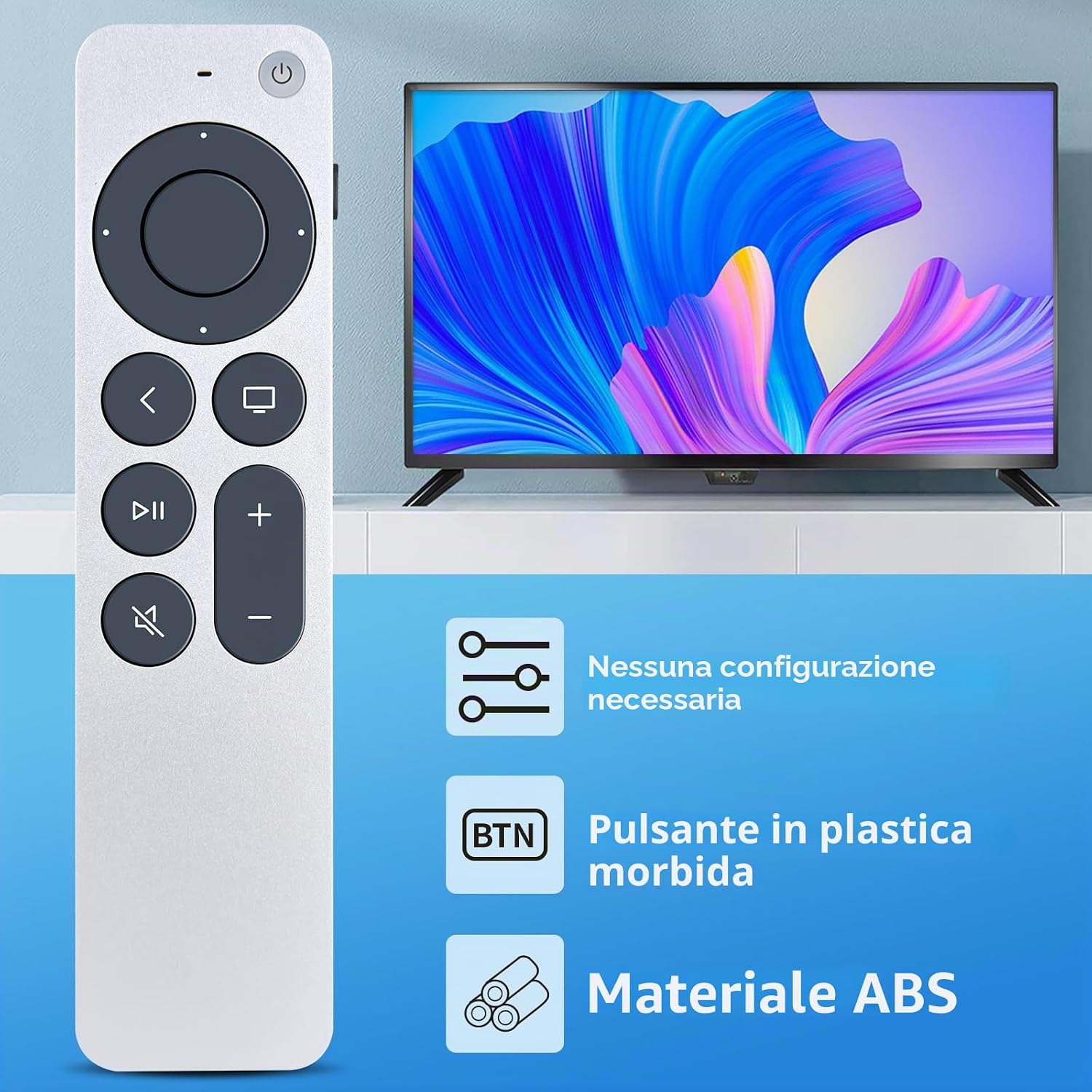
Figure 3.3: Key features of the remote control, including no configuration requirement, soft plastic buttons, and durable ABS material construction.
4. การดำเนินการ
The remote control utilizes infrared (IR) technology for communication with your Apple TV. Ensure a clear line of sight between the remote and your Apple TV for optimal performance.
4.1 ฟังก์ชั่นพื้นฐาน
- ปุ่มเปิด/ปิด: Turns your Apple TV on or off.
- Directional Pad (Ring): เลื่อนดูเมนูและเลือกรายการต่างๆ
- ปุ่มเลือก (ตรงกลาง): ยืนยันการเลือก
- เมนู/ปุ่มย้อนกลับ: กลับไปที่หน้าจอหรือเมนูก่อนหน้า
- ปุ่มโฮม: Returns to the Apple TV home screen.
- ปุ่มเล่น/หยุดชั่วคราว: ควบคุมการเล่นสื่อ
- ปุ่มปรับระดับเสียงขึ้น / ลง: ปรับระดับเสียง.
- ปุ่มปิดเสียง: ปิดหรือเปิดเสียง
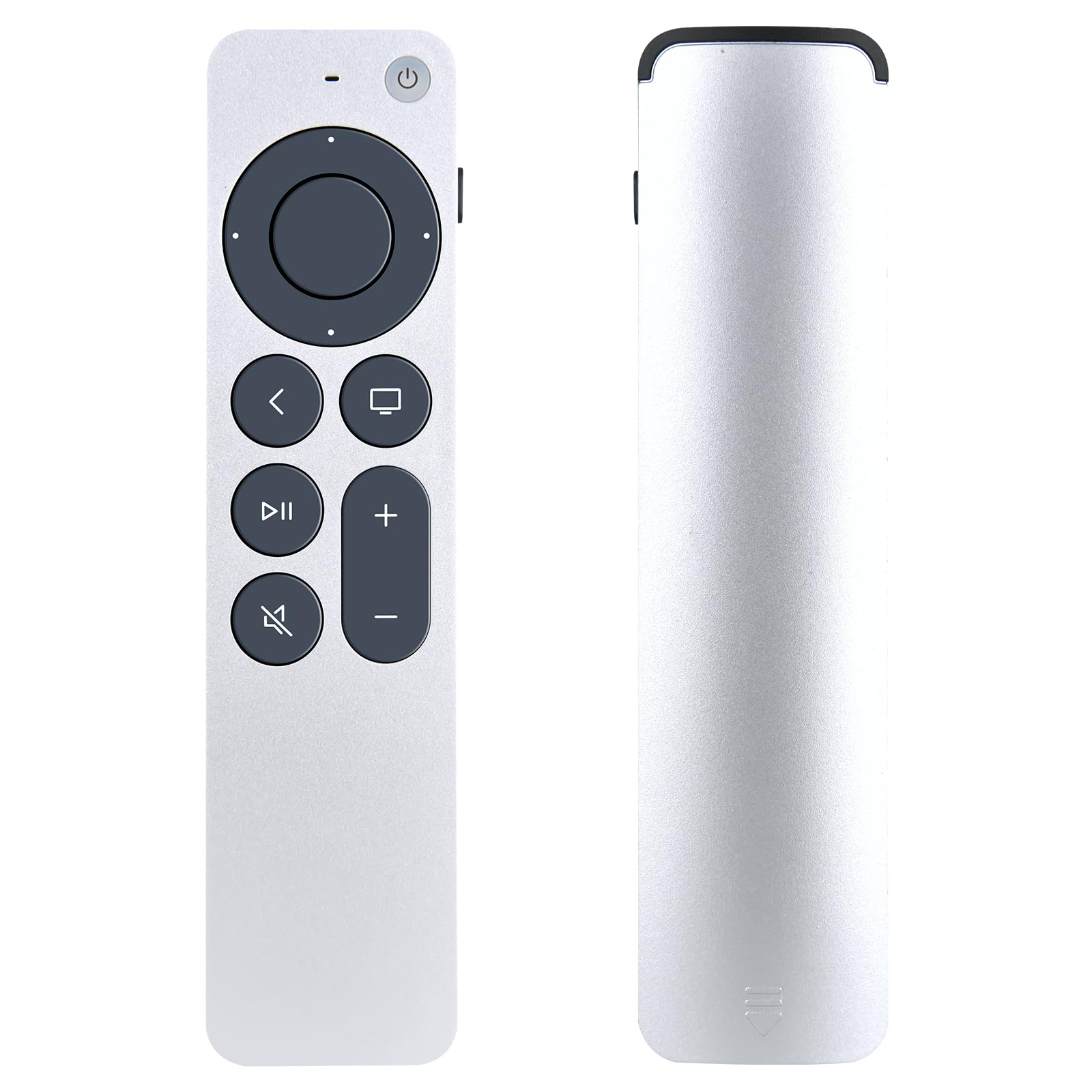
Figure 4.1: The GOUYESHO remote control displaying its layout and buttons for controlling an Apple TV.
4.2 Infrared Technology and Range
The remote utilizes advanced infrared 3.0 technology, providing a strong and responsive signal. It operates effectively at a distance of over 26 feet (approximately 8 meters) and within a 120-degree angle, allowing for flexible use.

Figure 4.2: The remote control in use, demonstrating its long-distance and precise control capabilities via infrared technology.
5. การบำรุงรักษา
5.1 การทำความสะอาด
To clean the remote control, use a soft, dry cloth. Do not use liquid cleaners or abrasive materials, as these can damage the surface or internal components.
5.2 การเปลี่ยนแบตเตอรี่
Replace the batteries when the remote's responsiveness decreases or it stops functioning. Always replace both AAA batteries at the same time with new ones. Dispose of used batteries according to local regulations.
6 การแก้ไขปัญหา
- รีโมตไม่ตอบสนอง:
- ตรวจสอบให้แน่ใจว่าได้ติดตั้งแบตเตอรี่อย่างถูกต้องและตรงขั้วแล้ว
- เปลี่ยนแบตเตอรี่เก่าด้วยแบตเตอรี่ AAA ใหม่
- Check for any obstructions between the remote and your Apple TV.
- Ensure you are within the operational range (within 26 feet) and angle (120 degrees).
- Buttons feel unresponsive:
- This remote uses soft plastic buttons designed for comfortable tactile feedback. If a button feels stuck, gently press it to ensure it is not obstructed.
- Limited functionality compared to original Apple remote:
- This replacement remote is an infrared device and does not support advanced features like voice control (Siri) or touch-sensitive navigation found on some original Apple remotes. It provides essential control functions.
7. ข้อมูลจำเพาะ
| ยี่ห้อ | GOUYESHO |
| ชื่อรุ่น | ใหม่ |
| หมายเลขรุ่น | B0FN7Z58MY |
| สี | สีดำ |
| เทคโนโลยีการเชื่อมต่อ | อินฟราเรด |
| ระยะสูงสุด | 26 ฟุต (ประมาณ 8 เมตร) |
| จำนวนปุ่ม | 20 |
| ประเภทตัวควบคุม | ปุ่มควบคุม |
| อุปกรณ์ที่รองรับ | Streaming Device, Television (Apple TV 4K, Apple TV 1st-5th Gen) |
| คำอธิบายแบตเตอรี่ | AAA (ต้องระบุ 2 รายการ) |
| คุณสมบัติพิเศษ | การออกแบบตามหลักสรีรศาสตร์ |
| วัสดุ | New ABS material |

รูปที่ 7.1: มิติเหนือview of the GOUYESHO Replacement Remote Control.
8. การรับประกันและการสนับสนุน
GOUYESHO is committed to product quality and customer satisfaction. If you have any questions regarding your order, product model, or require assistance, please contact our customer service directly. We aim to respond to all inquiries within 12 hours on working days.