
1. บทนำ
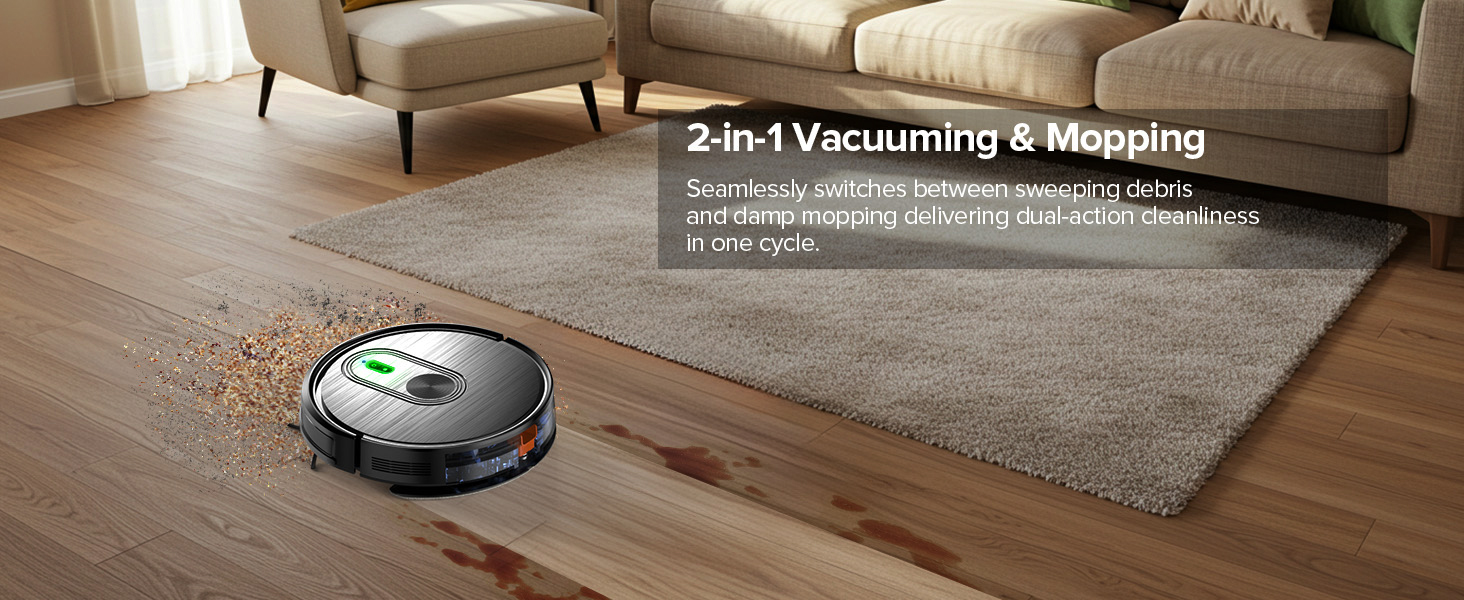
Thank you for choosing the XIEBro T8S Robot Vacuum and Mop Combo. This innovative 2-in-1 device is designed to simplify your home cleaning routine by efficiently vacuuming and mopping various floor types. Featuring powerful suction, intelligent navigation, and multiple control options, the T8S provides a comprehensive cleaning solution.
2. ข้อมูลด้านความปลอดภัย
โปรดอ่านคำแนะนำด้านความปลอดภัยทั้งหมดอย่างละเอียดก่อนใช้ผลิตภัณฑ์ เก็บคู่มือนี้ไว้เพื่อใช้อ้างอิงในอนาคต
- ตรวจสอบให้แน่ใจว่าหุ่นยนต์ชาร์จเต็มแล้วก่อนใช้งานครั้งแรก
- ห้ามใช้หุ่นยนต์ในสภาพแวดล้อมที่เปียกชื้นหรือใกล้แหล่งน้ำ
- โปรดกันเด็กและสัตว์เลี้ยงให้อยู่ห่างจากหุ่นยนต์ขณะที่หุ่นยนต์กำลังทำงาน
- ถอดสายเคเบิลที่หลวม วัตถุขนาดเล็ก และสิ่งของที่เปราะบางออกจากเส้นทางการทำความสะอาดเพื่อป้องกันการพันกันหรือความเสียหาย
- Do not use cleaning agents in the water tank to prevent corrosion.
- Regularly clean brushes and filters to maintain optimal performance.
3. สินค้าหมดview (ส่วนประกอบ)
The XIEBro T8S Robot Vacuum and Mop Combo includes the following components:
- T8S Vacuum Robot
- รีโมทคอนโทรล (รวมแบตเตอรี่ AAA 2 ก้อน)
- ฐานชาร์จ
- อะแดปเตอร์แปลงไฟ
- ถังเก็บน้ำ
- ถังทิ้งขยะ
- แปรงด้านข้าง 4 อัน
- คู่มือการใช้งาน
- แปรงทำความสะอาด
- กรอง
- Mop Board
- แผ่นซับ
This image displays the XIEBro T8S Robot Vacuum Cleaner along with its complete set of accessories, including the remote control, charging base, power adapter, water tank, dustbin, side brushes, cleaning brush, filter, mop board, and mop pad.
4. การตั้งค่า
4.1 การแกะกล่องและการตรวจสอบเบื้องต้น
Carefully remove all components from the packaging. Verify that all items listed in the Product Overview section are present and undamaged. Remove any protective films or stickers from the robot and its accessories.
4.2 การวางฐานชาร์จ
วางแท่นชาร์จชิดผนังในพื้นที่โล่ง ตรวจสอบให้แน่ใจว่าไม่มีสิ่งกีดขวางในระยะ 1 เมตร (3 ฟุต) จากด้านข้างและ 2 เมตร (6 ฟุต) จากด้านหน้า เชื่อมต่ออะแดปเตอร์แปลงไฟเข้ากับแท่นชาร์จและเต้ารับไฟฟ้า

This image illustrates the XIEBro T8S Robot Vacuum Cleaner automatically navigating back to its charging base when its battery is low or a cleaning cycle is complete.
4.3 การชาร์จเริ่มต้น
Place the robot onto the charging base, ensuring the charging contacts align. The indicator light on the robot will show charging status. For optimal battery life, fully charge the robot before its first use (approximately 4-5 hours).
4.4 การติดตั้งแปรงด้านข้าง
Attach the side brushes to the corresponding posts on the underside of the robot until they click into place.
4.5 Water Tank & Dustbin Preparation
For vacuuming, ensure the dustbin is properly installed. For mopping, fill the water tank with clean water. Attach the mop pad to the mop board and then slide the mop board assembly into the designated slot on the robot.

This image shows the XIEBro T8S Robot Vacuum with its water tank and dust box detached, highlighting the ease of access for maintenance and refilling.
4.6 App & Remote Control Setup
To use the Tuya Smart App, download it from your app store. Follow the in-app instructions to connect your robot (supports 2.4GHz Wi-Fi only). The remote control is pre-paired; simply insert the included AAA batteries.
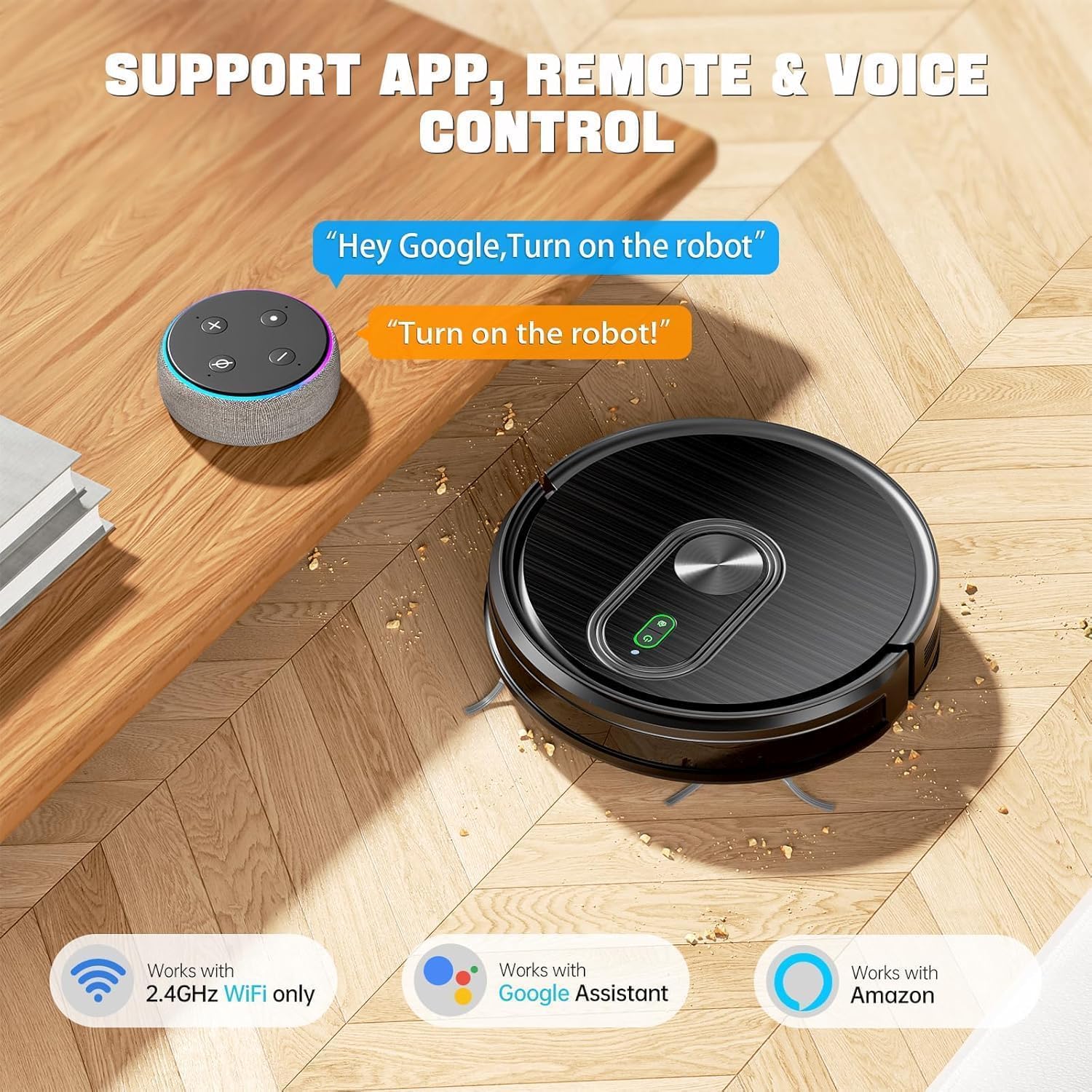
This image displays the XIEBro T8S Robot Vacuum Cleaner alongside various control methods: a smartphone running the Tuya Smart App, a remote control, and voice assistants like Google Assistant and Amazon Alexa.
5. คู่มือการใช้งาน
5.1 เปิด/ปิดเครื่อง
Press and hold the power button on the robot or the remote control to turn the robot on or off. A short press will start/pause cleaning.
โหมดทำความสะอาด 5.2 โหมด
- ทำความสะอาดอัตโนมัติ: The robot automatically cleans in a systematic pattern.
- การทำความสะอาดเฉพาะจุด: เน้นทำความสะอาดบริเวณที่สกปรกเป็นพิเศษ
- การทำความสะอาดขอบ: ทำความสะอาดตามผนังและขอบเฟอร์นิเจอร์
- การทำความสะอาดแบบซิกแซก: Cleans in a back-and-forth pattern for thorough coverage.
5.3 การปรับกำลังดูด
Adjust suction power (3 levels: 1200Pa, 2100Pa, 3200Pa) via the app or remote control to suit different floor types and cleaning needs. The robot features a carpet booster function for increased suction on carpets.
5.4 Water Flow Adjustment
Control the water output (2 speeds) for mopping via the app or remote control. This ensures uniform penetration suitable for all hard floors.
5.5 การชาร์จไฟอัตโนมัติ
When the battery level is below 15% or a cleaning cycle is complete, the robot will automatically return to its charging dock.
5.6 Obstacle Avoidance & Anti-Drop
Equipped with advanced 3D precise obstacle avoidance and infrared sensors, the robot intelligently identifies and avoids obstacles, white walls, and stairs. It can climb up to 15° and easily cross door thresholds or low-pile carpets.

This image visually represents the XIEBro T8S Robot Vacuum's advanced anti-drop and anti-collision technology, showing how it uses infrared sensors to detect and avoid obstacles and edges.
5.7 การควบคุมด้วยเสียง
The robot vacuum is compatible with Google Assistant and Amazon Alexa. After connecting to the Tuya Smart App, you can control the robot using voice commands.
6. การบำรุงรักษา
Regular maintenance ensures optimal performance and extends the lifespan of your XIEBro T8S.
6.1 Emptying Dustbin
Empty the 300ml dustbin after each cleaning cycle or when full. Press the release button to detach the dustbin, open it, and discard collected debris.
6.2 การทำความสะอาดตัวกรอง
The dust box is equipped with a 3-layer filter system. The high-performance filter is washable, while the filter cotton is not. Clean the washable filter with water and allow it to air dry completely before reinstallation. Replace non-washable filters periodically.
6.3 Cleaning Side Brushes and Roller Brush
Regularly check and clean the side brushes and the main roller brush for tangled hair or debris. Use the provided cleaning brush to remove any obstructions.
6.4 แผ่นทำความสะอาดไม้ถูพื้น
Remove the mop pad after each mopping session and wash it. Allow it to air dry completely before reattaching.
6.5 การดูแลถังเก็บน้ำ
Empty any remaining water from the tank after mopping. To prevent corrosion, avoid using any cleaning agents or detergents in the water tank; use only clean water.
7 การแก้ไขปัญหา
If you encounter issues with your XIEBro T8S, refer to the troubleshooting section in the included user manual for detailed solutions. Common issues may include:
- Robot not powering on or charging.
- หุ่นยนต์ติดขัดบ่อยครั้ง
- ประสิทธิภาพการทำความสะอาดไม่ดี
- App connection issues (ensure 2.4GHz Wi-Fi).
- เสียงผิดปกติระหว่างการทำงาน
For persistent problems, please contact customer service.
This video showcases the XIEBro T8S Robot Vacuum and Mop's ability to clean a very messy balcony floor, demonstrating its suction power and effectiveness on hard surfaces. It highlights the robot's capability to pick up various debris, including pet hair, leaves, and branches, and its ability to navigate tight spaces. The video also shows the collected debris in the dustbin after cleaning.
8. ข้อมูลจำเพาะ
| คุณสมบัติ | รายละเอียด |
|---|---|
| ยี่ห้อ | XIEBro |
| ชื่อรุ่น | T8S Robot Vacuum and Mop Combo |
| คุณสมบัติพิเศษ | ระบบปิดเครื่องอัตโนมัติ |
| สี | สีดำ |
| ขนาดสินค้า | ยาว 16.9 นิ้ว x กว้าง 13.97 นิ้ว x สูง 4.64 นิ้ว |
| ประเภทตัวกรอง | Three-layer high-efficiency filtration (washable) + filter cotton (not washable) |
| อายุการใช้งานแบตเตอรี่ | 120 minutes (Quiet Mode) |
| เล่มที่tage | 220 โวลต์ |
| ความจุของถังขยะ | 300 มิลลิลิตร |
| ความจุถังน้ำ | 260 มิลลิลิตร |
| แหล่งพลังงาน | ใช้พลังงานจากแบตเตอรี่ |
| วิธีการควบคุม | แอป, รีโมท, สัมผัส, เสียง |
| อุปกรณ์ที่รองรับ | Google Home, Smartphones |
| ฟอร์มแฟกเตอร์ | หุ่นยนต์ |
| น้ำหนักสินค้า | 7.68 ปอนด์ |
| ผู้ผลิต | XIEBro |
| คำแนะนำด้านพื้นผิว | Hard Floor, Low Pile Carpet, Wood Floor, Tile Floor |

This image highlights the XIEBro T8S Robot Vacuum's ultra-slim 2.9-inch design, showcasing its ability to easily navigate and clean under furniture like sofas and beds, reaching areas that are typically hard to access.
9. การรับประกันและการสนับสนุน
The XIEBro T8S Robot Vacuum and Mop Combo comes with a 12-month warranty. For professional customer service and support, please refer to the contact information provided in your user manual.