
1. บทนำ
This manual provides detailed instructions for the setup, operation, and maintenance of your POLONO PM220S Label Maker Machine. Please read this manual thoroughly before using the device to ensure proper function and longevity.
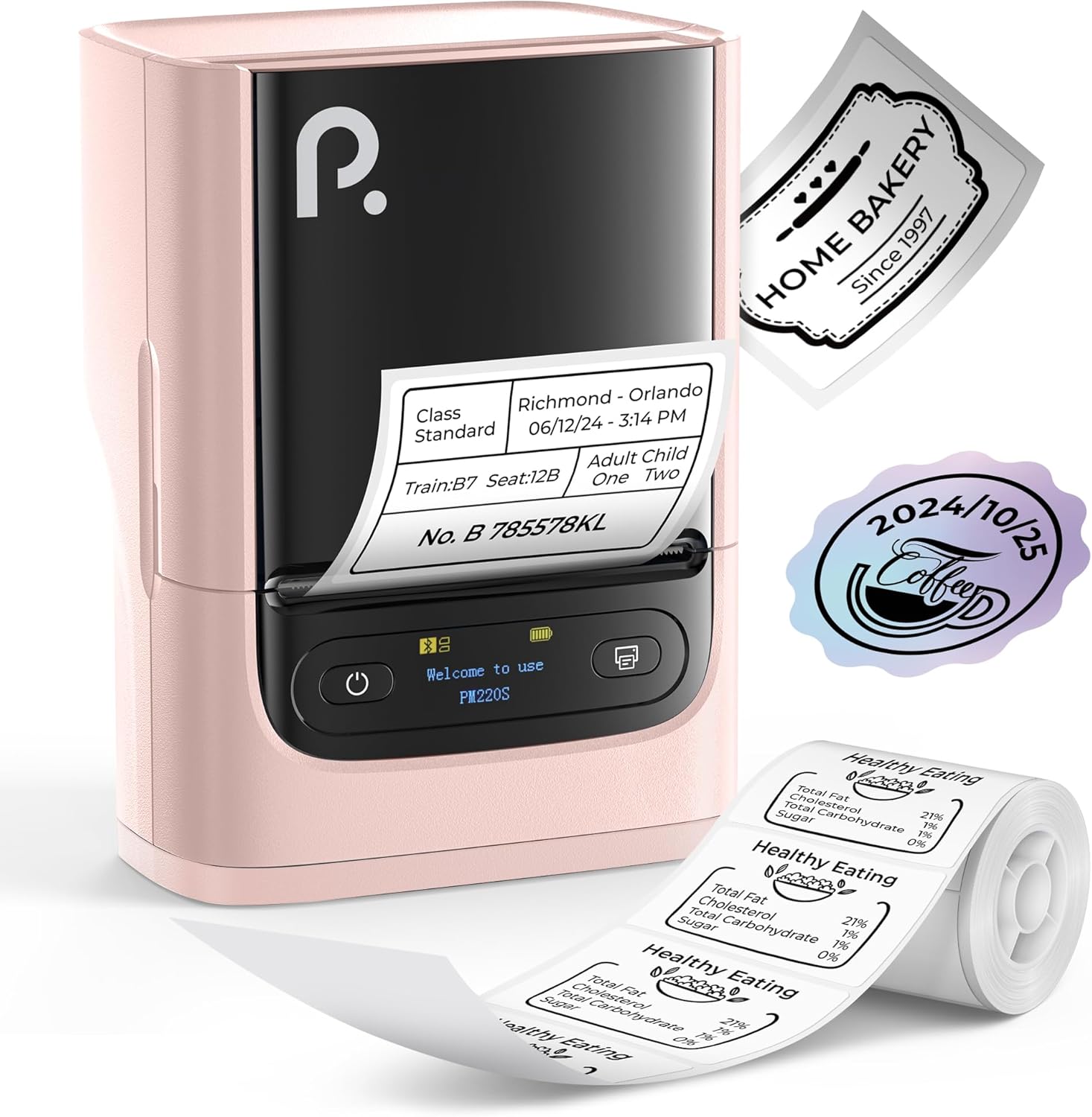
Figure 1: POLONO PM220S Label Maker Machine with sample labels.
2. สินค้าหมดview
2.1 ส่วนประกอบที่รวมอยู่
- POLONO PM220S Label Maker Machine
- Label Tape (50x30mm, pre-installed or included)
- สายชาร์จ USB
- คู่มือการใช้งาน (เอกสารนี้)
2.2 คุณสมบัติหลัก
- การเชื่อมต่อบลูทูธ: Seamless connection with iOS, Android, and PC devices.
- Intuitive LED Screen: Displays battery level, Bluetooth connection status, and alerts for paper shortages or timed shutdowns.
- Feature-Rich "Labelnize" App: Offers label templates, supports QR codes, barcodes, tables, text, icons, 90+ fonts, 14+ languages, and 450+ material presets.
- Premium Thermal Printing: BPA-Free Direct Thermal Technology with 203 DPI for high-definition, inkless printing.
- ความเข้ากันได้ของฉลากแบบกว้าง: Supports label widths from 23-54mm (0.91"-2.12").
- การออกแบบพกพา: มีขนาดกะทัดรัดและน้ำหนักเบา พกพาสะดวกและใช้งานได้ง่ายในสภาพแวดล้อมต่างๆ
3. คำแนะนำในการตั้งค่า
3.1 การชาร์จอุปกรณ์
Before first use, fully charge the label maker using the provided USB cable. The LED screen will indicate charging status.
3.2 App Installation and Driver Download
For mobile devices (iOS/Android), download the "Labelnize" app from your respective app store. For PC users, visit โปโลโน.คอม to download the necessary driver and application.

Figure 2: Universal compatibility with smartphones and laptops for app and driver installation.
3.3 การเชื่อมต่อผ่าน Bluetooth
- Ensure the PM220S is powered on.
- On your mobile device, open the "Labelnize" app.
- Within the app, search for and connect to the PM220S via Bluetooth. Do not connect directly via your device's Bluetooth settings for mobile devices.
- For PC, ensure the driver is installed, then connect through the downloaded application.
3.4 การติดเทปฉลาก
- เปิดฝาช่องใส่ฉลาก
- ใส่ฉลากม้วนโดยให้ด้านที่มีลายพิมพ์หันขึ้นด้านบน
- Adjust the paper slot guides to secure the tape according to its width (23-54mm) for precise alignment.
- ปิดฝาครอบ

Figure 3: Proper loading of label tape into the PM220S.
4. คู่มือการใช้งาน
4.1 Using the "Labelnize" App
- Open the "Labelnize" app on your connected device.
- Select from various pre-designed templates or create your own custom labels.
- The app allows you to add text, barcodes, QR codes, tables, icons, and more.
- Customize labels using a selection of over 90 fonts and 14 languages.
- Utilize the 450+ material presets for different label applications.
- สำคัญ: For optimal results, use specialized POLONO labels. Avoid tearing the green back sticker to prevent printing issues.
4.2 Understanding the LED Screen Display
The integrated LED screen provides real-time feedback on the printer's status:
- ระดับแบตเตอรี่: Indicates the current charge of the device.
- การเชื่อมต่อบลูทู ธ : Shows if the device is successfully connected via Bluetooth.
- กระดาษสั้นtage การแจ้งเตือน: Notifies when the label roll is low or empty.
- การปิดระบบตามกำหนดเวลา: Displays countdown for automatic power-off to conserve battery.

Figure 4: LED screen display functions for real-time status monitoring.
4.3 การพิมพ์ฉลาก
- Design your label within the "Labelnize" app.
- Review ฉลากก่อนหน้าview เพื่อให้มั่นใจในความถูกต้องแม่นยำ
- แตะปุ่ม "พิมพ์" ในแอป
- The label maker will print the label using thermal technology.
- Carefully tear off the printed label.
5. การบำรุงรักษา
5.1 การดูแลทั่วไป
- รักษาอุปกรณ์ให้สะอาดและปราศจากฝุ่นและเศษซาก
- หลีกเลี่ยงการให้อุปกรณ์สัมผัสกับอุณหภูมิที่ร้อนจัดหรือโดนแสงแดดโดยตรง
- ควรเก็บอุปกรณ์ไว้ในที่แห้งเมื่อไม่ใช้งาน
5.2 การทำความสะอาดหัวพิมพ์
If print quality degrades, the thermal print head may need cleaning:
- ปิดเครื่องพิมพ์ฉลากและถอดปลั๊กออกจากแหล่งจ่ายไฟใดๆ
- เปิดช่องฉลาก
- ค่อยๆ เช็ดหัวพิมพ์ความร้อนด้วยสำลีเบาๆampเคลือบด้วยแอลกอฮอล์ไอโซโพรพิล
- รอให้หัวพิมพ์แห้งสนิทก่อนปิดฝาและใช้งานต่อ
6 การแก้ไขปัญหา
| ปัญหา | สาเหตุที่เป็นไปได้ | สารละลาย |
|---|---|---|
| อุปกรณ์ไม่เปิดเครื่อง | แบตเตอรี่เหลือน้อยหรือมีปัญหาเรื่องไฟเลี้ยง | Charge the device fully. Ensure the power button is pressed correctly. |
| ไม่สามารถเชื่อมต่อผ่านบลูทูธได้ | Incorrect connection method or app issue. | Ensure you are connecting through the "Labelnize" app, not directly via phone settings. Restart both the device and the app. For PC, verify driver installation. |
| คุณภาพการพิมพ์ไม่ดี / ตัวอักษรจาง | Dirty print head, incorrect label type, or low battery. | Clean the print head (see Section 5.2). Ensure you are using thermal labels. Charge the device. |
| ป้ายกำกับวางไม่ตรงแนวหรือติดขัด | Improper label loading or paper slot adjustment. | Open the cover, remove any jammed labels, and reload the tape ensuring the paper slot guides are adjusted correctly for the label width. Avoid tearing the green back sticker. |
| "Paper Shortage" alert | Label roll is empty or incorrectly loaded. | Replace the label roll or re-seat it correctly. |
7. ข้อมูลจำเพาะ
| ยี่ห้อ | POLONO |
| ชื่อรุ่น | PM220S |
| เทคโนโลยีการเชื่อมต่อ | บลูทูธ |
| เทคโนโลยีการพิมพ์ | เทอร์มอล |
| ความละเอียดการพิมพ์สูงสุด | 203 จุดต่อนิ้ว |
| ความเร็วในการพิมพ์สูงสุด (ขาวดำ) | 45.0 มม./วินาที |
| ขนาดสื่อที่รองรับ | 23-54mm (0.91"-2.12") width, 50x30mm included |
| ขนาดสินค้า | ลึก 3.3 นิ้ว x กว้าง 4.4 นิ้ว x สูง 2.5 นิ้ว (8.4 x 11.2 x 6.4 ซม.) |
| น้ำหนักสินค้า | 13.4 ออนซ์ (380 กรัม) |
| คุณสมบัติพิเศษ | Portable, Inkless Printing, LED Display |
8. การรับประกันและการสนับสนุน
For warranty information, technical support, or to purchase accessories and replacement labels, please visit the official POLONO webไซต์ที่ โปโลโน.คอม or contact POLONO customer service directly.
โปรดเก็บหลักฐานการซื้อของคุณไว้เพื่อเรียกร้องการรับประกัน