
1. บทนำ
The be quiet! Pure Power 13M 850W is a high-performance PC power supply unit designed for reliable and quiet operation. It features 80 Plus Gold and Cybenetics Gold certification, ensuring high efficiency across various workloads, including gaming and creative applications. This power supply is compliant with ATX 3.1 and PCIe 5.1 standards, supporting high-end graphics cards with up to 600W power delivery. Its dedicated 120mm silent fan operates in a semi-passive mode, providing a quiet computing environment by only activating under sufficient load. This manual provides essential information for the safe and proper installation, operation, and maintenance of your Pure Power 13M 850W power supply.
2. ข้อมูลด้านความปลอดภัย
- Always disconnect the power supply from the mains electricity before installation, maintenance, or troubleshooting.
- Installation should be performed by qualified personnel. Incorrect installation can lead to damage to the unit or other components.
- ห้ามเปิดชุดจ่ายไฟasinก. ปริมาตรสูงtagมีอนุภาคอยู่ภายใน ซึ่งอาจก่อให้เกิดไฟฟ้าช็อตได้
- Keep the power supply away from moisture, liquids, and extreme temperatures.
- ตรวจสอบให้แน่ใจว่ามีการระบายอากาศที่เหมาะสมรอบๆ แหล่งจ่ายไฟเพื่อป้องกันความร้อนสูงเกินไป
- Use only the modular cables provided with the power supply. Using incompatible cables can cause damage.
3. เนื้อหาบรรจุภัณฑ์
ตรวจสอบว่ามีรายการทั้งหมดอยู่ในแพ็คเกจ:
- be quiet! Pure Power 13M 850W Power Supply Unit
- Modular Cable Set (including 24-pin ATX, 8-pin CPU, PCIe 6+2 pin, SATA, and PATA connectors)
- สายไฟ AC
- สกรูยึด
- คู่มือการใช้งาน
4. การติดตั้ง
โปรดทำตามขั้นตอนต่อไปนี้เพื่อติดตั้งชุดจ่ายไฟของคุณ:
- เตรียมระบบของคุณ: Ensure your computer case is compatible with ATX power supplies. Disconnect all power from your PC and open the case.
- ติดตั้งแหล่งจ่ายไฟ: Carefully slide the Pure Power 13M 850W into the designated PSU bay in your PC case. Secure it with the provided mounting screws.
- เชื่อมต่อสายเคเบิลโมดูลาร์: Identify the necessary cables for your components. Connect the 24-pin ATX cable to your motherboard. Connect the 8-pin (or 4+4 pin) CPU power cable to your motherboard.
- Connect Graphics Card (GPU): For high-end graphics cards, use the appropriate PCIe 6+2 pin connectors. The Pure Power 13M 850W is compliant with PCIe 5.1, supporting up to 600W for modern GPUs.
- เชื่อมต่ออุปกรณ์ต่อพ่วง: Connect SATA power cables to your storage drives (SSDs, HDDs) and PATA cables to any other compatible peripherals.
- การจัดการสายเคเบิล: Utilize the full modular design to connect only the cables you need, improving airflow and reducing clutter inside your case.
- การตรวจสอบขั้นสุดท้าย: Double-check all connections to ensure they are secure and correctly seated. Close your PC case.
- ต่อเข้ากับแหล่งจ่ายไฟหลัก: เชื่อมต่อสายไฟ AC เข้ากับแหล่งจ่ายไฟ จากนั้นต่อเข้ากับเต้ารับไฟฟ้าที่ผนัง
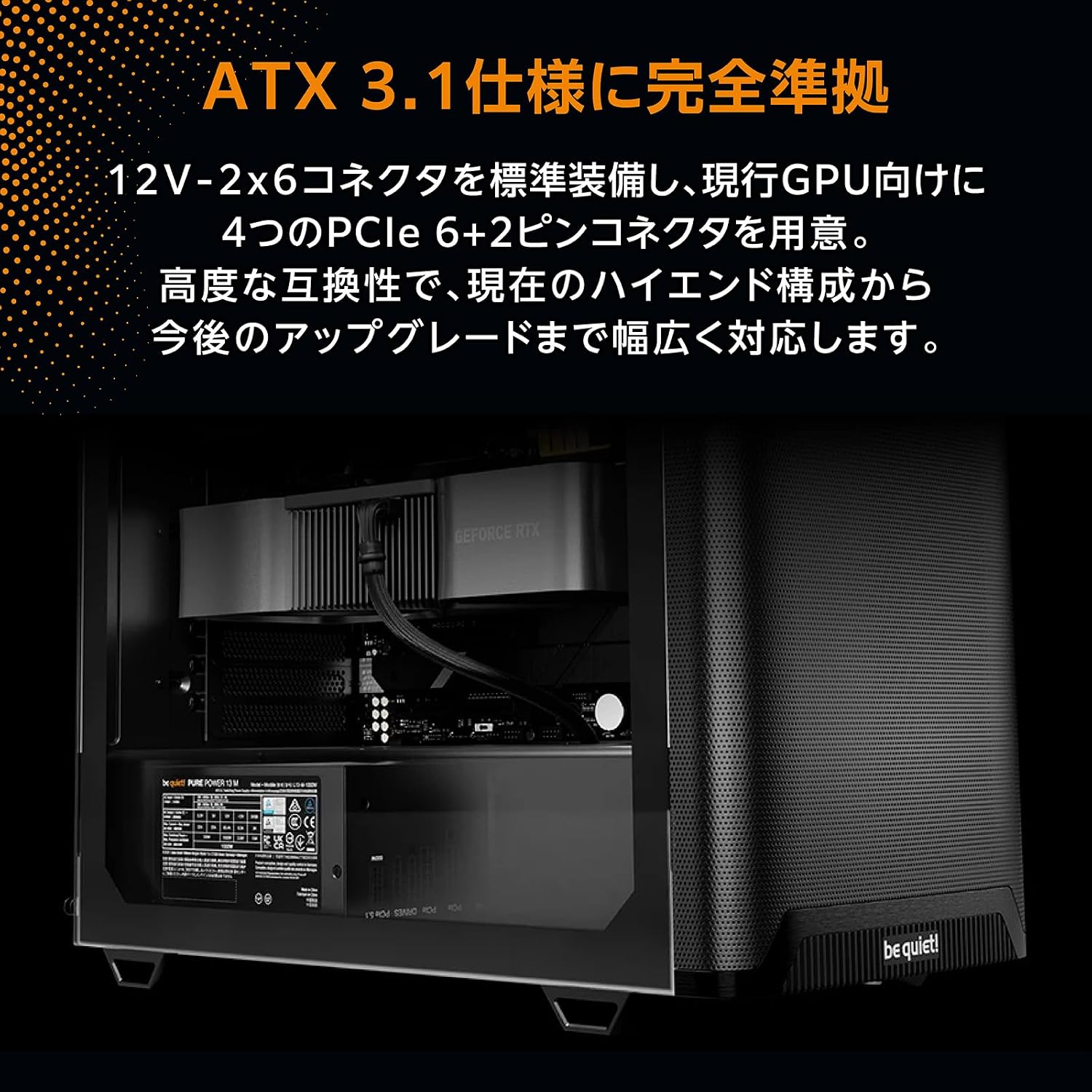
Image: The Pure Power 13M 850W power supply unit correctly installed within a computer case, demonstrating cable routing.

ภาพ: ภาพระยะใกล้ view of the modular cable ports on the power supply, showing labels for motherboard (MB), PCIe, and drive connections.
5. การดำเนินการ
Once installed, turn on your computer. The Pure Power 13M 850W operates with a focus on quietness and efficiency:
- Semi-Passive Mode: The integrated 120mm fan is designed to remain off during low system loads. This semi-passive operation ensures near-silent performance when your PC is idle or performing light tasks.
- การเปิดใช้งานพัดลม: The fan will automatically start spinning once the power supply reaches a certain internal temperature or load threshold. This intelligent control optimizes cooling while minimizing noise.
- ประสิทธิภาพสูง: With 80 Plus Gold and Cybenetics Gold certification, the power supply delivers up to 94.4% efficiency, reducing energy waste and operating costs.

ภาพ: รายละเอียด view of the 120mm fan on the Pure Power 13M 850W, highlighting its quiet design.

ภาพ: มุมมองจากด้านบนแบบเฉียง view of the power supply, showcasing the fan grill and the 'be quiet!' branding on the fan.
6. การบำรุงรักษา
To ensure optimal performance and longevity of your power supply, follow these maintenance guidelines:
- การกำจัดฝุ่น: Periodically clean the exterior of the power supply and its fan grill to prevent dust buildup. Use compressed air or a soft brush. Ensure the power supply is disconnected from the mains before cleaning.
- การระบายอากาศ : Ensure that the air intake and exhaust vents of the power supply are not obstructed. Good airflow is crucial for efficient cooling.
- ตรวจสอบสายเคเบิล: Occasionally check that all modular cables are securely connected to both the power supply and your components.
7 การแก้ไขปัญหา
หากคุณพบปัญหาเกี่ยวกับแหล่งจ่ายไฟ โปรดดูขั้นตอนการแก้ไขปัญหาทั่วไปต่อไปนี้:
- ไม่มีไฟฟ้า:
- ตรวจสอบว่าสายไฟ AC เชื่อมต่อกับแหล่งจ่ายไฟและเต้ารับที่ผนังอย่างแน่นหนาหรือไม่
- ตรวจสอบให้แน่ใจว่าสวิตช์ไฟที่ด้านหลังของ PSU อยู่ในตำแหน่ง "เปิด"
- Verify that all modular cables (24-pin ATX, CPU, GPU) are correctly and firmly seated.
- ทดสอบเต้ารับไฟที่ผนังด้วยอุปกรณ์อื่นเพื่อยืนยันว่ามีไฟอยู่
- ความไม่เสถียรของระบบ/การขัดข้อง:
- ตรวจสอบให้แน่ใจว่าความต้องการพลังงานของระบบของคุณไม่เกินความจุ 850W ของ PSU
- ตรวจสอบการเชื่อมต่อสายเคเบิลหลวม
- ตรวจสอบอุณหภูมิของระบบเพื่อตัดปัญหาความร้อนสูงเกินไปของส่วนประกอบอื่น ๆ
- เสียงผิดปกติ:
- Confirm that the noise is coming from the PSU and not another component.
- Check for dust buildup on the fan. Clean if necessary (refer to Maintenance section).
- Note that the fan operates in semi-passive mode; it will only spin under load. If the noise occurs only under heavy load, it may be normal operation.
If problems persist after following these steps, contact be quiet! customer support.
8. ข้อมูลจำเพาะ
| คุณสมบัติ | ข้อมูลจำเพาะ |
|---|---|
| ยี่ห้อ | เงียบซะ! |
| แบบอย่าง | Pure Power 13M 850W (BP027JP) |
| กำลังขับ | 850 วัตต์ |
| การรับรองประสิทธิภาพ | 80 PLUS Gold, Cybenetics Gold (up to 94.4%) |
| ฟอร์มแฟกเตอร์ | เอทีเอ็กซ์ |
| ขนาดพัดลม | 120มม. |
| การจัดการสายเคเบิล | โมดูลาร์เต็มรูปแบบ |
| ขนาด (กว้าง x ยาว x สูง) | 160 x 150 x 86 มม. |
| มาตรฐาน ATX | 3.1 |
| มาตรฐาน PCIE | 5.1 (up to 600W for high-end video cards) |
| MTBF (ระยะเวลาเฉลี่ยระหว่างการล้มเหลว) | 100,000 ชั่วโมง |
| ต้นทาง | ประเทศเยอรมนี |

Image: Official 80 PLUS Gold and Cybenetics Gold certification logos, indicating high power efficiency.

ภาพ: ภายใน view of a power supply unit's circuit board, illustrating the advanced LLC topology for stable voltage control and efficiency.
9. การรับประกันและการสนับสนุน
The be quiet! Pure Power 13M 850W power supply unit comes with a การรับประกันจากผู้ผลิต 10 ปี ตั้งแต่วันที่ซื้อ การรับประกันนี้ครอบคลุมถึงข้อบกพร่องในวัสดุและฝีมือการผลิตภายใต้การใช้งานปกติ
For technical support, warranty claims, or further assistance, please visit the official be quiet! website or contact their customer service department. Please have your product model and proof of purchase ready when contacting support.
การสนับสนุนทางออนไลน์: www.bequiet.com


