
FIDECO HCA64
FIDECO HCA64 10-Port 10Gbps USB 3.2 Gen 2 Powered Hub User Manual
รุ่น : HCA64
1. บทนำ
This manual provides comprehensive instructions for the FIDECO HCA64 10-Port 10Gbps USB 3.2 Gen 2 Powered Hub. It covers setup, operation, maintenance, troubleshooting, and product specifications to ensure optimal performance and longevity of your device. Please read this manual thoroughly before using the product.
2. เนื้อหาบรรจุภัณฑ์
Please verify that all items listed below are included in your package. If any items are missing or damaged, please contact FIDECO support.
- FIDECO HCA64 10-Port USB 3.2 Gen 2 Powered Hub
- อะแดปเตอร์ไฟ 12V 5A
- USB-C to USB-C Cable with USB-A Adapter
- คู่มือการใช้งาน
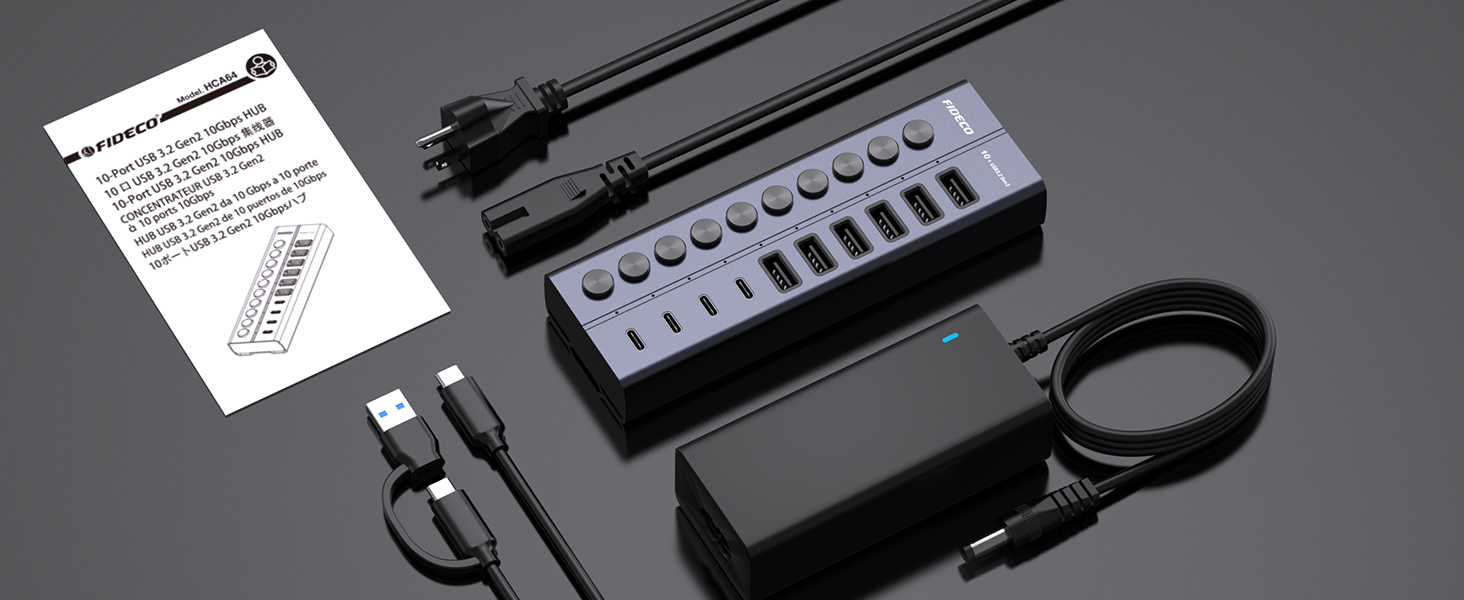
Image: Contents of the FIDECO HCA64 package, including the hub, power adapter, USB cable, and manual.
3. สินค้าหมดview
The FIDECO HCA64 is a high-performance 10-port USB hub designed to expand connectivity for your laptop or PC. It features a robust aluminum alloy casing for efficient heat dissipation and includes individual on/off switches for each port.
คุณสมบัติหลัก:
- ความเร็วสูงสุด 10Gbps: USB 3.2 Gen 2 standard for rapid data transfer.
- ฮับจ่ายไฟ 60 วัตต์: Includes a 12V 5A power adapter for stable operation and charging.
- BC1.2 Charging Support: All 10 ports support BC1.2 charging (5V/1.5A max).
- Independent On/Off Switches: Control power to individual ports.
- Aluminum Design: Durable and aids in heat dissipation.
- พอร์ตอเนกประสงค์: 6 USB-A ports and 4 USB-C ports.

ภาพ: ด้านหน้า view of the FIDECO HCA64 USB Hub, illustrating the layout of 6 USB-A (10Gbps) and 4 USB-C (10Gbps) ports, along with individual power buttons.
4. การตั้งค่า
Follow these steps to set up your FIDECO HCA64 USB Hub:
- เชื่อมต่ออะแดปเตอร์ไฟฟ้า: Plug the 12V 5A power adapter into the DC IN port on the back of the USB hub. Then, plug the power adapter into a wall outlet. The hub requires external power for stable operation and charging capabilities.
- เชื่อมต่อกับคอมพิวเตอร์ของคุณ: Use the provided USB-C to USB-C cable (with the attached USB-A adapter if needed) to connect the hub to an available USB-C or USB-A port on your laptop or PC.
- เปิดเครื่อง: The hub is plug-and-play; no drivers are required. Once connected, the hub will be ready for use. Individual port power can be controlled using the dedicated on/off switches.

ภาพ: ภาพระยะใกล้ view showing the 60W power adapter being connected to the FIDECO USB Hub, ensuring stable power for multiple devices.

Image: Demonstrates the flexibility of the included USB-C cable with an attached USB-A adapter, allowing connection to both USB-C and USB-A host ports on laptops.
5. คู่มือการใช้งาน
5.1 การถ่ายโอนข้อมูล
The FIDECO HCA64 hub supports USB 3.2 Gen 2, offering data transfer speeds up to 10Gbps. Connect your USB devices such as external hard drives, USB flash drives, or other peripherals to the available USB-A or USB-C ports on the hub. Ensure the individual port switch is turned on for the connected device.

Image: Illustrates the 10Gbps data transfer capability of both USB-C and USB-A ports on the hub, significantly faster than USB 3.0's 5Gbps.
5.2 การชาร์จอุปกรณ์
All 10 USB ports on the FIDECO HCA64 support BC1.2 charging, providing a maximum power output of 5V/1.5A per port. This is suitable for charging smartphones, tablets, and other USB-powered devices. The hub can simultaneously transfer data and charge devices.

Image: A smartphone and tablet are shown charging simultaneously through the FIDECO USB Hub, demonstrating its BC1.2 fast charging capability.

Image: A laptop connected to the FIDECO USB Hub, which is simultaneously transferring data from a USB drive and charging a smartphone, highlighting multitasking efficiency.
5.3 Using Individual On/Off Switches
Each port on the hub has an independent on/off switch and an LED indicator. Press the button to toggle the power for the corresponding port. The LED will illuminate when the port is active. This feature allows you to manage connected devices without frequent plugging and unplugging, conserving power and extending device lifespan.
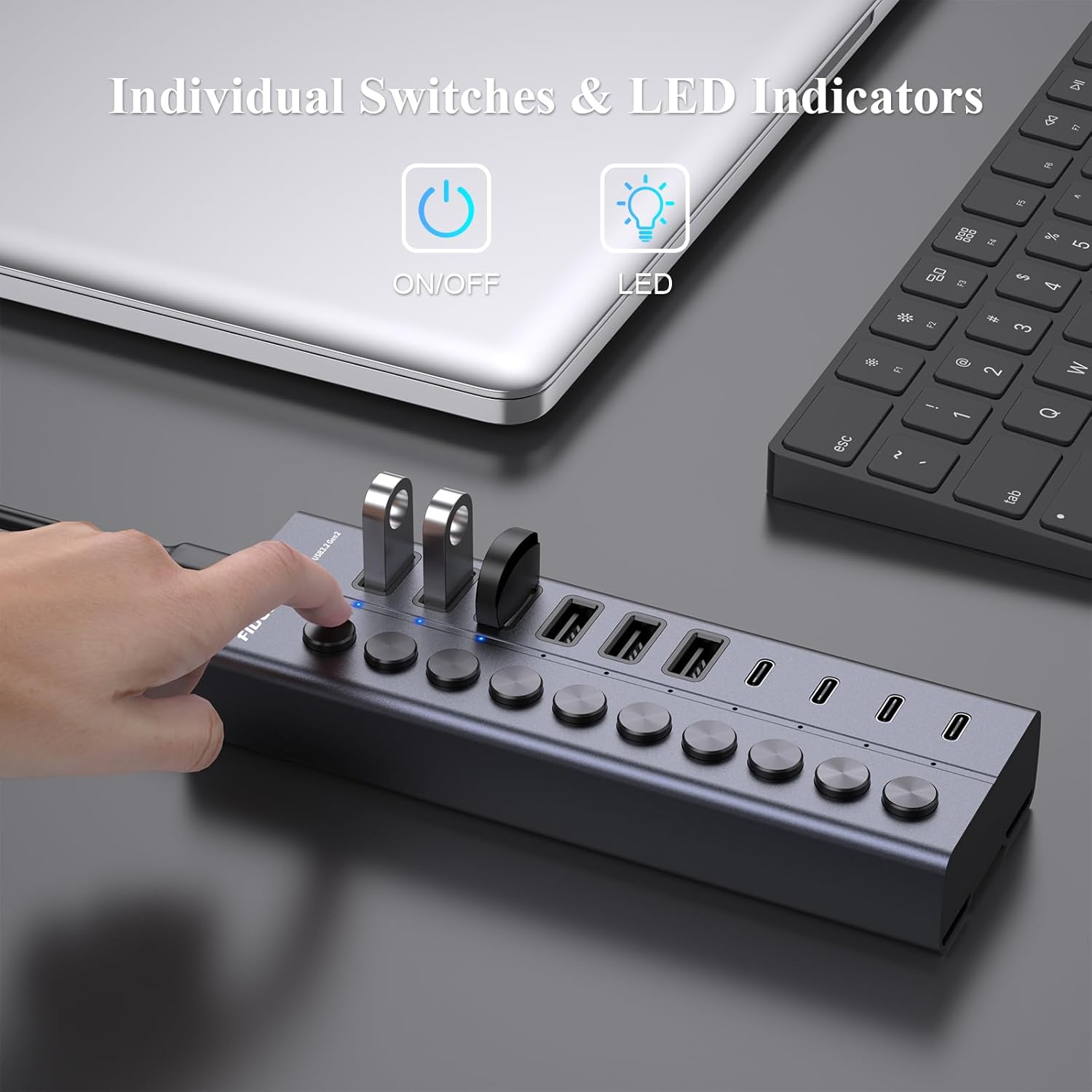
Image: A hand is shown pressing one of the individual on/off switches on the FIDECO USB Hub, with multiple USB drives connected, demonstrating selective power control.

Image: A close-up of the FIDECO USB Hub highlighting the individual on/off switches and their corresponding LED indicators, allowing users to control each device separately.
5.4 ความเข้ากันได้
The FIDECO HCA64 USB Hub is widely compatible with various operating systems, including Windows, Mac OS, and Linux. It supports a broad range of devices such as card readers, dashcams, desktops, gaming consoles, and laptops.
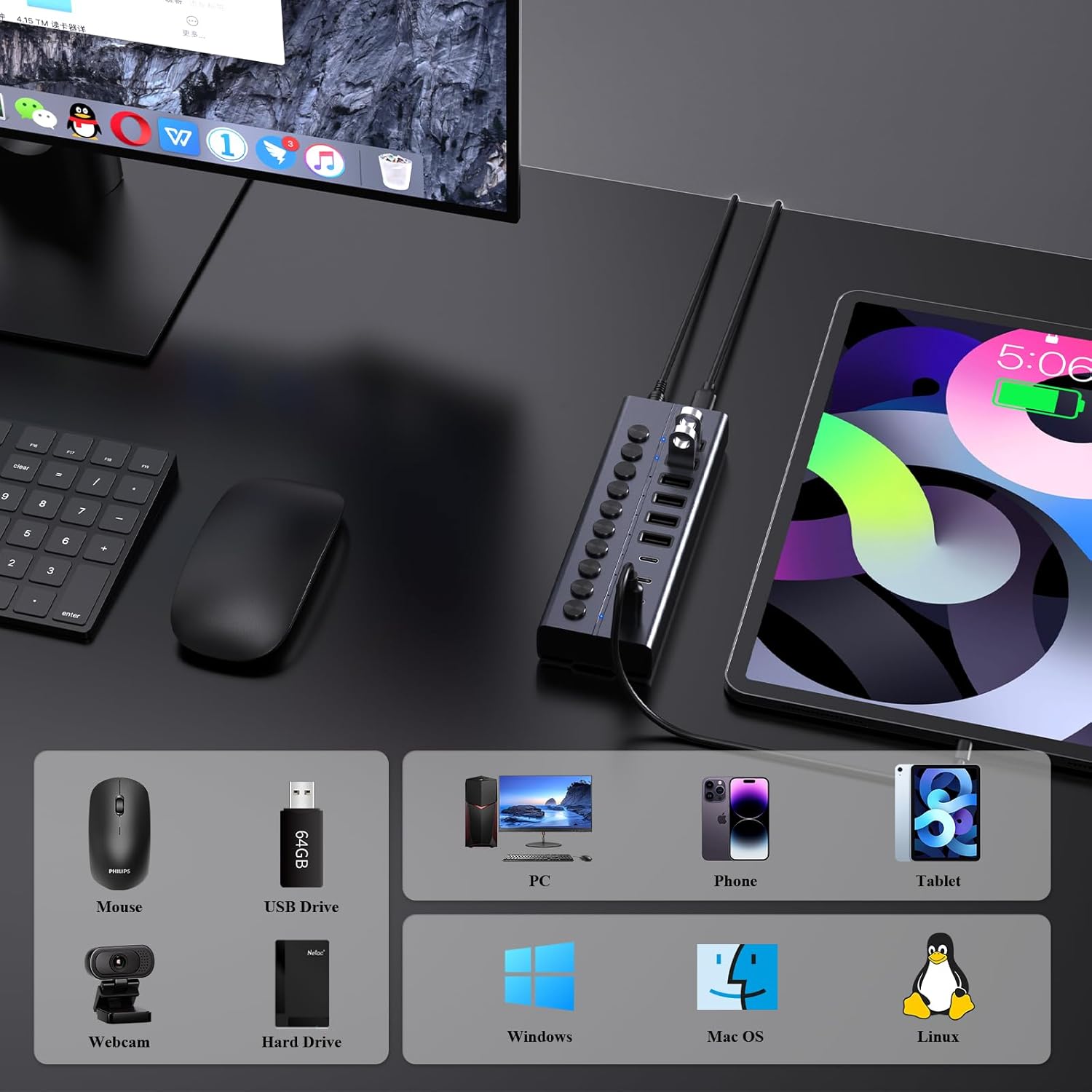
Image: An illustration showing the FIDECO USB Hub connected to a laptop, with icons representing compatible devices like mice, USB drives, webcams, hard drives, phones, tablets, and PCs, as well as operating systems like Windows, Mac OS, and Linux.
5.5 วิดีโอสาธิตผลิตภัณฑ์
Watch this video for a visual guide on setting up and using the FIDECO 10Gbps 60W Powered USB Hub.
Video: A demonstration of the FIDECO 10Gbps 60W Powered USB Hub, showcasing its features, connectivity, and high-speed data transfer capabilities.
6. การบำรุงรักษา
To ensure the longevity and optimal performance of your FIDECO HCA64 USB Hub, follow these maintenance guidelines:
- การทำความสะอาด: ใช้ผ้าแห้งเนื้อนุ่มเช็ดทำความสะอาดพื้นผิวของดุมล้อ หลีกเลี่ยงการใช้น้ำยาทำความสะอาดหรือวัสดุที่มีฤทธิ์กัดกร่อน เพราะอาจทำให้พื้นผิวหรือชิ้นส่วนภายในเสียหายได้
- พื้นที่จัดเก็บ: เก็บฮับไว้ในที่แห้งและเย็น หลีกเลี่ยงแสงแดดโดยตรงและอุณหภูมิที่สูงหรือต่ำเกินไป
- การจัดการ: ใช้งานอุปกรณ์ด้วยความระมัดระวัง หลีกเลี่ยงการทำตกหรือกระแทกแรงๆ
- การระบายอากาศ : Ensure the hub is placed in an area with adequate ventilation to prevent overheating, especially during prolonged use with multiple devices.
7 การแก้ไขปัญหา
If you encounter issues with your FIDECO HCA64 USB Hub, please refer to the following common problems and solutions:
- ไม่รู้จักอุปกรณ์:
- Ensure the individual on/off switch for the specific port is activated.
- Verify that the hub is properly connected to your computer and the power adapter is securely plugged in.
- Try connecting the device directly to your computer to confirm it functions independently.
- รีสตาร์ทเครื่องคอมพิวเตอร์ของคุณ
- ความเร็วในการถ่ายโอนข้อมูลช้า:
- Ensure both the hub and your connected device support USB 3.2 Gen 2 (10Gbps) for maximum speed. Older USB standards will operate at their respective lower speeds.
- ควรหลีกเลี่ยงการเชื่อมต่ออุปกรณ์ที่ใช้แบนด์วิดท์สูงจำนวนมากพร้อมกัน
- Check the quality of the USB cable used to connect your device to the hub.
- Devices Not Charging or Charging Slowly:
- Confirm the power adapter is connected and functioning. The hub requires external power for charging.
- Note that each port provides a maximum of 5V/1.5A (BC1.2). This may not be sufficient for devices requiring higher power input, such as some portable monitors or high-power laptops.
- Ensure the charging cable is functional and properly connected.
- ฮับร้อนเกินไป:
- While the aluminum design aids in heat dissipation, ensure the hub is in a well-ventilated area.
- Reduce the number of high-power devices connected if overheating persists.
8. ข้อมูลจำเพาะ
| คุณสมบัติ | รายละเอียด |
|---|---|
| หมายเลขรุ่น | HCA64 |
| ขนาดสินค้า | 6 x 2 x 1.1 นิ้ว |
| น้ำหนักสินค้า | 1.32 ปอนด์ |
| ฮาร์ดแวร์อินเตอร์เฟซ | USB Type C (Host Connection) |
| พอร์ต USB | 6 x USB-A (10Gbps), 4 x USB-C (10Gbps) |
| ความเร็วในการถ่ายโอนข้อมูล | สูงสุด 10Gbps (USB 3.2 Gen 2) |
| กำลังไฟเข้า | 12V 5A (60W) Power Adapter |
| เอาท์พุตการชาร์จ | BC1.2 (5V/1.5A max per port) |
| คุณสมบัติพิเศษ | Anti-Slip, Fast Charging, Fast Data Transfer, Plug and Play, Powered, Individual On/Off Switches |
| อุปกรณ์ที่รองรับ | Card Readers, Dashcams, Desktops, Gaming Consoles, Laptops |
| ระบบปฏิบัติการ | Windows, Mac OS, ลินุกซ์ |
9. การรับประกันและการสนับสนุน
9.1 ข้อมูลการรับประกัน
FIDECO products are designed for reliability and performance. Specific warranty details may vary by region and retailer. Please retain your proof of purchase for any warranty claims.
9.2 การสนับสนุนด้านเทคนิค
For technical assistance, troubleshooting, or any other inquiries regarding your FIDECO HCA64 USB Hub, please contact our support team:
- อีเมล: การสนับสนุน@fideco.cn
When contacting support, please provide your product model (HCA64) and a detailed description of the issue.
Ask a question about this manual
Ask about setup, troubleshooting, compatibility, parts, safety, or missing instructions. Manuals+ will review the question and use this page’s manual context to help answer it.