
Haozee HZ-WF-WV
คู่มือการใช้งานวาล์วน้ำอัจฉริยะ WiFi และระบบปิดน้ำอัตโนมัติ Haozee HZ-WF-WV
1. บทนำ
This manual provides essential information for the installation, operation, and maintenance of your Haozee HZ-WF-WV WiFi Smart Water Valve. This device is designed to monitor water flow, detect leaks, and provide automatic water shutoff capabilities, enhancing water management and protecting your property from potential water damage. Please read this manual thoroughly before installation and use.
2. เนื้อหาบรรจุภัณฑ์
ตรวจสอบว่ามีรายการทั้งหมดอยู่ในแพ็คเกจของคุณ:
- Haozee Smart Water Valve (Model: HZ-WF-WV)
- คู่มือการใช้งาน
- Power Adapter (5V/2A AC)
- สายไฟ
- 3/4-inch Head Adapters (2 pcs)
- Silicone Waterproof Rings
- เทปพันท่อประปา

A layout of all components included in the product package: the Smart Water Valve, power adapter, power cable, plumbing tape, silicone waterproof rings, and two 3/4-inch head adapters.
3. ข้อมูลด้านความปลอดภัย
- ตรวจสอบให้แน่ใจว่าแหล่งจ่ายไฟตรงกับปริมาตรที่ระบุtage (5V/2A AC).
- อย่าให้อุปกรณ์สัมผัสกับอุณหภูมิที่สูงหรือถูกแสงแดดโดยตรง
- The device is rated IP66 for water resistance; however, avoid submerging it in water.
- For plumbing work, it is recommended to consult a qualified professional.
- Turn off the main water supply before installing the valve.
4. สินค้าหมดview
The Haozee HZ-WF-WV Smart Water Valve integrates advanced features for comprehensive water management:
- การเชื่อมต่อ WiFi: Connects to 2.4GHz and 5GHz Wi-Fi networks for remote control via a mobile application.
- Ultrasonic Flow Detection: Utilizes W-type ultrasonic technology for accurate real-time water flow measurement.
- ปิดเครื่องอัตโนมัติ: Can automatically close the valve based on preset flow rate alarms or integration with a leak detector.
- Smart Water Meter: Monitors and records water usage statistics (daily, monthly, yearly).
- แบตเตอรี่ในตัว: Features a 2600mAh NiMH rechargeable battery for manual operation during power outagใช่

The Haozee HZ-WF-WV Smart Water Valve shown alongside a smartphone displaying its control application, illustrating remote monitoring and operation capabilities.
5. การตั้งค่าและการติดตั้ง
5.1 การติดตั้งทางกายภาพ
- เตรียมสถานที่ติดตั้ง: Identify the main water line where the valve will be installed. Ensure the pipe diameter is DN20 (3/4-inch). Turn off the main water supply before proceeding.
- ติดตั้งวาล์ว: The valve is designed for lead-free copper water pipes. Use the provided 3/4-inch head adapters and plumbing tape to ensure a secure, leak-free connection. Ensure the flow direction arrow on the valve aligns with the water flow in your pipe. Professional installation is recommended.

An image of the Haozee Smart Water Valve integrated into a water pipe system, highlighting its digital screen that displays real-time water flow data and operational status.
5.2 การเชื่อมต่อสายไฟ
- Connect the provided power cable to the valve and then to the 5V/2A AC power adapter.
- Plug the power adapter into a standard electrical outlet. The device will begin charging its internal 2600mAh NiMH rechargeable battery.
- The built-in battery allows for manual valve operation during power outages. Note that APP control and monitoring functions are not available when operating solely on battery power.

The Smart Water Valve connected to its power adapter, emphasizing the requirement for a 5V-2A AC/DC power supply for continuous operation.
5.3 การติดตั้งแอปและการเชื่อมต่อ Wi-Fi
- Download the Tuya Smart or Smart Life app from your smartphone's app store (iOS or Android).
- ลงทะเบียนหรือเข้าสู่ระบบบัญชีของคุณ
- Add the device by following the in-app instructions. The valve supports both 2.4GHz and 5GHz Wi-Fi networks and does not require a separate gateway.
- Ensure your smartphone is connected to the same Wi-Fi network during the pairing process.
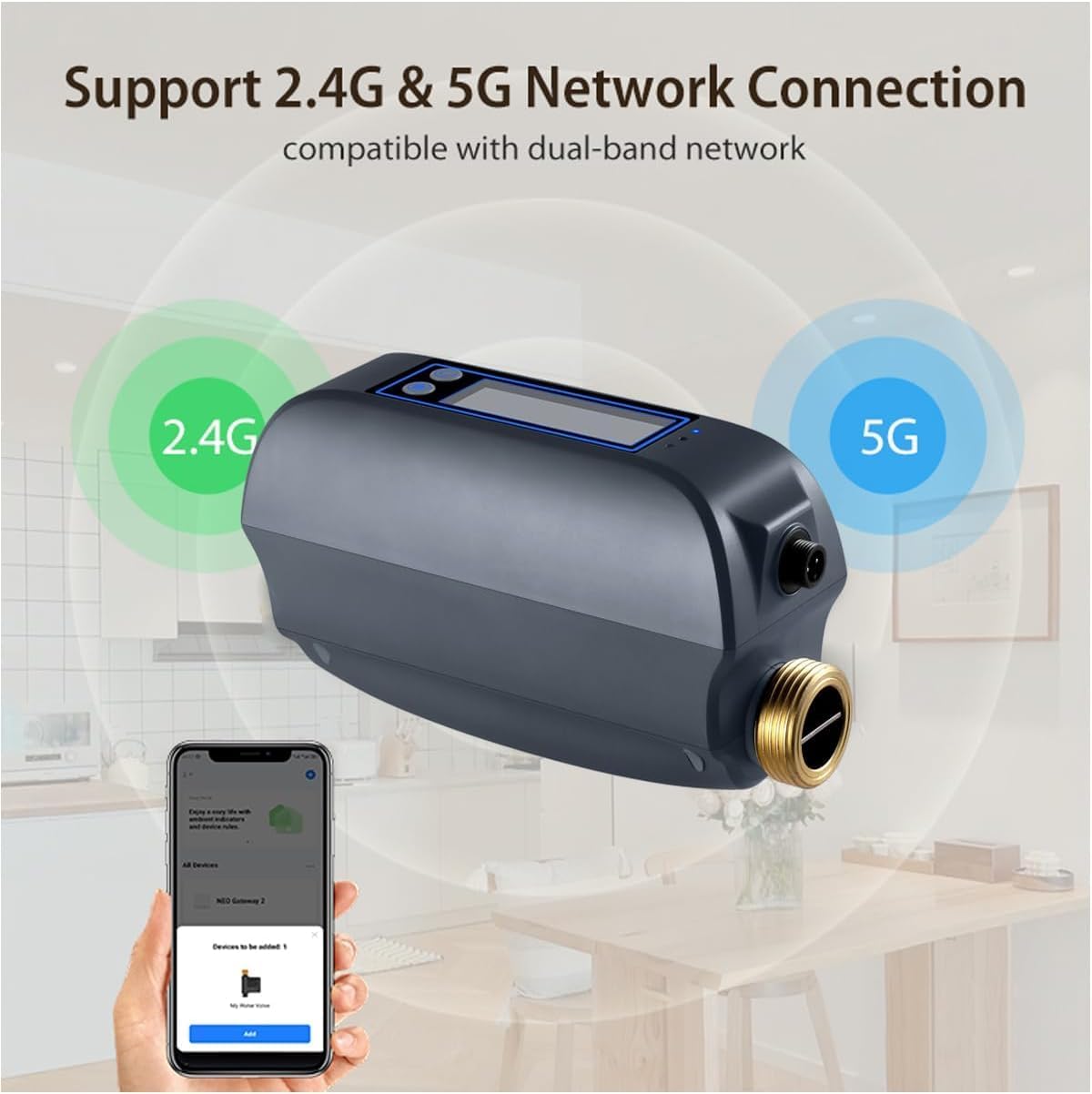
The Smart Water Valve highlighting its compatibility with dual-band 2.4GHz and 5GHz Wi-Fi networks for flexible and reliable connectivity.
6. คู่มือการใช้งาน
6.1 การควบคุมและการตรวจสอบจากระยะไกล
- Once connected to the app, you can remotely open or close the water valve from anywhere with an internet connection.
- The app displays real-time water flow rates and total water consumption.

A visual representation of the water valve's digital display and the corresponding mobile application, both showing real-time water flow data and total water usage.
6.2 Automatic Shutoff and Alarms
- Ultrasonic Flow Detection: The valve uses W-type ultrasonic technology for precise flow measurement.
- Flow Rate Alarms: Set custom high or low water flow rate alarms within the app. If the flow exceeds or falls below the set values, the valve can automatically close to prevent waste or damage.
- Leak Detector Integration: Through the Tuya app, you can create automation scenes to link the Smart Water Valve with a Tuya WiFi Water Leak Detector (sold separately). If a leak is detected, the valve can automatically shut off the water supply.

An internal diagram of the Haozee Smart Water Valve, detailing the W-type ultrasonic technology used for accurate water flow detection, showing the transmitter, reflectors, and receiver.

อดีตample setup showing the Smart Water Valve and a separate leak sensor in a bathroom environment, demonstrating how an automated scene can shut off water upon leak detection.
6.3 Smart Water Meter Functions
- The app provides detailed water usage statistics, including daily, monthly, and last usage reports.
- Use these statistics to monitor and manage your water consumption more efficiently.
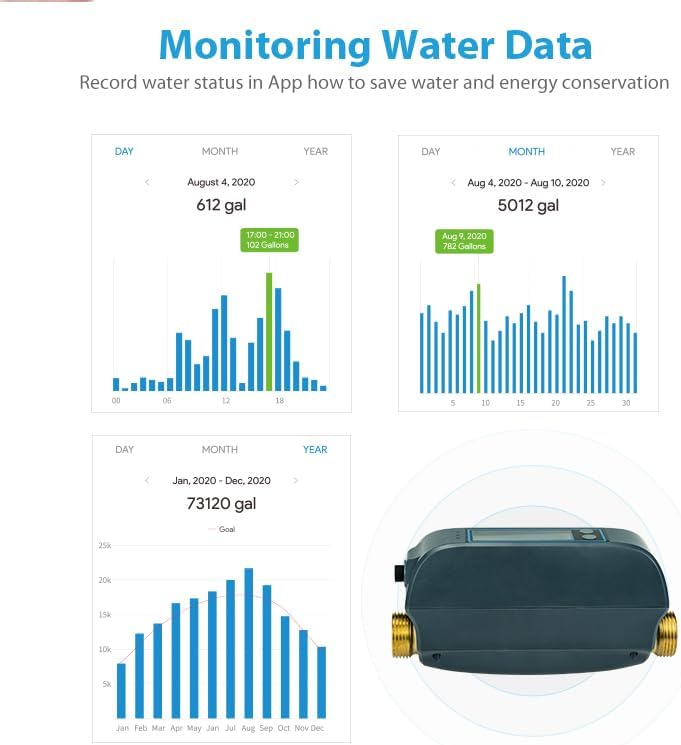
Screenshots from the mobile application illustrating the water usage monitoring features, including graphs for daily, monthly, and yearly consumption, aiding in water management.
7. การบำรุงรักษา
- Regularly check the valve and pipe connections for any signs of leaks.
- รักษาอุปกรณ์ให้สะอาดและปราศจากฝุ่นและเศษซาก
- Ensure the power adapter and cable are in good condition.
- The built-in rechargeable battery is designed for long life; no user maintenance is required for the battery itself.
8 การแก้ไขปัญหา
| ปัญหา | สาเหตุที่เป็นไปได้ | สารละลาย |
|---|---|---|
| อุปกรณ์ไม่เชื่อมต่อกับ Wi-Fi | Incorrect Wi-Fi password; Device too far from router; Router operating on unsupported frequency (e.g., 5GHz only, but device supports both); Network congestion. | Verify Wi-Fi password. Move device closer to router. Ensure router is broadcasting 2.4GHz or 5GHz. Try restarting router. |
| การควบคุมแอปไม่ทำงาน | Device is in battery mode; No internet connection; App is outdated. | Ensure device is connected to AC power for app control. Check internet connectivity. Update the app to the latest version. |
| Inaccurate water flow readings | Improper installation; Air in pipes; Sensor obstruction. | Verify correct installation and flow direction. Bleed air from pipes. Ensure sensor area is clear. |
| Valve not shutting off automatically | Automation scene not configured correctly; Leak detector not paired or faulty; Flow alarm thresholds not set. | Review and adjust automation scene settings in the app. Check leak detector status. Set appropriate flow alarm thresholds. |
9. ข้อมูลจำเพาะ
| คุณสมบัติ | รายละเอียด |
|---|---|
| หมายเลขรุ่น | HZ-WF-WV |
| กำลังไฟเข้า | กระแสตรง 5V/2A |
| แบตเตอรี่ | Built-in 2600mAh NiMH rechargeable battery |
| เส้นผ่านศูนย์กลางวาล์ว | DN20 (3/4-inch) |
| Water Flow Reporting Accuracy | 0.1 แกลลอน |
| แรงดันน้ำทำงาน | 0 ~ 1.3 MPa |
| ความถี่ไร้สาย | 2.412 ~ 2.483 GHz / 5.18 ~ 5.85 GHz |
| ไร้มาตรฐาน | IEEE 802.11a/b/g/n; IEEE 802.11a/n/11ac |
| บลูทูธ | บลูทูธ 5.0 |
| ระยะทางไร้สาย | สูงสุด 45 เมตร (ประมาณ 147 ฟุต) |
| ข้อมูลจำเพาะของเธรด | NPT & BSP compatible |
| ระดับการกันน้ำ | IP66 |
| อุณหภูมิในการทำงาน | 1 ~ 60°C (34°F ~ 140°F) |
| ความชื้นในการทำงาน | 1 ~ 95% RH (ไม่กลั่นตัว) |
| ขนาดสินค้า | 195 มม. x 78 มม. x 102 มม. (7.68 x 3.07 x 4.02 นิ้ว) |
10. ข้อมูลการรับประกัน
Haozee products are manufactured to high quality standards. For specific warranty terms and conditions, please refer to the warranty card included with your product or contact customer support. This warranty typically covers defects in materials and workmanship under normal use.
11. การสนับสนุนลูกค้า
If you encounter any issues or have questions regarding your Haozee Smart Water Valve, please contact our customer support team. Refer to the product packaging or the official Haozee webเว็บไซต์สำหรับข้อมูลการติดต่อล่าสุด
Ask a question about this manual
Ask about setup, troubleshooting, compatibility, parts, safety, or missing instructions. Manuals+ will review the question and use this page’s manual context to help answer it.