
การแนะนำ
Thank you for choosing the SuperRC M23 Mini RC Drone. This manual provides essential information for the safe operation, setup, maintenance, and troubleshooting of your drone. Please read this manual thoroughly before operating the drone to ensure proper function and to avoid damage or injury. This drone is designed for adult beginners and features a lightweight, portable design with an HD camera and intelligent flight functions.
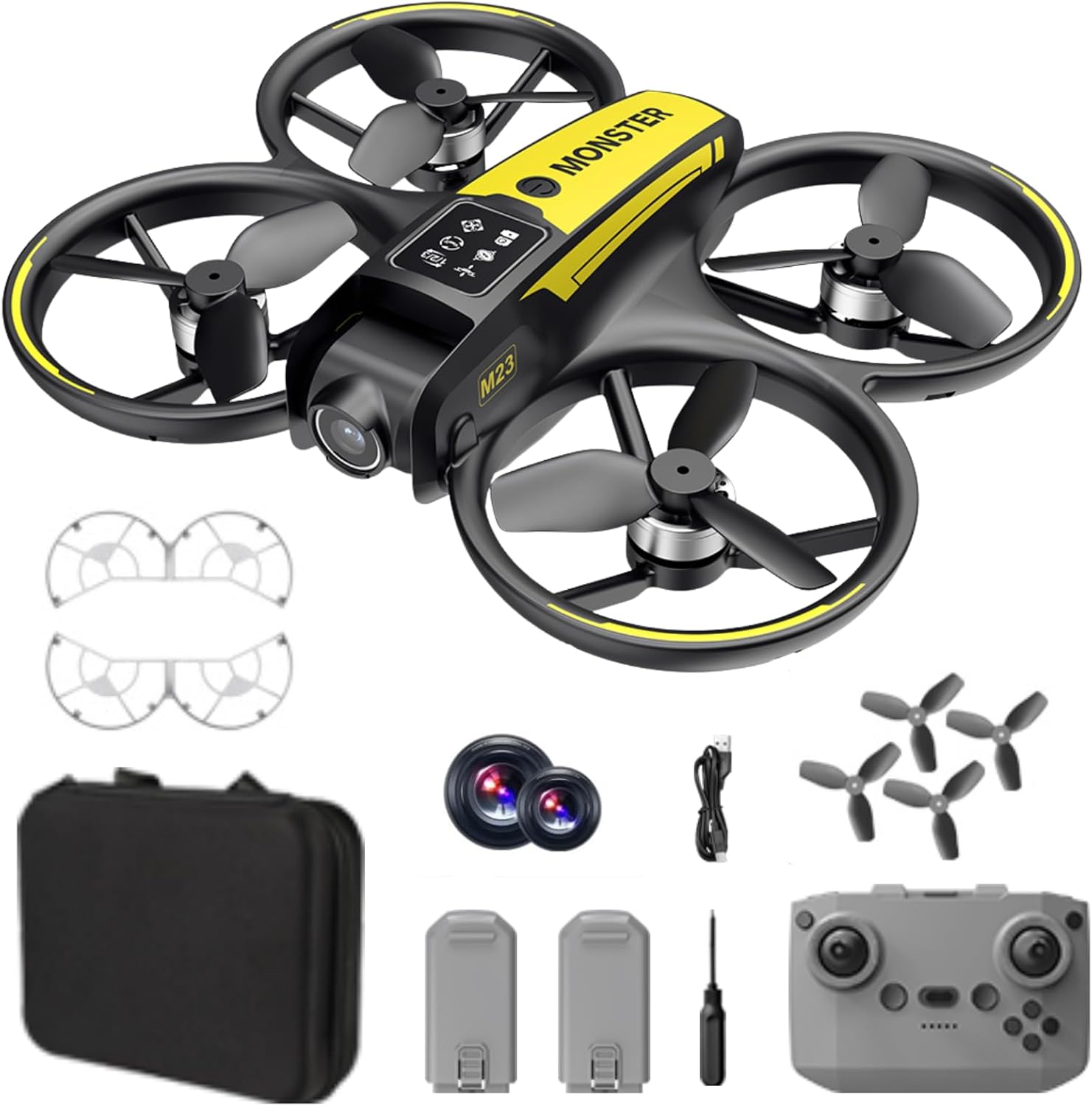
มีอะไรอยู่ในกล่อง
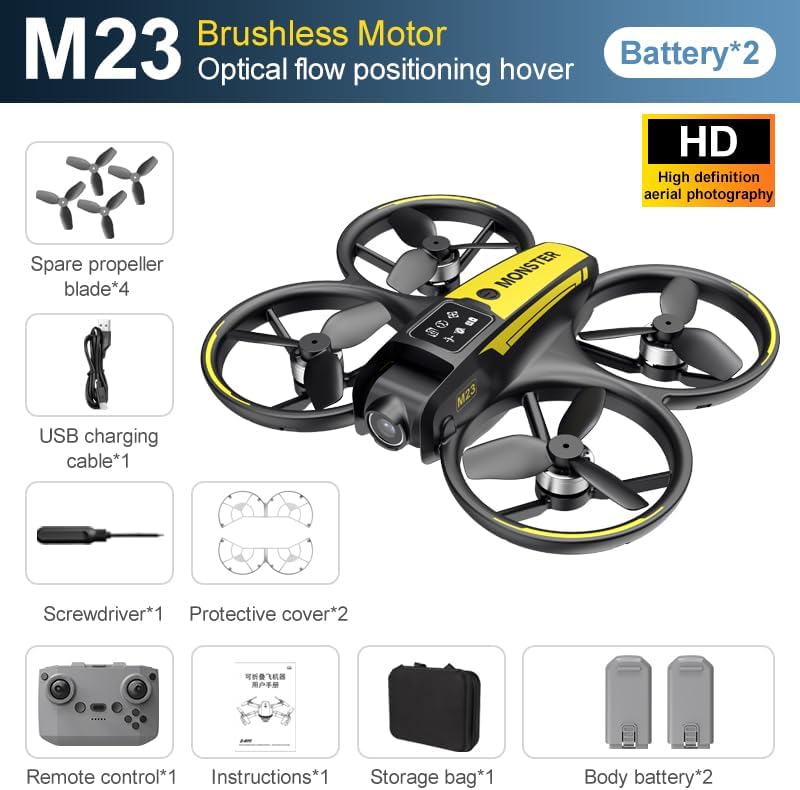
The SuperRC M23 drone package includes the following components:
- M23 โดรน
- รีโมทคอนโทรล
- แบตเตอรี่แบบชาร์จไฟได้ 2 ก้อน ขนาด 3.7 โวลต์ 1050 มิลลิแอมป์
- ใบพัดสำรอง 4 ใบ
- 2 x ใบพัดใบพัด
- การ์ดหน่วยความจำ
- เครื่องอ่านการ์ด
- ไขควง
- สายชาร์จ USB
- กระเป๋าเก็บของ
- คู่มือการใช้งาน (เอกสารนี้)

สินค้าเกินview
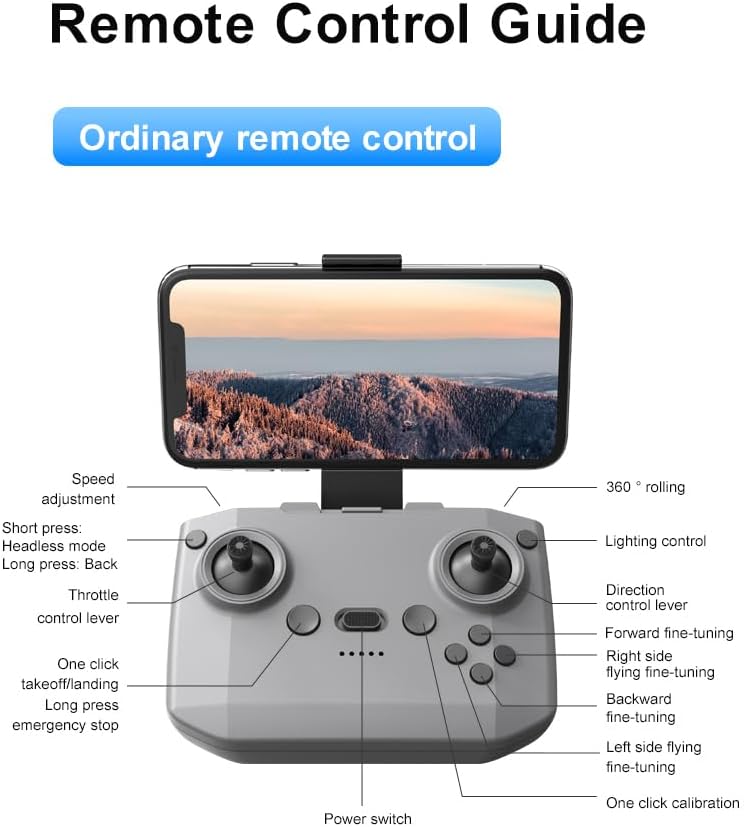
เค้าโครงรีโมทคอนโทรล
Familiarize yourself with the remote control buttons and their functions before flight.
การตั้งค่า
1. การติดตั้งแบตเตอรี่
- โปรดตรวจสอบให้แน่ใจว่าโดรนและรีโมทคอนโทรลปิดอยู่
- ค้นหาช่องใส่แบตเตอรี่บนโดรน
- Insert a charged 3.7V 1050mAh battery into the compartment until it clicks securely into place.
- For the remote control, open the battery cover and insert the required batteries (not specified in product data, assume standard AA/AAA, user should refer to physical manual for exact type).
2. การติดตั้งใบพัด
The drone comes with propellers pre-installed. If replacement is needed:
- Identify the 'A' and 'B' markings on the propellers and the corresponding motor arms.
- Attach 'A' propellers to 'A' motor shafts and 'B' propellers to 'B' motor shafts. Ensure they are firmly secured.
3. การติดตั้งการ์ดใบพัด
For added safety, attach the propeller guards:
- Align each propeller guard with the designated slots on the drone's motor arms.
- Gently push until they snap into place.
4. การชาร์จไฟ
Charge the drone batteries using the provided USB charging cable.
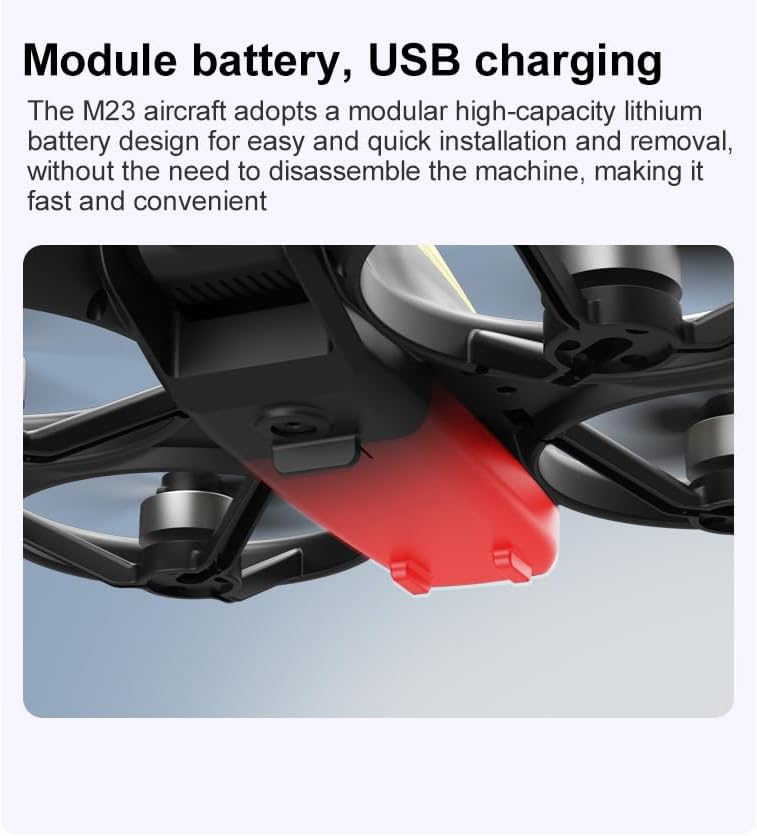
- เชื่อมต่อสายชาร์จ USB เข้ากับแบตเตอรี่โดรน
- Plug the other end into a USB power source (e.g., computer, USB wall adapter).
- The indicator light on the cable will show charging status (refer to physical manual for specific light indications).
- Charging time is approximately 60-90 minutes for a full charge.
คำแนะนำการใช้งาน
รายการตรวจสอบก่อนเที่ยวบิน
- ตรวจสอบให้แน่ใจว่าแบตเตอรี่โดรนและรีโมทคอนโทรลชาร์จเต็มแล้ว
- ใบพัดได้รับการติดตั้งอย่างถูกต้องและแน่นหนาดีแล้ว
- Propeller guards are attached (recommended for beginners).
- Choose an open, clear area free from obstacles, people, and animals.
- Check local drone regulations before flying.
การปฏิบัติการบินขั้นพื้นฐาน
The following video demonstrates key flight features including one-key takeoff, optical flow positioning, 360-degree roll, and speed switching.
การขึ้นและลงจอดด้วยปุ่มเดียว
- ถอดออก: Place the drone on a flat surface. Press the One-Key Takeoff button on the remote control. The drone will automatically ascend and hover at a stable altitude.
- การลงจอด: Press the One-Key Landing button. The drone will slowly descend and land automatically.
Flight Modes and Features
- โหมดไม่มีหัว: Press the Headless Mode button. In this mode, the drone's orientation is relative to the pilot, making it easier to control without worrying about the drone's front direction.
- การปรับความเร็ว: Use the speed adjustment button (or switch) on the remote control to cycle through low, medium, and high speeds. This allows for adaptable flight control based on skill level and environment.
- 360° ม้วน: Press the 360° Roll button and then move the right joystick in any direction to perform an aerial flip. Ensure sufficient altitude before attempting.
- การวางตำแหน่งการไหลของแสง: The drone utilizes a bottom camera for optical flow positioning, which helps maintain stable hovering, especially indoors or in areas with good ground texture. This feature assists in precise altitude hold.
- เที่ยวบินวิถี: Through the mobile application, you can draw a desired flight path on your screen. The drone will then follow this trajectory automatically.

การทำงานของกล้อง
The M23 drone is equipped with an HD camera with a 90-degree adjustable lens for capturing photos and videos.

- บันทึกภาพ/วิดีโอ: Use the dedicated buttons on the remote control or the mobile app to start/stop video recording or take photos.
- การส่งภาพแบบเรียลไทม์: เชื่อมต่อสมาร์ทโฟนของคุณกับเครือข่าย Wi-Fi ของโดรนเพื่อ view ฟูแบบเรียลไทม์tage from the drone's camera on your device.
การซ่อมบำรุง
การทำความสะอาด
- Regularly clean the drone body with a soft, dry cloth.
- Ensure propellers are free from dust, dirt, or debris.
- Clean the camera lens gently with a microfiber cloth to maintain image quality.
พื้นที่จัดเก็บ
- Store the drone and its components in the provided storage bag to protect them from dust and physical damage.
- Keep the drone in a cool, dry place, away from direct sunlight and extreme temperatures.
การดูแลแบตเตอรี่
- อย่าชาร์จแบตเตอรี่มากเกินไปหรือปล่อยให้แบตเตอรี่หมดจนเกินกำหนด
- หากเก็บรักษาเป็นเวลานาน ควรชาร์จแบตเตอรี่ให้มีความจุประมาณ 50-60%
- Avoid exposing batteries to high temperatures or direct sunlight.
การแก้ไขปัญหา
If you encounter issues with your SuperRC M23 drone, refer to the following common problems and solutions:
| ปัญหา | สาเหตุที่เป็นไปได้ | สารละลาย |
|---|---|---|
| โดรนไม่ตอบสนองต่อการควบคุมระยะไกล | Low battery on drone or remote; Not paired correctly; Interference | Charge batteries; Re-pair drone and remote (refer to physical manual for pairing steps); Move to an area with less interference |
| โดรนลอยไปมาระหว่างบิน | Not calibrated; Wind interference; Damaged propeller | Perform calibration (refer to physical manual); Fly in calm conditions; Replace damaged propellers |
| คุณภาพของภาพจากกล้องไม่ดี | Dirty lens; Low light conditions; Wi-Fi interference | Clean camera lens; Fly in well-lit areas; Ensure strong Wi-Fi connection |
| ระยะเวลาบินสั้น | แบตเตอรี่ชาร์จไม่เต็ม; แบตเตอรี่เก่า; การบินแบบก้าวร้าว | Ensure battery is fully charged; Consider replacing old batteries; Practice smoother flight maneuvers |
ข้อมูลจำเพาะ
Key technical specifications for the SuperRC M23 Mini RC Drone:
| คุณสมบัติ | รายละเอียด |
|---|---|
| ชื่อรุ่น | M23-Drone |
| ยี่ห้อ | ซุปเปอร์อาร์ซี |
| น้ำหนักสินค้า | 0.2 Kilograms (Under 250g) |
| ขนาดรายการ (ยาว x กว้าง x สูง) | 7"L x 6"W x 2"H (ประมาณ 18 x 15 x 5 ซม.) |
| วัสดุ | พลาสติก |
| ระดับทักษะ | ผู้เริ่มต้น |
| ช่วงอายุ (คำอธิบาย) | ผู้ใหญ่ |
| กล้อง | HD Camera with 90° Adjustable Lens |
| ความละเอียดในการจับภาพวิดีโอ | 720p |
| ความละเอียดเอาท์พุทวิดีโอ | 720 พิกเซล |
| รูปแบบการจับภาพวิดีโอ | เอ็มพี 4 |
| รูปแบบภาพที่รองรับ | เจพีเจ |
| เทคโนโลยีเซ็นเซอร์ออปติคัล | ซีมอส |
| เทคโนโลยีการเชื่อมต่อ | Wi-Fi, RF |
| ประเภทการควบคุม | รีโมทคอนโทรล |
| ความจุของแบตเตอรี่ | 1050 mAh (ต่อแบตเตอรี่) |
| ส่วนประกอบของเซลล์แบตเตอรี่ | ลิเธียมไอออน |
| คุณสมบัติพิเศษ | Adjustable, One Button Return, One Key Rotation, Rechargeable, Speed Adjustment, Headless Mode, Optical Flow Positioning |
การรับประกันและการสนับสนุน
SuperRC provides a standard warranty for the M23 Mini RC Drone against manufacturing defects. Please retain your proof of purchase for warranty claims.
ข้อมูลการรับประกัน
- The warranty period typically covers defects in materials and workmanship under normal use.
- Damage resulting from misuse, accidents, unauthorized modifications, or improper maintenance is not covered.
- For specific warranty terms and conditions, please refer to the warranty card included in your product packaging or contact SuperRC customer service.
การสนับสนุนลูกค้า
If you require further assistance, have questions, or need to report an issue, please contact SuperRC customer support through the following channels:
- การสนับสนุนทางออนไลน์: Visit the official SuperRC webเว็บไซต์นี้รวบรวมคำถามที่พบบ่อย แหล่งข้อมูลสนับสนุน และแบบฟอร์มติดต่อ
- การสนับสนุนทางอีเมล์: Refer to your product packaging or the SuperRC webเว็บไซต์สำหรับที่อยู่อีเมลฝ่ายบริการลูกค้า
- การสนับสนุนผู้ค้าปลีก: If purchased from a retailer, you may also contact their customer service for assistance.
When contacting support, please provide your product model (M23) and a detailed description of the issue.