
การแนะนำ
The Tonies Sleepy Duck is an audio toy figurine designed to provide a tranquil sound journey through the forest, aiding in relaxation and bedtime routines. This Tonie features soothing melodies, gentle waves, summer rain, and the rustle of forest trees to create a calming atmosphere. It is intended for use with a Toniebox Audio Player, which is sold separately.
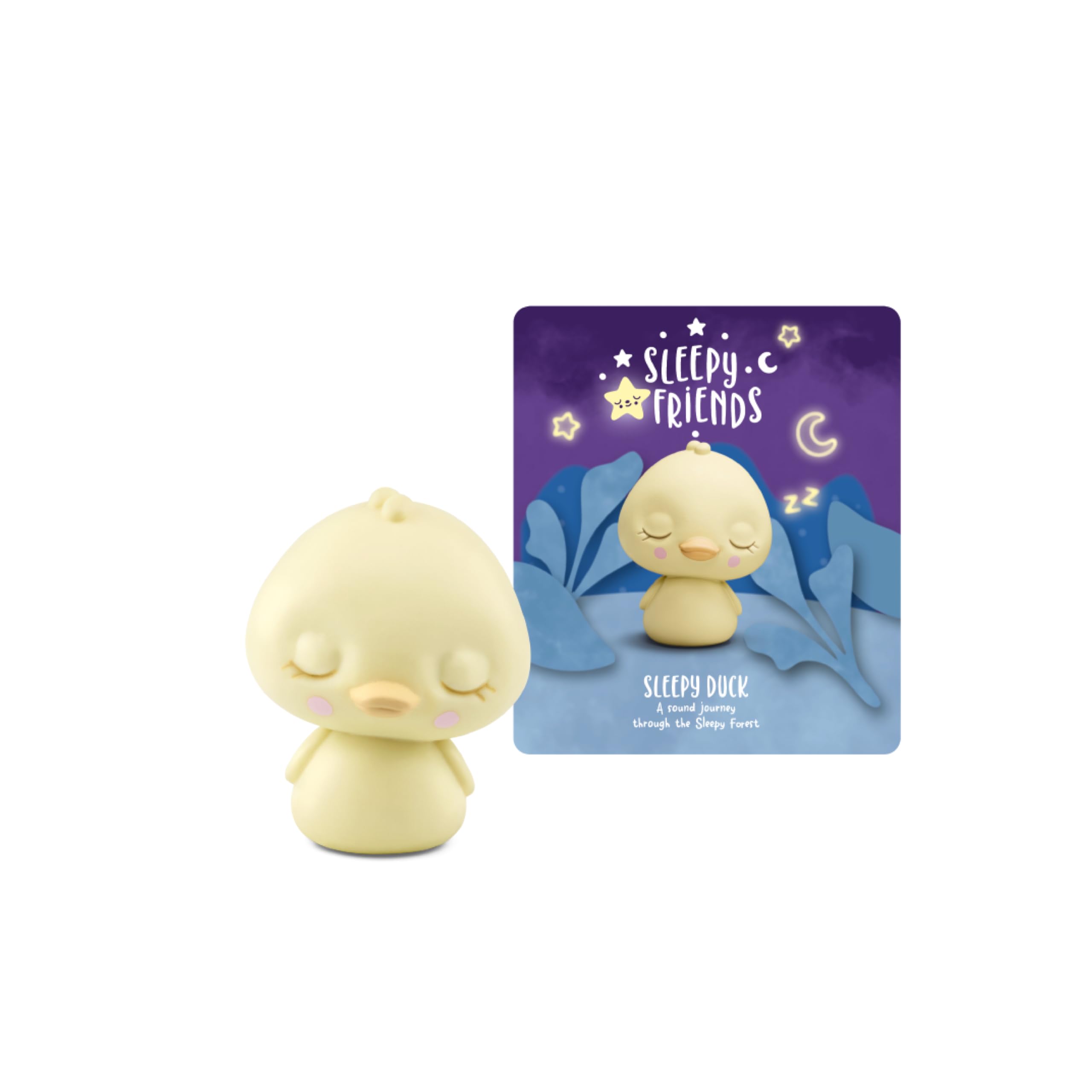
Image: The Sleepy Duck Tonie on a Toniebox, ready for playback.
สิ่งที่รวมอยู่
แพ็คเกจของคุณประกอบด้วย:
- One (1) Tonies Sleepy Duck Audio Toy Figurine

Image: The Sleepy Duck figurine, a small yellow duck with closed eyes.
การตั้งค่า
To use your Tonies Sleepy Duck figurine, you must first have a Toniebox Audio Player and ensure it is set up and connected to Wi-Fi. If you do not have a Toniebox, please purchase one separately.
- Unbox the Figurine: Carefully remove the Sleepy Duck figurine from its packaging.
- Place on Toniebox: Place the Sleepy Duck figurine on top of your Toniebox Audio Player. The Toniebox will automatically recognize the new Tonie.
- Initial Download (if needed): If this is the first time using this specific Tonie, the Toniebox will begin downloading the audio content. Ensure your Toniebox is connected to Wi-Fi during this process. The LED on the Toniebox will flash blue while downloading and turn solid green once complete.
- พร้อมเล่น: Once the download is complete, the audio content will begin playing automatically.
Video: An official Tonies video demonstrating the setup and interaction with the Toniebox Audio Player. This video shows how to place a Tonie figurine on the Toniebox and initiate playback.
คำแนะนำการใช้งาน
Once the Sleepy Duck Tonie is placed on the Toniebox and the content is downloaded, operating it is simple:
- เริ่ม/หยุดชั่วคราว: Place the Sleepy Duck on the Toniebox to start playback. Lift it off to pause. Place it back on to resume.
- การควบคุมระดับเสียง: Squeeze the larger ear on the Toniebox to increase volume, and the smaller ear to decrease volume.
- ข้ามแทร็ก: Tap the side of the Toniebox to skip forward or backward between tracks.
Tonie Tracklist
The Sleepy Duck Tonie includes the following audio content:
- Tonies Intro Whisper
- Sleepy Duck - A little bedtime story
Total running time: Approximately 120 minutes.

Image: The official tracklist for the Sleepy Duck Tonie, detailing the included stories and total runtime.
Video: An official Tonies video showcasing the tracklist and sounds of the Sleepy Duck Tonie, providing a preview of the audio content.
Features and Educational Objectives
The Sleepy Duck Tonie is designed to support children's development through engaging audio content:
- Bedtime Routine: Helps children develop a consistent and calming bedtime routine.
- การผ่อนคลาย: Promotes relaxation and a peaceful environment conducive to falling asleep.
- การเล่นจินตนาการ: Encourages imaginative engagement with the story and sounds.
- ความบันเทิงแบบไร้หน้าจอ: Provides an alternative to screen-based entertainment, fostering auditory learning.

Image: A young child happily engaging with the Toniebox and Sleepy Duck figurine.
ข้อมูลจำเพาะ
| คุณสมบัติ | รายละเอียด |
|---|---|
| ยี่ห้อ | โทนี่ |
| หมายเลขรุ่น | 11001516 |
| ยูพีซี | 840147441164 |
| ประเภทวัสดุ | พลาสติก |
| น้ำหนักสินค้า | 0.1 ปอนด์ |
| ขนาดรายการ | 4.2 x 0.7 x 7.88 นิ้ว |
| ช่วงอายุที่แนะนำ | 12 months to 1188 months (1+ years) |
| วัตถุประสงค์ทางการศึกษา | Developing a bedtime routine, relaxing, and falling asleep. |
| ประเภทแบตเตอรี่ที่รองรับ | No batteries required (powered by Toniebox) |
| ส่วนประกอบที่รวมอยู่ | Tonie Figurine |
การบำรุงรักษาและการดูแล
To ensure the longevity of your Sleepy Duck Tonie figurine, follow these care instructions:
- การทำความสะอาด: Wipe the figurine with a soft, damp ผ้า. หลีกเลี่ยงการใช้สารเคมีที่รุนแรงหรือน้ำยาทำความสะอาดที่มีฤทธิ์กัดกร่อน
- พื้นที่จัดเก็บ: Store the Tonie in a cool, dry place away from direct sunlight and extreme temperatures.
- การจัดการ: While durable, avoid dropping or throwing the figurine to prevent damage.
การแก้ไขปัญหา
If you encounter issues with your Sleepy Duck Tonie, consider the following:
- No Sound/Content Not Playing:
- Ensure the Toniebox is powered on and charged.
- Verify the Sleepy Duck figurine is placed correctly on the Toniebox.
- Check if the Toniebox is connected to Wi-Fi for initial content download. The LED should be solid green after download.
- Try removing and replacing the Tonie on the Toniebox.
- Intermittent Playback:
- Ensure the Toniebox is on a stable, flat surface.
- Check for any obstructions between the Tonie and the Toniebox.
- Toniebox Not Recognizing Tonie:
- Confirm your Toniebox firmware is up to date.
- Restart your Toniebox by holding both ears for about 10 seconds until you hear a sound.
การรับประกันและการสนับสนุน
For warranty information, product registration, or further assistance, please visit the official Tonies US webเข้าชมเว็บไซต์หรือติดต่อฝ่ายบริการลูกค้าโดยตรง เก็บหลักฐานการซื้อไว้สำหรับการเคลมประกันใดๆ
การสนับสนุนทางออนไลน์: Tonies US Contact Page