
1. บทนำ
Thank you for choosing the SMUG Adjustable Height Electric Standing Desk. This manual provides essential information for the safe assembly, operation, and maintenance of your new desk. This electric standing desk is designed to offer a versatile workspace, allowing you to easily switch between sitting and standing positions to promote a healthier work environment.

Image 1.1: The SMUG Adjustable Height Electric Standing Desk in Modern Black, showcasinด้วยดีไซน์ที่เรียบหรูและ ample workspace with a laptop, monitor, and accessories.
2. ข้อมูลด้านความปลอดภัย
Please read all safety instructions before using the desk to prevent injury or damage. Keep this manual for future reference.
- ห้ามเกินน้ำหนักสูงสุดที่กำหนดไว้ 176 ปอนด์ (80 กก.). Overloading the desk can cause instability and damage.
- Be aware of the anti-collision system and safety lock features. Ensure there are no obstructions in the desk's path during height adjustments to prevent injuries or damage to property.
- Always ensure the desk is placed on a level surface and is properly assembled according to the instructions to prevent tipping.
- โปรดกันเด็กและสัตว์เลี้ยงให้อยู่ห่างจากโต๊ะทำงานขณะทำการผ่าตัด
- ห้ามนั่งหรือยืนบนโต๊ะ
- ตัดการเชื่อมต่อไฟฟ้าก่อนทำความสะอาดหรือดำเนินการบำรุงรักษาใดๆ
3. คำแนะนำในการประกอบ
The SMUG Electric Standing Desk is designed for straightforward assembly. All necessary tools and clear instructions are included in the package. Most users can complete assembly in under 30 minutes.
3.1. เนื้อหาบรรจุภัณฑ์
ก่อนเริ่มประกอบ โปรดตรวจสอบให้แน่ใจว่ามีชิ้นส่วนครบทุกชิ้น:
- Desktop (may be in two splicing boards)
- ขาโต๊ะ (2)
- แผงควบคุม
- มอเตอร์และอะแดปเตอร์แปลงไฟ
- ขอเกี่ยวหูฟัง (2)
- Cable Management Grommets (2)
- อุปกรณ์ประกอบ (สกรู, โบลต์, ฯลฯ)
- อุปกรณ์ประกอบ (ประแจหกเหลี่ยม, ไขควง)
- คู่มือการใช้งาน
3.2. ขั้นตอนการประกอบ
- แกะส่วนประกอบทั้งหมดออกแล้ววางไว้บนพื้นผิวที่สะอาดและนุ่มนวลเพื่อป้องกันรอยขีดข่วน
- Follow the detailed step-by-step instructions provided in the separate assembly guide included with your desk.
- Attach the desk legs to the desktop, ensuring all screws are securely tightened.
- Install the control panel and connect the motor and power cables as directed.
- Attach the headphone hooks and insert the cable management grommets into the designated holes.
- Once assembled, carefully flip the desk upright. It is recommended to have assistance for this step due to the desk's weight.

Image 3.1: A diagram illustrating the product dimensions (47.24"W x 23.62"D, height adjustable from 28.7" to 48") and key features such as two wire holes, two sturdy hooks, and two splicing boards for the desktop.
4. การดำเนินการ
Your SMUG Electric Standing Desk features intuitive controls for height adjustment and memory presets.
4.1. การปรับความสูง
The desk can be adjusted effortlessly from a minimum height of 28.7 นิ้ว สูงสุดไม่เกิน 46.5 นิ้ว. The quiet dual motors operate at less than 55dB.
- กดปุ่มค้างไว้ Up arrow (▲) ปุ่มสำหรับยกโต๊ะขึ้น
- กดปุ่มค้างไว้ Down arrow (▼) ปุ่มสำหรับปรับระดับโต๊ะลง
- Release the button at your desired height. The current height will be displayed on the LED screen.
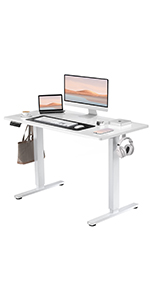
Image 4.1: Close-up of the desk's control panel, showing the LED display, up/down arrows, and three memory preset buttons (1, 2, 3).
4.2. การตั้งค่าหน่วยความจำล่วงหน้า
The desk features 3 memory presets to store and recall your preferred sitting and standing heights.
- ปรับความสูงของโต๊ะตามต้องการโดยใช้ปุ่มขึ้น/ลง
- กดปุ่ม 'เอ็ม' กดปุ่ม หน้าจอ LED จะแสดง 'S-'
- Within 3 seconds, press one of the number buttons (1, 2 หรือ 3) to save the current height to that preset. The display will show 'S-1', 'S-2', or 'S-3' to confirm.
- หากต้องการเรียกดูความสูงที่บันทึกไว้ เพียงกดปุ่มหมายเลขที่เกี่ยวข้อง (1, 2 หรือ 3). The desk will automatically move to the stored position.
4.3. ระบบป้องกันการชน
The desk is equipped with an anti-collision system that automatically stops and slightly reverses the desk's movement if it encounters an obstruction during adjustment. This feature helps prevent damage and ensures user safety.
Image 4.2: A visual representation of the anti-collision system, showing the desk stopping and reversing upon encountering an obstacle.
4.4. การจัดการสายเคเบิล
The desk includes integrated cable management features to help keep your workspace tidy.
- รูสำหรับสายไฟ: Two desktop wire holes allow for neat routing of power and data cables.
- Headphone Hooks: Two sturdy side hooks provide convenient storage for headphones or bags.
Image 4.3: Desktop wire hole for cable organization.
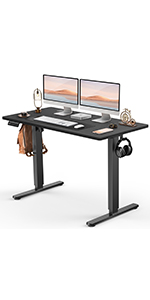
Image 4.4: Side hook for headphones or accessories.
5. การบำรุงรักษา
Proper care will ensure the longevity and optimal performance of your standing desk.
- การทำความสะอาด: Wipe the desk surface with a dry cloth. For stubborn marks, use a slightly damp cloth with a mild, non-abrasive cleaner, then dry immediately. Avoid harsh chemicals.
- การตรวจสอบ: ตรวจสอบสกรูและข้อต่อทั้งหมดเป็นระยะเพื่อให้แน่ใจว่าขันแน่น ขันให้แน่นอีกครั้งหากจำเป็น
- การจัดการสายเคเบิล: Ensure cables are not pinched or tangled, which could affect desk operation or damage wiring.
- การกระจายน้ำหนัก: กระจายน้ำหนักให้ทั่วพื้นโต๊ะอย่างสม่ำเสมอ เพื่อรักษาเสถียรภาพและป้องกันไม่ให้กลไกการยกรับน้ำหนักมากเกินไป
6 การแก้ไขปัญหา
If you encounter issues with your SMUG Electric Standing Desk, refer to the following common solutions:
- โต๊ะไม่เคลื่อนไหว:
- Check if the power cord is securely plugged into both the desk and a working power outlet.
- Ensure the safety lock (if applicable) is disengaged.
- If an error code is displayed, refer to the specific troubleshooting section in the full assembly manual or contact customer support.
- โต๊ะโยกเยก:
- Verify that all assembly screws are tightened.
- Ensure the desk is on a level surface. Adjust the leveling feet if necessary.
- Reduce the weight on the desk if it exceeds the maximum capacity.
- การตั้งค่าหน่วยความจำไม่ทำงาน:
- Ensure you are following the correct procedure for setting and recalling presets (Section 4.2).
- Try resetting the desk by unplugging it for 30 seconds and then plugging it back in.
For issues not covered here, please contact SMUG customer support.
7. ข้อมูลจำเพาะ
| คุณสมบัติ | รายละเอียด |
|---|---|
| ยี่ห้อ | สมัค |
| ชื่อรุ่น | ELT-P4824V3-BK |
| ขนาดสินค้า (ลึก x กว้าง x สูง) | ลึก 23.6 นิ้ว x กว้าง 47.2 นิ้ว x สูง 46.5 นิ้ว |
| ความสูงขั้นต่ำ | 28.7 นิ้ว |
| ความสูงสูงสุด | 46.5 นิ้ว |
| สี | สีดำแบบโมเดิร์น |
| ประเภทวัสดุยอดนิยม | ไม้แปรรูป |
| วัสดุฐาน | Metal (Leg) |
| คำแนะนำน้ำหนักสูงสุด | 176 ปอนด์ (80 กก.) |
| ประเภทมอเตอร์ | Dual Electric Motors (<55dB) |
| คุณสมบัติพิเศษ | Adjustable Height, Electric, Memory Presets, Anti-Collision System, Headphone Hook, Cable Management |
| จำเป็นต้องประกอบ | Yes (All tools included) |
| น้ำหนักผลิตภัณฑ์ | 41.9 ปอนด์ |
| ยูพีซี | 720314569320 |
8. การรับประกันและการสนับสนุน
The SMUG Adjustable Height Electric Standing Desk comes with a การรับประกันแบบจำกัดโปรดดูเงื่อนไขและข้อกำหนดโดยละเอียดในบัตรรับประกันที่แนบมาในกล่องสินค้า
For any questions, assistance with assembly, operation, or troubleshooting, SMUG offers ฝ่ายสนับสนุนลูกค้าตลอด 24 ชั่วโมงทุกวัน. Please contact the manufacturer directly using the contact information provided in your product packaging or on the official SMUG webเว็บไซต์.