
1. บทนำ
This manual provides detailed instructions for the Inateck BCST-72 2D Wireless Barcode Scanner. Please read this guide thoroughly before using the device to ensure proper operation and to maximize its performance. The Inateck BCST-72 is designed for efficient and accurate scanning of various 1D and 2D barcodes, offering versatile connectivity and a long-lasting battery.
2. เนื้อหาบรรจุภัณฑ์
ตรวจสอบว่ามีรายการทั้งหมดอยู่ในแพ็คเกจของคุณ:
- Inateck BCST-72 2D Wireless Barcode Scanner
- USB Charging Cable (USB-A to USB-B)
- ดองเกิล USB ไร้สาย 2.4G
- คู่มือการใช้งาน (เอกสารนี้)
คำอธิบายวิดีโอ: An unboxing video showing the Inateck BCST-72 barcode scanner, user guide, USB cable, and 2.4G USB dongle being removed from their packaging. This video provides a visual confirmation of the package contents.
3. สินค้าหมดview
3.1 ลักษณะทางกายภาพ
The Inateck BCST-72 is built for durability and comfort, featuring a robust design suitable for various work environments.
- การออกแบบที่ทนทาน: The scanner incorporates thickened TPU soft rubber for 360° drop protection, capable of withstanding repeated drops from 1.8 meters.
- ด้ามจับตามหลักสรีรศาสตร์: Engineered for comfort during extended use, its balanced weight and slip-resistant backstrap ensure effortless handling.
- ปุ่มทนทาน: The trigger button features a metal and plastic combined design, supporting millions of clicks for long-term reliability.
คำอธิบายภาพ: รายละเอียด view of the Inateck BCST-72 barcode scanner, illustrating its robust construction with enhanced TPU for 360-degree protection against drops from up to 1.8 meters.

คำอธิบายภาพ: A hand holding the Inateck BCST-72 barcode scanner, emphasizing its ergonomic design for comfortable and effortless control during use.

คำอธิบายภาพ: A close-up shot of the Inateck BCST-72 barcode scanner's yellow trigger button, highlighting its durable construction designed for millions of clicks.
4. การตั้งค่า
4.1 การชาร์จเครื่องสแกน
Before initial use, fully charge the scanner. Connect the provided USB charging cable to the scanner's charging port and a USB power source. The scanner is equipped with a 2600mAh battery, offering up to 180 days of standby time or 180,000 scans on a single charge.

คำอธิบายภาพ: The Inateck BCST-72 barcode scanner with an overlay indicating its 180-day standby battery life, 144 hours of non-stop scanning, and 2600mAh battery capacity.
4.2 ตัวเลือกการเชื่อมต่อ
The BCST-72 offers three connectivity modes: 2.4G Wireless, Bluetooth, and Wired USB. It is compatible with Windows, Mac, iOS, Android, iPadOS, and Linux operating systems.
4.2.1 การเชื่อมต่อบลูทูธ
ในการเชื่อมต่อผ่านบลูทูธ:
- เปิดเครื่องสแกนเนอร์
- Download the "Inateck Scanner" app from the App Store or Google Play.
- Open the app and follow the on-screen instructions to pair the scanner via Bluetooth. The app will guide you through the setup process.
- Once paired, the scanner can be used with your device.
4.2.2 การเชื่อมต่อไร้สาย 2.4G
For 2.4G wireless connection:
- เสียบดองเกิล USB 2.4G เข้ากับพอร์ต USB ที่ว่างอยู่บนคอมพิวเตอร์หรืออุปกรณ์โฮสต์ของคุณ
- เปิดเครื่องสแกนเนอร์ เครื่องจะเชื่อมต่อกับดองเกิลโดยอัตโนมัติ
- The scanner will function as a keyboard input device.
4.2.3 การเชื่อมต่อ USB แบบมีสาย
To connect via wired USB:
- เชื่อมต่อสแกนเนอร์กับคอมพิวเตอร์ของคุณโดยใช้สาย USB ที่ให้มา
- The scanner will be recognized as a USB HID keyboard device and is ready for use.

คำอธิบายภาพ: The Inateck BCST-72 barcode scanner shown connecting via Bluetooth to devices running Windows, macOS, Linux, Raspberry Pi, iOS, and Android, illustrating its broad compatibility.

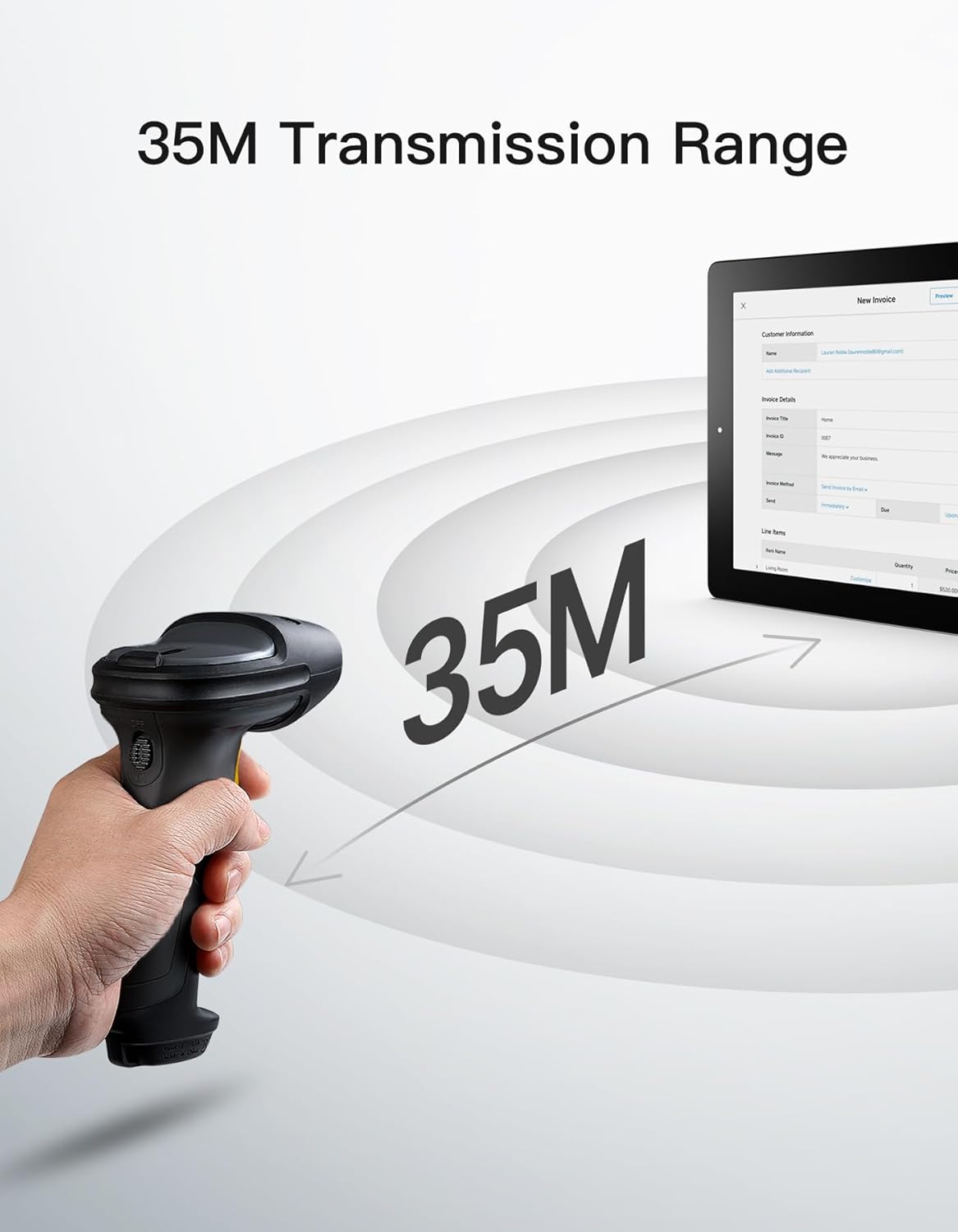
คำอธิบายภาพ: The Inateck BCST-72 barcode scanner illustrating its 35-meter wireless transmission range, connecting to a tablet displaying an invoice.
5. คู่มือการใช้งาน
5.1 การสแกนบาร์โค้ด
The Inateck BCST-72 accurately reads almost all 1D and 2D barcodes within a 4–35 cm scanning range. It supports mainstream barcode types including Code 128, EAN-13, UPC-A, QR Code, PDF-417, Data Matrix, Aztec Code, and more. Equipped with a red laser aiming frame and white fill light, it reliably scans damaged, small, or blurred barcodes in both bright and low-light conditions.

คำอธิบายภาพ: The Inateck BCST-72 barcode scanner head shown with various 1D and 2D barcodes, indicating its "Super Decoding Ability" to read different types of codes.

คำอธิบายภาพ: The Inateck BCST-72 barcode scanner highlighting its capability to read both 1D and 2D barcodes, listing various supported formats like Code 128, EAN-13, UPC-A, QR, and Data Matrix.
5.2 โหมดการสแกน
The scanner offers multiple scanning modes to suit different applications:
- โหมดแมนนวล: กดปุ่มเพื่อสแกนบาร์โค้ดแต่ละอันทีละอัน
- โหมดต่อเนื่อง: เครื่องสแกนจะปล่อยลำแสงสแกนอย่างต่อเนื่อง เพื่ออ่านบาร์โค้ดขณะที่ผ่านเข้ามาในบริเวณนั้น view โดยไม่ต้องกดไกปืน
- โหมดการตรวจจับอัตโนมัติ: The scanner automatically detects barcodes placed within its scanning range and activates the scan beam.
- โหมดสินค้าคงคลัง: Allows for offline data collection, storing up to 270,000 barcodes internally before uploading them to a host device.

คำอธิบายภาพ: The Inateck BCST-72 barcode scanner in a stand, demonstrating its automatic detection mode for hands-free scanning.

คำอธิบายภาพ: The Inateck BCST-72 barcode scanner continuously scanning multiple items on a conveyor belt, illustrating its continuous scanning mode.

คำอธิบายภาพ: The Inateck BCST-72 barcode scanner used in inventory mode, showing scanned data being uploaded to a spreadsheet, highlighting its offline data collection capability.
5.3 Inateck Scanner App & SDK
The Inateck Scanner app (available on App Store and Google Play) and SDK provide advanced configuration options and seamless integration with ERP systems. The app allows for fast configuration of Bluetooth pairing, barcode settings, and data processing. You can customize settings such as volume, barcode types, suffixes, and prefixes. The SDK enables developers to integrate the scanner directly into custom software solutions.
คำอธิบายวิดีโอ: An official product video demonstrating the Inateck BCST-72 barcode scanner's features, including its decoding ability, battery life, durable design, and the functionality of the Inateck Scanner app for configuration and data processing. It also highlights the SDK for seamless integration.
6. การบำรุงรักษา
To ensure the longevity and optimal performance of your Inateck BCST-72 barcode scanner, follow these maintenance guidelines:
- การทำความสะอาด: ใช้ผ้าแห้งเนื้อนุ่มเช็ดทำความสะอาดภายนอกเครื่องสแกน สำหรับช่องสแกน ให้ใช้ผ้าที่ไม่เป็นขุยเช็ดเบาๆampล้างด้วยน้ำยาทำความสะอาดที่ไม่รุนแรงและไม่ทำให้เกิดรอยขีดข่วน หลีกเลี่ยงสารเคมีรุนแรงหรือวัสดุที่มีฤทธิ์กัดกร่อนที่อาจทำให้เลนส์เป็นรอยได้
- การดูแลแบตเตอรี่ Avoid fully discharging the battery frequently. For long-term storage, charge the battery to about 50% and store the device in a cool, dry place. Recharge periodically if stored for extended periods.
- พื้นที่จัดเก็บ: Store the scanner in a clean, dry environment away from extreme temperatures, direct sunlight, and corrosive materials.
7 การแก้ไขปัญหา
If you encounter issues with your Inateck BCST-72 scanner, refer to the following common solutions:
- เครื่องสแกนเนอร์ไม่เปิด: ตรวจสอบให้แน่ใจว่าแบตเตอรี่ชาร์จเต็มแล้ว เชื่อมต่อสแกนเนอร์เข้ากับแหล่งจ่ายไฟโดยใช้สาย USB และปล่อยให้ชาร์จอย่างน้อย 30 นาที ก่อนที่จะลองเปิดเครื่องอีกครั้ง
- Unable to Connect via Bluetooth/2.4G:
- Ensure the scanner is in the correct pairing mode.
- Verify that Bluetooth is enabled on your host device.
- For 2.4G, ensure the USB dongle is securely plugged in and recognized by your device.
- ลองรีสตาร์ททั้งเครื่องสแกนเนอร์และอุปกรณ์โฮสต์
- เครื่องสแกนอ่านบาร์โค้ดไม่ได้:
- Ensure the barcode is clean, undamaged, and within the scanner's optimal reading range (4-35 cm).
- Check if the barcode type is supported by the scanner. You can configure supported barcode types via the Inateck Scanner app.
- ปรับระยะทางและมุมของเครื่องสแกนให้สัมพันธ์กับบาร์โค้ด
- Ensure sufficient lighting for the barcode. The scanner has a white fill light for low-light conditions.
- ไม่มีการส่งข้อมูล:
- Confirm successful connection (Bluetooth, 2.4G, or wired).
- Ensure the cursor is in an active text field on your host device where data can be input.
- Check the scanner's settings via the Inateck Scanner app for any data processing rules that might be affecting output.
For further assistance, refer to the electronic manual within the Inateck Scanner app or contact Inateck customer support.
8. ข้อมูลจำเพาะ
| คุณสมบัติ | รายละเอียด |
|---|---|
| ยี่ห้อ | อินาเท็ค |
| แบบอย่าง | BCST-72 |
| ความสามารถในการสแกน | 1D and 2D Barcodes (Code 128, EAN-13, UPC-A, QR Code, PDF-417, Data Matrix, Aztec Code, etc.) |
| ช่วงการสแกน | 4–35 ซม. |
| การเชื่อมต่อ | 2.4G ไร้สาย, บลูทูธ, USB แบบมีสาย |
| ความเข้ากันได้ | Windows, Mac, iOS, Android, iPadOS, Linux |
| แบตเตอรี่ | แบตเตอรี่ลิเธียมไอออน 1 ก้อน (รวมอยู่ด้วย) 2600mAh |
| อายุการใช้งานแบตเตอรี่ | Up to 180 days standby or 180,000 scans |
| การป้องกันการตกหล่น | Withstands 1.8-meter drops |
9. การรับประกันและการสนับสนุน
Inateck products come with a standard warranty. For specific warranty terms and conditions, please refer to the documentation included with your purchase or visit the official Inateck website. If you require technical support, have questions about product operation, or need assistance with troubleshooting, please contact Inateck customer support. You can find contact information on the Inateck website or within the Inateck Scanner app.
เยี่ยมชม Inateck Store สำหรับข้อมูลและผลิตภัณฑ์เพิ่มเติม