
1. คำแนะนำด้านความปลอดภัยที่สำคัญ
Please read this manual thoroughly before operating your Yeedi S20 Infinity Robot Vacuum and Mop. Keep this manual for future reference.
- ตรวจสอบให้แน่ใจว่ามีการใช้หุ่นยนต์บนพื้นผิวที่มั่นคงและระดับ
- ควรเก็บสายไฟหลวมๆ ม่าน และสิ่งของอื่นๆ ที่อาจพันกันทำให้หุ่นยนต์ติดขัดให้พ้นทาง
- ห้ามให้เด็กหรือสัตว์เลี้ยงเล่นกับหุ่นยนต์
- Use only the original power adapter and charging station provided by Yeedi.
- The robot is compatible with 2.4GHz Wi-Fi networks only. 5GHz Wi-Fi is not supported.
- Avoid exposing the robot or station to water or moisture.
2. สินค้าหมดview และส่วนประกอบ
The Yeedi S20 Infinity is an advanced robot vacuum and mop designed for comprehensive floor cleaning. It features an intelligent robot unit and a multifunctional OmniCyclone Station.

Figure 2.1: Yeedi S20 Infinity Robot Vacuum and OmniCyclone Station. The image shows the circular robot unit next to its tall, rectangular self-emptying and cleaning station.
ส่วนประกอบที่รวมอยู่:
- หุ่นยนต์ดูดฝุ่น (1)
- OMNI Station (1)
- Power Cord (Black) (1)
- คู่มือการใช้งาน (1)
- คู่มือฉบับย่อ (1)
- Ordinary New Roller Cloth Roller (1)
- แปรงข้าง (1)
- Main Brush & Main Brush Cover (1)
- ตัวกรอง (1)
- Auxiliary Compartment Auto-Fill Module (1)
- Clean Water Tank (1)
- Dirty Water Tank (1)
ขนาด :
- All-in-one Station: 15.0"L x 19.41"W x 18.31"H
- Robot: 13.9"L x 13.8"W x 3.9"H
3. คู่มือการติดตั้ง
Follow these steps to set up your Yeedi S20 Infinity for the first time.
3.1 การแกะกล่องและการวางตำแหน่งเริ่มต้น
- แกะส่วนประกอบทั้งหมดออกจากกล่องอย่างระมัดระวัง
- Place the OmniCyclone Station against a wall on a level, hard ground. Ensure there is at least 0.64ft (20cm) of clear space on either side and 2.6ft (80cm) in front of it.
- Plug the power cord into the station and a wall outlet.
- Remove all protective films and packaging from the robot.
- Place the robot onto the station to begin charging.

Figure 3.1: The OmniCyclone Station positioned against a wall with the robot docked for charging. The image illustrates the recommended clear space around the station.
3.2 การติดตั้งและการเชื่อมต่อแอป
- Download the 'Yeedi Home' app from your smartphone's app store.
- Open the app and follow the on-screen instructions to add your Yeedi S20 Infinity.
- You will need to scan the QR code located under the robot's top cover.
- Ensure your smartphone is connected to a 2.4GHz Wi-Fi network during the setup process.
3.3 การกำหนดแผนที่เบื้องต้น
Once connected to the app, initiate an 'Auto Clean' cycle. The robot will begin exploring your home and creating a map, which will be visible in the app. This map is crucial for advanced features like zone cleaning and virtual boundaries.
Video 3.1: YEEDI S20 Infinity - Unboxing, Setup, Demo, Review. This video provides a visual guide to unboxing the product, setting up the station, and connecting the robot to the mobile application.
4. คู่มือการใช้งาน
Your Yeedi S20 Infinity offers various cleaning modes and smart features for optimal performance.
โหมดทำความสะอาด 4.1 โหมด
- เฉพาะสูญญากาศ: เหมาะสำหรับทำความสะอาดเศษฝุ่นแห้งบนพื้นทุกประเภท
- เฉพาะไม้ถูพื้น: สำหรับการทำความสะอาดพื้นแข็งแบบเปียก
- ดูดฝุ่นและถูพื้น: ดูดฝุ่นและถูพื้นพร้อมกันเพื่อการทำความสะอาดอย่างทั่วถึง
4.2 PowerBoost Charging
The S20 Infinity features PowerBoost charging, allowing the robot to quickly recharge during mop washing cycles. This ensures uninterrupted cleaning, especially for larger homes, by restoring 6% battery in just 3 minutes.
Video 4.1: Meet The Yeedi S20 Infinity Robot Vacuum. This video showcases the robot's features, including PowerBoost charging, and its ability to handle various cleaning tasks.
4.3 OZMO Roller 2.0 Mopping
The OZMO Roller 2.0 system provides real-time self-washing of the mop, ensuring a clean cloth touches every inch of your floor. Its extendable design allows for wider coverage and closer edge cleaning.
4.4 BLAST Suction
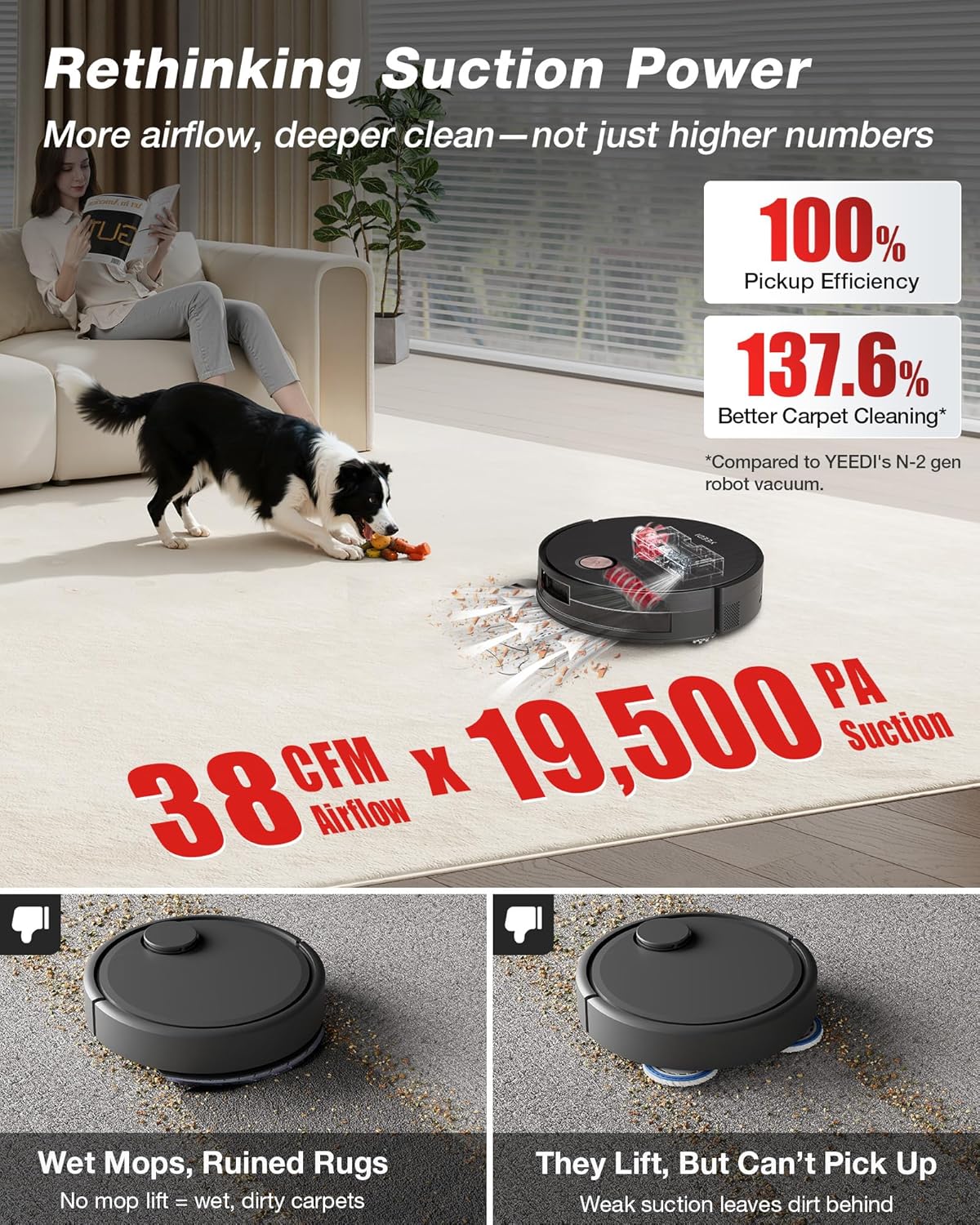
Experience deep cleaning with 19,500Pa suction and 38CFM airflow. This powerful suction effectively removes dirt and pet hair from carpets and hard floors. The ZeroTangle 3.0 technology on main and side brushes minimizes hair tangles.
4.5 AIVI 3D Navigation and TruEdge 3.0
AIVI 3D Navigation intelligently detects obstacles and maps your home for precise cleaning. TruEdge 3.0 ensures thorough edge cleaning, reaching close to walls and corners.
4.6 Smart Triple Lift System
The robot automatically lifts the mop on carpets, raises side brushes for large debris, and adjusts the main brush to prevent spills, providing seamless cleaning across different floor types.
4.7 การควบคุมแอปและเสียง
Control your robot remotely via the Yeedi Home app. Schedule cleanings, set no-go zones, customize cleaning parameters, and manage maps. Voice commands are supported through Amazon Alexa and Google Assistant.
5. การบำรุงรักษา
Regular maintenance ensures optimal performance and longevity of your Yeedi S20 Infinity.
5.1 OmniCyclone Station Maintenance
- Bagless Auto-Empty: The station automatically empties the robot's dustbin into its 1.6-liter bagless container. Empty the station's container as needed.
- การซักด้วยน้ำร้อน: The station washes the mop roller with 167°F hot water.
- การอบแห้งด้วยลมร้อน: After washing, the mop is dried with 145°F hot air to prevent odors and mildew.
- Dual Solution Cleaning: The station supports dual cleaning solutions for different cleaning needs.
รูปที่ 5.1: รายละเอียด view of the OmniCyclone Station's bagless auto-emptying feature. The image shows the transparent dust collection bin within the station.
5.2 การทำความสะอาดชิ้นส่วนหุ่นยนต์
- ถังขยะ: The robot's internal dustbin is automatically emptied by the station. Periodically check and clean if any residue remains.
- Roller Mop: The mop roller is self-washed by the station. Ensure the station's clean and dirty water tanks are maintained.
- แปรงหลักและแปรงด้านข้าง: Regularly check for tangled hair or debris. The ZeroTangle 3.0 technology minimizes tangles, but occasional manual cleaning may be required.
- กรอง: Clean the robot's filter regularly by tapping out dust. Replace as recommended in the app.
Video 5.1: How To Empty Bagless Dustbin Yeedi S20 Infinity. This video demonstrates the process of emptying the robot's bagless dustbin into the OmniCyclone Station.
6 การแก้ไขปัญหา
If you encounter any issues with your Yeedi S20 Infinity, refer to the following common solutions:
- หุ่นยนต์ไม่ชาร์จ: Ensure the robot is correctly docked on the station and the station is powered on. Clean charging contacts on both the robot and station.
- ประสิทธิภาพการทำความสะอาดไม่ดี: Check if the dustbin is full, brushes are tangled, or the filter is clogged. Clean or replace components as necessary.
- ปัญหาการเชื่อมต่อแอป: Verify your Wi-Fi network is 2.4GHz. Restart your router, robot, and app.
- หุ่นยนต์ติดขัด: Clear any obstacles from the robot's path. Check for tangled cables or debris in the wheels.
- Mop not washing/drying: Ensure water tanks are correctly installed and filled (clean water) or emptied (dirty water). Check for blockages in the station's cleaning mechanism.
For further assistance, please contact Yeedi customer support.
7. ข้อมูลจำเพาะ
| คุณสมบัติ | ข้อมูลจำเพาะ |
|---|---|
| ยี่ห้อ | Yeedi |
| ชื่อรุ่น | YEEDI S20 Infinity |
| ขนาดสินค้า | 14.96"L x 19.41"W x 18.31"H (Station) |
| น้ำหนักสินค้า | 43.8 ปอนด์ |
| อายุการใช้งานแบตเตอรี่ | 254 นาที |
| พลังดูด | 19,500Pa (BLAST Suction) |
| ความจุถังน้ำสะอาด | 1.6 ลิตร |
| วิธีการควบคุม | แอปสัมผัส |
| อุปกรณ์ที่รองรับ | Amazon Echo, Google Home, สมาร์ทโฟน |
| ความเข้ากันได้กับ Wi-Fi | 2.4GHz เท่านั้น |
8. การรับประกันและการสนับสนุน
Your Yeedi S20 Infinity Robot Vacuum and Mop comes with a manufacturer's warranty and dedicated customer support.
8.1 ข้อมูลการรับประกัน
Yeedi provides a 12-month worry-free warranty for the S20 Infinity. Please retain your proof of purchase for warranty claims.
8.2 การคืนสินค้าและการแลกเปลี่ยน
A 30-day free return and exchange policy is available. Refer to your retailer's specific return policy for details.
8.3 การสนับสนุนลูกค้า
For any questions, troubleshooting, or warranty claims, please visit the official Yeedi website or contact their customer service team. They offer a rapid responding service team.